
Uses tokenized query returned by python-sqlparse and generates query metadata

Project description
sql-metadata






Uses tokenized query returned by python-sqlparse and generates query metadata.
Extracts column names and tables used by the query. Automatically conduct column alias resolution, sub queries aliases resolution as well as tables aliases resolving.
Provides also a helper for normalization of SQL queries.
Supported queries syntax:
- MySQL
- PostgreSQL
- Sqlite
- MSSQL
- Apache Hive
(note that listed backends can differ quite substantially but should work in regard of query types supported by sql-metadata)
You can test the capabilities of sql-metadata with an interactive demo: https://sql-app.infocruncher.com/
Usage
pip install sql-metadata
Extracting raw sql-metadata tokens
from sql_metadata import Parser

# extract raw sql-metadata tokens
Parser("SELECT * FROM foo").tokens
# ['SELECT', '*', 'FROM', 'foo']
Extracting columns from query
from sql_metadata import Parser

# get columns from query - for more examples see `tests/test_getting_columns.py`
Parser("SELECT test, id FROM foo, bar").columns
# ['test', 'id']

Parser("INSERT /* VoteHelper::addVote xxx */  INTO `page_vote` (article_id,user_id,`time`) VALUES ('442001','27574631','20180228130846')").columns
# ['article_id', 'user_id', 'time']

parser = Parser("SELECT a.* FROM product_a.users AS a JOIN product_b.users AS b ON a.ip_address = b.ip_address")

# note that aliases are auto-resolved
parser.columns
# ['product_a.*', 'product_a.users.ip_address', 'product_b.users.ip_address']

# note that you can also extract columns with their place in the query
# which will return dict with lists divided into select, where, order_by, group_by, join, insert and update
parser.columns_dict
# {'select': ['product_a.users.*'], 'join': ['product_a.users.ip_address', 'product_b.users.ip_address']}
Extracting columns aliases from query
from sql_metadata import Parser
parser = Parser("SELECT a, (b + c - u) as alias1, custome_func(d) alias2 from aa, bb order by alias1")

# note that columns list do not contain aliases of the columns
parser.columns
# ["a", "b", "c", "u", "d"]

# but you can still extract aliases names
parser.columns_aliases_names
# ["alias1", "alias2"]

# aliases are resolved to the columns which they refer to
parser.columns_aliases
# {"alias1": ["b", "c", "u"], "alias2": "d"}

# you can also extract aliases used by section of the query in which they are used
parser.columns_aliases_dict
# {"order_by": ["alias1"], "select": ["alias1", "alias2"]}

# the same applies to aliases used in queries section when you extract columns_dict
# here only the alias is used in order by but it's resolved to actual columns
assert parser.columns_dict == {'order_by': ['b', 'c', 'u'],
                               'select': ['a', 'b', 'c', 'u', 'd']}
Extracting tables from query
from sql_metadata import Parser

# get tables from query - for more examples see `tests/test_getting_tables.py`
Parser("SELECT a.* FROM product_a.users AS a JOIN product_b.users AS b ON a.ip_address = b.ip_address").tables
# ['product_a.users', 'product_b.users']

Parser("SELECT test, id FROM foo, bar").tables
# ['foo', 'bar']

# you can also extract aliases of the tables as a dictionary
parser = Parser("SELECT f.test FROM foo AS f")

# get table aliases
parser.tables_aliases
# {'f': 'foo'}

# note that aliases are auto-resolved for columns
parser.columns
# ["foo.test"]
Extracting values from insert query
from sql_metadata import Parser

parser = Parser(
    "INSERT /* VoteHelper::addVote xxx */  INTO `page_vote` (article_id,user_id,`time`) "
    "VALUES ('442001','27574631','20180228130846')"
)
# extract values from query
parser.values
# ["442001", "27574631", "20180228130846"]

# extract a dictionary with column-value pairs
parser.values_dict
#{"article_id": "442001", "user_id": "27574631", "time": "20180228130846"}

# if column names are not set auto-add placeholders
parser = Parser(
    "INSERT IGNORE INTO `table` VALUES (9, 2.15, '123', '2017-01-01');"
)
parser.values
# [9, 2.15, "123", "2017-01-01"]

parser.values_dict
#{"column_1": 9, "column_2": 2.15, "column_3": "123", "column_4": "2017-01-01"}
Extracting limit and offset
from sql_metadata import Parser

Parser('SELECT foo_limit FROM bar_offset LIMIT 50 OFFSET 1000').limit_and_offset
# (50, 1000)

Parser('SELECT foo_limit FROM bar_offset limit 2000,50').limit_and_offset
# (50, 2000)
Extracting with names
from sql_metadata import Parser

parser = Parser(
    """
WITH
    database1.tableFromWith AS (SELECT aa.* FROM table3 as aa
                                left join table4 on aa.col1=table4.col2),
    test as (SELECT * from table3)
SELECT
  "xxxxx"
FROM
  database1.tableFromWith alias
LEFT JOIN database2.table2 ON ("tt"."ttt"."fff" = "xx"."xxx")
"""
)

# get names/ aliases of with statements
parser.with_names
# ["database1.tableFromWith", "test"]

# get definition of with queries
parser.with_queries
# {"database1.tableFromWith": "SELECT aa.* FROM table3 as aa left join table4 on aa.col1=table4.col2"
#  "test": "SELECT * from table3"}

# note that names of with statements do not appear in tables
parser.tables
# ["table3", "table4", "database2.table2"]
Extracting sub-queries
from sql_metadata import Parser

parser = Parser(
"""
SELECT COUNT(1) FROM
(SELECT std.task_id FROM some_task_detail std WHERE std.STATUS = 1) a
JOIN (SELECT st.task_id FROM some_task st WHERE task_type_id = 80) b
ON a.task_id = b.task_id;
"""
)

# get sub-queries dictionary
parser.subqueries
# {"a": "SELECT std.task_id FROM some_task_detail std WHERE std.STATUS = 1",
#  "b": "SELECT st.task_id FROM some_task st WHERE task_type_id = 80"}


# get names/ aliases of sub-queries / derived tables
parser.subqueries_names
# ["a", "b"]

# note that columns coming from sub-queries are resolved to real columns
parser.columns
#["some_task_detail.task_id", "some_task_detail.STATUS", "some_task.task_id",
# "task_type_id"]

# same applies for columns_dict, note the join columns are resolved
parser.columns_dict
#{'join': ['some_task_detail.task_id', 'some_task.task_id'],
# 'select': ['some_task_detail.task_id', 'some_task.task_id'],
# 'where': ['some_task_detail.STATUS', 'task_type_id']}
See tests file for more examples of a bit more complex queries.
Queries normalization and comments extraction
from sql_metadata import Parser
parser = Parser('SELECT /* Test */ foo FROM bar WHERE id in (1, 2, 56)')

# generalize query
parser.generalize
# 'SELECT foo FROM bar WHERE id in (XYZ)'

# remove comments
parser.without_comments
# 'SELECT foo FROM bar WHERE id in (1, 2, 56)'

# extract comments
parser.comments
# ['/* Test */']
See test/test_normalization.py file for more examples of a bit more complex queries.
Migrating from sql_metadata 1.x
sql_metadata.compat module has been implemented to make the introduction of sql-metadata v2.0 smoother.
You can use it by simply changing the imports in your code from:
from sql_metadata import get_query_columns, get_query_tables
into:
from sql_metadata.compat import get_query_columns, get_query_tables
The following functions from the old API are available in the sql_metadata.compat module:
generalize_sqlget_query_columns(since #131 columns aliases ARE NOT returned by this function)get_query_limit_and_offsetget_query_tablesget_query_tokenspreprocess_query
Authors and contributors
Created and maintained by @macbre with a great contributions from @collerek and the others.
- aborecki (https://github.com/aborecki)
- collerek (https://github.com/collerek)
- dylanhogg (https://github.com/dylanhogg)
- macbre (https://github.com/macbre)
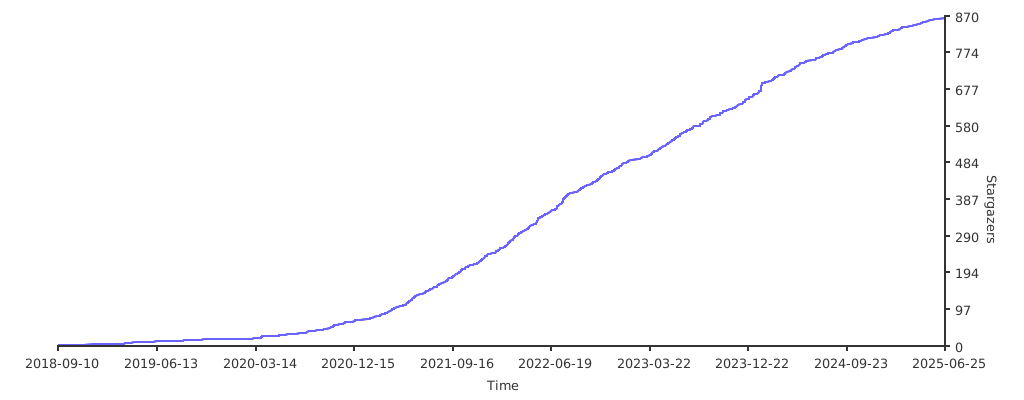
Stargazers over time
Release history Release notifications | RSS feed


Download files
Download the file for your platform. If you're not sure which to choose, learn more about installing packages.
Source Distribution
Built Distribution
Filter files by name, interpreter, ABI, and platform.
If you're not sure about the file name format, learn more about wheel file names.
Copy a direct link to the current filters
File details
Details for the file sql_metadata-2.6.0.tar.gz.
File metadata
- Download URL: sql_metadata-2.6.0.tar.gz
- Upload date:
- Size: 23.0 kB
- Tags: Source
- Uploaded using Trusted Publishing? No
- Uploaded via: poetry/1.1.13 CPython/3.10.5 Linux/5.13.0-1029-azure
File hashes
| Algorithm | Hash digest | |
|---|---|---|
| SHA256 |
2242603497bbcdb6e565c883df7b48eb85e19439acab54026a0e2b1cae6b5fe6
|
|
| MD5 |
b7fd6d9aff1ed9e67963f17f3e6e7a6d
|
|
| BLAKE2b-256 |
945477ea5b3b745e645ce6ff63e22cb4d71431ce06dde892ccb451b60511ed8b
|
File details
Details for the file sql_metadata-2.6.0-py3-none-any.whl.
File metadata
- Download URL: sql_metadata-2.6.0-py3-none-any.whl
- Upload date:
- Size: 21.7 kB
- Tags: Python 3
- Uploaded using Trusted Publishing? No
- Uploaded via: poetry/1.1.13 CPython/3.10.5 Linux/5.13.0-1029-azure
File hashes
| Algorithm | Hash digest | |
|---|---|---|
| SHA256 |
8b2175a7cc530e3cab876efef3d02c4c96f5a3cb8233d54c6be0152091baf094
|
|
| MD5 |
514502989fbe696d5c62242c18fc2efd
|
|
| BLAKE2b-256 |
78e19c6c3fef86c96605c485ea5004f83957880286262e96ed2f4a13ae00eea5
|






