
Swiss-army knife for Android testing and development

Project description

Logo
ADB-Enhanced is a Swiss-army knife for Android testing and development.
A command-line interface to trigger various scenarios like screen rotation, battery saver mode, data saver mode, doze mode, permission grant/revocation. Its a wrapper around adb and not a replacement.






















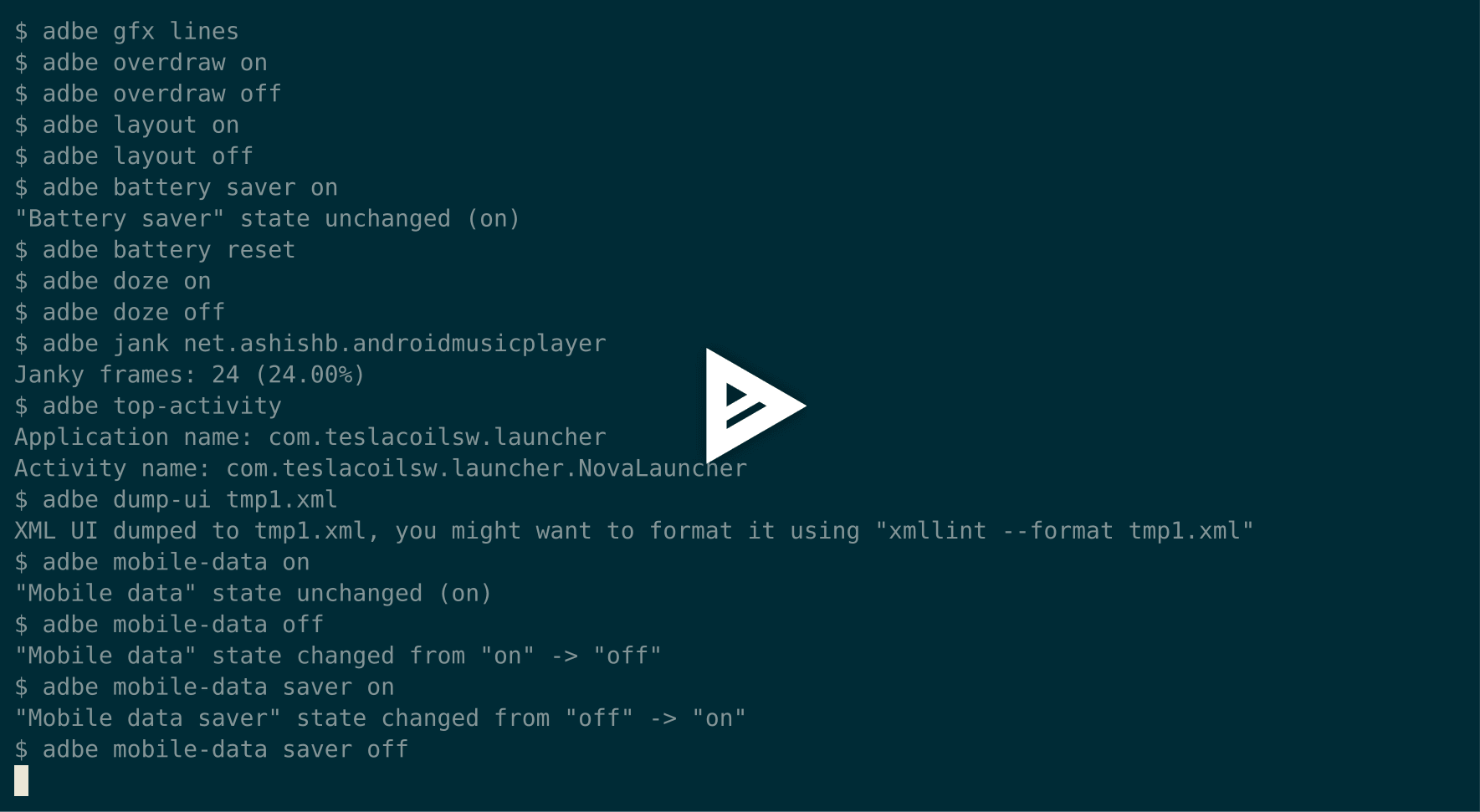
Release announcement
Installation
Recommended
sudo pip3 install adb-enhanced
Alternative on Mac OS via Homebrew 
brew install adb-enhanced
Note
sudo pip install adb-enhanced for Python2 based install works as well but, I would recommend moving to python3 since I will deprecate Python2 support anytime after Dec 31, 2018.
If you don’t have sudo access or you are installing without sudo then adbe might not be configured correctly in the path.
To setup bash/z-sh auto-completion, execute sudo pip3 install infi.docopt-completion && docopt-completion $(which adbe) after installing adb-enhanced.
Examples
Device configuration
Turn doze mode on
adbe doze on
Turn mobile-data off
adbe mobile-data off
Turn on battery saver
adbe battery saver on
Don’t keep activities in the background
adbe dont-keep-activities on
Take a screenshot adbe screenshot ~/Downloads/screenshot1.png
Take a video adbe screenrecord video.mp4 # Press ^C when finished
Turn Wireless Debug mode on adbe enable wireless debugging
Permissions
Grant storage-related runtime permissions
adbe permissions grant com.example storage
Revoke storage-related runtime permissions
adbe permissions revoke com.example storage
Interacting with app
Start an app
adbe start com.example
Kill an app
adbe force-stop com.example
Clear app data - equivalent of uninstall and reinstall
adbe clear-data com.example
ls/cat/rm any file without worrying about adding “run-as” or “su root”
adbe ls /data/data/com.example/databases # Works as long as com.example is a debuggable package or shell has the root permission or directory has been made publicly accessible
Device info
Detailed device info including model name, Android API version etc, device serial
$ adbe devices
Unlock Device "dcc54112" and give USB debugging access to this PC/Laptop by unlocking and reconnecting the device. More info about this device: "unauthorized usb:339869696X transport_id:17"

Serial ID: dcc54111
Manufacturer: OnePlus
Model: ONEPLUS A5000 (OnePlus 5T)
Release: 8.1.0
SDK version: 27
CPU: arm64-v8a

Serial ID: emulator-5554
Manufacturer: unknown
Model: Android SDK built for x86
Release: 4.4.2
SDK version: 19
CPU: x86
App info
Detailed information about app version, target SDK version, permissions (requested, granted, denied), installer package name, etc.
$ adbe app info com.google.android.youtube
App name: com.google.android.youtube
Version: 12.17.41
Version Code: 121741370
Is debuggable: False
Min SDK version: 21
Target SDK version: 26

Permissions:

Install time granted permissions:
com.google.android.c2dm.permission.RECEIVE
android.permission.USE_CREDENTIALS
com.google.android.providers.gsf.permission.READ_GSERVICES
com.google.android.youtube.permission.C2D_MESSAGE
android.permission.MANAGE_ACCOUNTS
android.permission.SYSTEM_ALERT_WINDOW
android.permission.NFC
android.permission.CHANGE_NETWORK_STATE
android.permission.RECEIVE_BOOT_COMPLETED
com.google.android.gms.permission.AD_ID_NOTIFICATION
android.permission.INTERNET
android.permission.GET_PACKAGE_SIZE
android.permission.ACCESS_NETWORK_STATE
android.permission.VIBRATE
android.permission.ACCESS_WIFI_STATE
android.permission.WAKE_LOCK

Runtime Permissions not granted and not yet requested:
android.permission.WRITE_EXTERNAL_STORAGE
android.permission.MANAGE_DOCUMENTS
android.permission.GET_ACCOUNTS
android.permission.CAMERA
android.permission.RECORD_AUDIO
android.permission.READ_CONTACTS
android.permission.ACCESS_FINE_LOCATION
android.permission.ACCESS_COARSE_LOCATION
android.permission.READ_PHONE_STATE
android.permission.SEND_SMS
android.permission.RECEIVE_SMS
com.sec.android.provider.badge.permission.READ
com.sec.android.provider.badge.permission.WRITE
com.htc.launcher.permission.READ_SETTINGS
com.htc.launcher.permission.UPDATE_SHORTCUT
com.sonyericsson.home.permission.BROADCAST_BADGE
com.sonymobile.home.permission.PROVIDER_INSERT_BADGE
android.permission.READ_EXTERNAL_STORAGE

Installer package name: None
App backup to a tar file unlike the Android-specific .ab format
$ adbe app backup com.google.android.youtube backup.tar
you might have to confirm the backup manually on your device's screen, enter "00" as password...
Successfully backed up data of app com.google.android.youtube to backup.tar
Usage
adbe [options] airplane (on | off)
adbe [options] alarm (all | top | pending | history)
adbe [options] animations (on | off)
adbe [options] app backup <app_name> [<backup_tar_file_path>]
adbe [options] app info <app_name>
adbe [options] app path <app_name>
adbe [options] app signature <app_name>
adbe [options] apps list (all | system | third-party | debug | backup-enabled)
adbe [options] battery level <percentage>
adbe [options] battery reset
adbe [options] battery saver (on | off)
adbe [options] cat <file_path>
adbe [options] clear-data <app_name>
adbe [options] dark mode (on | off)
adbe [options] devices
adbe [options] (enable | disable) wireless debugging
adbe [options] dont-keep-activities (on | off)
adbe [options] doze (on | off)
adbe [options] dump-ui <xml_file>
adbe [options] force-stop <app_name>
adbe [options] gfx (on | off | lines)
adbe [options] input-text <text>
adbe [options] install <file_path>
adbe [options] jank <app_name>
adbe [options] layout (on | off)
adbe [options] location (on | off)
adbe [options] ls [-a] [-l] [-R|-r] <file_path>
adbe [options] mobile-data (on | off)
adbe [options] mobile-data saver (on | off)
adbe [options] mv [-f] <src_path> <dest_path>
adbe [options] notifications list
adbe [options] open-url <url>
adbe [options] overdraw (on | off | deut)
adbe [options] permission-groups list all
adbe [options] permissions (grant | revoke) <app_name> (calendar | camera | contacts | location | microphone | notifications | phone | sensors | sms | storage)
adbe [options] permissions list (all | dangerous)
adbe [options] press back
adbe [options] pull [-a] <file_path_on_android>
adbe [options] pull [-a] <file_path_on_android> <file_path_on_machine>
adbe [options] push <file_path_on_machine> <file_path_on_android>
adbe [options] restart <app_name>
adbe [options] restrict-background (true | false) <app_name>
adbe [options] rm [-f] [-R|-r] <file_path>
adbe [options] rotate (landscape | portrait | left | right)
adbe [options] rtl (on | off)
adbe [options] screen (on | off | toggle)
adbe [options] screenrecord <filename.mp4>
adbe [options] screenshot <filename.png>
adbe [options] show-taps (on | off)
adbe [options] standby-bucket get <app_name>
adbe [options] standby-bucket set <app_name> (active | working_set | frequent | rare)
adbe [options] start <app_name>
adbe [options] stay-awake-while-charging (on | off)
adbe [options] stop <app_name>
adbe [options] top-activity
adbe [options] uninstall [--first-user] <app_name>
adbe [options] wifi (on | off)
Options
-e, --emulator          directs the command to the only running emulator
-d, --device            directs the command to the only connected "USB" device
-s, --serial SERIAL     directs the command to the device or emulator with the given serial number or qualifier.
                        Overrides ANDROID_SERIAL environment variable.
-l                      For long list format, only valid for "ls" command
-R                      For recursive directory listing, only valid for "ls" and "rm" command
-r                      For delete file, only valid for "ls" and "rm" command
-f                      For forced deletion of a file, only valid for "rm" command
-v, --verbose           Verbose mode
Python3 migration timeline
Nov 27, 2017 - Code is Python3 compatible
Jan 18, 2018 - pip (python package manager) has the updated version which is Python3 compatible
Nov 15, 2018 - Python2 based installation discouraged. Python3 is recommended.
Dec 31, 2018 - Python2 will not be officially supported after Dec 31, 2018.
May 7, 2020 - Python2 no longer works with the current master branch
Testing
make lint
make test
Release a new build
A new build can be released using `release/release.py <https://github.com/ashishb/adb-enhanced/blob/master/release/release.py>`__ script. Build a test release via make release_debug. Build a production release via make release_production
Updating docs for ReadTheDocs
make documentationNote that this happens automatically during make release_production.
You will have to do brew install pandoc if you are missing pandoc.
Note: The inspiration of this project came from android-scripts.
Contributors

GitHub contributors
Release history Release notifications | RSS feed


Download files
Download the file for your platform. If you're not sure which to choose, learn more about installing packages.
Source Distribution
Built Distribution
Filter files by name, interpreter, ABI, and platform.
If you're not sure about the file name format, learn more about wheel file names.
Copy a direct link to the current filters
File details
Details for the file adb-enhanced-2.5.22.tar.gz.
File metadata
- Download URL: adb-enhanced-2.5.22.tar.gz
- Upload date:
- Size: 7.8 MB
- Tags: Source
- Uploaded using Trusted Publishing? No
- Uploaded via: twine/4.0.2 CPython/3.9.13
File hashes
| Algorithm | Hash digest | |
|---|---|---|
| SHA256 |
b829dcb4c9a9422735d416a62820de679bed8b08dfbff2014d46a525c39bc7d0
|
|
| MD5 |
b5ce5ab2e566b23d129eeb51292287ea
|
|
| BLAKE2b-256 |
82111228620ea0c9204d6d908d8485005141ab3d71d3db71a152080439fa927d
|
File details
Details for the file adb_enhanced-2.5.22-py3-none-any.whl.
File metadata
- Download URL: adb_enhanced-2.5.22-py3-none-any.whl
- Upload date:
- Size: 7.8 MB
- Tags: Python 3
- Uploaded using Trusted Publishing? No
- Uploaded via: twine/4.0.2 CPython/3.9.13
File hashes
| Algorithm | Hash digest | |
|---|---|---|
| SHA256 |
caec0e771cd7a5bf1d81919092b0f8f6274efd69b3f001b09cc45cae66293d1c
|
|
| MD5 |
51769b2d855f6e462ac28b2471c1d261
|
|
| BLAKE2b-256 |
b576246138060b7ca37246f8f9e701c8f1d3b027a32771cc9ab711576629cc09
|






