
Distributed tracing instrumentation for asyncio application with zipkin


Project description
aiozipkin




aiozipkin is Python 3.5+ module that adds distributed tracing capabilities from asyncio applications with zipkin (http://zipkin.io) server instrumentation.
zipkin is a distributed tracing system. It helps gather timing data needed to troubleshoot latency problems in microservice architectures. It manages both the collection and lookup of this data. Zipkin’s design is based on the Google Dapper paper.
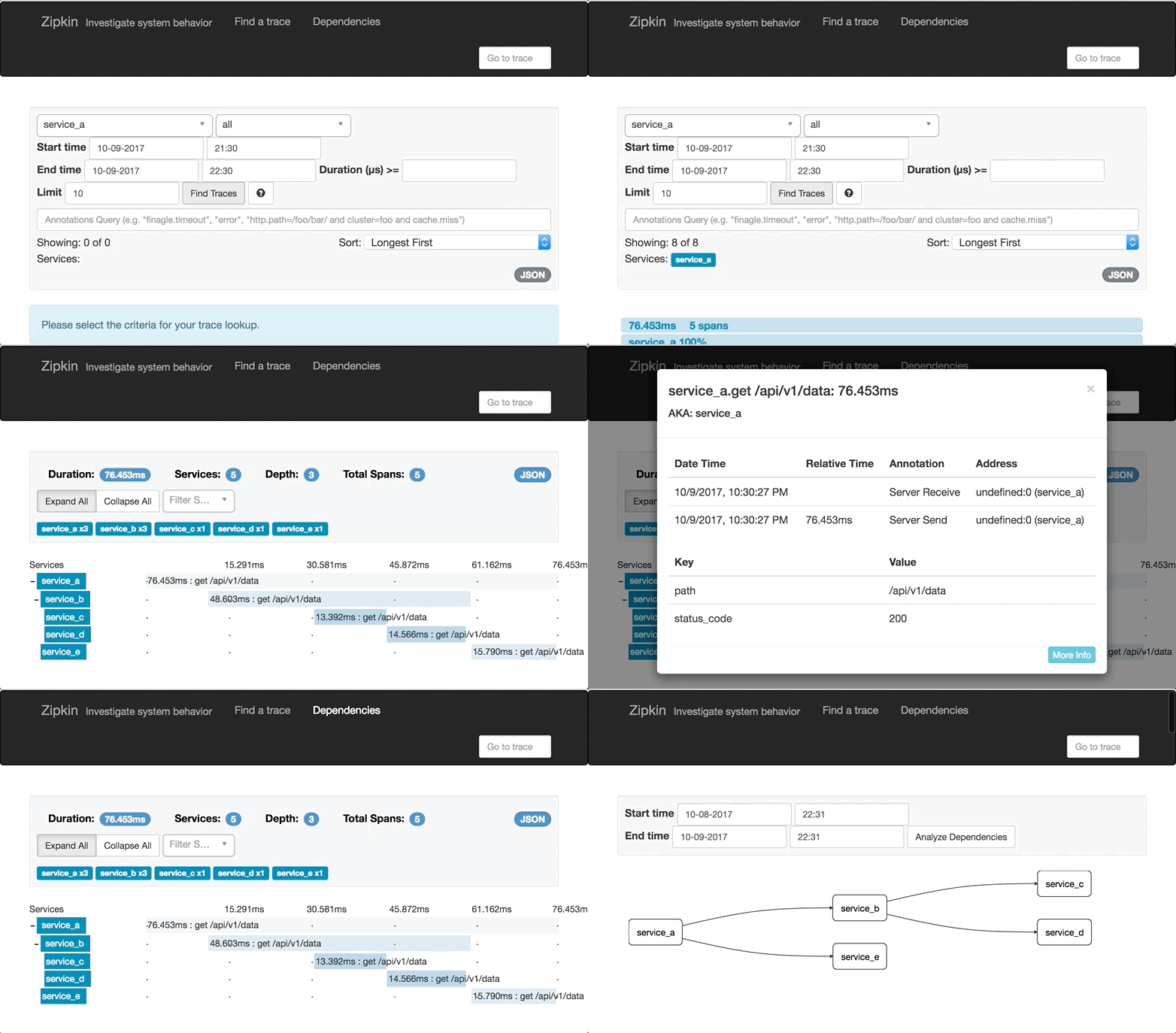
Simple example
import asyncio
import aiozipkin as az


async def run():
    # setup zipkin client
    zipkin_address = "http://127.0.0.1:9411"
    endpoint = az.create_endpoint(
        "simple_service", ipv4="127.0.0.1", port=8080)
    tracer = az.create(zipkin_address, endpoint, sample_rate=1.0)

    # create and setup new trace
    with tracer.new_trace(sampled=True) as span:
        # give a name for the span
        span.name("Slow SQL")
        # tag with relevant information
        span.tag("span_type", "root")
        # indicate that this is client span
        span.kind(az.CLIENT)
        # make timestamp and name it with START SQL query
        span.annotate("START SQL SELECT * FROM")
        # imitate long SQL query
        await asyncio.sleep(0.1)
        # make other timestamp and name it "END SQL"
        span.annotate("END SQL")

    await tracer.close()

if __name__ == "__main__":
    loop = asyncio.get_event_loop()
    loop.run_until_complete(run())
aiohttp example
aiozipkin includes aiohttp server instrumentation, for this create web.Application() as usual and install aiozipkin plugin:
import aiozipkin as az

def init_app():
    host, port = "127.0.0.1", 8080
    app = web.Application()
    endpoint = az.create_endpoint("AIOHTTP_SERVER", ipv4=host, port=port)
    tracer = az.create(zipkin_address, endpoint, sample_rate=1.0)
    az.setup(app, tracer)
That is it, plugin adds middleware that tries to fetch context from headers, and create/join new trace. Optionally on client side you can add propagation headers in order to force tracing and to see network latency between client and server.
import aiozipkin as az

endpoint = az.create_endpoint("AIOHTTP_CLIENT")
tracer = az.create(zipkin_address, endpoint)

with tracer.new_trace() as span:
    span.kind(az.CLIENT)
    headers = span.context.make_headers()
    host = "http://127.0.0.1:8080/api/v1/posts/{}".format(i)
    resp = await session.get(host, headers=headers)
    await resp.text()
Installation
Installation process is simple, just:
$ pip install aiozipkin
Requirements
CHANGES
Release history Release notifications | RSS feed


Download files
Download the file for your platform. If you're not sure which to choose, learn more about installing packages.
Source Distribution
Built Distribution
Filter files by name, interpreter, ABI, and platform.
If you're not sure about the file name format, learn more about wheel file names.
Copy a direct link to the current filters
File details
Details for the file aiozipkin-0.0.1b4.tar.gz.
File metadata
- Download URL: aiozipkin-0.0.1b4.tar.gz
- Upload date:
- Size: 14.0 kB
- Tags: Source
- Uploaded using Trusted Publishing? No
File hashes
| Algorithm | Hash digest | |
|---|---|---|
| SHA256 |
46b33366bd5b4563c8b2831f3f3983e350ccb69a01f7f9a4148194b2fa4cf210
|
|
| MD5 |
94eac5557bb5908bb2b1203b79d45749
|
|
| BLAKE2b-256 |
a9db341f50e5df471ef1fe5e448aaeb6e62a72dd53fac8bc7d39e07dc84a712b
|
File details
Details for the file aiozipkin-0.0.1b4-py3-none-any.whl.
File metadata
- Download URL: aiozipkin-0.0.1b4-py3-none-any.whl
- Upload date:
- Size: 13.6 kB
- Tags: Python 3
- Uploaded using Trusted Publishing? No
File hashes
| Algorithm | Hash digest | |
|---|---|---|
| SHA256 |
b1c3e4ea69826d6743ab6d7bc04e683e3db04d30fcf6459bd166684db079e828
|
|
| MD5 |
012fd1b2c41af596fecfd088d4c2ae40
|
|
| BLAKE2b-256 |
9baca9f721d7448b5e7a816bdaba31c97806d8f64eb1990cc1c15c7bfea8e395
|






