
Configurable Report Framework for corporate level aggregation of any data

Project description
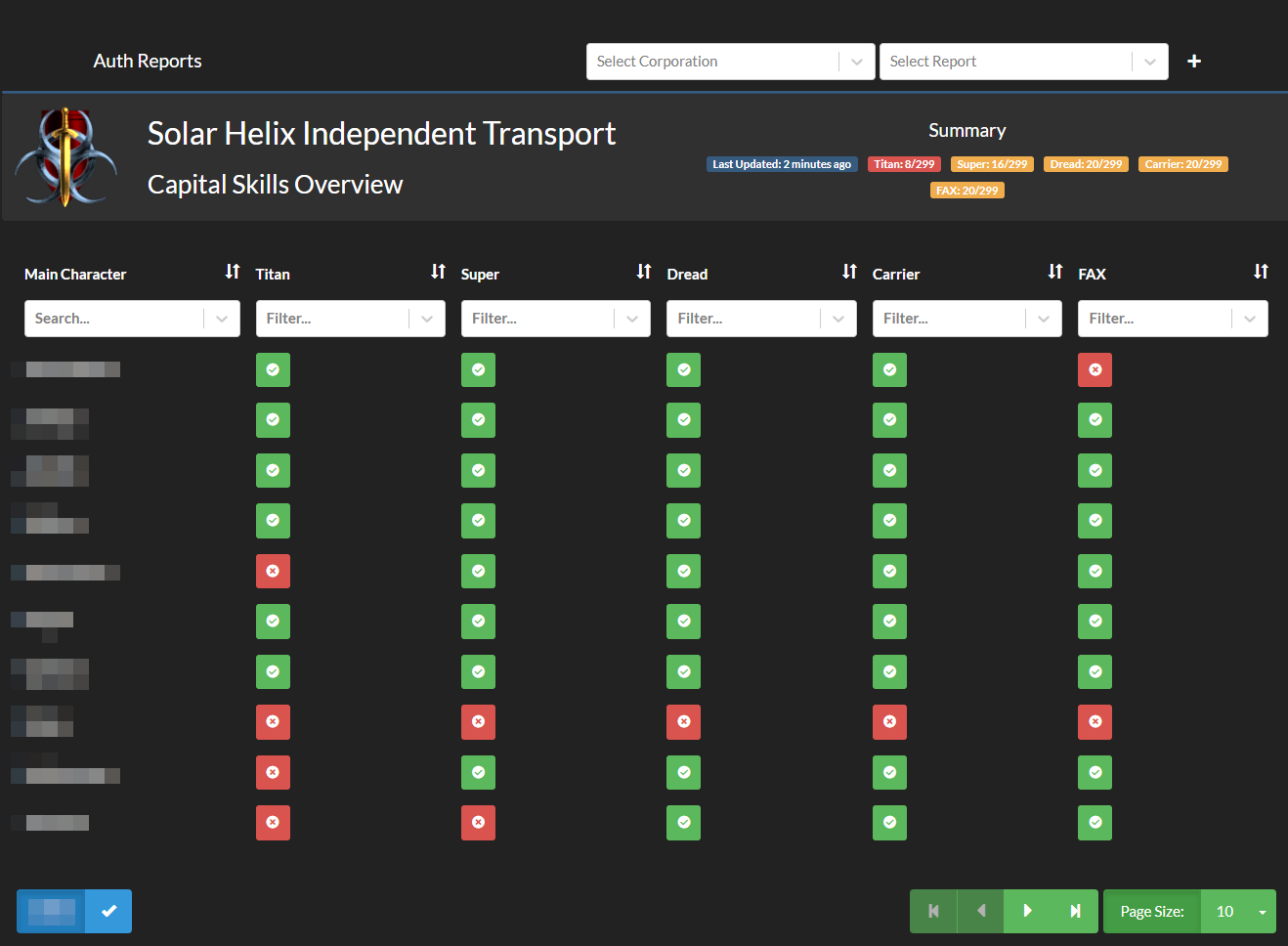
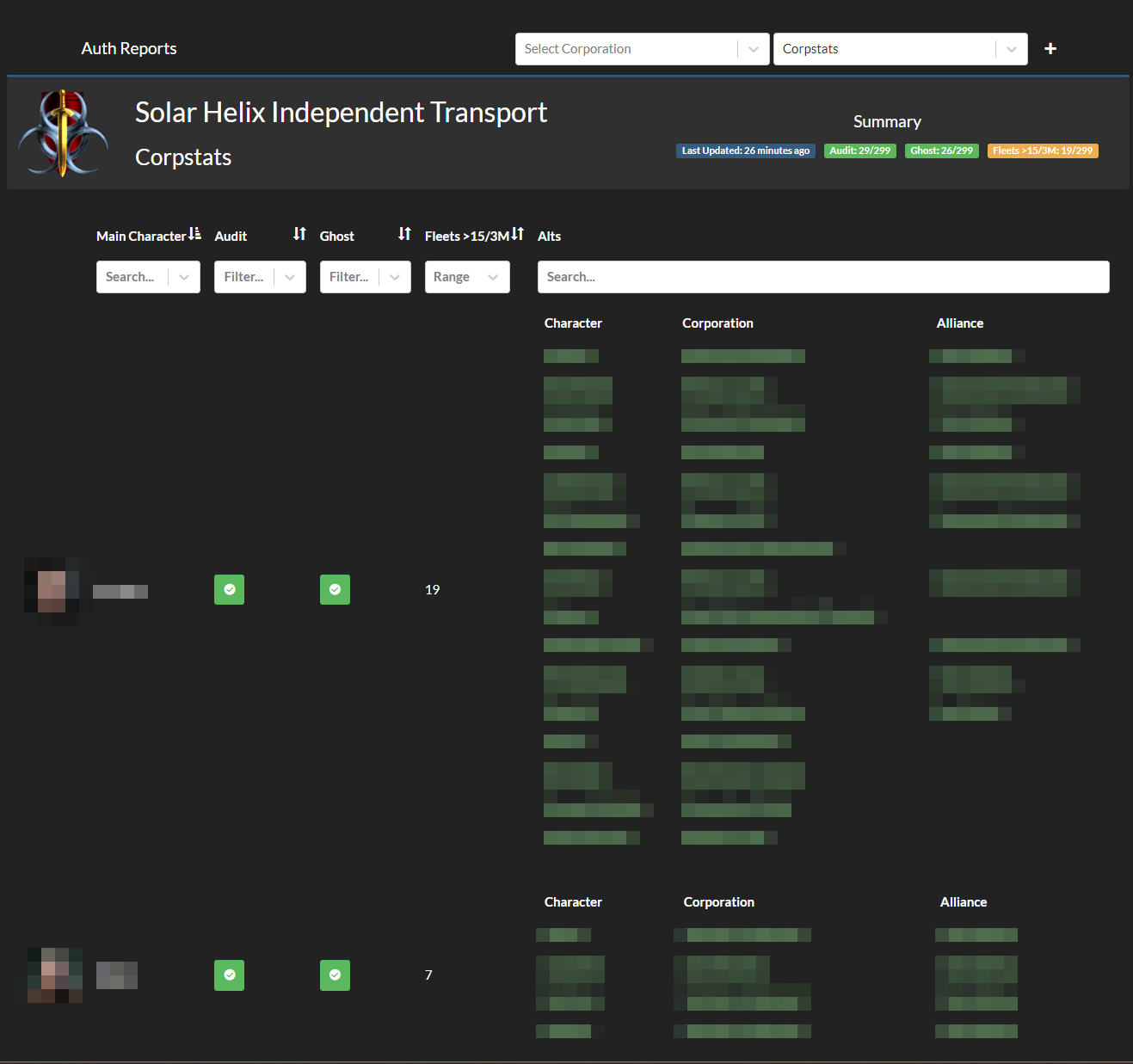
Auth Reports
Auth Data in report form, in Auth, fully configurable
AKA Corp Stats 3.0
- Configurable Report Framework for corporate level aggregation of any data
- each "field" is a smart filter similar to secure groups ( can use secure groups filters too ) or a "field only" filter provided by any application in the alliance auth ecosystem.
- These filters MUST be the more "modern" kind with either a
process_fieldoraudit_filtermethods. Legacy filters using onlyprocess_filterwill not show any data. Please see this link for more info
- These filters MUST be the more "modern" kind with either a
- Data Exportable to CSV for external manipulation.
What it needs:
- require corporate member tokens to build the corp groups to see people not known to auth, to make a report for that too. these can be added with the plus button in the menubar
The General Road Map
if you want some features, please create an issue.
- state level report that shows all members of a state
- group reports for group leaders
- overview screen with passing/failing per corp per "report" ( maybe have this as optional aka "show_on_global_overview_report" )
- more things...
Filters/stats provided by this app
- show all alts for a main, with option to only show in corp alts
Other Apps with filters
... more send a PR in with updates
Installation
Bare Metal
pip install -U allianceauth-auth-stats- add
'authstats',to your local.py - migrate
python manage.py migrate - collectstatic
python manage.py collectstatic --noinput - sync commands
python manage.py reports_sync_filters - create your first report
python manage.py reports_bootstrap_report - restart auth
- continue to the common section
Docker
- add
allianceauth-auth-stats==0.0.1(update version number as required) to your requirements.txt file and rebuild your containersdocker compose build --no-cache - add
'authstats',to your local.py - recreate you docker stack
docker compose up -d - enter your auth container and run migrations and collect static and sync filters
docker compose exec alliancauth_gunicorn bash
auth collectstaticauth migrateauth reports_sync_filtersauth reports_bootstrap_report
- continue to the common section
Common setup steps
- In the auth admin site edit
Auth Reports Configurationto your liking. - set your states to include in reports as a minimum.
- add permissions to the parties you wish to be able to use reports. permisions are defined below.
Screenshots
Permissions
There are some basic access perms
All permissions are filtered by main character, if a person has neutral alts loaded they will also be visible to someone who can see their main.
| Perm | Admin Site | Perm | Description |
|---|---|---|---|
| basic_access | nill | Can access reports module | Shows the Auth Reports module in the menu and gives access to the UI |
| own_corp | nill | Can access own corporations reports. | |
| own_alliance | nill | Can access own alliances reports. | |
| own_state | nill | Can access own states reports. | |
| restricted_reports | nill | Can access restricted reports. | Allows access to any report with restricted enabled |
| holding_corps | nill | Can access configured holding corp reports. | Allows access to holding corporation reports |
Note: Configure the "Holding Corps" in the Auth Reports Configuration Admin Model. via the auth admin interface.
Contributing
Make sure you have signed the License Agreement by logging in at https://developers.eveonline.com before submitting any pull requests. All bug fixes or features must not include extra superfluous formatting changes.
Release history Release notifications | RSS feed


Download files
Download the file for your platform. If you're not sure which to choose, learn more about installing packages.
Source Distribution
Built Distribution
Filter files by name, interpreter, ABI, and platform.
If you're not sure about the file name format, learn more about wheel file names.
Copy a direct link to the current filters
File details
Details for the file allianceauth_auth_stats-0.1.1.tar.gz.
File metadata
- Download URL: allianceauth_auth_stats-0.1.1.tar.gz
- Upload date:
- Size: 1.6 MB
- Tags: Source
- Uploaded using Trusted Publishing? No
- Uploaded via: twine/6.2.0 CPython/3.11.14
File hashes
| Algorithm | Hash digest | |
|---|---|---|
| SHA256 |
5f276052b0e8ed45f33689bfff2557fd74c7493cc97cb7ccc450d2e85d4f47ce
|
|
| MD5 |
e264b6d1936673317ca7dc901b5f36b1
|
|
| BLAKE2b-256 |
3e9bb3da09fad8fc1c938a052e4536c623924d8628157c0b07c48e979b602cec
|
File details
Details for the file allianceauth_auth_stats-0.1.1-py3-none-any.whl.
File metadata
- Download URL: allianceauth_auth_stats-0.1.1-py3-none-any.whl
- Upload date:
- Size: 1.7 MB
- Tags: Python 3
- Uploaded using Trusted Publishing? No
- Uploaded via: twine/6.2.0 CPython/3.11.14
File hashes
| Algorithm | Hash digest | |
|---|---|---|
| SHA256 |
65173a7797ab082e4b5e01f9de97546b5dbae8a5a42c11f43efc05caa53be9f9
|
|
| MD5 |
a7acf351122f2c8ed34c7d350a4c0f83
|
|
| BLAKE2b-256 |
21b8eb04b87214e09e8714b31000c04fe5743af99e7f93c337b634588c921d2d
|






