
Python driver for Brooks Instrument mass flow controllers


Project description
brooks-mfc
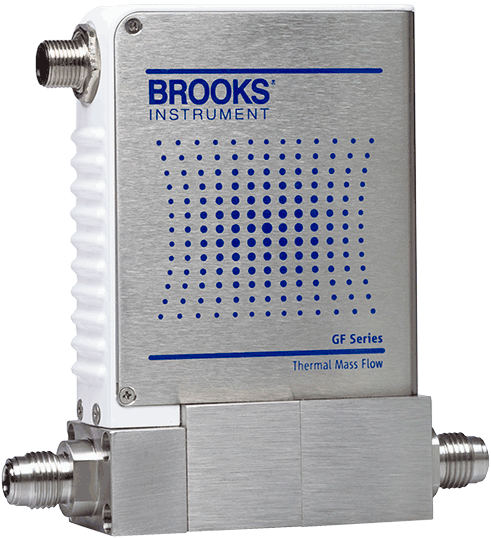
Python driver and command-line tool for Brooks Instrument mass flow controllers.
Installation
pip install brooks-mfc
Usage
This driver uses an undocumented REST API in the devices's web interface for communication. The compatibility and stability of this interface with all Brooks controllers is not guaranteed.
Command Line
To test your connection and stream real-time data, use the command-line interface. You can read the flow rate with:
$ brooks-mfc 192.168.1.200
{
    "Customer Flow Totalizer": 0.0,
    "Flow": -0.3,
    "Flow Hours": 1.0,
    "Flow Totalizer": 0.0,
    "Live Setpoint": 0.0,
    "Operational Hours": 50.0,
    "Setpoint": 0.0,
    "Supply Voltage": 22.93,
    "Temperature": 27.11,
    "Valve Position": 0.0
}
You can optionally specify a setpoint flow with the set flag:
brooks-mfc 192.168.1.150 --set 7.5. The units of the setpoint and return are
specified using the --units flag. See mfc --help for more.
Python
This uses Python ≥3.5's async/await syntax to asynchronously communicate with the mass flow controller. For example:
import asyncio
from brooks_mfc import FlowController

async def get():
    async with FlowController('the-mfc-ip-address') as fc:
        print(await fc.get())

asyncio.run(get())
The API that matters is get, set. Optionally, units can be passed with
either command. If no units are specified the existing units configured for
the device are used.
>>> await fc.get()
>>> await fc.get('%')
{
    "Customer Flow Totalizer": 0.0,
    "Flow": -0.3,
    "Flow Hours": 1.0,
    "Flow Totalizer": 0.0,
    "Live Setpoint": 0.0,
    "Operational Hours": 50.0,
    "Setpoint": 0.0,
    "Supply Voltage": 22.93,
    "Temperature": 27.11,
    "Valve Position": 0.0
}
>>> await fc.set(10)
>>> await fc.set(10, 'SCCM')
There's much more that could be set or returned from the flow controllers but I haven't had a reason to flesh all the the options out. Feel free to submit an issue with requests or a PR.


Download files
Download the file for your platform. If you're not sure which to choose, learn more about installing packages.
Source Distribution
Built Distribution
Filter files by name, interpreter, ABI, and platform.
If you're not sure about the file name format, learn more about wheel file names.
Copy a direct link to the current filters
File details
Details for the file brooks_mfc-0.1.3.tar.gz.
File metadata
- Download URL: brooks_mfc-0.1.3.tar.gz
- Upload date:
- Size: 12.9 kB
- Tags: Source
- Uploaded using Trusted Publishing? No
- Uploaded via: poetry/1.0.5 CPython/3.7.7 Darwin/19.5.0
File hashes
| Algorithm | Hash digest | |
|---|---|---|
| SHA256 |
5f88104c7cb93f2c7972b60a32e0315f6c4b3a14aa33fb531a7aa9777725c613
|
|
| MD5 |
2a59c4af739c39cb091c7106d198dd4f
|
|
| BLAKE2b-256 |
4c8a515e757ea630e518e670f3dee8f1683c6d073ff559e3d1202f0ad60597fe
|
File details
Details for the file brooks_mfc-0.1.3-py3-none-any.whl.
File metadata
- Download URL: brooks_mfc-0.1.3-py3-none-any.whl
- Upload date:
- Size: 14.0 kB
- Tags: Python 3
- Uploaded using Trusted Publishing? No
- Uploaded via: poetry/1.0.5 CPython/3.7.7 Darwin/19.5.0
File hashes
| Algorithm | Hash digest | |
|---|---|---|
| SHA256 |
bb828a5d3be26a8e46dcf9881a703354d875792a6dd8e0ab5f23317e073936a3
|
|
| MD5 |
13ac71ca2ef5440fc95d8f0150018f55
|
|
| BLAKE2b-256 |
613650a658d3d6bc9ee7cb5cd0f5e23255967668f5388e86e3e110332e9f54c0
|






