
Peeks at certificates exposed by other hosts.

Project description
certpeek
Certpeek peeks at the certificates exposed by SSL/TLS enabled hosts. Perfect for a quick look for debugging.
And, it support tunneling through a HTTP proxy!
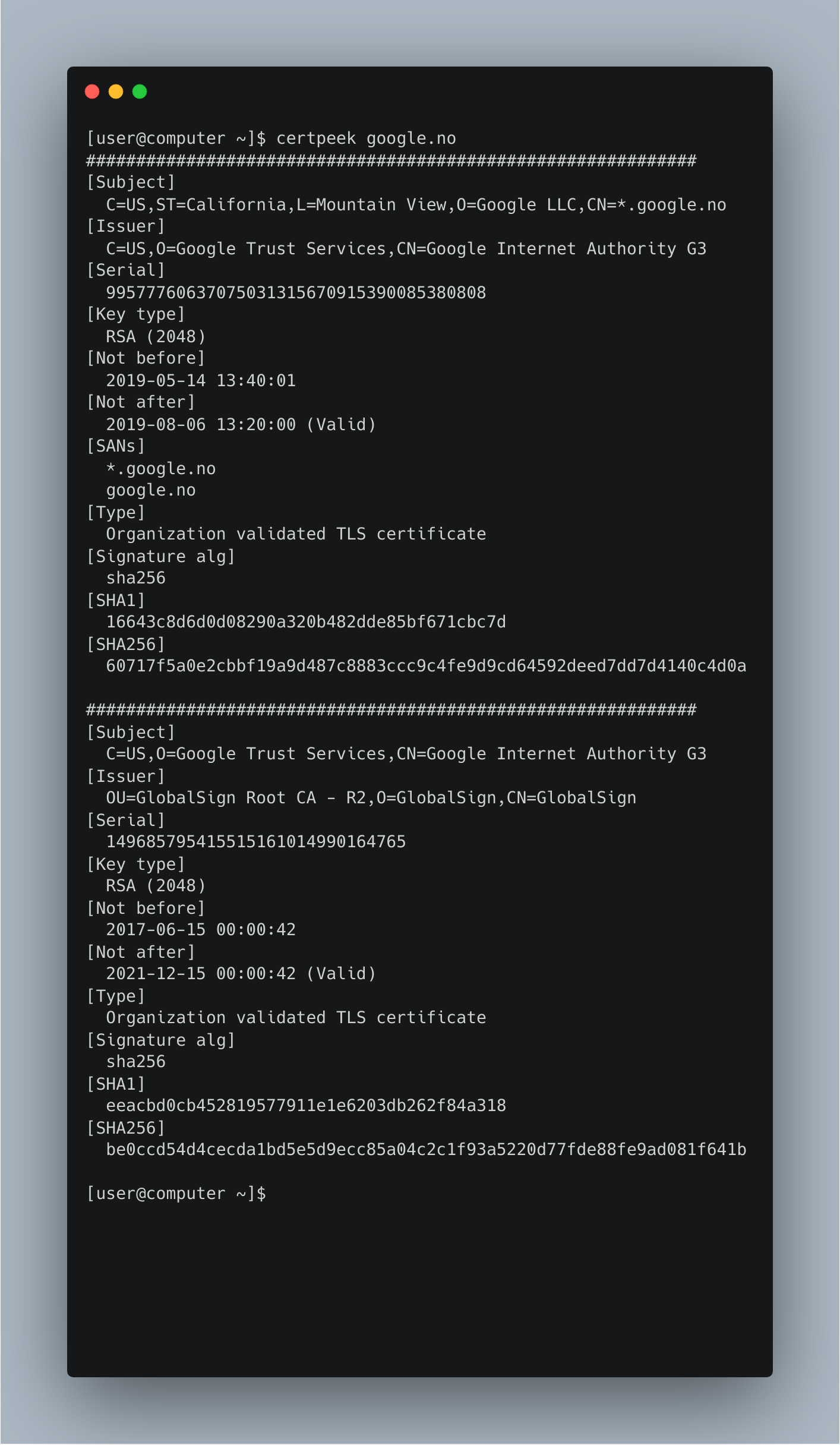
Usage:
Usage: certpeek [OPTIONS] HOST

  Peeks at certificates exposed by other hosts.

Options:
  --version          Show the version and exit.
  --proxy TEXT       Proxy to use.
  --servername TEXT  Custom SNI name to send in handshake.
  --no-servername    Do not send SNI in the handshake.
  --print-pem        Print certs in PEM format.
  --first-only       Only process the first retrieved cert.
  --openssl-format   Print cert info like OpenSSL.
  -h, --help         Show this message and exit.
Install with pip:
pip install certpeek
or with pipx:
pipx install certpeek
Release history Release notifications | RSS feed


Download files
Download the file for your platform. If you're not sure which to choose, learn more about installing packages.
Source Distribution
certpeek-2024.3.10.tar.gz
(10.0 kB
view details)
Built Distribution
Filter files by name, interpreter, ABI, and platform.
If you're not sure about the file name format, learn more about wheel file names.
Copy a direct link to the current filters
File details
Details for the file certpeek-2024.3.10.tar.gz.
File metadata
- Download URL: certpeek-2024.3.10.tar.gz
- Upload date:
- Size: 10.0 kB
- Tags: Source
- Uploaded using Trusted Publishing? Yes
- Uploaded via: twine/4.0.2 CPython/3.11.8
File hashes
| Algorithm | Hash digest | |
|---|---|---|
| SHA256 |
7a4514caa1cb9726c179fa307366233574fa8f39cf8dc1d33445447949b28da4
|
|
| MD5 |
cf355cc459c1ec42945f1d55b97bfa98
|
|
| BLAKE2b-256 |
3e8eb6300b7062e910ac662385ceb73a121624ac8b738d2c120fa1f7fe7dc6a3
|
File details
Details for the file certpeek-2024.3.10-py3-none-any.whl.
File metadata
- Download URL: certpeek-2024.3.10-py3-none-any.whl
- Upload date:
- Size: 11.0 kB
- Tags: Python 3
- Uploaded using Trusted Publishing? Yes
- Uploaded via: twine/4.0.2 CPython/3.11.8
File hashes
| Algorithm | Hash digest | |
|---|---|---|
| SHA256 |
8184d9cf24918e4718b31edd60617487c72d5ae95a95caebd03099a5e5d113e4
|
|
| MD5 |
0f533c2c1480e75cba7e5dc19487d710
|
|
| BLAKE2b-256 |
9802fd9ebd1bcd841f6792641a2e3d8d137b21b04716e0f24754497c0012565e
|






