
Python driver for AutomationDirect (formerly Koyo) Ethernet ClickPLCs.


Project description
clickplc
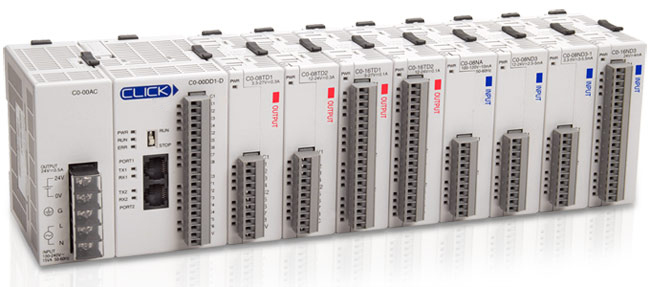
Python driver and command-line tool for Koyo Ethernet ClickPLCs.
Installation
uv pip install clickplc
Usage
Command Line
$ clickplc the-plc-ip-address
This will print all the X, Y, DS, and DF registers to stdout as JSON. You can pipe this as needed. However, you'll likely want the python functionality below.
Python
This uses Python async/await syntax to asynchronously communicate with a ClickPLC. For example:
import asyncio
from clickplc import ClickPLC

async def get():
    async with ClickPLC('the-plc-ip-address') as plc:
        print(await plc.get('df1-df500'))

asyncio.run(get())
The entire API is get and set, and takes a range of inputs:
>>> await plc.get('df1')
0.0
>>> await plc.get('df1-df20')
{'df1': 0.0, 'df2': 0.0, ..., 'df20': 0.0}
>>> await plc.get('y101-y316')
{'y101': False, 'y102': False, ..., 'y316': False}

>>> await plc.set('df1', 0.0)  # Sets DF1 to 0.0
>>> await plc.set('df1', [0.0, 0.0, 0.0])  # Sets DF1-DF3 to 0.0.
>>> await plc.set('y101', True)  # Sets Y101 to true
Currently, the following datatypes are supported:
| x | bool | Input point | R |
| y | bool | Output point | RW |
| c | bool | (C)ontrol relay | RW |
| t | bool | (T)imer | R |
| ct | bool | (C)oun(t)er | R |
| ds | int16 | (D)ata register, (s)ingle signed int | RW |
| dd | int32 | (D)ata register, (d)double signed int | RW |
| dh | uint16 | (D) register, (h)ex | RW |
| df | float | (D)ata register, (f)loating point | RW |
| td | int16 | (T)ime (d)elay register | RW |
| ctd | int32 | (C)oun(t)er Current Values, (d)ouble int | RW |
| sd | int16 | (S)ystem (D)ata register | R* |
| txt | char | (T)e(xt) | RW |
* Note: Only certain System Data registers are writeable.
Tags / Nicknames
Recent ClickPLC software provides the ability to export a "tags file", which contains all variables with user-assigned nicknames. The tags file can be used with this driver to improve code readability. (Who really wants to think about modbus addresses and register/coil types?)
To export a tags file, open the ClickPLC software, go to the Address Picker, select "Display MODBUS address", and export the file.
Once you have this file, simply pass the file path to the driver. You can now
set variables by name and get all named variables by default.
async with ClickPLC('the-plc-ip-address', 'path-to-tags.csv') as plc:
    await plc.set('my-nickname', True)  # Set variable by nickname
    print(await plc.get())  # Get all named variables in tags file
Additionally, the tags file can be used with the commandline tool to provide more informative output:
$ clickplc the-plc-ip-address tags-filepath
Release history Release notifications | RSS feed


Download files
Download the file for your platform. If you're not sure which to choose, learn more about installing packages.
Source Distribution
Built Distribution
Filter files by name, interpreter, ABI, and platform.
If you're not sure about the file name format, learn more about wheel file names.
Copy a direct link to the current filters
File details
Details for the file clickplc-0.14.1.tar.gz.
File metadata
- Download URL: clickplc-0.14.1.tar.gz
- Upload date:
- Size: 22.1 kB
- Tags: Source
- Uploaded using Trusted Publishing? No
- Uploaded via: twine/5.0.0 CPython/3.12.3
File hashes
| Algorithm | Hash digest | |
|---|---|---|
| SHA256 |
d1eff0ef781a821c48315d92caa65b020553df59fff892acd3c464db2dff1e9f
|
|
| MD5 |
ee8abb6042b8cacde55ff906533787c9
|
|
| BLAKE2b-256 |
72691797aba89b125da54759312f1ecd7c0cefaaf7374e28d0aae21244ae6d3b
|
File details
Details for the file clickplc-0.14.1-py3-none-any.whl.
File metadata
- Download URL: clickplc-0.14.1-py3-none-any.whl
- Upload date:
- Size: 21.4 kB
- Tags: Python 3
- Uploaded using Trusted Publishing? No
- Uploaded via: twine/5.0.0 CPython/3.12.3
File hashes
| Algorithm | Hash digest | |
|---|---|---|
| SHA256 |
0e88c9987827f8bae93c00312774fd711f613d4393ee68df374cb840bc8cf00f
|
|
| MD5 |
af47c29a871d53b121372c93066a5f71
|
|
| BLAKE2b-256 |
f774da8da1207bfbe3916ba9b40cdbe907d44d80a83033f22c42b8b8fc969c72
|






