
A morphology plugin for CLLD apps.

Project description
clld-morphology-plugin
A plugin for modelling morphology in CLLD apps.



Models
The models largely reflect the structure of the morphological components of the cldf-ldd collection.
The basic mechanism of segmentation is implemented such that Wordforms and Stems have a list column parts containing the segmentation.
These parts are referenced via indices by WordformParts, StemParts, and WordformStems, so these entities "know" their constituents.
XParts can in turn be referenced by Inflections, meaning that InflectionalValues (which belong to InflectionalCategories) are associated with part of a wordform.
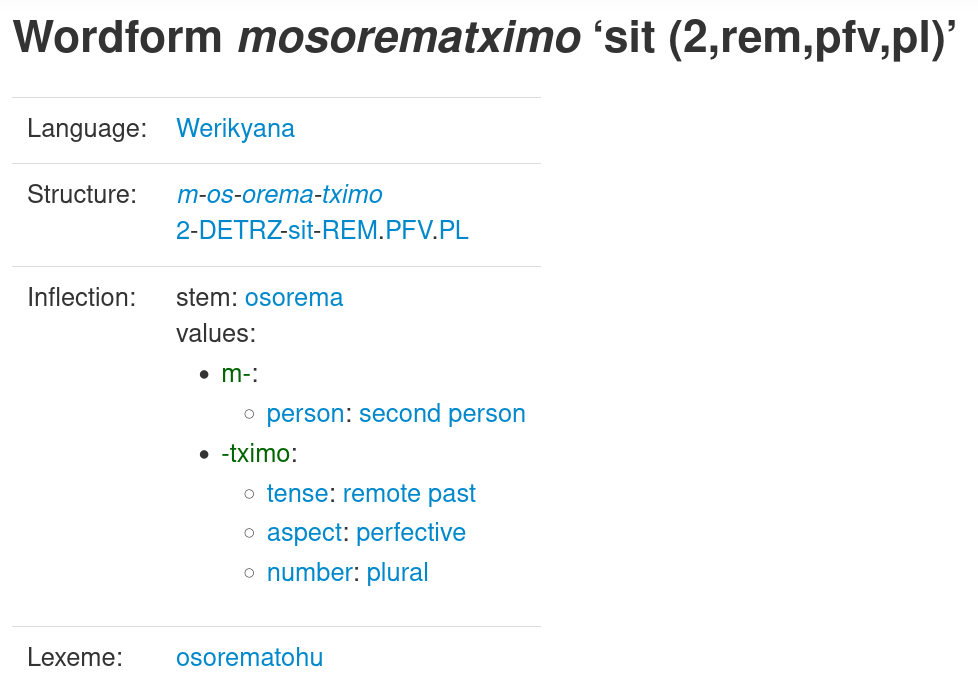
Wordform structure and inflectional information is rendered as follows:
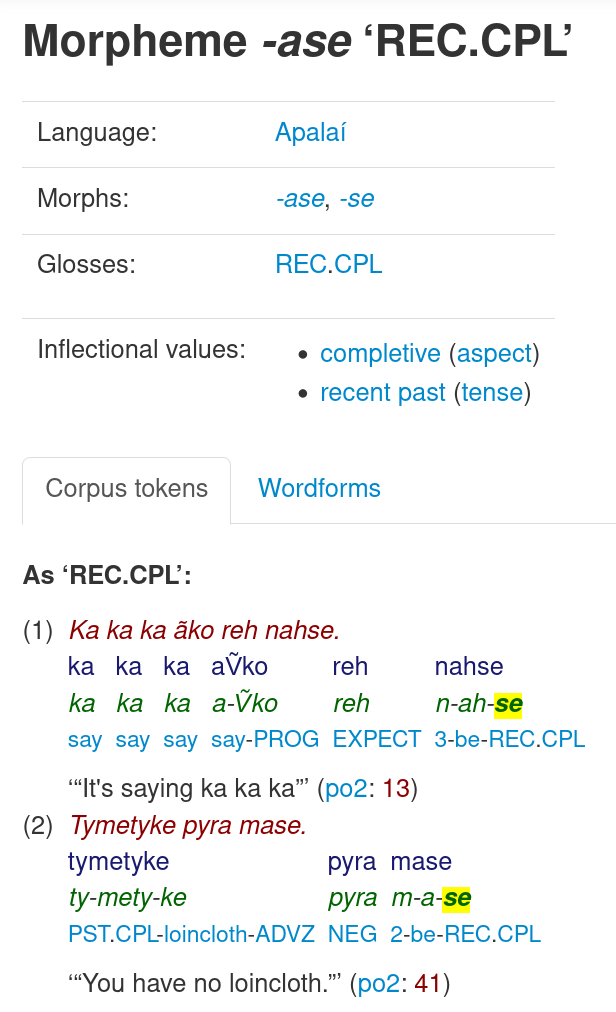
Morpheme detail view with Morphs, inflectional values, and wordforms/corpus tokens:
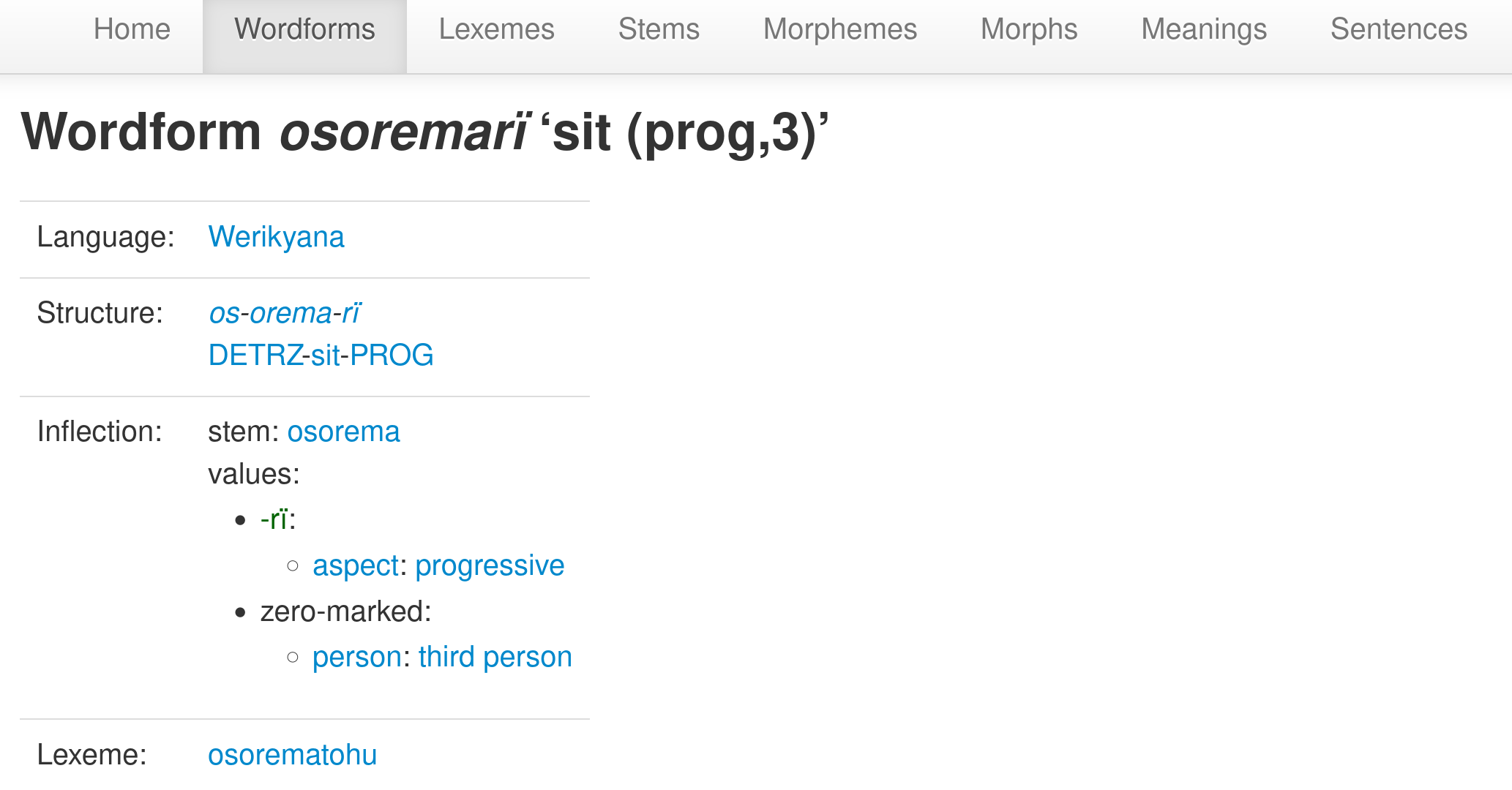
If a WordformPart is not associated with a Morph, this is interpreted as zero marking (usually for inflection):
Morphophonological change is modeled by MorphoPhonoInstances connecting MorphoPhonologicalChanges with one or more of the following things: an Inflection, a WordformPart, or a StemPart:
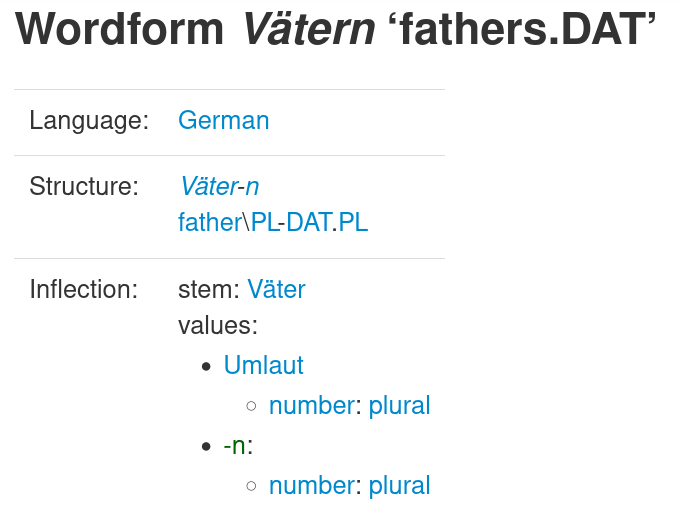
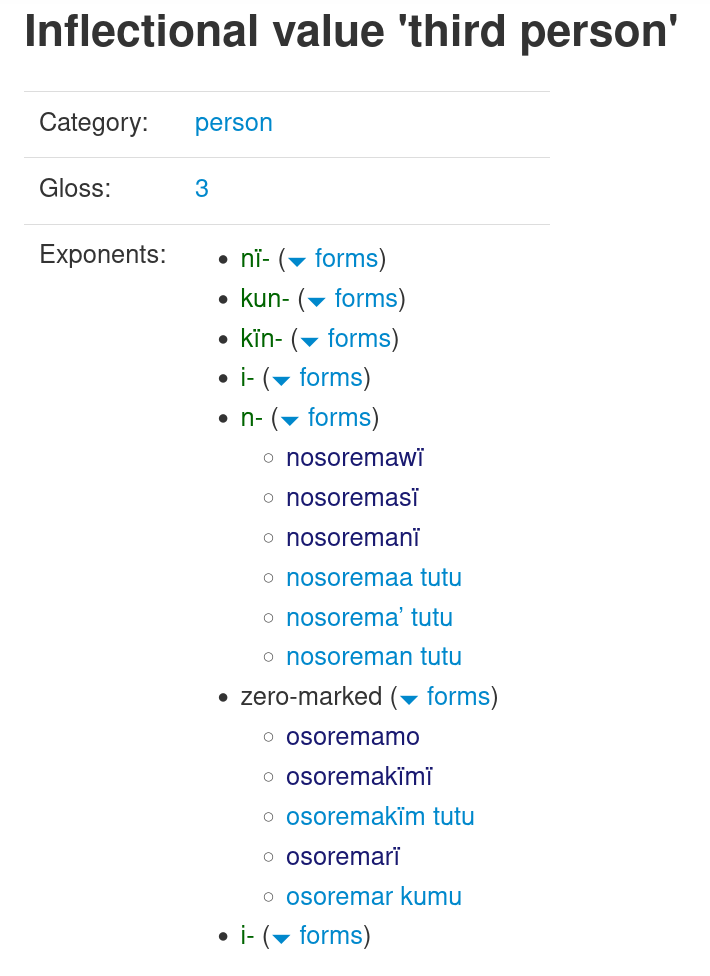
Since InflectionalValues are connected via Inflections to WordformParts, their exponents can be easily visualized:
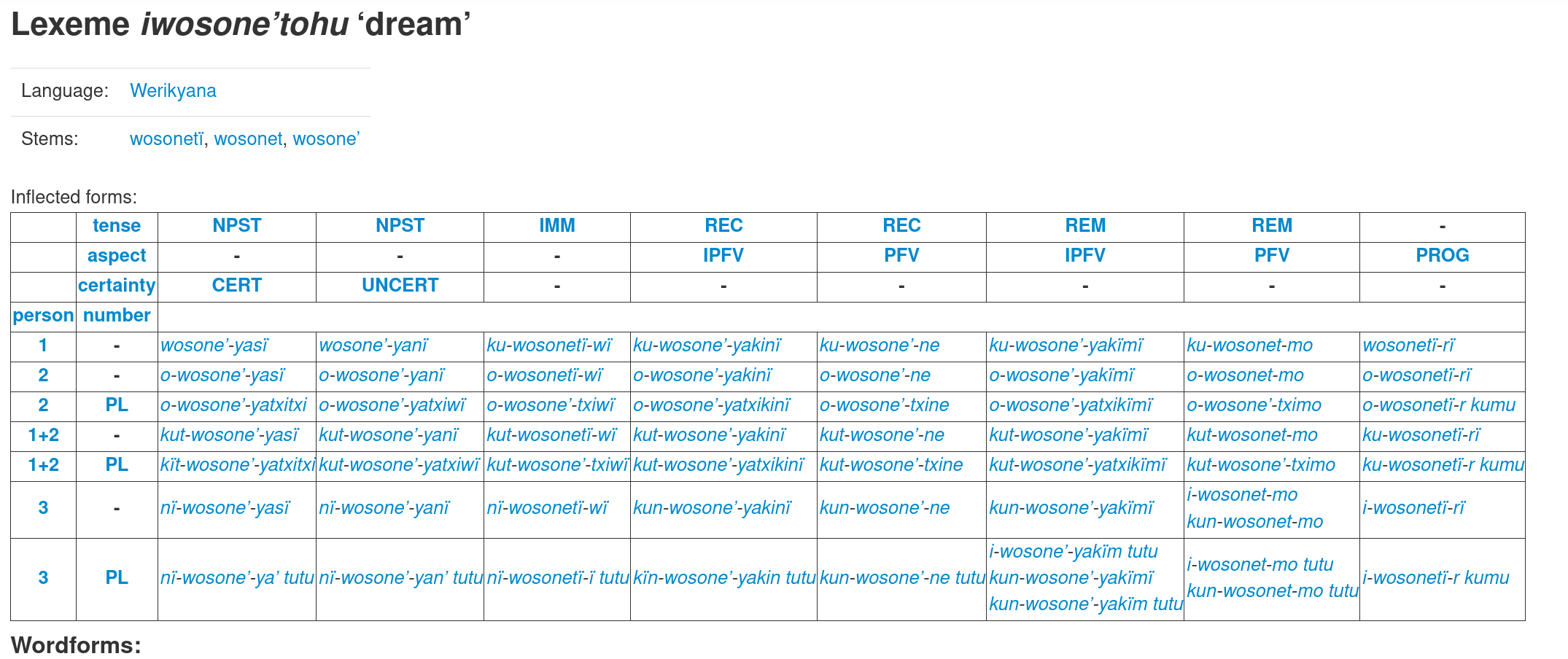
Stems can have a Lexeme, and WordformParts + Wordforms + InflectionalValue + InflectionalCategory contain all the necessary information to automatically generate inflectional paradigms for lexemes:
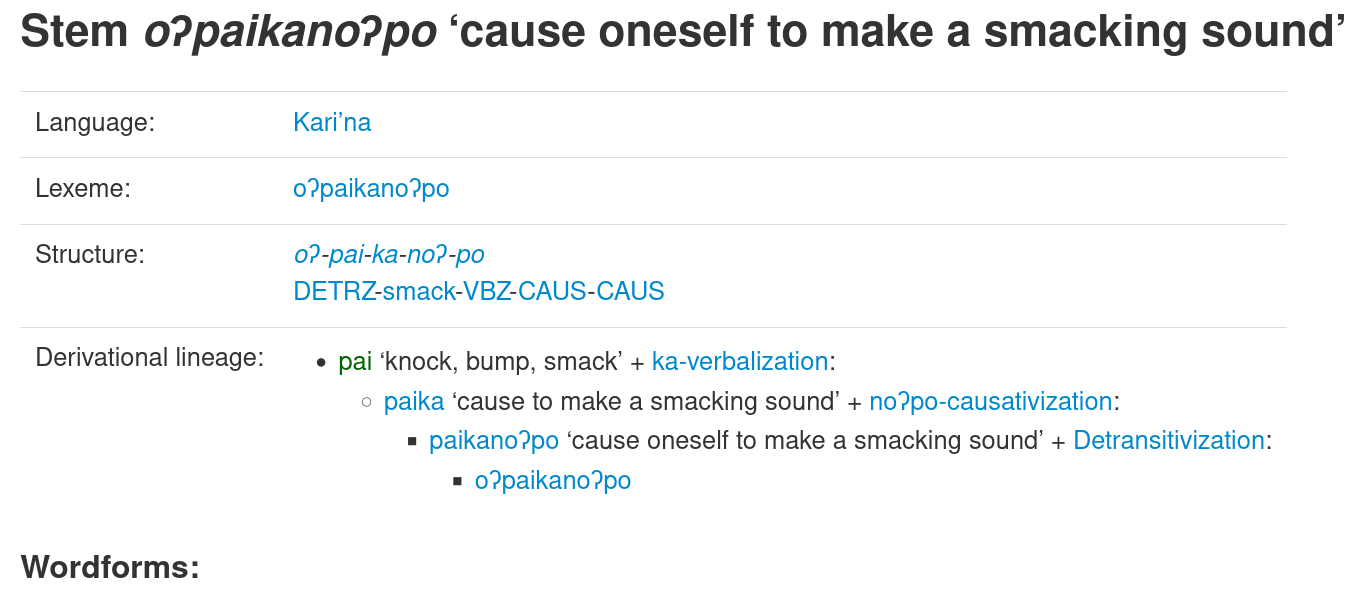
Derivations connect Stems with other Stems (or Morphs, when derived from a root) and DerivationalProcesses.
These derivational links can then be used to render the "derivational lineage" of a stem:
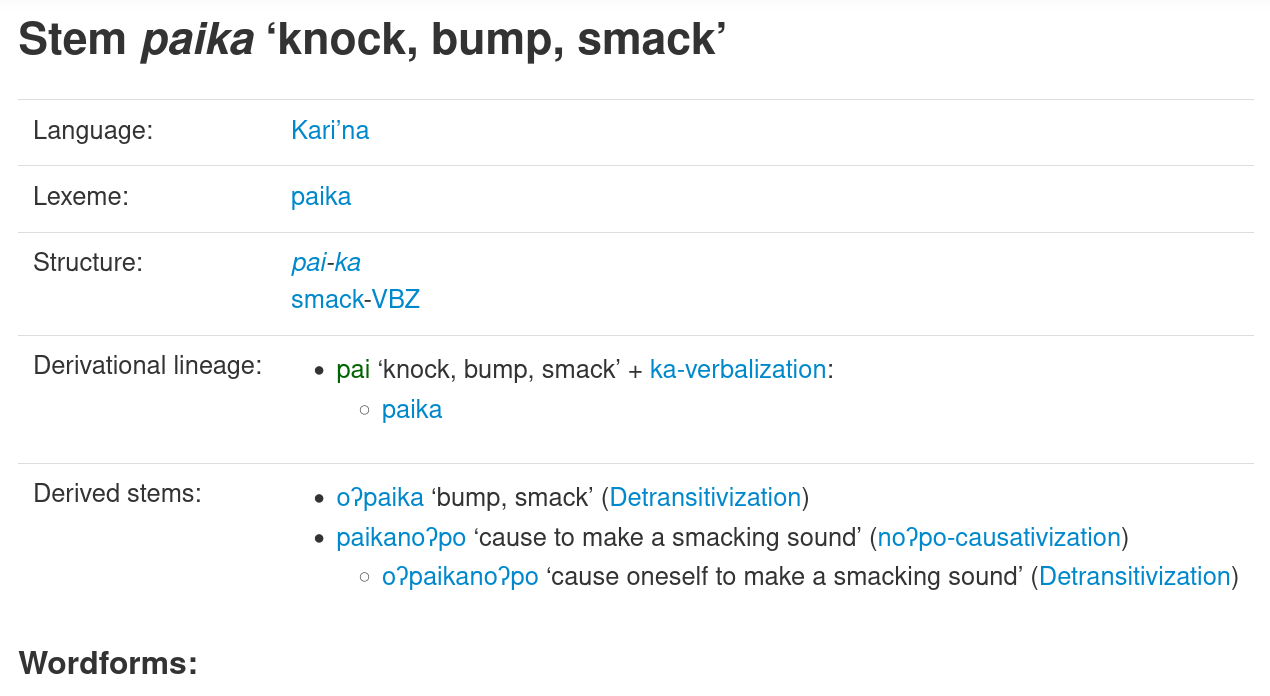
Detail views of stems also show all derived (directly or indirectly) stems:
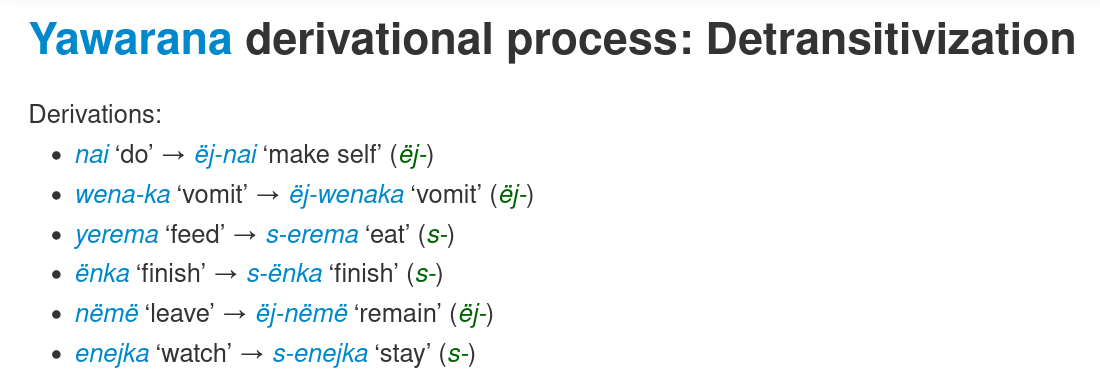
DerivationalProcesses know what stems they create (optionally using specific morphs):
Markdown
Since this plugin is primarily being developed for an interactive digital corpus-based grammar, comments on models are rendered using markdown.
However, it is up to the app developer to choose what markdown you want to use; the templates here assume that the parent mako template provides a function markdown(request, content).
If you want to use the clld-markdown-plugin, use the following code in your top-level .mako:
<%def name="markdown(request, content)">
    <%from clld_markdown_plugin import markdown%>
    ${markdown(request, content)|n}
</%def>
to use plain markdown instead:
<%def name="markdown(request, content)">
    <%from markdown import Markdown%>
    ${Markdown(content)|n}
</%def>
Release history Release notifications | RSS feed


Download files
Download the file for your platform. If you're not sure which to choose, learn more about installing packages.
Source Distribution
Built Distribution
Filter files by name, interpreter, ABI, and platform.
If you're not sure about the file name format, learn more about wheel file names.
Copy a direct link to the current filters
File details
Details for the file clld_morphology_plugin-0.1.0.tar.gz.
File metadata
- Download URL: clld_morphology_plugin-0.1.0.tar.gz
- Upload date:
- Size: 25.4 kB
- Tags: Source
- Uploaded using Trusted Publishing? No
- Uploaded via: poetry/1.7.0 CPython/3.8.10 Linux/5.15.0-73-generic
File hashes
| Algorithm | Hash digest | |
|---|---|---|
| SHA256 |
877e08f2e1b4e9acb8293b717c905f669f05b502bea1e850058a11d7a0317328
|
|
| MD5 |
8e76cd21ceb4dba3e13b73f19fc0d666
|
|
| BLAKE2b-256 |
3f70478cab6dc134a63b635416f7e6c63776f4560d42e53121346eca24ab024e
|
File details
Details for the file clld_morphology_plugin-0.1.0-py3-none-any.whl.
File metadata
- Download URL: clld_morphology_plugin-0.1.0-py3-none-any.whl
- Upload date:
- Size: 39.2 kB
- Tags: Python 3
- Uploaded using Trusted Publishing? No
- Uploaded via: poetry/1.7.0 CPython/3.8.10 Linux/5.15.0-73-generic
File hashes
| Algorithm | Hash digest | |
|---|---|---|
| SHA256 |
9ed53bdd7b5d6a8ca1311bf0bbc1a1a80dc9442e1244ec6f7545f6c845c58c3d
|
|
| MD5 |
e0e0405a834976866c36e9611fa50d42
|
|
| BLAKE2b-256 |
7dcb5665224a706d4e751a974c1b0a989cdc8034d36f59cda693e445cf4abae4
|






