
Text-to-Speech feature for Plone.


Project description

Text-to-Speech
Life, the Universe, and Everything
This package enables a Text-to-Speech feature in Plone.
It is currently based on ResponsiveVoice, an HTML5-based Text-To-Speech library designed to add voice features to web sites across multiple plataforms.
ResponsiveVoice supports 51 languages through 168 voices and is free for non-commercial use.
Mostly Harmless



Got an idea? Found a bug? Let us know by opening a support.
Known Issues
Voice playback rate is slow on Android native browser
Voice is cut off in shorter text on Android native browser
Audio doesn’t play on Firefox Android
For more information, see ResponsiveVoice FAQ.
Some browser add-ons (e.g., Privacy Badger), could block ResponsiveVoice library disabling the Text-to-Speech feature. In those cases the ‘🔊 Listen’ button will not be available, neither the Text-To-Speech control panel configlet will work.
Don’t Panic
Installation
To enable this package in a buildout-based installation:
Edit your buildout.cfg and add add the following to it:
[buildout]
...
eggs =
    collective.texttospeech
After updating the configuration you need to run ‘’bin/buildout’’, which will take care of updating your system.
Go to the ‘Site Setup’ page in a Plone site and click on the ‘Add-ons’ link.
Check the box next to collective.texttospeech and click the ‘Activate’ button.
Usage
After installing the package, go to the Text-To-Speech configlet on Site Setup.
Select which content types will have the feature enabled and select which voice will be used.
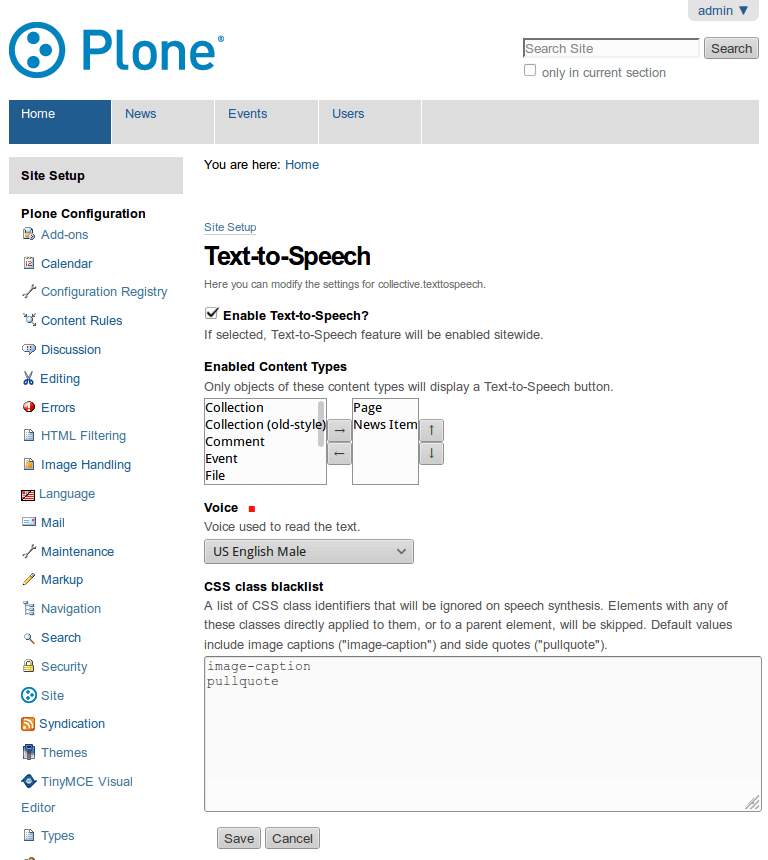
The Text-To-Speech control panel configlet.
A viewlet with a ‘🔊 Listen’ button will be displayed on objects with the feature enabled.
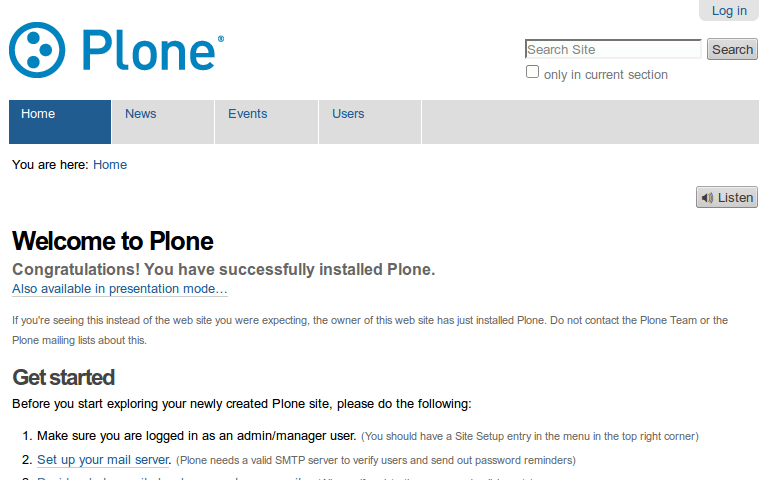
The Text-To-Speech feature enabled.
You can pause/resume the reader at any time by selecting ‘⏸ Pause’/’▶ Resume’.
Changelog
1.0b1 (2016-06-14)
Use version 1.4 of the ResponsiveVoice API. [hvelarde]
Package is now compatible with Plone 5.0 and Plone 5.1. [rodfersou, hvelarde]
Implement i18n on the widget and update translations. [rodfersou, hvelarde]
Simplify static files stack. [rodfersou]
1.0a2 (2016-03-28)
Add Brazilian Portuguese and Spanish translations. [hvelarde]
Fix an issue with package JavaScript. [rodfersou]
1.0a1 (2016-03-28)
Initial release.
Release history Release notifications | RSS feed


Download files
Download the file for your platform. If you're not sure which to choose, learn more about installing packages.
Source Distribution
File details
Details for the file collective.texttospeech-1.0b1.tar.gz.
File metadata
- Download URL: collective.texttospeech-1.0b1.tar.gz
- Upload date:
- Size: 67.1 kB
- Tags: Source
- Uploaded using Trusted Publishing? No
File hashes
| Algorithm | Hash digest | |
|---|---|---|
| SHA256 |
534cb2a5541310efdefb6a9aaeaa4315c9eee6321696c73b58a29edfcf900187
|
|
| MD5 |
d4c51fc700b96d63042b99cdec360aad
|
|
| BLAKE2b-256 |
350d1349d7a598fb7aed3444b9d2569469185295e8538f5e851e0d41206c0a5f
|






