
A minimal Python package for creating plots of slices through DAGMC geometry


Project description




A minimal Python package that produces slice plots through h5m DAGMC geometry files
Installation
pip install dagmc_geometry_slice_plotter
Python API Usage
These examples assume you have a h5m file called dagmc.h5m in the same
folder that the Python script is being run from.
The plot_axis_slice method allows simple axis aligned plots to be made
with minimal user effort.
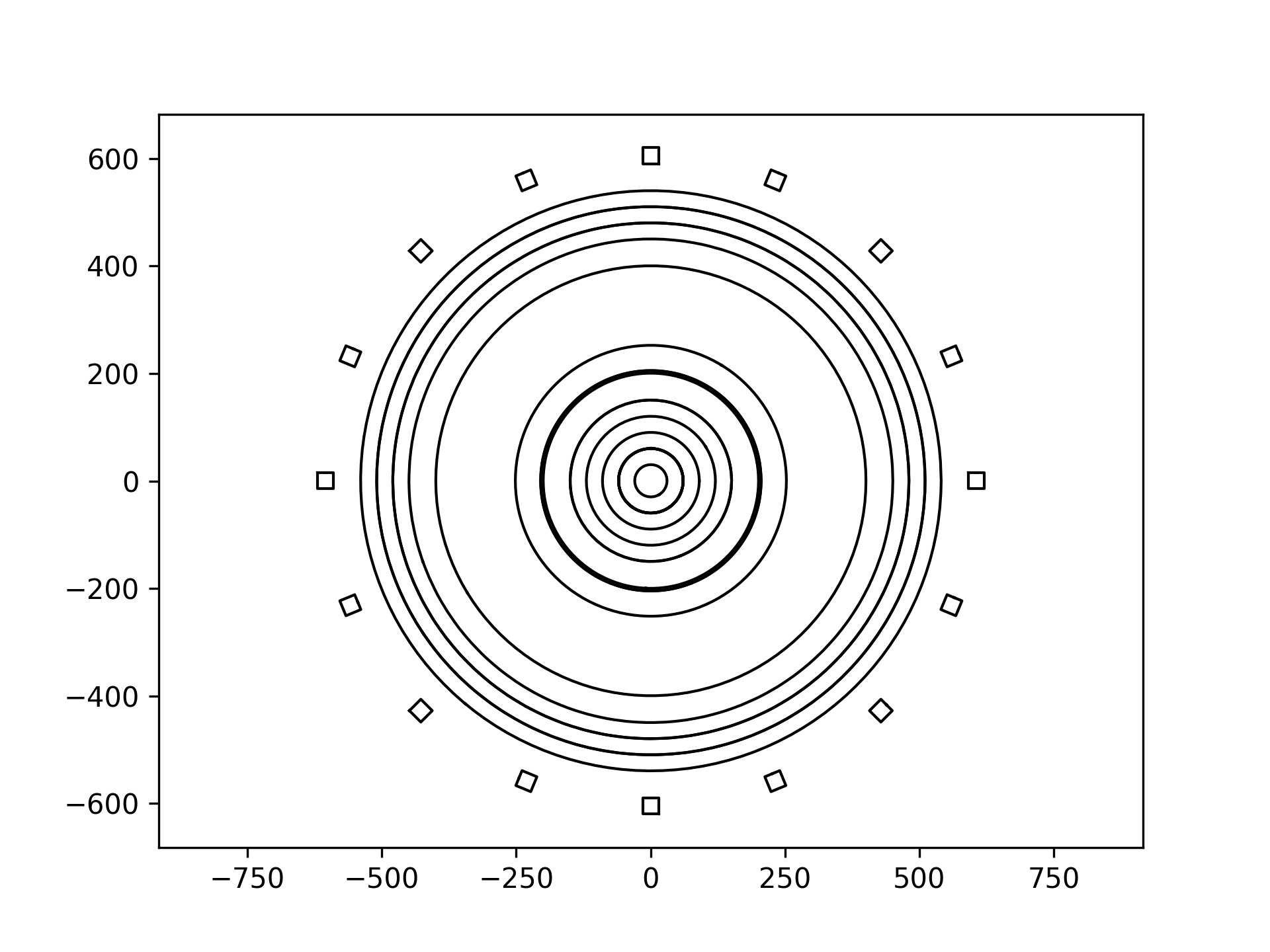
Create a plot of a slice through the geometry perpendicular to the Z axis and
default settings elsewhere. This will slice through the the center of the
geometry as plane_origin has not been specified in this example.
from dagmc_geometry_slice_plotter import plot_axis_slice

plot = plot_axis_slice(
    dagmc_file_or_trimesh_object='dagmc.h5m',
    view_direction='z',
)

plot.show()
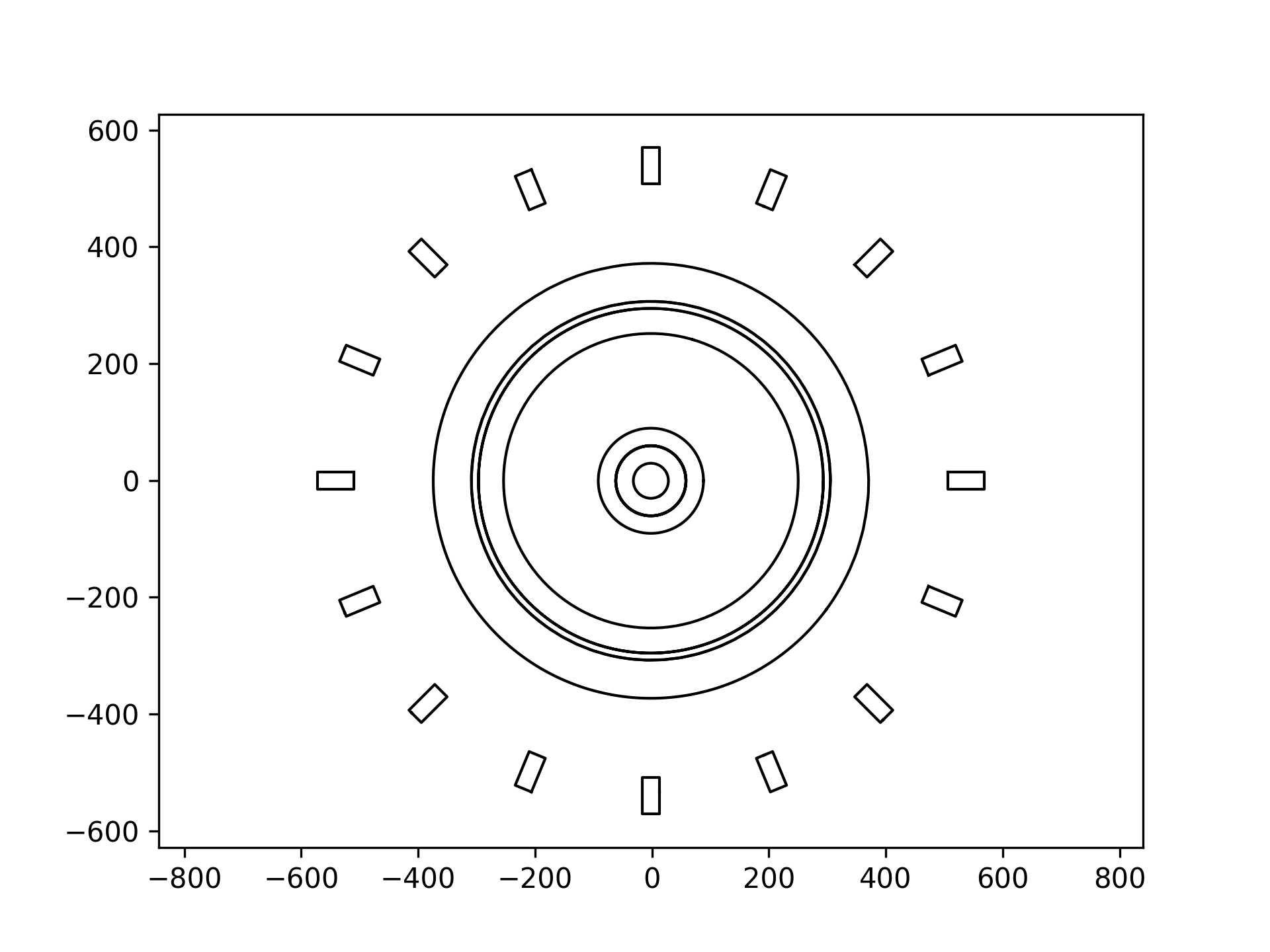
Create a plot of a slice through the geometry perpendicular to the Z axis, offset by 200cm and with default settings elsewhere.
from dagmc_geometry_slice_plotter import plot_axis_slice

plot = plot_axis_slice(
    dagmc_file_or_trimesh_object='dagmc.h5m',
    plane_origin=[0, 0, 200],
    view_direction='z'
)

plot.show()
The plot_slice function allows more control over the plot as it allows
arbitrary plane normals so that off axis slices can be made and allows the plot
to be rotated.
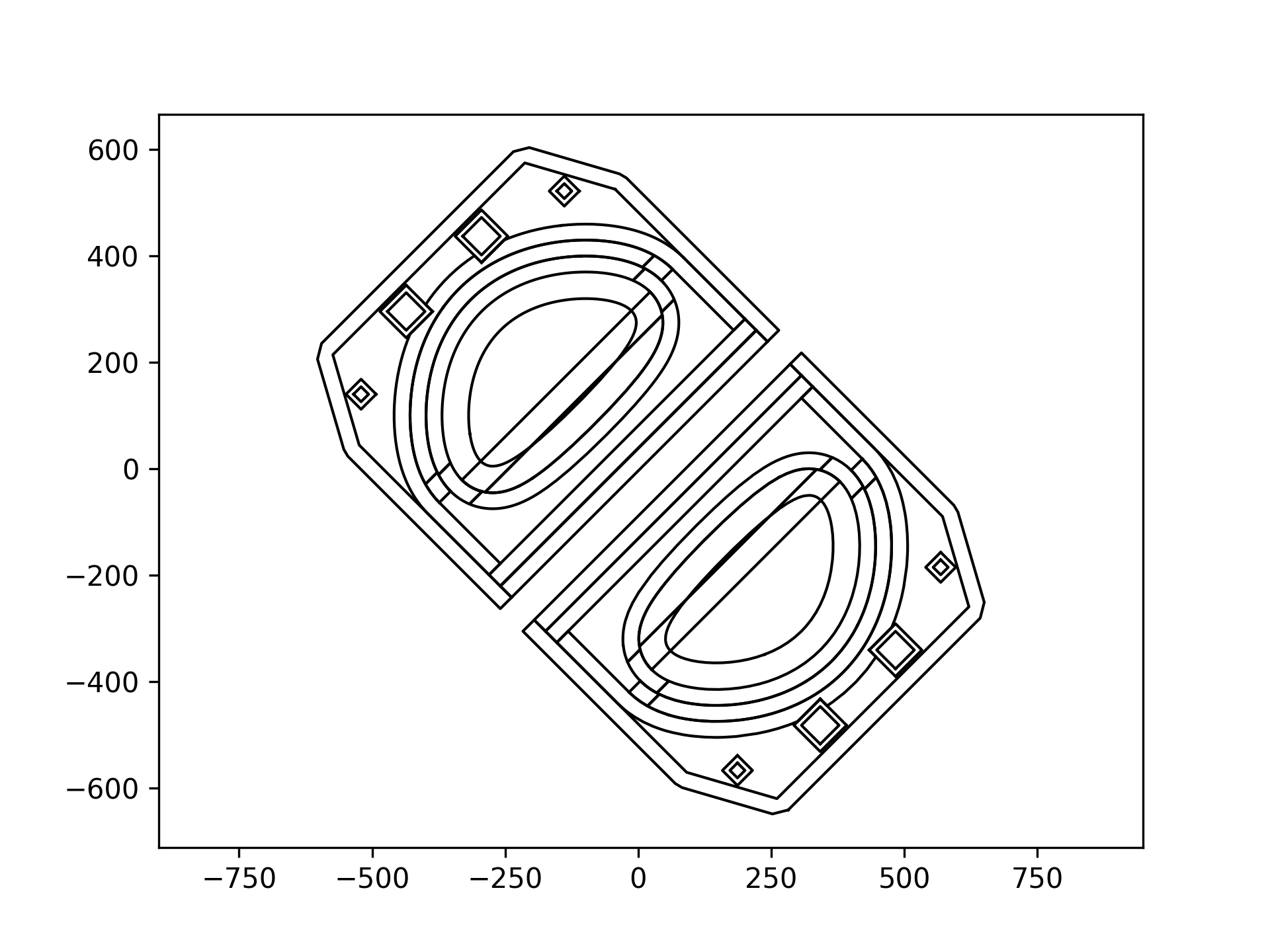
Create a plot of a slice through the geometry perpendicular to the Y axis, with a rotation of 45 degrees and with default settings elsewhere. Also saves the plot with a high resolution (DPI)
from dagmc_geometry_slice_plotter import plot_slice

plot = plot_slice(
    dagmc_file_or_trimesh_object='dagmc.h5m',
    plane_normal=[0, 1, 0],
    rotate_plot=45,
)

plot.savefig('example_3_slice.png', dpi=600)
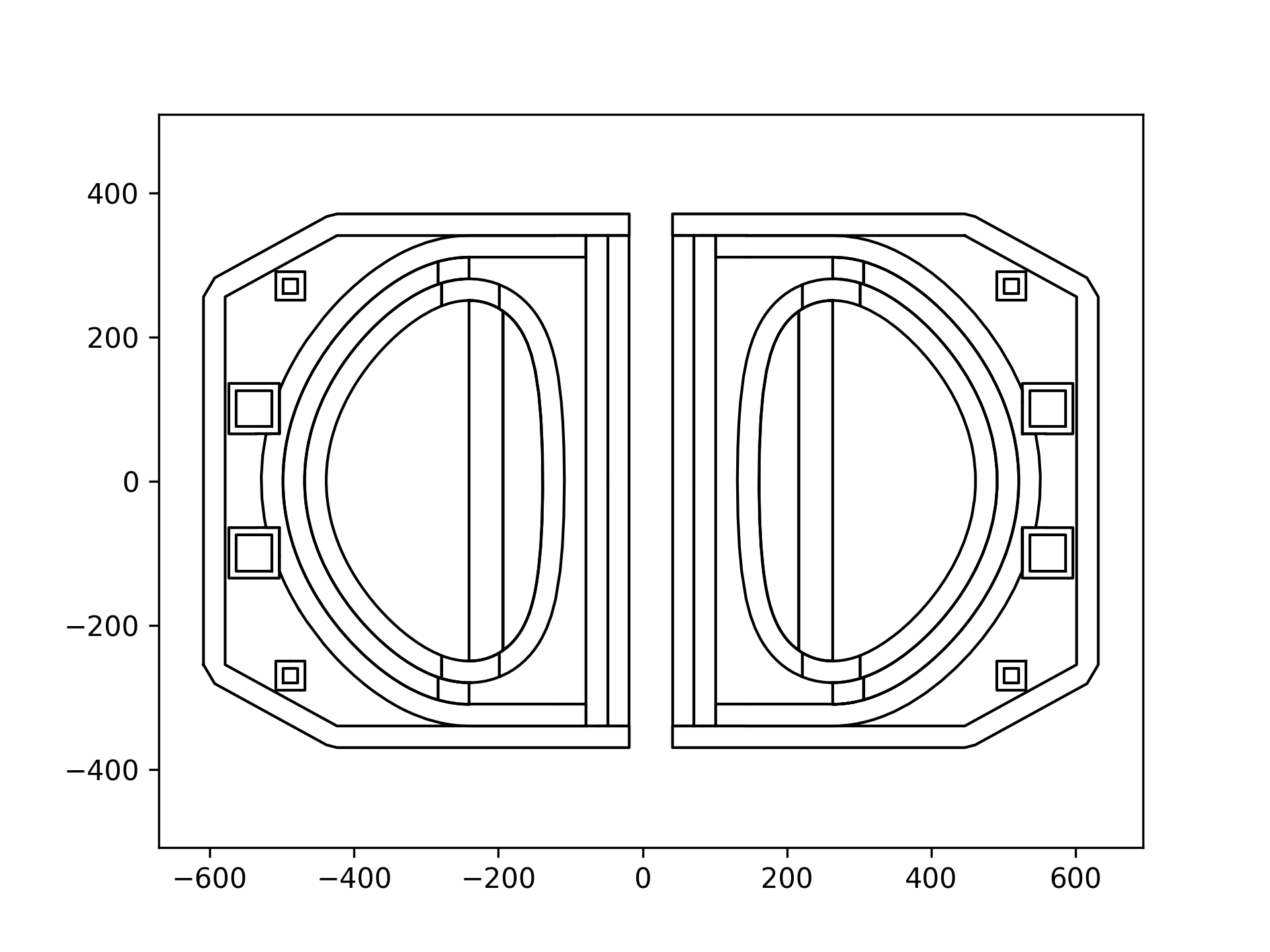
Saves a png image of a plot of a slice through the geometry perpendicular to the X axis and and with an offset in the x axis.
from dagmc_geometry_slice_plotter import plot_slice

plot = plot_slice(
    dagmc_file_or_trimesh_object='dagmc.h5m',
    plane_normal = [1, 0, 0],
    plane_origin=[10, 0, 0],
    rotate_plot=270,
)

plot.savefig('example_4_slice.png')
DAGMC files can also be made using packages like cad_to_dagmc or stl_to_h5m. This example uses CadQuery to make an STL file then converts the STL file to a DAGMC h5m file and plots a slice through the geometry
Related packages
This package is used by the openmc_plot Python package which has a web deployed version at xsplot.com
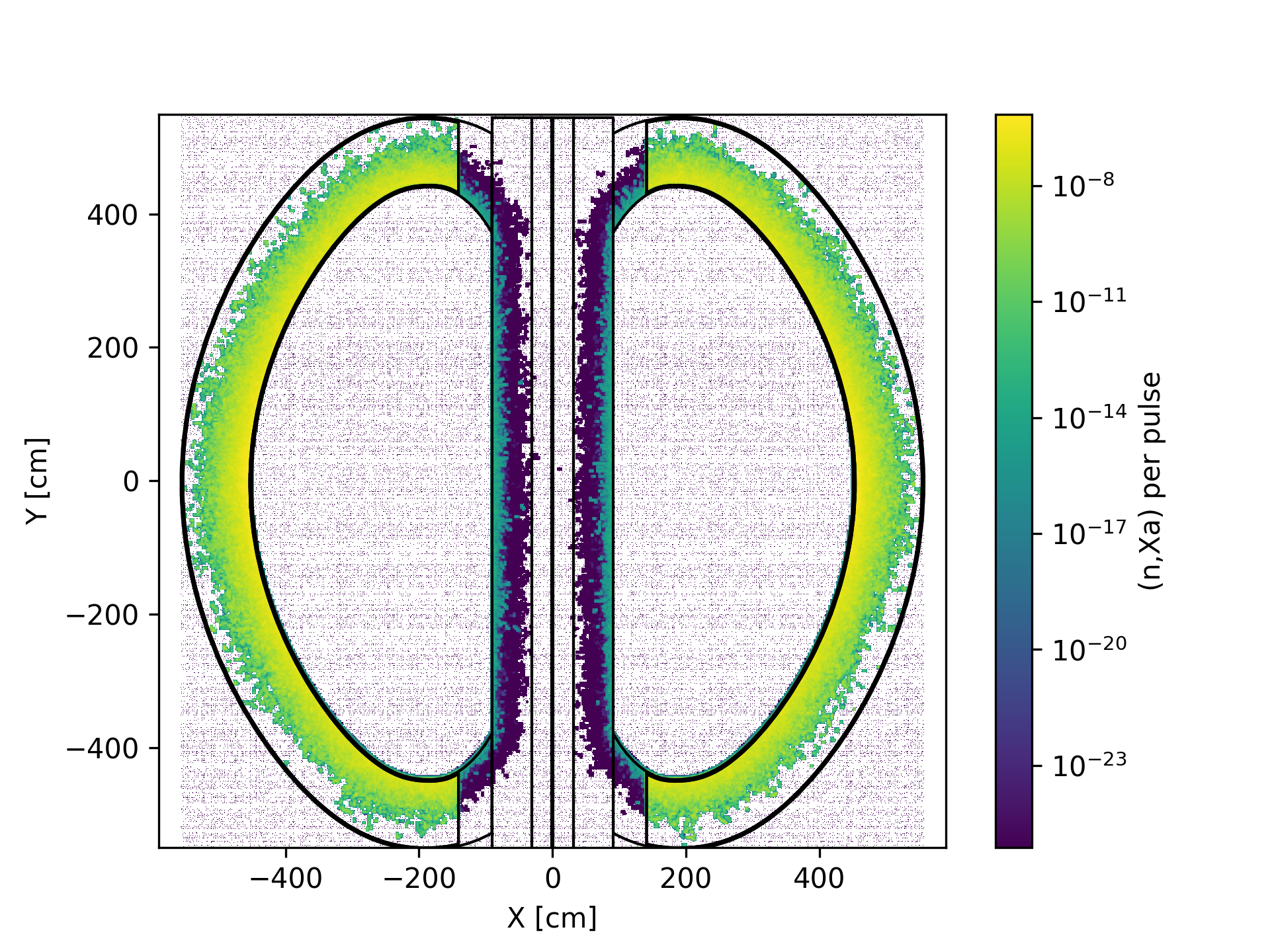
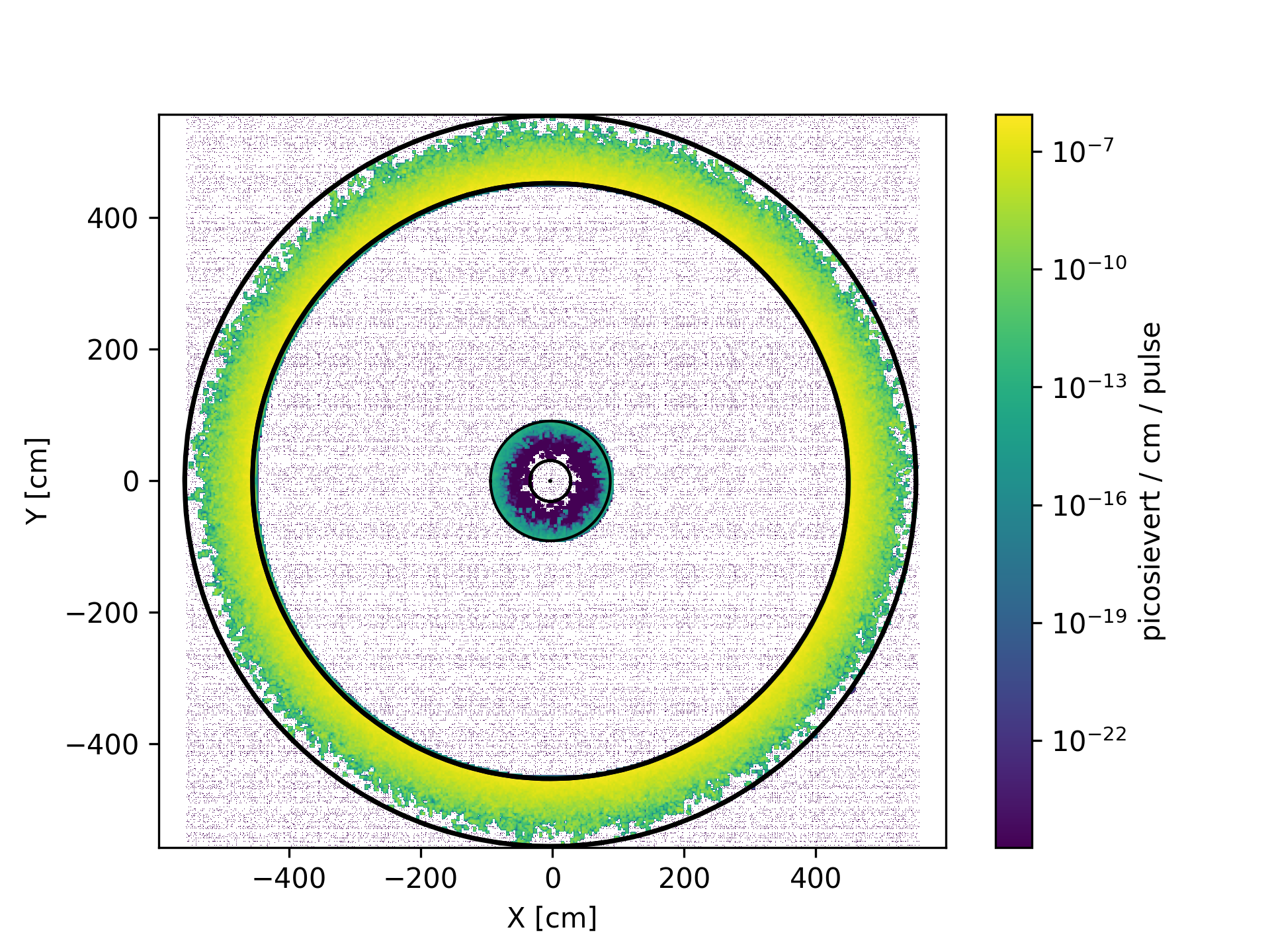
This package is used by the regular_mesh_plotter Python package to combine slice plots with regular mesh tally results and produce images like below.


Download files
Download the file for your platform. If you're not sure which to choose, learn more about installing packages.
Source Distribution
Built Distribution
Filter files by name, interpreter, ABI, and platform.
If you're not sure about the file name format, learn more about wheel file names.
Copy a direct link to the current filters
File details
Details for the file dagmc_geometry_slice_plotter-0.2.0.tar.gz.
File metadata
- Download URL: dagmc_geometry_slice_plotter-0.2.0.tar.gz
- Upload date:
- Size: 1.1 MB
- Tags: Source
- Uploaded using Trusted Publishing? No
- Uploaded via: twine/4.0.2 CPython/3.11.0
File hashes
| Algorithm | Hash digest | |
|---|---|---|
| SHA256 |
b6d6ef104963d2eb273e952c720c2740a0b1cedab58fc0240afc9492b4ee50f3
|
|
| MD5 |
7f542e353c38e8bbb2594b19d5852007
|
|
| BLAKE2b-256 |
038d6147281b531b76f29f0c1f06c59ca921ff987c52761e0625fe9d47060de0
|
File details
Details for the file dagmc_geometry_slice_plotter-0.2.0-py3-none-any.whl.
File metadata
- Download URL: dagmc_geometry_slice_plotter-0.2.0-py3-none-any.whl
- Upload date:
- Size: 6.9 kB
- Tags: Python 3
- Uploaded using Trusted Publishing? No
- Uploaded via: twine/4.0.2 CPython/3.11.0
File hashes
| Algorithm | Hash digest | |
|---|---|---|
| SHA256 |
27e8bab0e1890de5711cc386d374c4c7719a0047f3bfbf14500eae68e6505c1a
|
|
| MD5 |
e89bc1cfd7295746d4f0231c4cade352
|
|
| BLAKE2b-256 |
d29fc10621c4b1705b1af863e90740f689b128e52fe2531a901483f29f16c9a0
|






