
A JupyterLab extension for Dask.


Project description
Dask JupyterLab Extension




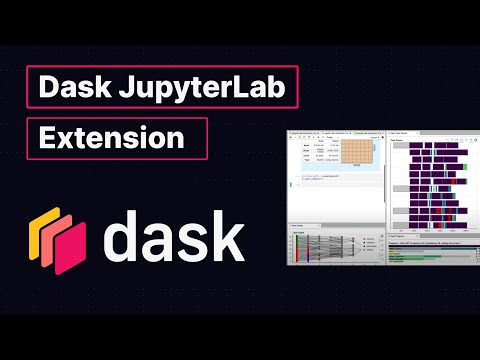
This package provides a JupyterLab extension to manage Dask clusters, as well as embed Dask's dashboard plots directly into JupyterLab panes.

Explanatory Video (5 minutes)
Requirements
JupyterLab >= 1.0 distributed >= 1.24.1
Installation
To install the Dask JupyterLab extension you will need to have JupyterLab installed. For JupyterLab < 3.0, you will also need Node.js version >= 12. These are available through a variety of sources. One source common to Python users is the conda package manager.
conda install jupyterlab
conda install -c conda-forge nodejs
JupyterLab 3.0 or greater
You should be able to install this extension with pip or conda, and start using it immediately, e.g.
pip install dask-labextension
JupyterLab 2.x
This extension includes both client-side and server-side components. Prior to JupyterLab 3.0 these needed to be installed separately, with node available on the machine.
The server-side component can be installed via pip or conda-forge:
pip install dask_labextension
conda install -c conda-forge dask-labextension
You then build the client-side extension into JupyterLab with:
jupyter labextension install dask-labextension
If you are running Notebook 5.2 or earlier, enable the server extension by running
jupyter serverextension enable --py --sys-prefix dask_labextension
Configuration of Dask cluster management
This extension has the ability to launch and manage several kinds of Dask clusters,
including local clusters and kubernetes clusters.
Options for how to launch these clusters are set via the
dask configuration system,
typically a .yml file on disk.
By default the extension launches a LocalCluster, for which the configuration is:
labextension:
  factory:
    module: 'dask.distributed'
    class: 'LocalCluster'
    args: []
    kwargs: {}
  default:
    workers: null
    adapt:
      null
      # minimum: 0
      # maximum: 10
  initial:
    []
    # - name: "My Big Cluster"
    #   workers: 100
    # - name: "Adaptive Cluster"
    #   adapt:
    #     minimum: 0
    #     maximum: 50
In this configuration, factory gives the module, class name, and arguments needed to create the cluster.
The default key describes the initial number of workers for the cluster, as well as whether it is adaptive.
The initial key gives a list of initial clusters to start upon launch of the notebook server.
In addition to LocalCluster, this extension has been used to launch several other Dask cluster
objects, a few examples of which are:
- A SLURM cluster, using
labextension:
    factory:
      module: 'dask_jobqueue'
       class: 'SLURMCluster'
       args: []
       kwargs: {}
- A PBS cluster, using
labextension:
  factory:
    module: 'dask_jobqueue'
    class: 'PBSCluster'
    args: []
    kwargs: {}
- A Kubernetes cluster, using
labextension:
  factory:
    module: dask_kubernetes
    class: KubeCluster
    args: []
    kwargs: {}
Development install
As described in the JupyterLab documentation for a development install of the labextension you can run the following in this directory:
jlpm  # Install npm package dependencies
jlpm build  # Compile the TypeScript sources to Javascript
jupyter labextension develop . --overwrite  # Install the current directory as an extension
To rebuild the extension:
jlpm build
You should then be able to refresh the JupyterLab page and it will pick up the changes to the extension.
To run an editable install of the server extension, run
pip install -e .
jupyter serverextension enable --sys-prefix dask_labextension
Publishing
This application is distributed as two subpackages.
The JupyterLab frontend part is published to npm, and the server-side part to PyPI.
Releases for both packages are done with the jlpm tool, git and Travis CI.
Note: Package versions are not prefixed with the letter v. You will need to disable this.
$ jlpm config set version-tag-prefix ""
Making a release
$ jlpm version [--major|--minor|--patch]  # updates package.json and creates git commit and tag
$ git push upstream master && git push upstream master --tags  # pushes tags to GitHub which triggers Travis CI to build and deploy
Release history Release notifications | RSS feed


Download files
Download the file for your platform. If you're not sure which to choose, learn more about installing packages.
Source Distribution
Built Distribution
Filter files by name, interpreter, ABI, and platform.
If you're not sure about the file name format, learn more about wheel file names.
Copy a direct link to the current filters
File details
Details for the file dask_labextension-5.0.0rc1.tar.gz.
File metadata
- Download URL: dask_labextension-5.0.0rc1.tar.gz
- Upload date:
- Size: 69.8 kB
- Tags: Source
- Uploaded using Trusted Publishing? No
- Uploaded via: twine/3.3.0 pkginfo/1.6.1 requests/2.25.0 setuptools/50.3.2.post20201201 requests-toolbelt/0.9.1 tqdm/4.56.0 CPython/3.8.5
File hashes
| Algorithm | Hash digest | |
|---|---|---|
| SHA256 |
18bbf2eee010a244ce0ddd8d465f4a61c252589407b65deb24c1c37ea44583af
|
|
| MD5 |
79fcb082162d9dc2715249895718f9b3
|
|
| BLAKE2b-256 |
f8446cb3509571bba7730afb0c9f70d6d49914cae595268a68a1a4adea0e7345
|
File details
Details for the file dask_labextension-5.0.0rc1-py3-none-any.whl.
File metadata
- Download URL: dask_labextension-5.0.0rc1-py3-none-any.whl
- Upload date:
- Size: 64.4 kB
- Tags: Python 3
- Uploaded using Trusted Publishing? No
- Uploaded via: twine/3.3.0 pkginfo/1.6.1 requests/2.25.0 setuptools/50.3.2.post20201201 requests-toolbelt/0.9.1 tqdm/4.56.0 CPython/3.8.5
File hashes
| Algorithm | Hash digest | |
|---|---|---|
| SHA256 |
61ab7a15996129bb368d338f1329468c351834608db05062172bc5e50db54788
|
|
| MD5 |
ebfe2b35d28b7eae73591f698954c9a2
|
|
| BLAKE2b-256 |
7480d293b98a3f94e796495c6571bc696a11bbffb9b5ab84f25d0120b789c465
|






