
Configuration manager for embedded devices, implemented as a reusable django-app

Project description




Configuration manager for embedded devices, implemented as a reusable django-app.
Based on the NetJSON format and the netjsonconfig library.
Current features
- configuration management for embedded devices supporting different firmwares:
support for additional firmware can be added by specifying custom backends
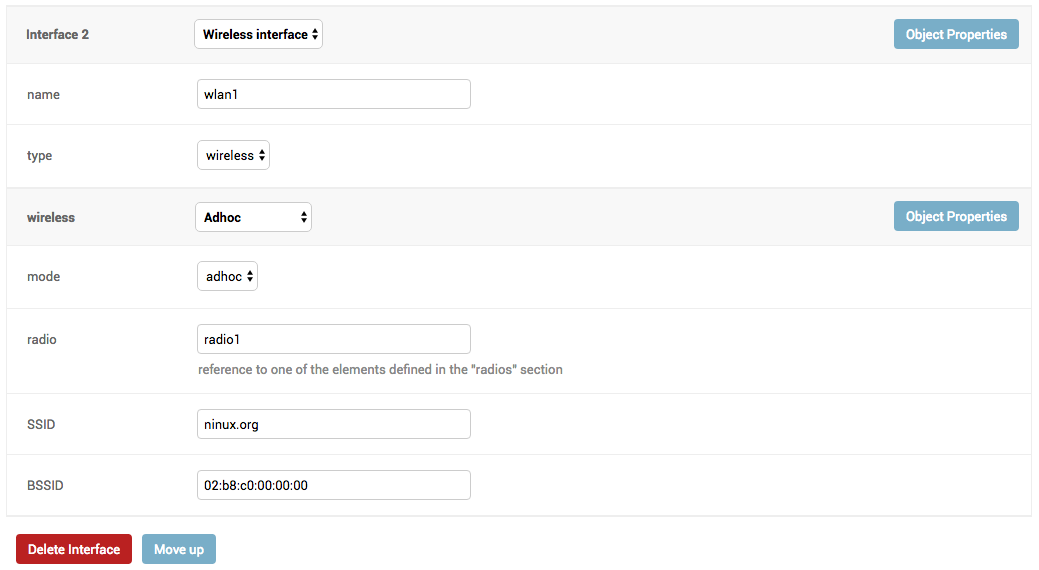
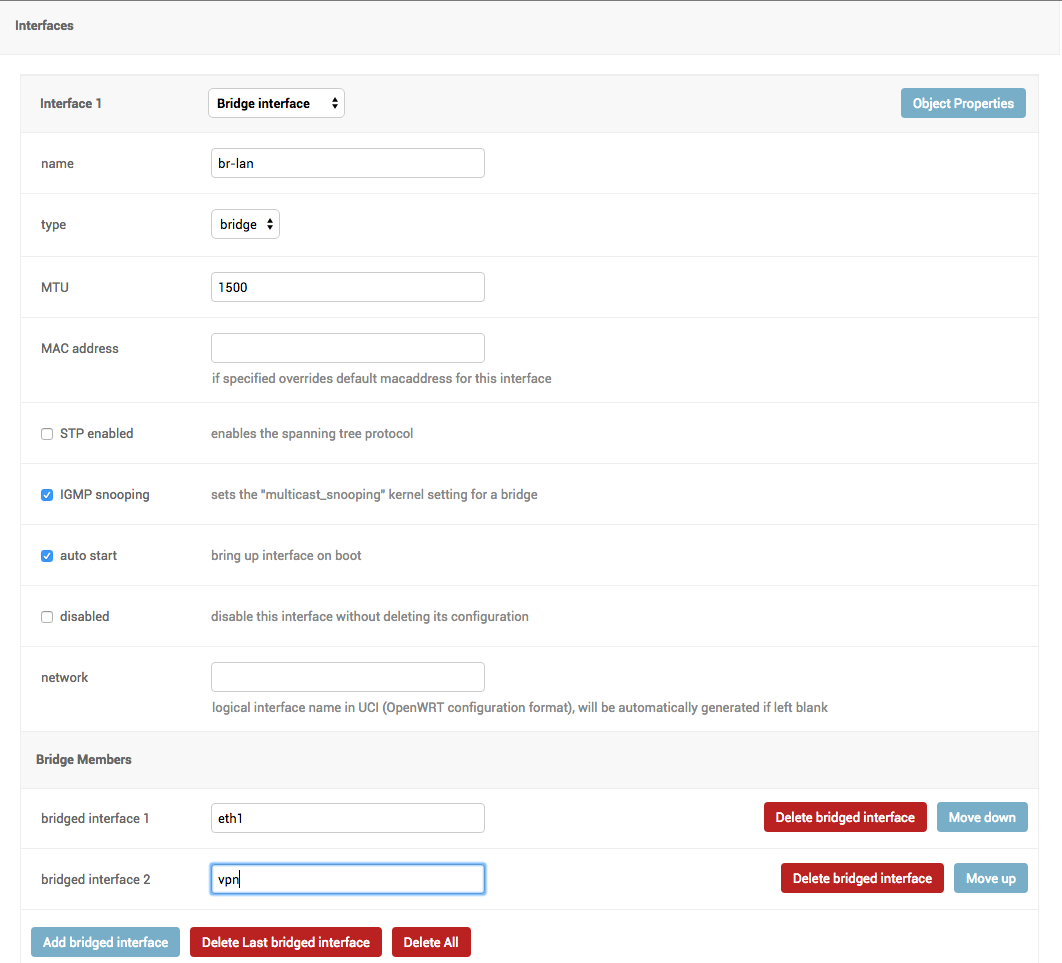
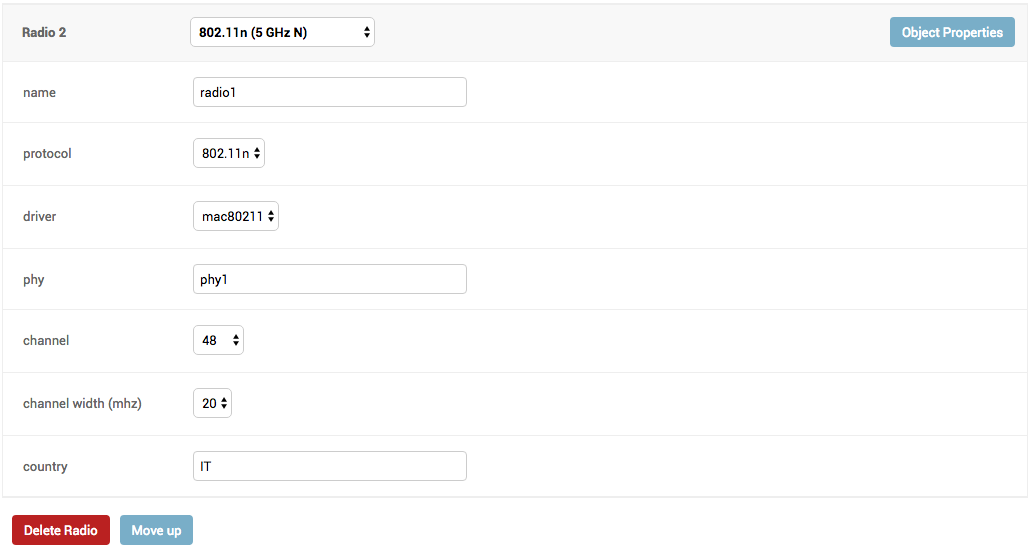
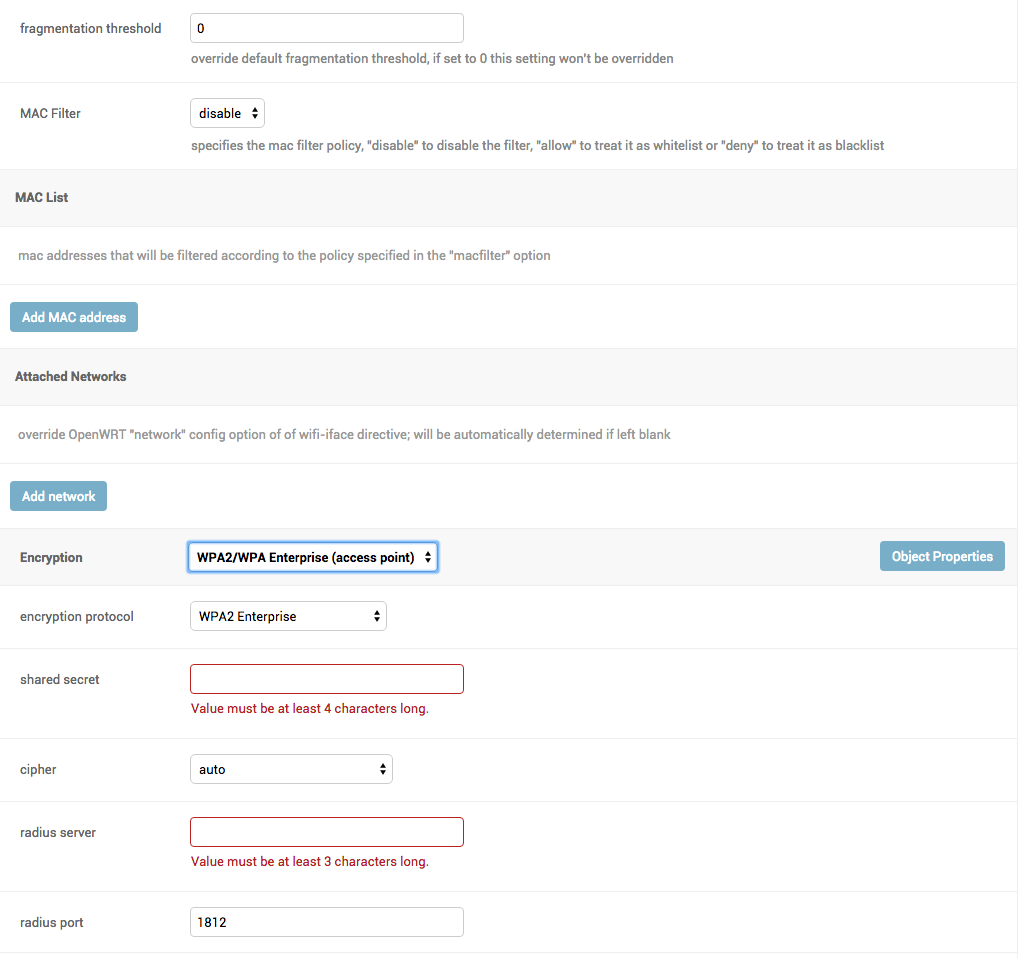
configuration editor based on JSON-Schema editor
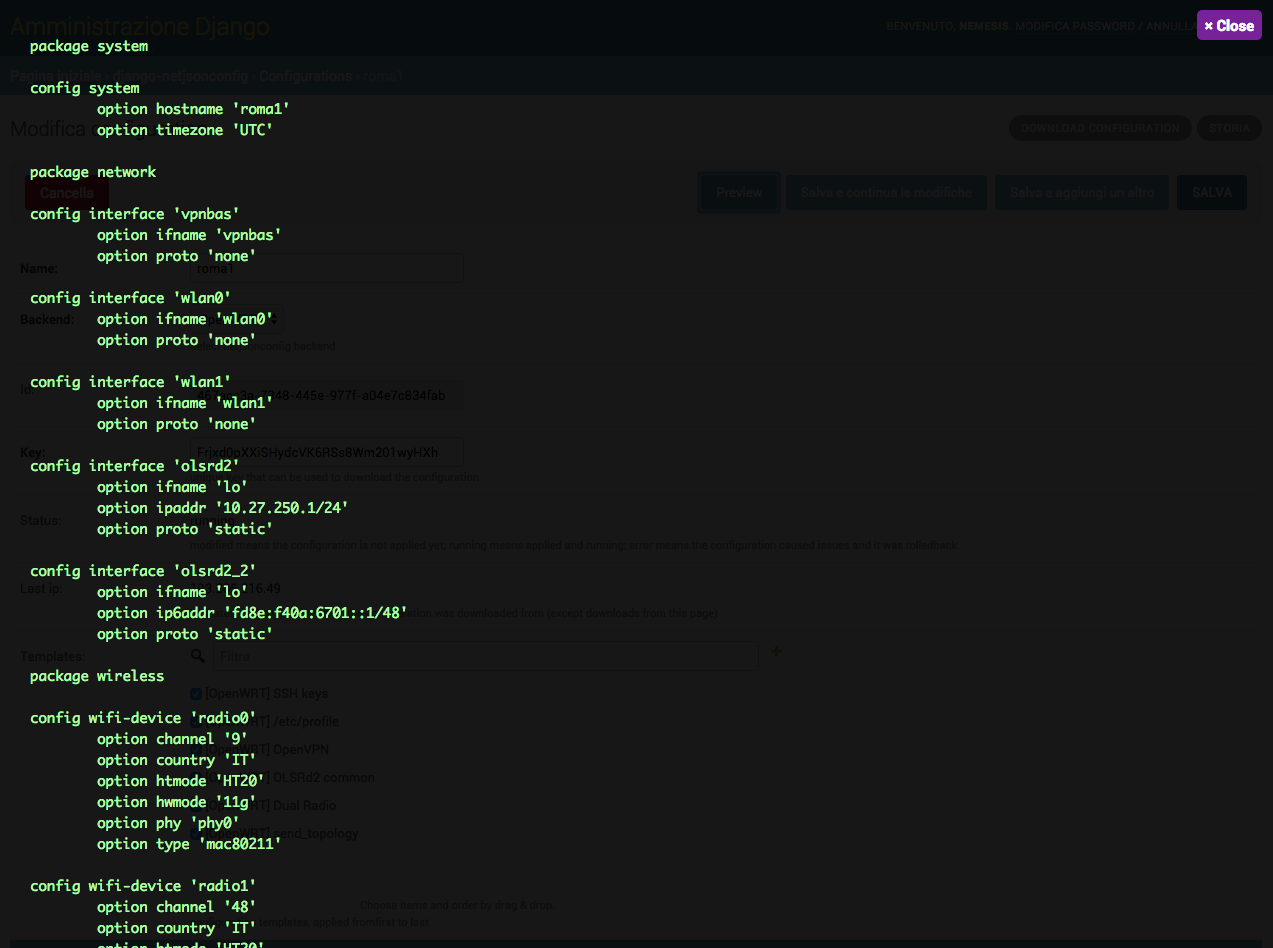
advanced edit mode: edit NetJSON DeviceConfiguration objects for maximum flexibility
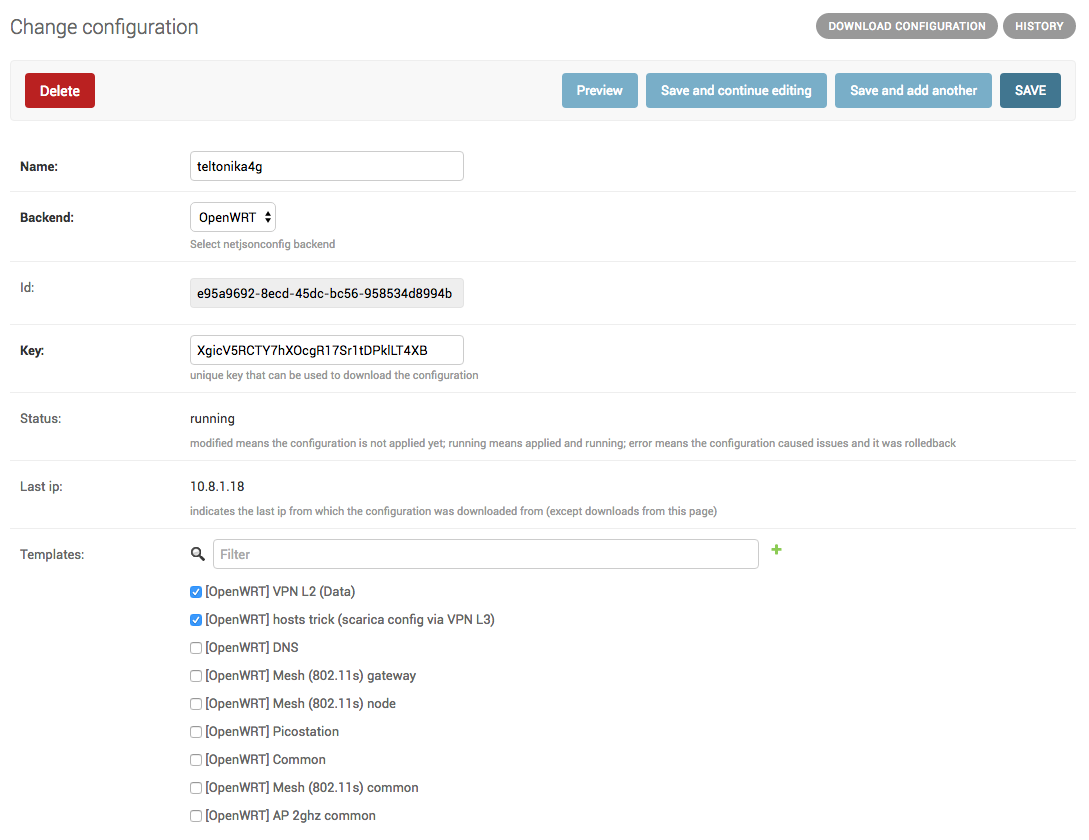
configuration templates: reduce repetition to the minimum
configuration context: reference ansible-like variables in the configuration
simple HTTP resources: allow devices to automatically download configuration updates
VPN management: easily create VPN servers and clients
Project goals
automate configuration management for embedded devices
allow to minimize repetition by using templates
make it easy to integrate in larger django projects to improve reusability
make it easy to extend its models by providing abstract models
provide ways to support more firmwares by adding custom backends
keep the core as simple as possible
provide ways to extend the default behaviour
encourage new features to be published as extensions
Dependencies
Python 2.7 or Python >= 3.4
OpenSSL
Install stable version from pypi
Install from pypi:
pip install django-netjsonconfigInstall development version
Install tarball:
pip install https://github.com/openwisp/django-netjsonconfig/tarball/masterAlternatively you can install via pip using git:
pip install -e git+git://github.com/openwisp/django-netjsonconfig#egg=django-netjsonconfigIf you want to contribute, install your cloned fork:
git clone git@github.com:<your_fork>/django-netjsonconfig.git
cd django-netjsonconfig
python setup.py develop
Setup (integrate in an existing django project)
Add django_netjsonconfig, django.contrib.admin, sortedm2m and reversion to INSTALLED_APPS in the following order:
INSTALLED_APPS = [
    # other apps
    'django_netjsonconfig',
    # ensure the django admin comes after django-netjsonconfig
    'django.contrib.admin',
    'sortedm2m',
    'reversion'  # optional, can be removed if not needed
    # ...
]
Add the controller URLs to your main urls.py:
urlpatterns = [
    # ... other urls in your project ...

    # controller URLs
    # used by devices to download/update their configuration
    # keep the namespace argument unchanged
    url(r'^', include('django_netjsonconfig.controller.urls', namespace='controller')),
    # common URLs
    # shared among django-netjsonconfig components
    # keep the namespace argument unchanged
    url(r'^', include('django_netjsonconfig.urls', namespace='netjsonconfig')),
]
Then run:
./manage.py migrateDeploy it in production
If you need to deploy django-netjsonconfig by itself (that is without including it in a larger project), you may want to check out the ansible-openwisp2 role.
Installing for development
Install sqlite:
sudo apt-get install sqlite3 libsqlite3-dev openssl libssl-devInstall your forked repo:
git clone git://github.com/<your_fork>/django-netjsonconfig
cd django-netjsonconfig/
python setup.py develop
Install test requirements:
pip install -r requirements-test.txtCreate database:
cd tests/
./manage.py migrate
./manage.py createsuperuser
Launch development server:
./manage.py runserverYou can access the admin interface at http://127.0.0.1:8000/admin/.
Run tests with:
./runtests.pySettings
NETJSONCONFIG_BACKENDS
type: |
tuple |
default: |
|
Available configuration backends. For more information, see netjsonconfig backends.
NETJSONCONFIG_VPN_BACKENDS
type: |
tuple |
default: |
|
Available VPN backends for VPN Server objects. For more information, see OpenVPN netjsonconfig backend.
A VPN backend must follow some basic rules in order to be compatible with django-netjsonconfig:
it MUST allow at minimum and at maximum one VPN instance
the main NetJSON property MUST match the lowercase version of the class name, eg: when using the OpenVpn backend, the system will look into config['openvpn']
it SHOULD focus on the server capabilities of the VPN software being used
NETJSONCONFIG_DEFAULT_BACKEND
type: |
str |
default: |
NETJSONCONFIG_BACKENDS[0][0] |
The preferred backend that will be used as initial value when adding new Config or Template objects in the admin.
This setting defaults to the raw value of the first item in the NETJSONCONFIG_BACKENDS setting, which is netjsonconfig.OpenWrt.
Setting it to None will force the user to choose explicitly.
NETJSONCONFIG_DEFAULT_VPN_BACKEND
type: |
str |
default: |
NETJSONCONFIG_VPN_BACKENDS[0][0] |
The preferred backend that will be used as initial value when adding new Vpn objects in the admin.
This setting defaults to the raw value of the first item in the NETJSONCONFIG_VPN_BACKENDS setting, which is django_netjsonconfig.vpn_backends.OpenVpn.
Setting it to None will force the user to choose explicitly.
NETJSONCONFIG_REGISTRATION_ENABLED
type: |
bool |
default: |
True |
Whether devices can automatically register through the controller or not.
This feature is enabled by default.
Autoregistration must be supported on the devices in order to work, see openwisp-config automatic registration for more information.
NETJSONCONFIG_CONSISTENT_REGISTRATION
type: |
bool |
default: |
True |
Whether devices that are already registered are recognized when reflashed or reset, hence keeping the existing configuration without creating a new one.
This feature is enabled by default.
Autoregistration must be enabled also on the devices in order to work, see openwisp-config consistent key generation for more information.
NETJSONCONFIG_CONTEXT
type: |
dict |
default: |
{} |
Additional context that is passed to the default context of each Config object.
Each Config object gets the following attributes passed as configuration variables:
id
key
name
mac_address
NETJSONCONFIG_CONTEXT can be used to define system-wide configuration variables.
For more information, see netjsonconfig context: configuration variables.
NETJSONCONFIG_DEFAULT_AUTO_CERT
type: |
bool |
default: |
True |
The default value of the auto_cert field for new Template objects.
The auto_cert field is valid only for templates which have type set to VPN and indicates whether a new x509 certificate should be created automatically for each configuration using that template.
The automatically created certificates will also be removed when they are not needed anymore (eg: when the VPN template is removed from a configuration object).
NETJSONCONFIG_CERT_PATH
type: |
str |
default: |
/etc/x509 |
The filesystem path where x509 certificate will be installed when downloaded on routers when auto_cert is being used (enabled by default).
NETJSONCONFIG_COMMON_NAME_FORMAT
type: |
str |
default: |
{mac_address}-{name} |
Defines the format of the common_name attribute of VPN client certificates that are automatically created when using VPN templates which have auto_cert set to True.
Screenshots
Contributing
Announce your intentions in the OpenWISP Mailing List
Fork this repo and install it
Write code
Write tests for your code
Ensure all tests pass
Ensure test coverage does not decrease
Document your changes
Send pull request
Changelog
See CHANGES.
License
See LICENSE.
Project details
Release history Release notifications | RSS feed


Download files
Download the file for your platform. If you're not sure which to choose, learn more about installing packages.
Source Distribution
Built Distribution
Filter files by name, interpreter, ABI, and platform.
If you're not sure about the file name format, learn more about wheel file names.
Copy a direct link to the current filters
File details
Details for the file django-netjsonconfig-0.4.2.tar.gz.
File metadata
- Download URL: django-netjsonconfig-0.4.2.tar.gz
- Upload date:
- Size: 86.9 kB
- Tags: Source
- Uploaded using Trusted Publishing? No
File hashes
| Algorithm | Hash digest | |
|---|---|---|
| SHA256 |
f0e0140e70af114ca141cbc5f5b1622c196533ae8d1d0bff476404ede4d6a9da
|
|
| MD5 |
47941f9e33f128ab7233b586b87ea8df
|
|
| BLAKE2b-256 |
acc89372b7156b65ad074b079e14740981ed930cf8026d686a30aa2df5b5b17b
|
File details
Details for the file django_netjsonconfig-0.4.2-py2.py3-none-any.whl.
File metadata
- Download URL: django_netjsonconfig-0.4.2-py2.py3-none-any.whl
- Upload date:
- Size: 95.0 kB
- Tags: Python 2, Python 3
- Uploaded using Trusted Publishing? No
File hashes
| Algorithm | Hash digest | |
|---|---|---|
| SHA256 |
221993a8bff092aae7f6b749541f5341ebd4355362d15e57b9ec2062f60614ec
|
|
| MD5 |
3d515bfe3f4b3f9c98fcbeffd41d6f81
|
|
| BLAKE2b-256 |
18ffa2fb45f92dc5eb22a7b1e0b263a3e18462ebff5f6282748d6d59090a62df
|






