
Add direct uploads to S3 functionality with a progress bar to file input fields.

Project description
django-s3direct
===============
Upload files direct to S3 from Django
-------------------------------------
[](https://travis-ci.org/bradleyg/django-s3direct)
[](https://crate.io/packages/django-s3direct)
[](https://crate.io/packages/django-s3direct)
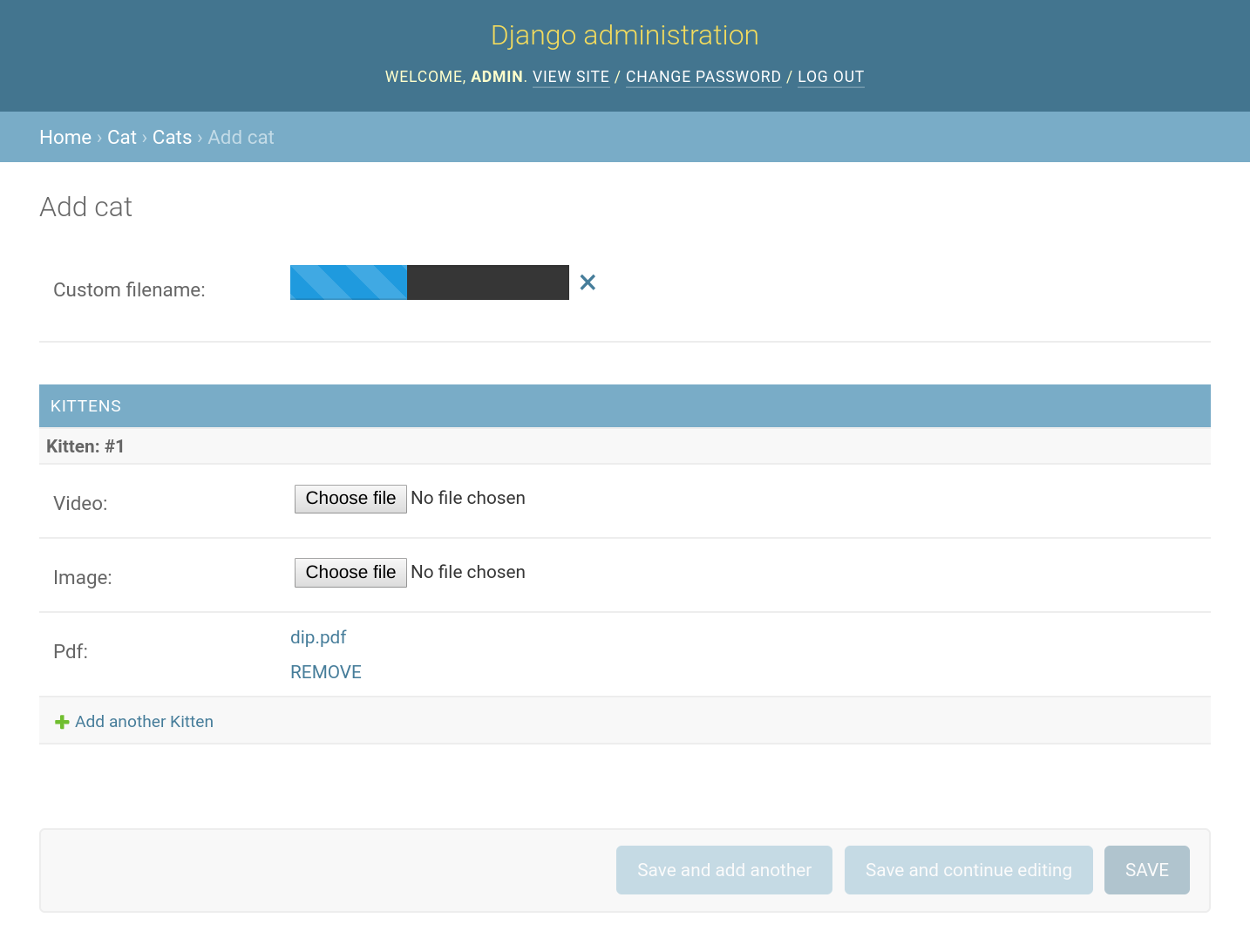
Add direct uploads to AWS S3 functionality with a progress bar to file input fields.
## Support
Python 2/3
Chrome / Safari / Firefox / IE10+
For older browser support use version 0.1.10.
## Installation
Install with Pip:
```pip install django-s3direct```
## S3 Setup
Setup a CORS policy on your S3 bucket.
```xml
<CORSConfiguration>
<CORSRule>
<AllowedOrigin>*</AllowedOrigin>
<AllowedMethod>PUT</AllowedMethod>
<AllowedMethod>POST</AllowedMethod>
<AllowedMethod>GET</AllowedMethod>
<MaxAgeSeconds>3000</MaxAgeSeconds>
<AllowedHeader>*</AllowedHeader>
</CORSRule>
</CORSConfiguration>
```
## Django Setup
### settings.py
```python
INSTALLED_APPS = [
...
's3direct',
...
]
# AWS keys
AWS_SECRET_ACCESS_KEY = ''
AWS_ACCESS_KEY_ID = ''
AWS_STORAGE_BUCKET_NAME = ''
# The region of your bucket, more info:
# http://docs.aws.amazon.com/general/latest/gr/rande.html#s3_region
S3DIRECT_REGION = 'us-east-1'
# Optional, give the uploaded file a uuid filename.
S3DIRECT_UNIQUE_RENAME = False
# Optional, only allow specific users to upload files.
S3DIRECT_AUTH_TEST = lambda u: u.is_staff
```
### urls.py
```python
urlpatterns = patterns('',
url(r'^s3direct/', include('s3direct.urls')),
)
```
Run ```python manage.py collectstatic``` if required.
## Use in Django admin only
### models.py
```python
from django.db import models
from s3direct.fields import S3DirectField
class Example(models.Model):
video = S3DirectField(upload_to='videos')
```
## Use the widget in a custom form
### forms.py
```python
from django import forms
from s3direct.widgets import S3DirectWidget
class S3DirectUploadForm(forms.Form):
images = forms.URLField(widget=S3DirectWidget(upload_to='images'))
```
### views.py
```python
from django.views.generic import FormView
from .forms import S3DirectUploadForm
class MyView(FormView):
template_name = 'form.html'
form_class = S3DirectUploadForm
```
### templates/form.html
```html
<html>
<head>
<meta charset="utf-8">
<title>s3direct</title>
{{ form.media }}
</head>
<body>
{{ form.as_p }}
</body>
</html>
```
## Examples
Examples of both approaches can be found in the examples folder. To run them:
```shell
$ git clone git@github.com:bradleyg/django-s3direct.git
$ cd django-s3direct
$ python setup.py install
$ cd example
# Add your AWS keys to settings.py
$ python manage.py syncdb
$ python manage.py runserver 0.0.0.0:5000
```
Visit ```http://localhost:5000/admin``` to view the admin widget and ```http://localhost:5000/form``` to view the custom form widget.
===============
Upload files direct to S3 from Django
-------------------------------------
[](https://travis-ci.org/bradleyg/django-s3direct)
[](https://crate.io/packages/django-s3direct)
[](https://crate.io/packages/django-s3direct)
Add direct uploads to AWS S3 functionality with a progress bar to file input fields.

## Support
Python 2/3
Chrome / Safari / Firefox / IE10+
For older browser support use version 0.1.10.
## Installation
Install with Pip:
```pip install django-s3direct```
## S3 Setup
Setup a CORS policy on your S3 bucket.
```xml
<CORSConfiguration>
<CORSRule>
<AllowedOrigin>*</AllowedOrigin>
<AllowedMethod>PUT</AllowedMethod>
<AllowedMethod>POST</AllowedMethod>
<AllowedMethod>GET</AllowedMethod>
<MaxAgeSeconds>3000</MaxAgeSeconds>
<AllowedHeader>*</AllowedHeader>
</CORSRule>
</CORSConfiguration>
```
## Django Setup
### settings.py
```python
INSTALLED_APPS = [
...
's3direct',
...
]
# AWS keys
AWS_SECRET_ACCESS_KEY = ''
AWS_ACCESS_KEY_ID = ''
AWS_STORAGE_BUCKET_NAME = ''
# The region of your bucket, more info:
# http://docs.aws.amazon.com/general/latest/gr/rande.html#s3_region
S3DIRECT_REGION = 'us-east-1'
# Optional, give the uploaded file a uuid filename.
S3DIRECT_UNIQUE_RENAME = False
# Optional, only allow specific users to upload files.
S3DIRECT_AUTH_TEST = lambda u: u.is_staff
```
### urls.py
```python
urlpatterns = patterns('',
url(r'^s3direct/', include('s3direct.urls')),
)
```
Run ```python manage.py collectstatic``` if required.
## Use in Django admin only
### models.py
```python
from django.db import models
from s3direct.fields import S3DirectField
class Example(models.Model):
video = S3DirectField(upload_to='videos')
```
## Use the widget in a custom form
### forms.py
```python
from django import forms
from s3direct.widgets import S3DirectWidget
class S3DirectUploadForm(forms.Form):
images = forms.URLField(widget=S3DirectWidget(upload_to='images'))
```
### views.py
```python
from django.views.generic import FormView
from .forms import S3DirectUploadForm
class MyView(FormView):
template_name = 'form.html'
form_class = S3DirectUploadForm
```
### templates/form.html
```html
<html>
<head>
<meta charset="utf-8">
<title>s3direct</title>
{{ form.media }}
</head>
<body>
{{ form.as_p }}
</body>
</html>
```
## Examples
Examples of both approaches can be found in the examples folder. To run them:
```shell
$ git clone git@github.com:bradleyg/django-s3direct.git
$ cd django-s3direct
$ python setup.py install
$ cd example
# Add your AWS keys to settings.py
$ python manage.py syncdb
$ python manage.py runserver 0.0.0.0:5000
```
Visit ```http://localhost:5000/admin``` to view the admin widget and ```http://localhost:5000/form``` to view the custom form widget.
Release history Release notifications | RSS feed


Download files
Download the file for your platform. If you're not sure which to choose, learn more about installing packages.
Source Distribution
django-s3direct-0.2.3.tar.gz
(17.5 kB
view details)
File details
Details for the file django-s3direct-0.2.3.tar.gz.
File metadata
- Download URL: django-s3direct-0.2.3.tar.gz
- Upload date:
- Size: 17.5 kB
- Tags: Source
- Uploaded using Trusted Publishing? No
File hashes
| Algorithm | Hash digest | |
|---|---|---|
| SHA256 |
4e98b8c7142705d2b0d8d50106094703e12b1fdc904e95f13772e2f216341912
|
|
| MD5 |
e4dc3b2e5824937598f8e345eb85a40a
|
|
| BLAKE2b-256 |
91fdb8157e411728706f46df16983482429cf51fcf14c17dd7c90816a4345e63
|






