
Gentoo Build Publisher Command-Line Interface

Project description
CLI for Gentoo Build Publisher
Introduction
This is a command-line interface for Gentoo Build Publisher, a system that combines Gentoo Linux and CI/CD so that updating a Gentoo predictable and consistent.
This is a pip-installable Python package:
$ pip install gbpcli
Usage
The full command set supported:
usage: gbp [-h] [--version] [--url URL] [--color WHEN]
           {build,diff,keep,latest,list,logs,machines,notes,packages,publish,pull,status,tag} ...

positional arguments:
  {build,diff,keep,latest,list,logs,machines,notes,packages,publish,pull,status,tag}

options:
  -h, --help            show this help message and exit
  --version             show program's version number and exit
  --url URL             GBP url
  --color WHEN          color output
The URL for the Gentoo Build Publisher may be provided via the command line or
by using the BUILD_PUBLISHER_URL environment variable.
To list the machines which have builds:

The "Latest" column shows the latest build ID for the given machine. If the ID has a *
beside it that denotes that the latest build is published (available for emerges).
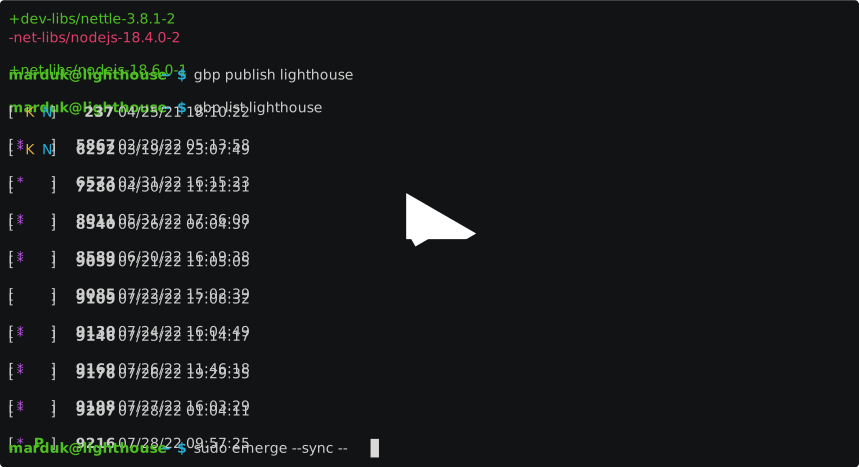
To list the available builds for a given machine:

In the above example, the P output for build 623 signifies that this build
is currently published. The * flag means that the respective build has new
binary packages. The K for build 104 means that the build is marked for
keeping and will not be removed during the purge process. Build 600 has also
been given a "stable" tag. The N flag for build 631 means that the build
has a note attached.

Edit/delete build notes using the gbp notes command.
The status subcommand displays metadata about a given build. If the build
number is not given, it defaults to the latest build for that machine.
The diff subcommand display differences between two build.

If the second build number is not given, it defaults to the latest build for that machine. If the first build number is not given, it defaults to the published build for that machine.
The publish subcommand makes the given build available for syncing and
updating/downgrading.
$ gbp publish babette 631
If the build nubmer is not given, it defaults to the latest build for that machine.
The build subcommand can schedule a build in CI/CD for the given machine,
e.g.:
$ gbp build babette
Release history Release notifications | RSS feed


Download files
Download the file for your platform. If you're not sure which to choose, learn more about installing packages.
Source Distribution
Built Distribution
Filter files by name, interpreter, ABI, and platform.
If you're not sure about the file name format, learn more about wheel file names.
Copy a direct link to the current filters
File details
Details for the file gbpcli-1.2.0.tar.gz.
File metadata
- Download URL: gbpcli-1.2.0.tar.gz
- Upload date:
- Size: 40.2 kB
- Tags: Source
- Uploaded using Trusted Publishing? No
- Uploaded via: twine/4.0.1 CPython/3.10.8
File hashes
| Algorithm | Hash digest | |
|---|---|---|
| SHA256 |
7aee45e47464af43f362a78dfae4111c9480a9ad5985ad467d10719d00c8b839
|
|
| MD5 |
ad1d838920450d2a9a22bfa7aae625e9
|
|
| BLAKE2b-256 |
d604355f782c3155cc02b4f9a13488478ab3b4f9689250c1dc89feb9dd817c61
|
File details
Details for the file gbpcli-1.2.0-py3-none-any.whl.
File metadata
- Download URL: gbpcli-1.2.0-py3-none-any.whl
- Upload date:
- Size: 25.5 kB
- Tags: Python 3
- Uploaded using Trusted Publishing? No
- Uploaded via: twine/4.0.1 CPython/3.10.8
File hashes
| Algorithm | Hash digest | |
|---|---|---|
| SHA256 |
5480138e6ab7c64b065a4c64da2d3c43a06a16c3bfd6fff7c6087094548130e4
|
|
| MD5 |
275d7adea323e2f65f30289e173e9983
|
|
| BLAKE2b-256 |
17306a5b993dec2a3540216f4cf0690ddab2c41bde78fad3a34c801dea00987f
|






