
See what is happening on GitHub in real time

Project description
ghtop
See what's happening on GitHub in real time (also helpful if you need to use up your API quota as quickly as possible).
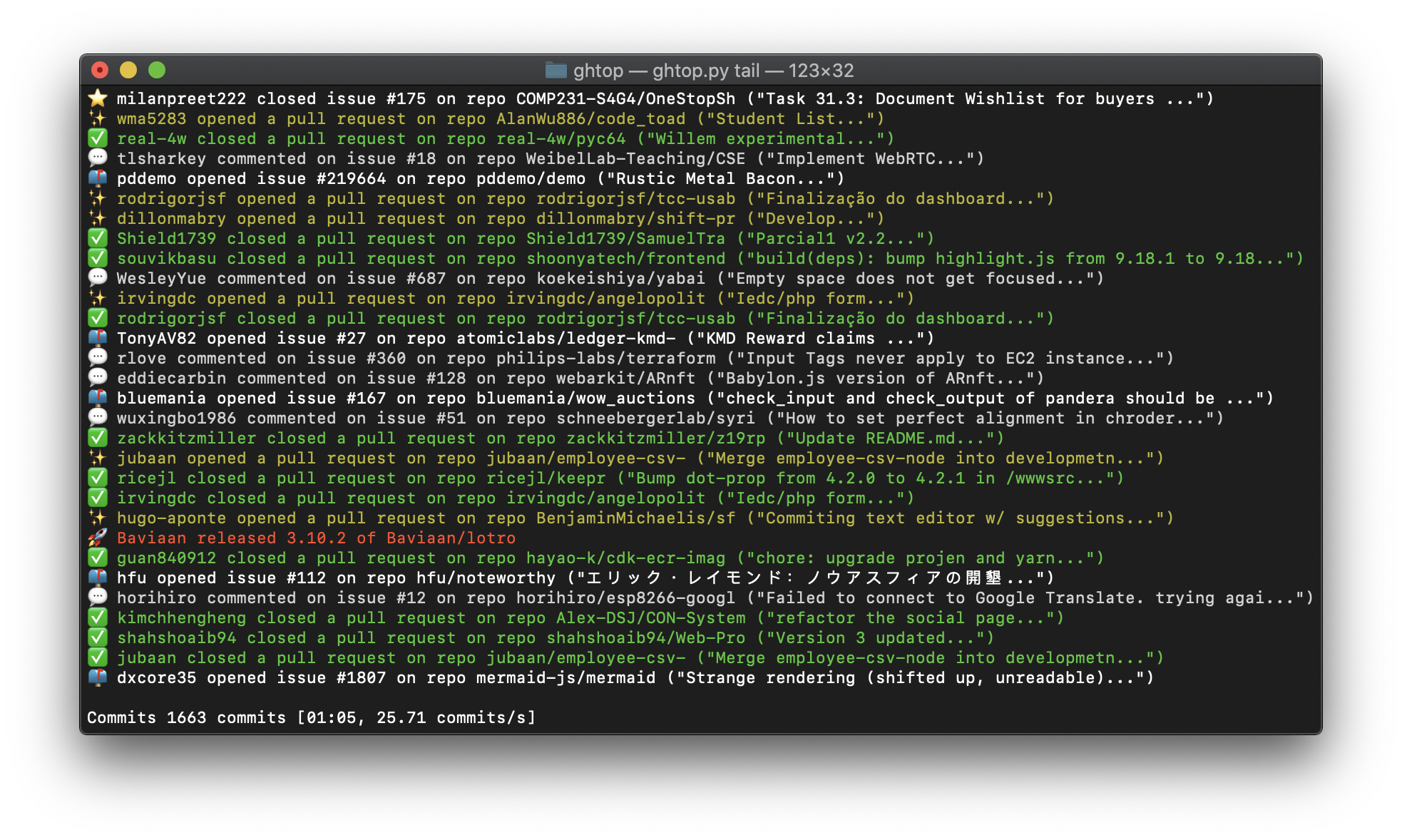
ghtop provides a number of views of all current public activity from all users across the entire GitHub platform. (Note that GitHub delays all events by five minutes.)
Install
Either pip install ghtop or conda install -c fastai ghtop.
How to use
Run ghtop -h to view the help:
$ ghtop -h
usage: ghtop [-h] [--include_bots] [--types TYPES] [--filt {user,repo,org}] [--filtval FILTVAL]
             {tail,quad,users,simple}

positional arguments:
  {tail,quad,users,simple}  Operation mode to run

optional arguments:
  -h, --help                show this help message and exit
  --include_bots            Include bots (there is a lot of them!) (default: False)
  --types TYPES             Comma-separated types of event to include (e.g PushEvent)
  --filt {user,repo,org}    Filtering method
  --filtval FILTVAL         Value to filter by (for `repo` use format `owner/repo`)
There are 4 views you can choose: ghtop simple, ghtop tail, ghtop quad, or ghtop users. Each are shown and described below. All views have the following options:
--include_bots: By default events that appear to be from bots are excluded. Add this flag to include them--types TYPES: Optional comma-separated list of event types to include (defaults to all types). For a full list of types, see the GitHub event types docs--filtand--filtval: Optionally filter events to just those from one of:user,repo, ororg, depending onfilt.filtvalis the value to filter by. See the GitHub docs for details on the public event API calls used.
Important note: while running, ghtop will make about 5 API calls per second. GitHub has a quota of 5000 calls per hour. When there are 1000 calls left, ghtop will show a warning on every call.
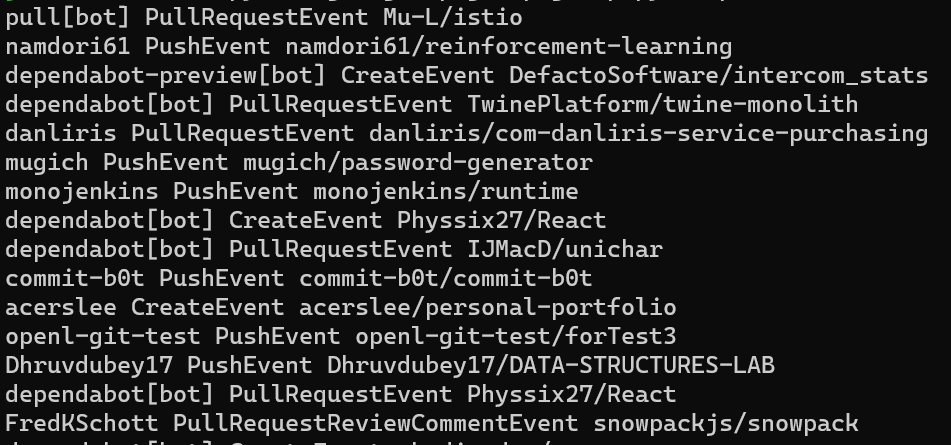
ghtop simple
A simple dump to your console of all events as they happen.
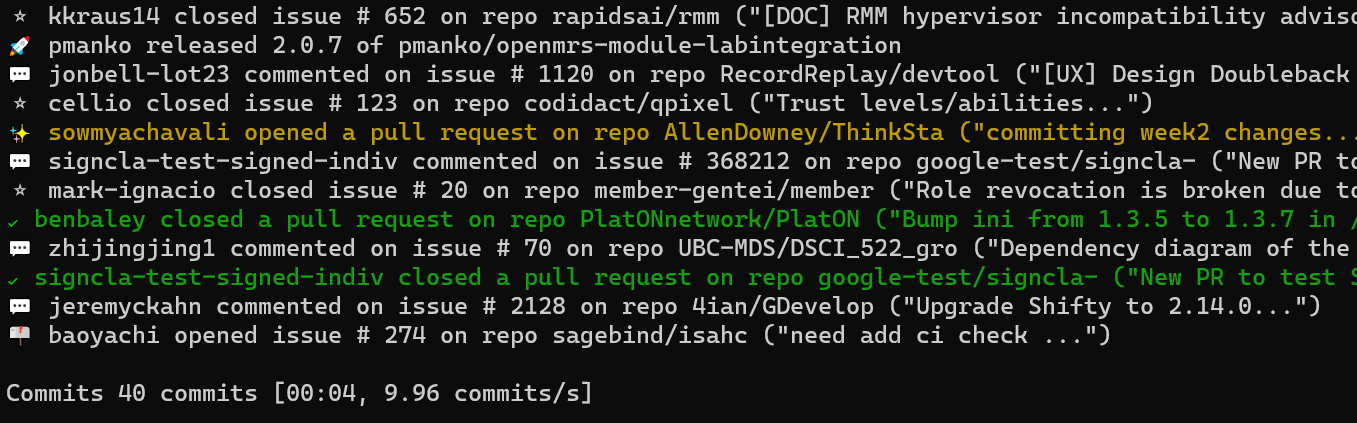
ghtop tail
Like simple, but removes most bots, and only includes releases, issues and PRs (open, close, and comment events). A summary of the frequency of push events is also shown at the bottom of the screen.
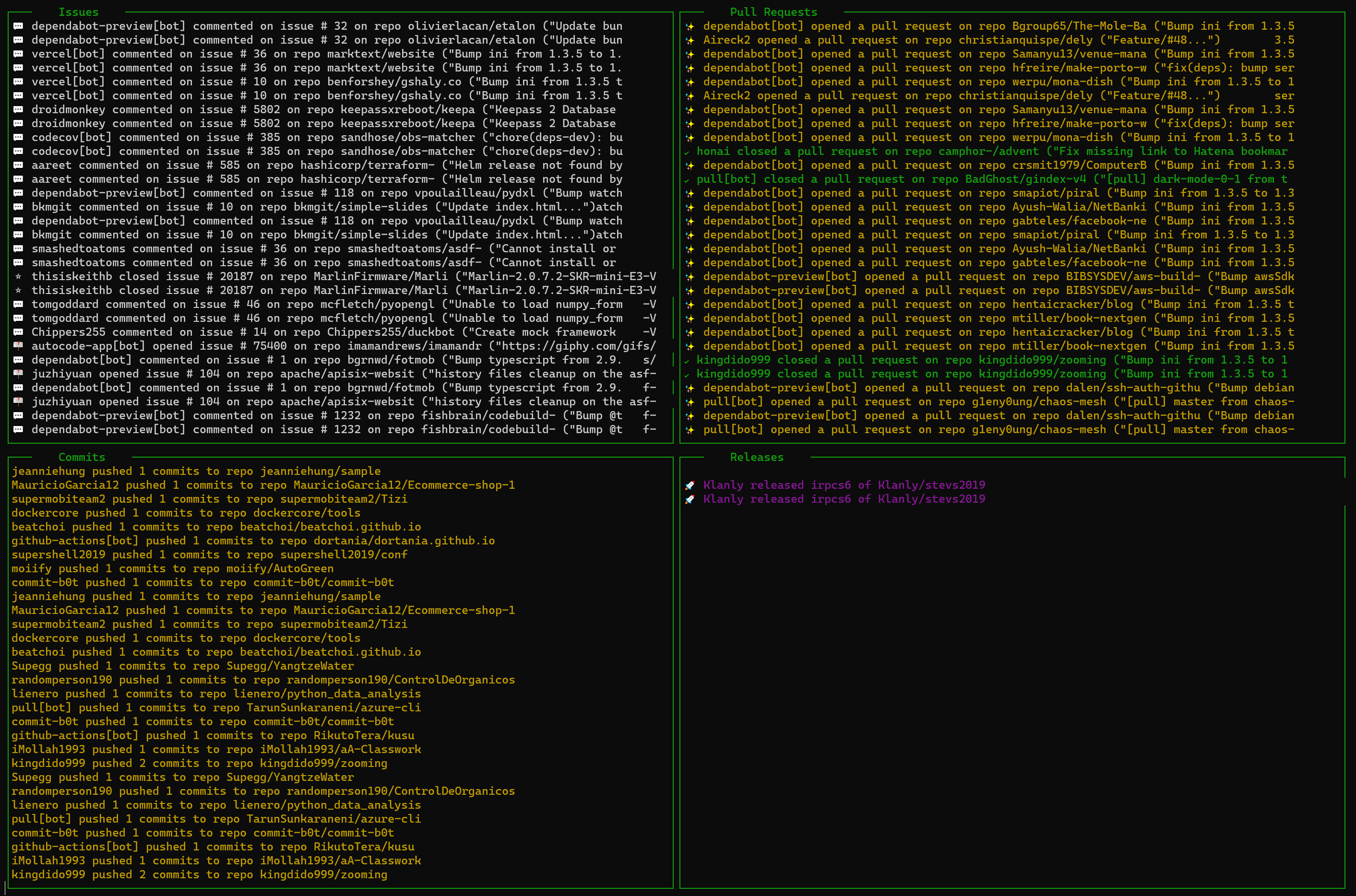
ghtop quad
The same information as tail, but in a split window showing separately PRs, issues, pushes, and releases. This view does not remove bot activity.
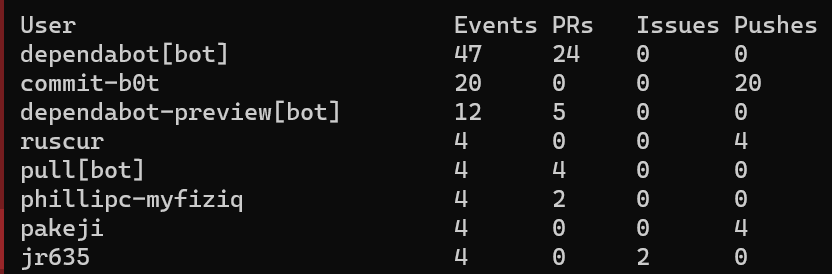
ghtop users
A summary of activity for the most active current users.
Shared under the MIT license with ♥ by @nat
Release history Release notifications | RSS feed


Download files
Download the file for your platform. If you're not sure which to choose, learn more about installing packages.
Source Distribution
Built Distribution
Filter files by name, interpreter, ABI, and platform.
If you're not sure about the file name format, learn more about wheel file names.
Copy a direct link to the current filters
File details
Details for the file ghtop-0.0.8.tar.gz.
File metadata
- Download URL: ghtop-0.0.8.tar.gz
- Upload date:
- Size: 6.6 kB
- Tags: Source
- Uploaded using Trusted Publishing? No
- Uploaded via: twine/3.2.0 pkginfo/1.5.0.1 requests/2.25.0 setuptools/49.6.0.post20200925 requests-toolbelt/0.9.1 tqdm/4.49.0 CPython/3.7.7
File hashes
| Algorithm | Hash digest | |
|---|---|---|
| SHA256 |
2f5757bccaa6b7e21b3976167fb59b6eb6033dba71e52683f27a982f38bc61ce
|
|
| MD5 |
486c2346f45b6d950a4f421720725af7
|
|
| BLAKE2b-256 |
871122ef0358b4a8b1a1cb1326b6535c4128281c13fec86dd08d913022a1c4dd
|
File details
Details for the file ghtop-0.0.8-py3-none-any.whl.
File metadata
- Download URL: ghtop-0.0.8-py3-none-any.whl
- Upload date:
- Size: 6.4 kB
- Tags: Python 3
- Uploaded using Trusted Publishing? No
- Uploaded via: twine/3.2.0 pkginfo/1.5.0.1 requests/2.25.0 setuptools/49.6.0.post20200925 requests-toolbelt/0.9.1 tqdm/4.49.0 CPython/3.7.7
File hashes
| Algorithm | Hash digest | |
|---|---|---|
| SHA256 |
9b016e5c8dacb257ba036879c170d51c814502acf2bbf824a5b922ab5b5a386e
|
|
| MD5 |
de58cd0a183c573486a017c51ddae6d1
|
|
| BLAKE2b-256 |
ea40bcfcf837dfe2476df612990365cffac99bfcac7d47a75932a71cdbf04304
|






