
Feature flag server SDK for python


Project description
Python SDK For Harness Feature Flags

Table of Contents
Intro
Requirements
Quickstart
Further Reading
Build Instructions
Intro
Use this README to get started with our Feature Flags (FF) SDK for Python. This guide outlines the basics of getting started with the SDK and provides a full code sample for you to try out. This sample doesn’t include configuration options, for in depth steps and configuring the SDK, for example, disabling streaming or using our Relay Proxy, see the Python SDK Reference.
For a sample FF Python SDK project, see our test test python project.
Requirements
Python 3.7 or newer (python --version)
pip
For Mac users if you don't already have pyenv or something similar installed for managing python version
Quickstart
To follow along with our test code sample, make sure you’ve:
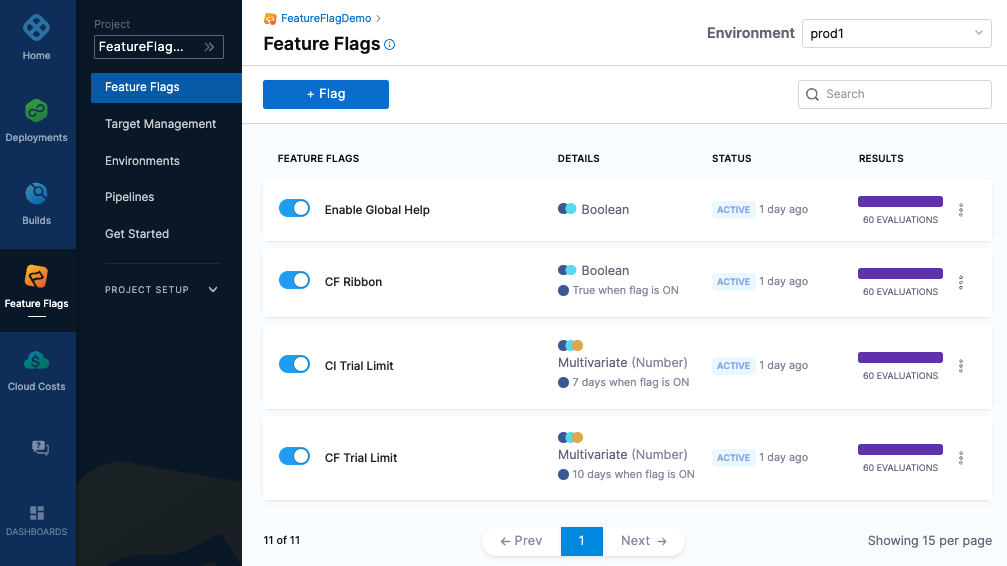
- Created a Feature Flag on the Harness Platform called harnessappdemodarkmode
- Created a server SDK key and made a copy of it
Install the SDK
Install the python SDK using pip
python -m pip install harness-featureflags
Code Sample
The following is a complete code example that you can use to test the harnessappdemodarkmode Flag you created on the Harness Platform. When you run the code it will:
- Connect to the FF service.
- Report the value of the Flag every 10 seconds until the connection is closed. Every time the harnessappdemodarkmode Flag is toggled on or off on the Harness Platform, the updated value is reported.
- Close the SDK.
from featureflags.client import CfClient
from featureflags.config import *
from featureflags.evaluations.auth_target import Target
from featureflags.util import log
import os
import time

# API Key
apiKey = os.getenv('FF_API_KEY', "changeme")

# Flag Name
flagName = os.getenv('FF_FLAG_NAME', "harnessappdemodarkmode")

def main():
    # Create a Feature Flag Client
    client = CfClient(apiKey)

    # Create a target (different targets can get different results based on rules.  This include a custom attribute 'location')
    target = Target(identifier='pythonSDK', name="PythonSDK", attributes={"location": "emea"})

    # Loop forever reporting the state of the flag
    while True:
        result = client.bool_variation(flagName, target, False)
        log.info("Flag variation %s", result)
        time.sleep(10)

    close()


if __name__ == "__main__":
    main()
Running the example
$ export FF_API_KEY=<your key here>
$ python3 examples/getting_started/getting_started.py
Running the example with Docker
If you dont have the right version of python installed locally, or dont want to install the dependancies you can use docker to quickly get started
# Install the package
docker run -v $(pwd):/app -w /app python:3.7-slim python -m pip install -t ./local  harness-featureflags

# Run the script
docker run  -e PYTHONPATH=/app/local -e FF_API_KEY=$FF_API_KEY -v $(pwd):/app -w /app python:3.7-slim python examples/getting_started/getting_started.py
Additional Reading
For further examples and config options, see the Python SDK Reference.
For more information about Feature Flags, see our Feature Flags documentation.
Harness is a feature management platform that helps teams to build better software and to test features quicker.
======= History
1.0.1 (2021-07-07)
- First release on PyPI.
Release history Release notifications | RSS feed


Download files
Download the file for your platform. If you're not sure which to choose, learn more about installing packages.
Source Distribution
Built Distribution
Filter files by name, interpreter, ABI, and platform.
If you're not sure about the file name format, learn more about wheel file names.
Copy a direct link to the current filters
File details
Details for the file harness-featureflags-1.1.5.tar.gz.
File metadata
- Download URL: harness-featureflags-1.1.5.tar.gz
- Upload date:
- Size: 174.9 kB
- Tags: Source
- Uploaded using Trusted Publishing? No
- Uploaded via: twine/3.4.1 importlib_metadata/5.1.0 pkginfo/1.9.2 requests/2.25.1 requests-toolbelt/0.10.1 tqdm/4.64.1 CPython/3.9.16
File hashes
| Algorithm | Hash digest | |
|---|---|---|
| SHA256 |
2651f4505d54721406758c488060d993692598426e31b2033b930919a278cbc5
|
|
| MD5 |
196d5fd971664c0dcbac5ff61dbf2ba7
|
|
| BLAKE2b-256 |
a9a88230c2d84ab765e95d034f6711e5bfef0c23bb0960addd373722c6bbe8f3
|
File details
Details for the file harness_featureflags-1.1.5-py2.py3-none-any.whl.
File metadata
- Download URL: harness_featureflags-1.1.5-py2.py3-none-any.whl
- Upload date:
- Size: 59.6 kB
- Tags: Python 2, Python 3
- Uploaded using Trusted Publishing? No
- Uploaded via: twine/3.4.1 importlib_metadata/5.1.0 pkginfo/1.9.2 requests/2.25.1 requests-toolbelt/0.10.1 tqdm/4.64.1 CPython/3.9.16
File hashes
| Algorithm | Hash digest | |
|---|---|---|
| SHA256 |
98b4f1a74ee96b99af7634c366d6c8b6f821f0707214f4ce45f4506aef5cb56c
|
|
| MD5 |
da825219b57036e7fc0bd8a3c3f5d582
|
|
| BLAKE2b-256 |
3e8ce574656047bf4741b024cfcc687c9b64c14f1e85c14b2682b92e9be076d5
|






