
Image inpainting tool powered by SOTA AI Model

Project description
Lama Cleaner
A free and open-source inpainting tool powered by SOTA AI model.






https://user-images.githubusercontent.com/3998421/196976498-ba1ad3ab-fa18-4c55-965f-5c6683141375.mp4
Features
- Completely free and open-source
- Fully self-hosted
- Classical image inpainting algorithm powered by cv2
- Multiple SOTA AI models
- Support CPU & GPU
- Various inpainting strategy
- Run as a desktop APP
- Interactive Segmentation on any object
Usage
1. Remove any unwanted things on the image
| Usage | Before | After |
|---|---|---|
| Remove unwanted things |  |
 |
| Remove unwanted person |  |
 |
| Remove text |  |
 |
| Remove watermark |  |
 |
| Remove text balloons on manga |  |
 |
2. Fix old photo
| Usage | Before | After |
|---|---|---|
| Fix old photo |  |
 |
3. Replace something on the image
| Usage | Before | After |
|---|---|---|
| Text Driven Inpainting |  |
Prompt: a fox sitting on a bench |
Quick Start
The easiest way to use Lama Cleaner is to install it using pip:
pip install lama-cleaner

# Models will be downloaded at first time used
lama-cleaner --model=lama --device=cpu --port=8080
# Lama Cleaner is now running at http://localhost:8080
For stable-diffusion model, you need to accepting the terms to access, and get an access token from here huggingface access token
If you prefer to use docker, you can check out docker
If you hava no idea what is docker or pip, please check One Click Installer
Available command line arguments:
| Name | Description | Default |
|---|---|---|
| --model | lama/ldm/zits/mat/fcf/sd1.5/manga See details in Inpaint Model | lama |
| --hf_access_token | stable-diffusion need huggingface access token to download model | |
| --sd-run-local | Once the model as downloaded, you can pass this arg and remove --hf_access_token |
|
| --sd-disable-nsfw | Disable stable-diffusion NSFW checker. | |
| --sd-cpu-textencoder | Always run stable-diffusion TextEncoder model on CPU. | |
| --sd-enable-xformers | Enable xFormers optimizations. See: facebookresearch/xformers | |
| --device | cuda or cpu | cuda |
| --port | Port for backend flask web server | 8080 |
| --gui | Launch lama-cleaner as a desktop application | |
| --gui_size | Set the window size for the application | 1200 900 |
| --input | Path to image you want to load by default | None |
| --debug | Enable debug mode for flask web server |
Inpainting Model
| Model | Description | Config |
|---|---|---|
| cv2 | :+1: No GPU is required, and for simple backgrounds, the results may even be better than AI models. | |
| LaMa | :+1: Generalizes well on high resolutions(~2k) |
|
| LDM | :+1: Possible to get better and more detail result :+1: The balance of time and quality can be achieved by adjusting steps :neutral_face: Slower than GAN model :neutral_face: Need more GPU memory |
Steps: You can get better result with large steps, but it will be more time-consuming Sampler: ddim or plms. In general plms can get better results with fewer steps |
| ZITS | :+1: Better holistic structures compared with previous methods :neutral_face: Wireframe module is very slow on CPU |
Wireframe: Enable edge and line detect |
| MAT | TODO | |
| FcF | :+1: Better structure and texture generation :neutral_face: Only support fixed size (512x512) input |
|
| SD1.5 | :+1: SOTA text-to-image diffusion model |
See model comparison detail
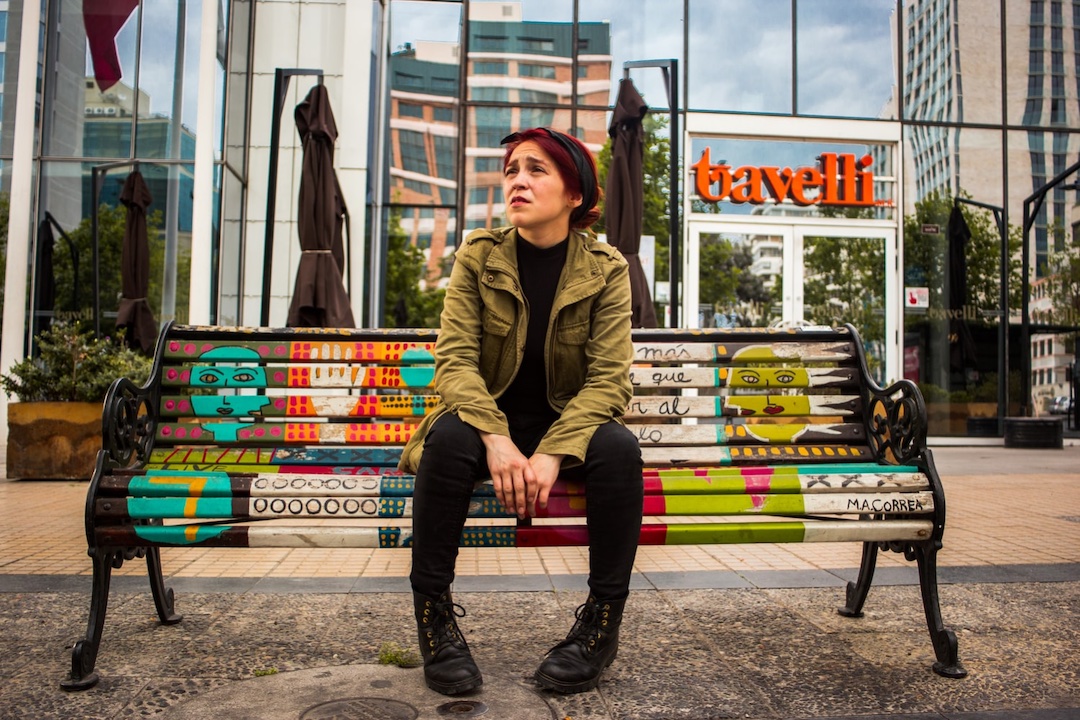
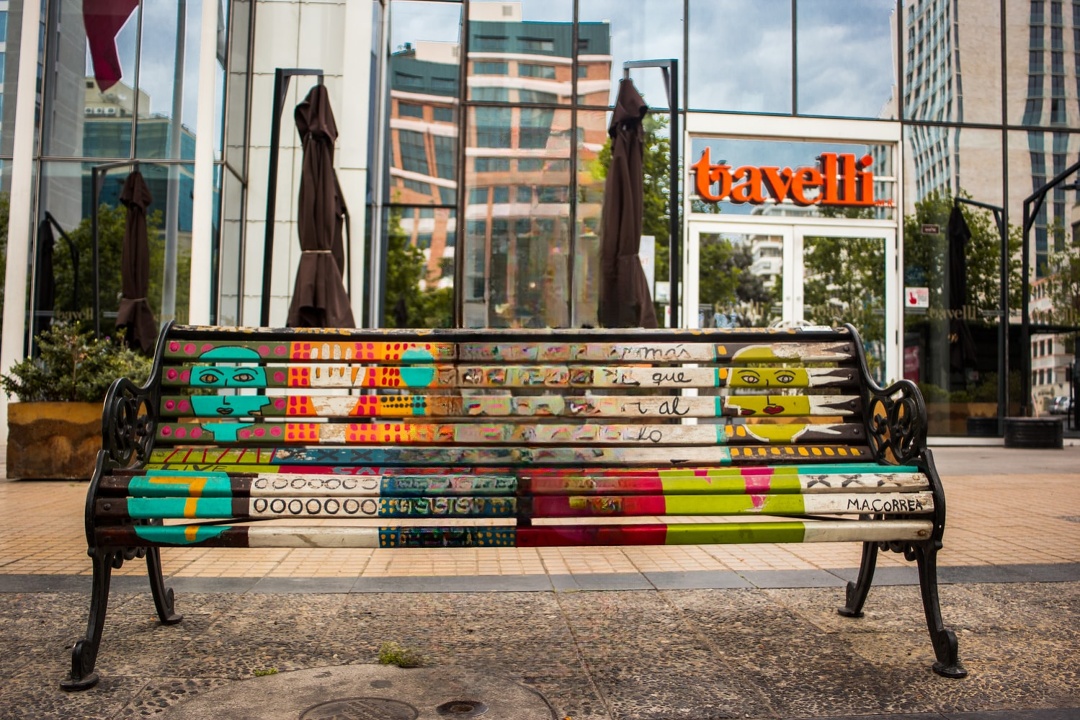
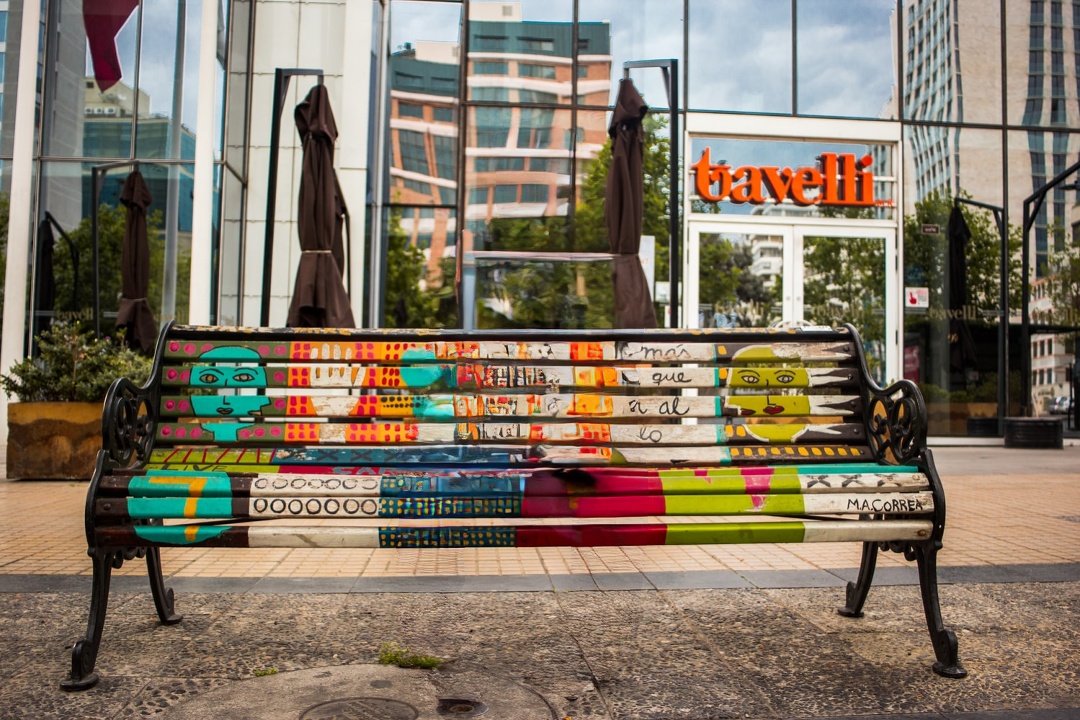
LaMa vs LDM
| Original Image | LaMa | LDM |
|---|---|---|
 |
 |
 |
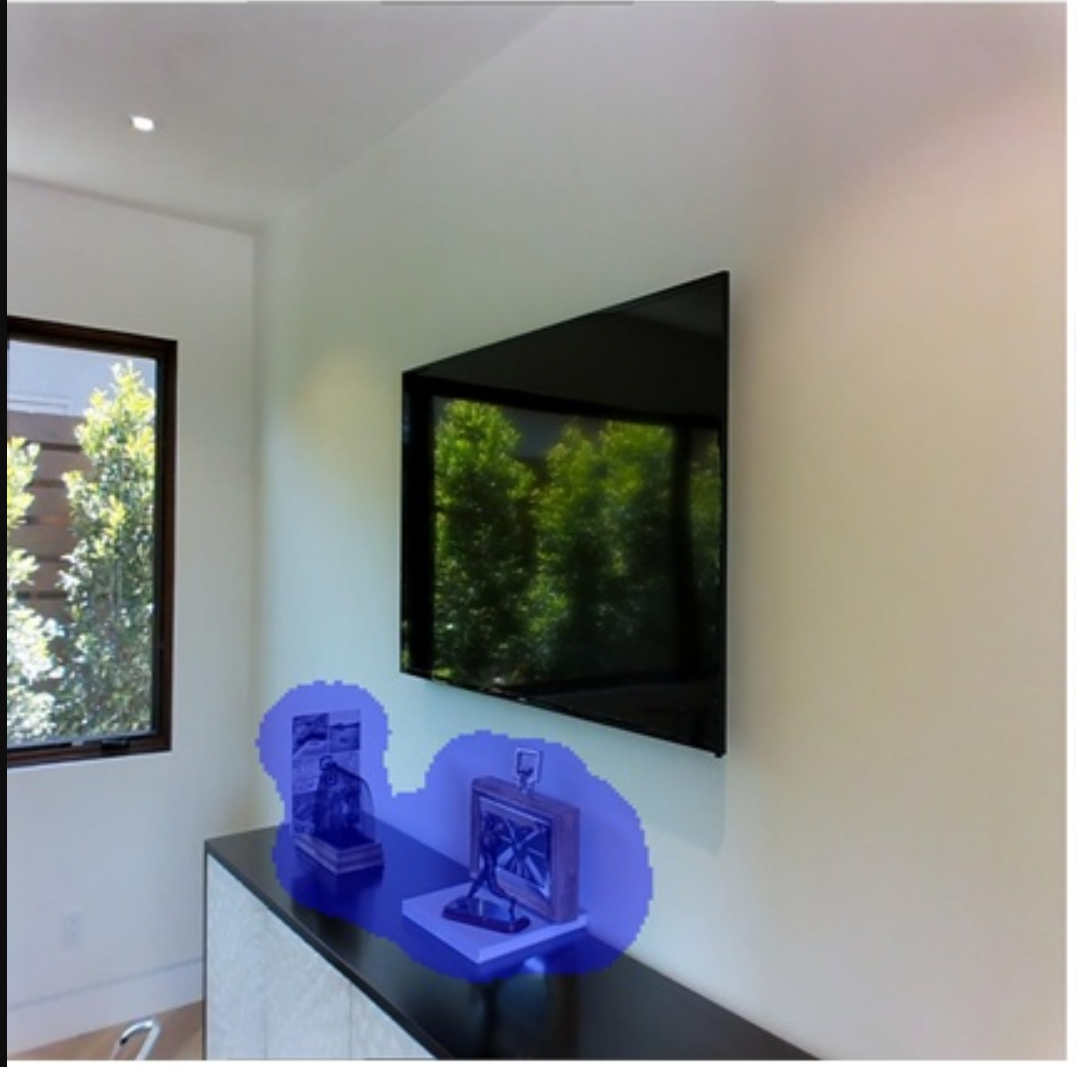
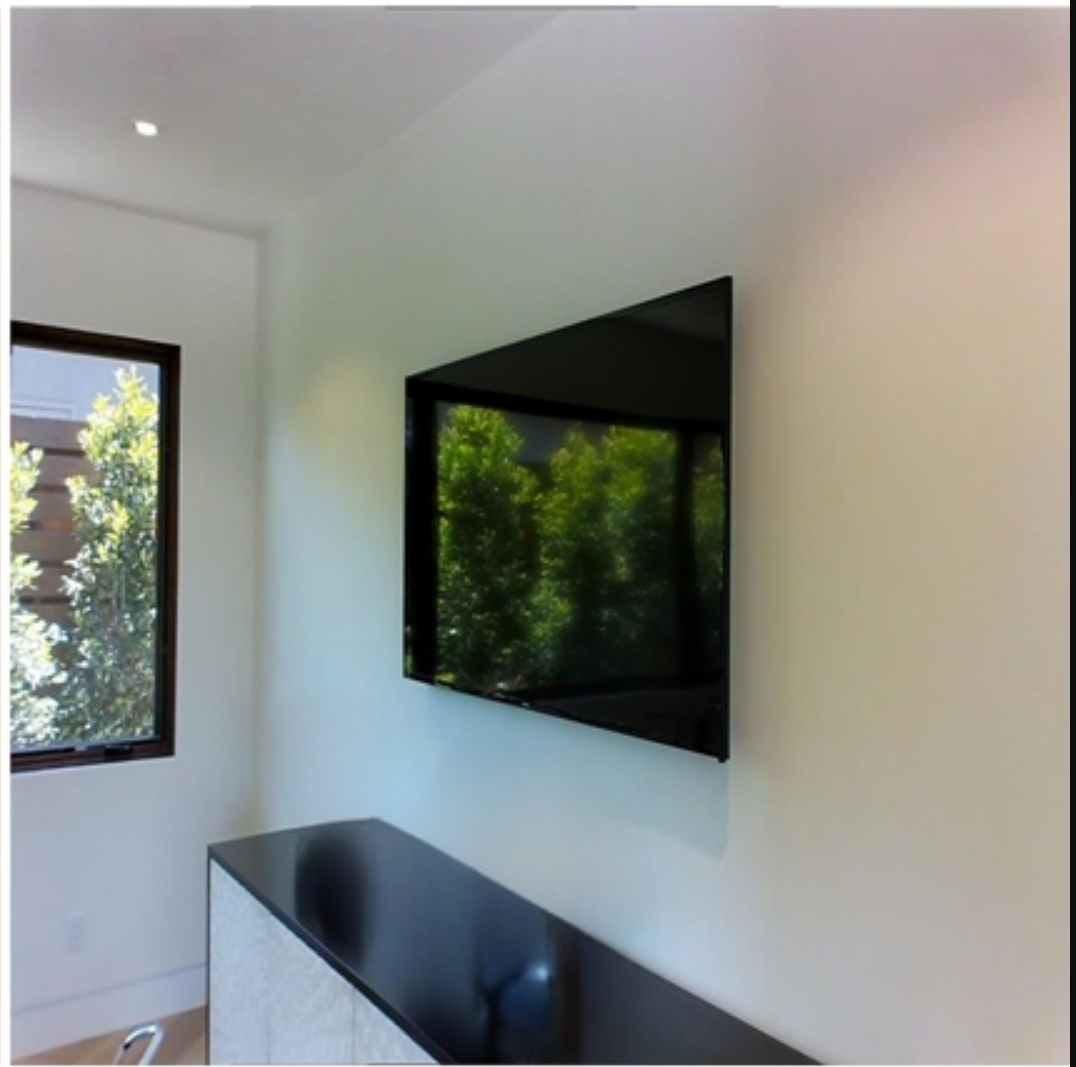
LaMa vs ZITS
| Original Image | ZITS | LaMa |
|---|---|---|
 |
 |
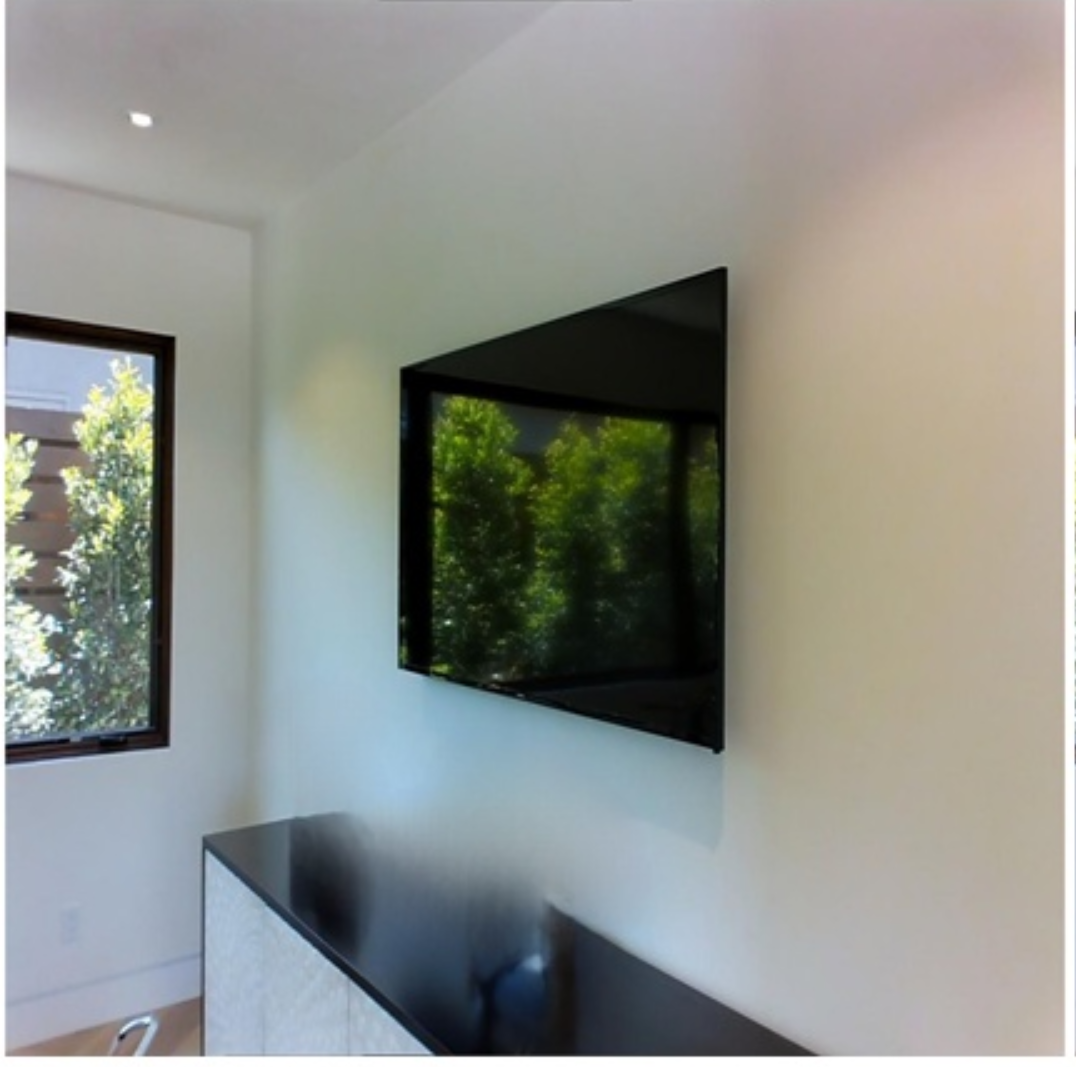 |
Image is from ZITS paper. I didn't find a good example to show the advantages of ZITS and let me know if you have a good example. There can also be possible problems with my code, if you find them, please let me know too!
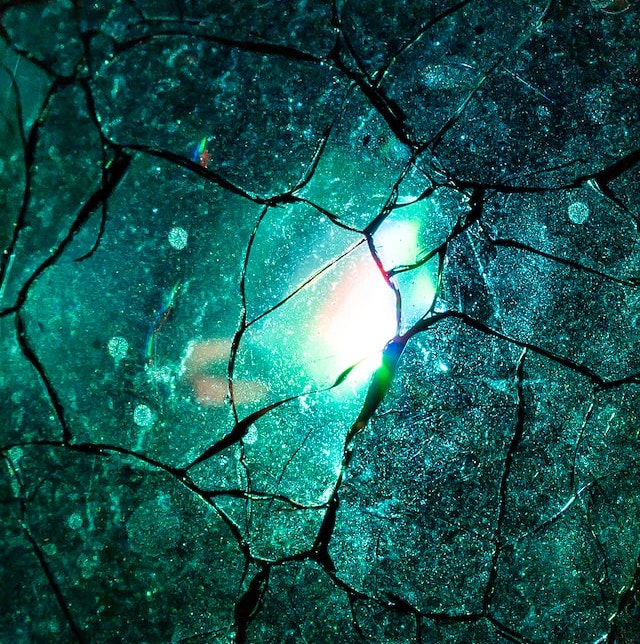
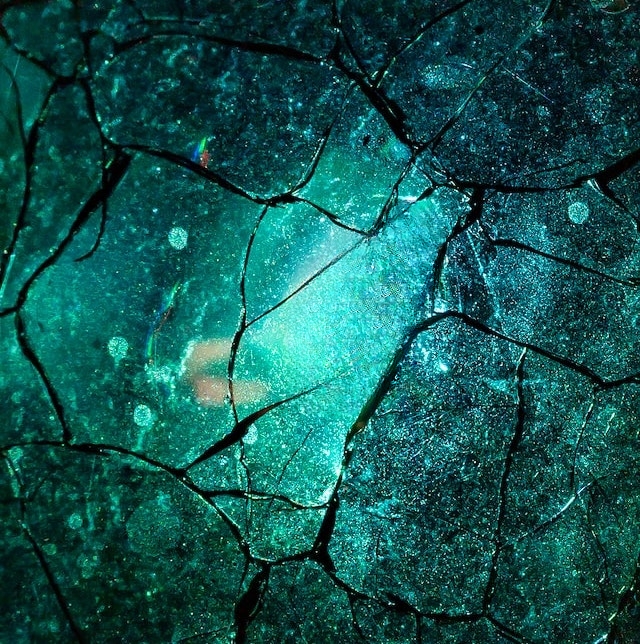
LaMa vs FcF
| Original Image | LaMa | FcF |
|---|---|---|
 |
 |
 |
LaMa vs Manga
Manga model works better on high-quality manga image then LaMa model.
Original Image
| Model | 1080x740 | 1470x1010 |
|---|---|---|
| Manga |  |
 |
| LaMa |  |
 |
Inpainting Strategy
Lama Cleaner provides three ways to run inpainting model on images, you can change it in the settings dialog.
| Strategy | Description | VRAM | Speed |
|---|---|---|---|
| Original | Use the resolution of the original image | High | :zap: |
| Resize | Resize the image to a smaller size before inpainting. The area outside the mask will not loss quality. | Midium | :zap: :zap: |
| Crop | Crop masking area from the original image to do inpainting | Low | :zap: :zap: :zap: |
Download Model Manually
If you have problems downloading the model automatically when lama-cleaner start,
you can download it manually. By default lama-cleaner will load model from TORCH_HOME=~/.cache/torch/hub/checkpoints/,
you can set TORCH_HOME to other folder and put the models there.
Development
Only needed if you plan to modify the frontend and recompile yourself.
Frontend
Frontend code are modified from cleanup.pictures, You can experience their great online services here.
- Install dependencies:
cd lama_cleaner/app/ && yarn - Start development server:
yarn start - Build:
yarn build
Docker
You can use pre-build docker image to run Lama Cleaner. The model will be downloaded to the cache directory when first time used. You can mount existing cache directory to start the container, so you don't have to download the model every time you start the container.
The cache directories for different models correspond as follows:
- lama/ldm/zits/mat/fcf: /root/.cache/torch
- sd1.5: /root/.cache/huggingface
Run Docker (cpu)
docker run -p 8080:8080 \
-v /path/to/torch_cache:/root/.cache/torch \
-v /path/to/huggingface_cache:/root/.cache/huggingface \
--rm cwq1913/lama-cleaner:cpu-0.26.1 \
lama-cleaner --device=cpu --port=8080 --host=0.0.0.0
Run Docker (gpu)
- cuda11.6
- pytorch1.12.1
- minimum nvidia driver 510.39.01+
docker run --gpus all -p 8080:8080 \
-v /path/to/torch_cache:/root/.cache/torch \
-v /path/to/huggingface_cache:/root/.cache/huggingface \
--rm cwq1913/lama-cleaner:gpu-0.26.1 \
lama-cleaner --device=cuda --port=8080 --host=0.0.0.0
Then open http://localhost:8080
Build Docker image
cpu only
docker build -f --build-arg version=0.x.0 ./docker/CPUDockerfile -t lamacleaner .
gpu & cpu
docker build -f --build-arg version=0.x.0 ./docker/GPUDockerfile -t lamacleaner .
Release history Release notifications | RSS feed


Download files
Download the file for your platform. If you're not sure which to choose, learn more about installing packages.
Source Distribution
Built Distribution
Filter files by name, interpreter, ABI, and platform.
If you're not sure about the file name format, learn more about wheel file names.
Copy a direct link to the current filters
File details
Details for the file lama-cleaner-0.29.0.tar.gz.
File metadata
- Download URL: lama-cleaner-0.29.0.tar.gz
- Upload date:
- Size: 603.4 kB
- Tags: Source
- Uploaded using Trusted Publishing? No
- Uploaded via: twine/3.8.0 pkginfo/1.8.2 readme-renderer/34.0 requests/2.25.1 requests-toolbelt/0.9.1 urllib3/1.26.4 tqdm/4.62.3 importlib-metadata/4.11.3 keyring/23.5.0 rfc3986/1.5.0 colorama/0.4.4 CPython/3.7.8
File hashes
| Algorithm | Hash digest | |
|---|---|---|
| SHA256 |
66dd2ef10d6a55167758186ec4e7cbb9373aa7576f13b37638aade4c8e7a85cd
|
|
| MD5 |
907344b630ac490fc6d3568d63523298
|
|
| BLAKE2b-256 |
e351c1c6b3e1d878fcfa002a308a08903ba84100e9b0948472b83be5d0051fd7
|
File details
Details for the file lama_cleaner-0.29.0-py3-none-any.whl.
File metadata
- Download URL: lama_cleaner-0.29.0-py3-none-any.whl
- Upload date:
- Size: 1.9 MB
- Tags: Python 3
- Uploaded using Trusted Publishing? No
- Uploaded via: twine/3.8.0 pkginfo/1.8.2 readme-renderer/34.0 requests/2.25.1 requests-toolbelt/0.9.1 urllib3/1.26.4 tqdm/4.62.3 importlib-metadata/4.11.3 keyring/23.5.0 rfc3986/1.5.0 colorama/0.4.4 CPython/3.7.8
File hashes
| Algorithm | Hash digest | |
|---|---|---|
| SHA256 |
38a6afbf8d27b54ed537e529587018f1c6a1615275588b4dddf39a3d5aad66b3
|
|
| MD5 |
97e3d193260c17e7353aa3e6fdee76bc
|
|
| BLAKE2b-256 |
25deaccc09131b368a5c32c4e34b2ada632a273743bc5d0deb0594b7a8fbd73c
|






