
Provides a convenient way to mirror a list to the terminal and helper methods to display messages from concurrent asyncio or multiprocessing Pool processes.

Project description
list2term






The list2term module provides a convenient way to mirror a list to the terminal and helper methods to display messages from concurrent asyncio or multiprocessing Pool processes. The list2term.Lines class is a subclass of collections.UserList and is tty aware thus it is safe to use in non-tty environments. This class takes a list instance as an argument and when instantiated is accessible via the data attribute. The list can be any iterable, but its elements need to be printable; they should implement str function. The intent of this class is to display relatively small lists to the terminal and dynamically update the terminal when list elements are upated, added or removed. Thus it is able to mirror a List of objects to the terminal.
Installation
pip install list2term
example1 - display list of static size
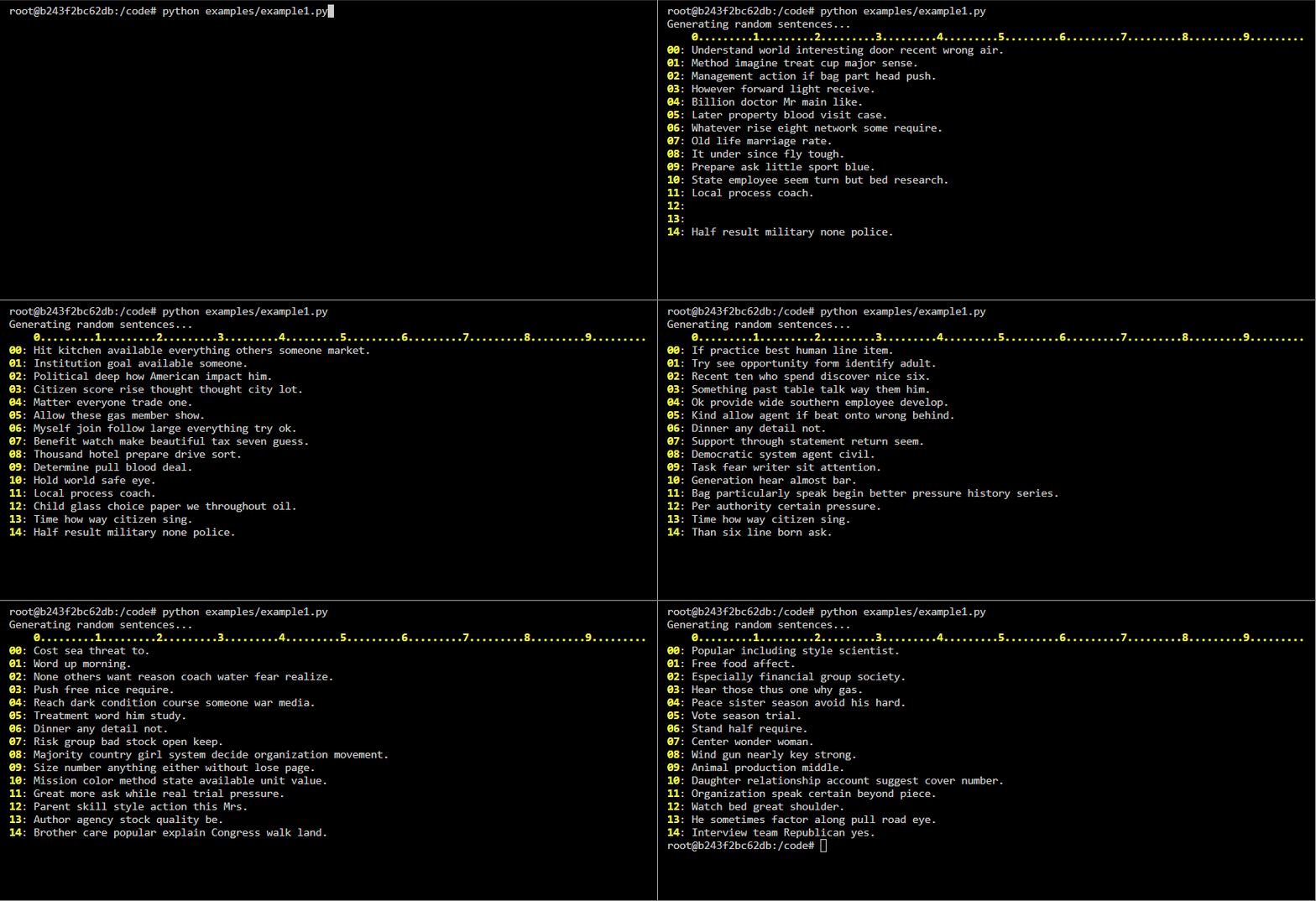
Create an empty list then add sentences to the list at random indexes. As sentences are updated within the list the respective line in the terminal is updated.
Code
import time
import random
from faker import Faker
from list2term import Lines

def main():
    print('Generating random sentences...')
    docgen = Faker()
    with Lines(size=15, show_x_axis=True, max_chars=100) as lines:
        for _ in range(200):
            index = random.randint(0, len(lines) - 1)
            lines[index] = docgen.sentence()
            time.sleep(.05)

if __name__ == '__main__':
    main()
example2 - display list of dynamic size
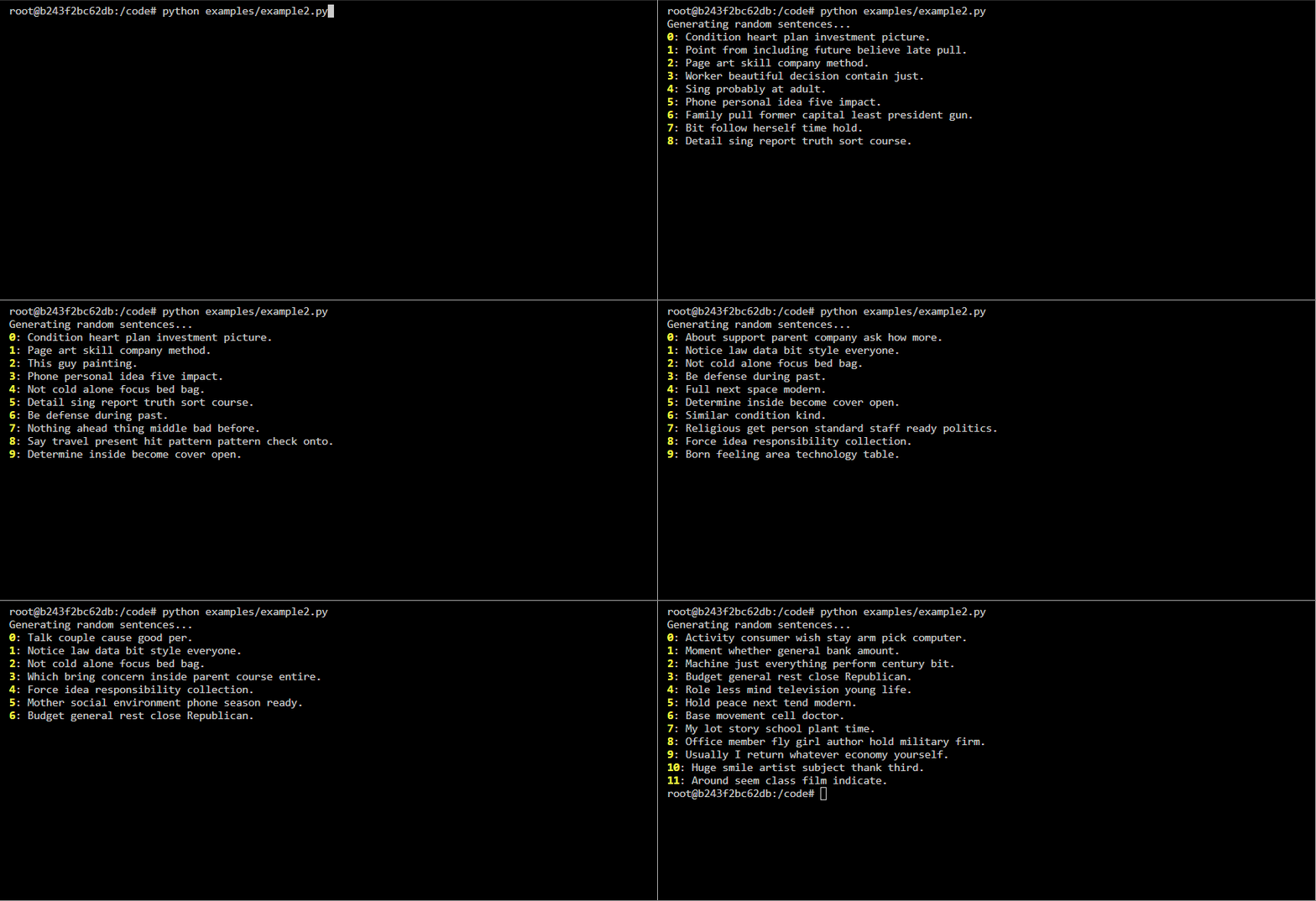
Create an empty list then add sentences to the list at random indexes. As sentences are updated within the list the respective line in the terminal is updated. Also show how the terminal behaves when new items are added to the list and when items are removed from the list.
Code
import time
import random
from faker import Faker
from list2term import Lines

def main():
    print('Generating random sentences...')
    docgen = Faker()
    with Lines(data=[''] * 10, max_chars=100) as lines:
        for _ in range(100):
            index = random.randint(0, len(lines) - 1)
            lines[index] = docgen.sentence()
        for _ in range(100):
            update = ['update'] * 18
            append = ['append'] * 18
            pop = ['pop'] * 14
            clear = ['clear']
            choice = random.choice(append + pop + clear + update)
            if choice == 'pop':
                if len(lines) > 0:
                    index = random.randint(0, len(lines) - 1)
                    lines.pop(index)
            elif choice == 'append':
                lines.append(docgen.sentence())
            elif choice == 'update':
                if len(lines) > 0:
                    index = random.randint(0, len(lines) - 1)
                    lines[index] = docgen.sentence()
            else:
                if len(lines) > 0:
                    lines.pop()
                if len(lines) > 0:
                    lines.pop()
            time.sleep(.1)

if __name__ == '__main__':
    main()
example3 - display messages from asyncio processes
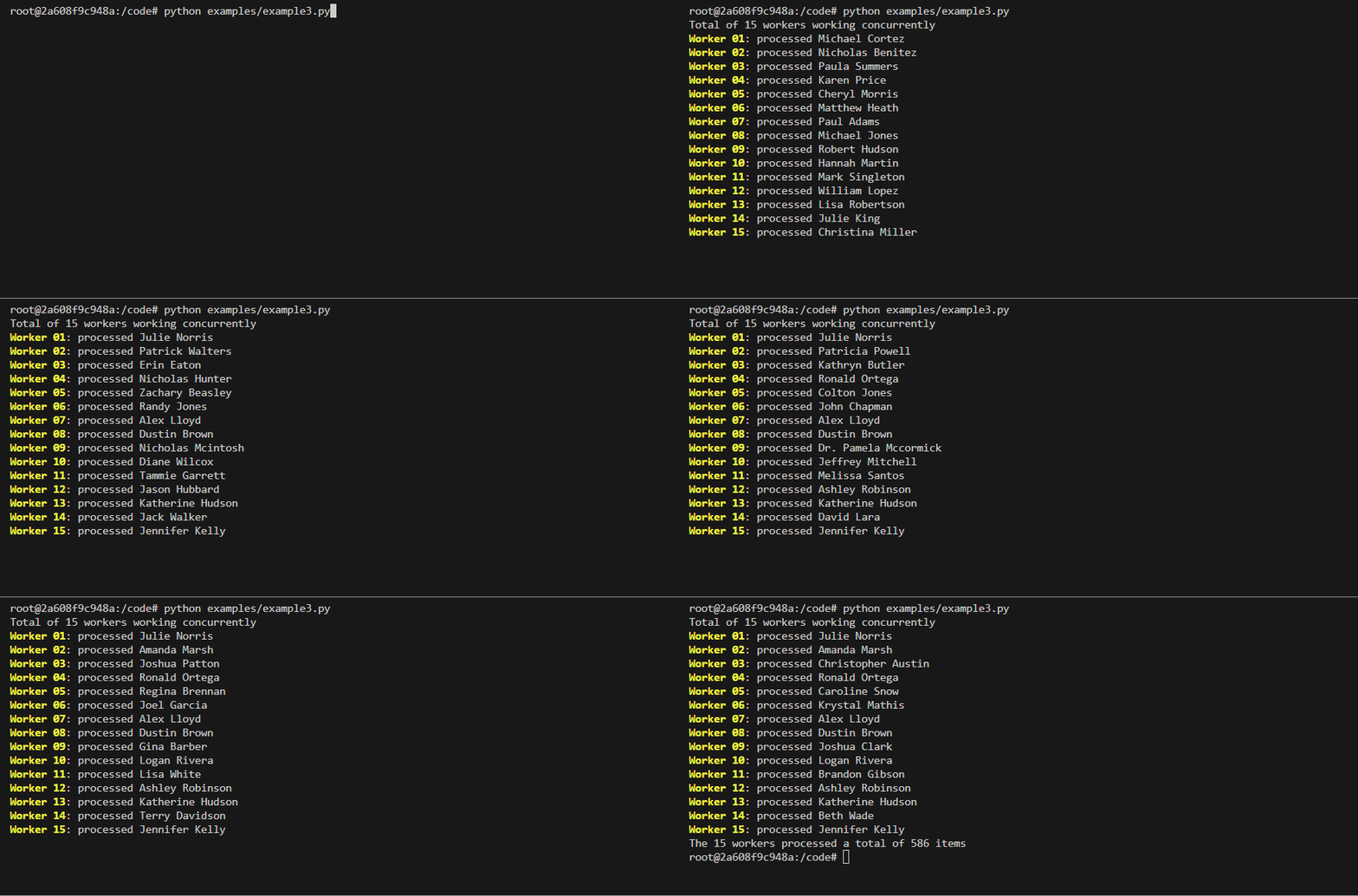
This example demonstrates how list2term can be used to display messages from asyncio processes. Each line in the terminal represents a asnycio process.
Code
import asyncio
import random
import uuid
from faker import Faker
from list2term import Lines

async def do_work(worker, logger=None):
    logger.write(f'{worker}->worker is {worker}')
    total = random.randint(10, 65)
    logger.write(f'{worker}->{worker}processing total of {total} items')
    for _ in range(total):
        # mimic an IO-bound process
        await asyncio.sleep(random.choice([.05, .1, .15]))
        logger.write(f'{worker}->processed {Faker().name()}')
    return total

async def run(workers):
    with Lines(lookup=workers, use_color=True) as logger:
        doers = (do_work(worker, logger=logger) for worker in workers)
        return await asyncio.gather(*doers)

def main():
    workers = [Faker().user_name() for _ in range(12)]
    print(f'Total of {len(workers)} workers working concurrently')
    results = asyncio.run(run(workers))
    print(f'The {len(workers)} workers processed a total of {sum(results)} items')

if __name__ == '__main__':
    main()
example4 - display messages from multiprocessing Pool processes
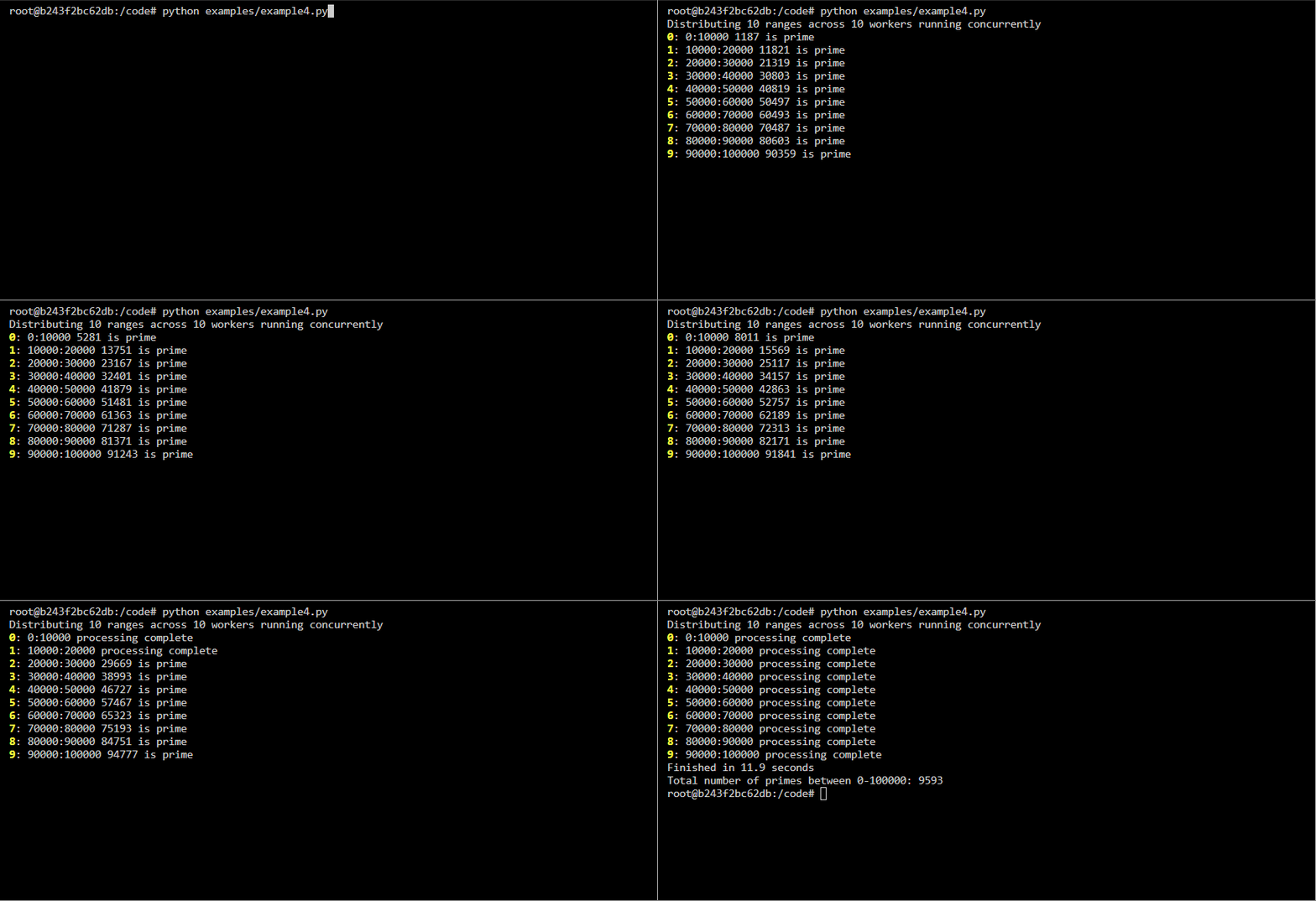
This example demonstrates how list2term can be used to display messages from processes executing in a multiprocessing Pool. The list2term.multiprocessing module contains a pool_map method that fully abstracts the required multiprocessing constructs, you simply pass it the function to execute, an iterable of arguments to pass each process, and an optional instance of Lines. The method will execute the functions asynchronously, update the terminal lines accordingly and return a multiprocessing.pool.AsyncResult object. Each line in the terminal represents a background worker process.
If you do not wish to use the abstraction, the list2term.multiprocessing module contains helper classes that facilitates communication between the worker processes and the main process; the QueueManager provide a way to create a LinesQueue queue which can be shared between different processes. Refer to example4b for how the helper methods can be used.
Note the function being executed must accept a LinesQueue object that is used to write messages via its write method, this is the mechanism for how messages are sent from the worker processes to the main process, it is the main process that is displaying the messages to the terminal. The messages must be written using the format {identifier}->{message}, where {identifier} is a string that uniquely identifies a process, defined via the lookup argument to Lines.
Code
import time
from list2term import Lines
from list2term.multiprocessing import pool_map
from list2term.multiprocessing import CONCURRENCY


def is_prime(num):
    if num == 1:
        return False
    for i in range(2, num):
        if (num % i) == 0:
            return False
    else:
        return True

def count_primes(start, stop, logger):
    workerid = f'{start}:{stop}'
    logger.write(f'{workerid}->processing total of {stop - start} items')
    primes = 0
    for number in range(start, stop):
        if is_prime(number):
            primes += 1
            logger.write(f'{workerid}->{workerid} {number} is prime')
    logger.write(f'{workerid}->{workerid} processing complete')
    return primes

def main(number):
    step = int(number / CONCURRENCY)
    print(f"Distributing {int(number / step)} ranges across {CONCURRENCY} workers running concurrently")
    iterable = [(index, index + step) for index in range(0, number, step)]
    lookup = [':'.join(map(str, item)) for item in iterable]
    lines = Lines(lookup=lookup, use_color=True, show_index=True, show_x_axis=False)
    # print to screen with lines context
    results = pool_map(count_primes, iterable, context=lines, processes=None)
    # print to screen without lines context
    # results = pool_map(count_primes, iterable)
    # do not print to screen
    # results = pool_map(count_primes, iterable, print_status=False)
    return sum(results.get())

if __name__ == '__main__':
    start = time.perf_counter()
    number = 100_000
    result = main(number)
    stop = time.perf_counter()
    print(f"Finished in {round(stop - start, 2)} seconds\nTotal number of primes between 0-{number}: {result}")
Other examples
A Conway Game-Of-Life implementation that uses list2term to display game to the terminal.
Development
Clone the repository and ensure the latest version of Docker is installed on your development server.
Build the Docker image:
docker image build \
-t \
list2term:latest .
Run the Docker container:
docker container run \
--rm \
-it \
-v $PWD:/code \
list2term:latest \
bash
Execute the build:
pyb -X
Release history Release notifications | RSS feed


Download files
Download the file for your platform. If you're not sure which to choose, learn more about installing packages.
Source Distribution
Built Distribution
Filter files by name, interpreter, ABI, and platform.
If you're not sure about the file name format, learn more about wheel file names.
Copy a direct link to the current filters
File details
Details for the file list2term-0.1.5.tar.gz.
File metadata
- Download URL: list2term-0.1.5.tar.gz
- Upload date:
- Size: 8.4 kB
- Tags: Source
- Uploaded using Trusted Publishing? No
- Uploaded via: twine/4.0.1 CPython/3.9.14
File hashes
| Algorithm | Hash digest | |
|---|---|---|
| SHA256 |
cfc3a0b189673b0bd789ee580dc79d0351d12460b8cd6d634c2848eaa697e159
|
|
| MD5 |
e6f9329faa3740603f74c6594b80bc0d
|
|
| BLAKE2b-256 |
2e3a65e0f31ccf56ec1728dfe2ef9fb671955ba1daa4e669e1232249f2024f84
|
File details
Details for the file list2term-0.1.5-py3-none-any.whl.
File metadata
- Download URL: list2term-0.1.5-py3-none-any.whl
- Upload date:
- Size: 8.3 kB
- Tags: Python 3
- Uploaded using Trusted Publishing? No
- Uploaded via: twine/4.0.1 CPython/3.9.14
File hashes
| Algorithm | Hash digest | |
|---|---|---|
| SHA256 |
5889fca7a9459c48c5023e9975288d086088f87aa08d96c6448560e103e96928
|
|
| MD5 |
b56aa5c703c68eb5406306fe2b447506
|
|
| BLAKE2b-256 |
a855b69b8af5398ddd50926a88788f74da94ecba467ddf12cecc8ac79fc86ccc
|






