
Create delightful software with Jupyter Notebooks

Project description
Getting Started

🛑Jan 2026 Major Version Update – Breaking Change🛑
nbdev3 is here! As many of you have been requesting, configuration
has moved from settings.ini to pyproject.toml, following modern
Python packaging standards (PEP
621). Your project metadata now
lives in the standard [project] section, while nbdev-specific settings
go in [tool.nbdev].
Migrating from nbdev2: Run nbdev-migrate-config in your project
root to automatically convert your settings.ini to pyproject.toml
and update your GitHub Actions workflows to use nbdev3-compatible
versions. Your existing notebooks and code don’t need any changes.
nbdev is a notebook-driven development platform. Simply write
notebooks with lightweight markup and get high-quality documentation,
tests, continuous integration, and packaging for free!
nbdev makes debugging and refactoring your code much easier than in
traditional programming environments since you always have live objects
at your fingertips. nbdev also promotes software engineering best
practices because tests and documentation are first class.
- Documentation is automatically generated using
Quarto and hosted on GitHub
Pages. Docs support LaTeX, are searchable,
and are automatically hyperlinked (including out-of-the-box support
for many packages via
nbdev-index) - Publish packages to PyPI and conda as well as tools to simplify
package releases. Python best practices are automatically followed,
for example, only exported objects are included in
__all__ - Two-way sync between notebooks and plaintext source code allowing
you to use your IDE for code navigation or quick edits. Sync is
robust: each exported cell is tagged with its unique notebook cell ID,
so
nbdev-updatealways updates the correct cell - Tests written as ordinary notebook cells are run in parallel with a single command
- Continuous integration out-of-the-box with GitHub Actions that run your tests and rebuild your docs
- Git-friendly notebooks with Jupyter/Git hooks that clean unwanted metadata and render merge conflicts in a human-readable format
- … and much more!
Install
nbdev works on macOS, Linux, and most Unix-style operating systems. It works on Windows under WSL, but not under cmd or Powershell.
You can install nbdev with pip:
pip install nbdev
Note that nbdev must be installed into the same Python environment
that you use for both Jupyter and your project.
How to use nbdev
The best way to learn how to use nbdev is to complete either the written walkthrough or video walkthrough:
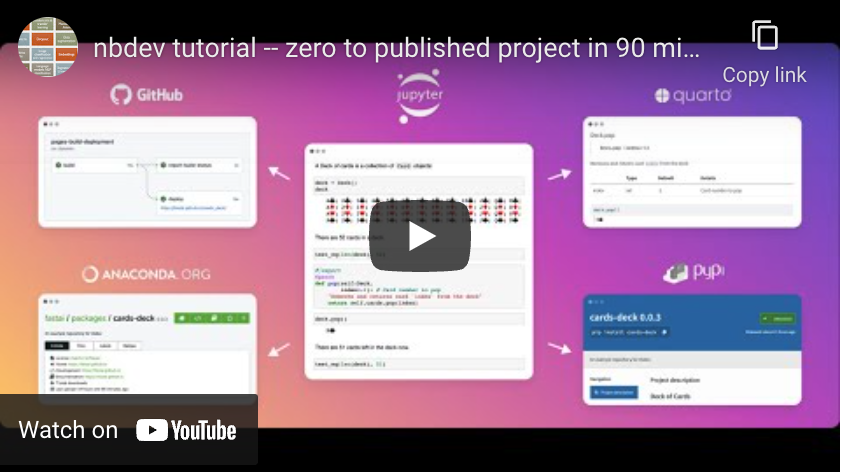
Alternatively, there’s a shortened version of the video
walkthrough with coding sections sped up
using the unsilence Python library – it’s 27 minutes faster, but a bit
harder to follow.
You can also run nbdev-help from the terminal to see the full list of
available commands:
!nbdev-help
nb-export                 Export a single nbdev notebook to a python script.
nbdev-bump-version        Increment version in __init__.py by one
nbdev-changelog           Create a CHANGELOG.md file from closed and labeled GitHub issues
nbdev-clean               Clean all notebooks in `fname` to avoid merge conflicts
nbdev-conda               Create a `meta.yaml` file ready to be built into a package, and optionally build and upload it
nbdev-contributing        Create CONTRIBUTING.md from contributing_nb (defaults to 'contributing.ipynb' if present). Skips if the file doesn't exist.
nbdev-create-config       Create a pyproject.toml config file.
nbdev-docs                Create Quarto docs and README.md
nbdev-export              Export notebooks in `path` to Python modules
nbdev-filter              A notebook filter for Quarto
nbdev-fix                 Create working notebook from conflicted notebook `nbname`
nbdev-help                Show help for all console scripts
nbdev-install             Install Quarto and the current library
nbdev-install-hooks       Install Jupyter and git hooks to automatically clean, trust, and fix merge conflicts in notebooks
nbdev-install-quarto      Install latest Quarto on macOS or Linux, prints instructions for Windows
nbdev-merge               Git merge driver for notebooks
nbdev-migrate             Convert all markdown and notebook files in `path` from v1 to v2
nbdev-migrate-config      Migrate settings.ini to pyproject.toml
nbdev-new                 Create an nbdev project.
nbdev-prepare             Export, test, and clean notebooks, and render README if needed
nbdev-preview             Preview docs locally
nbdev-proc-nbs            Process notebooks in `path` for docs rendering
nbdev-pypi                Create and upload Python package to PyPI
nbdev-readme              Create README.md from readme_nb (index.ipynb by default)
nbdev-release-both        Release both conda and PyPI packages
nbdev-release-gh          Calls `nbdev_changelog`, lets you edit the result, then pushes to git and calls `nbdev_release_git`
nbdev-release-git         Tag and create a release in GitHub for the current version
nbdev-requirements        Writes a `requirements.txt` file to `directory` based on pyproject.toml.
nbdev-sidebar             Create sidebar.yml
nbdev-test                Test in parallel notebooks matching `path`, passing along `flags`
nbdev-trust               Trust notebooks matching `fname`.
nbdev-update              Propagate change in modules matching `fname` to notebooks that created them
nbdev-update-license      Allows you to update the license of your project.
watch-export              Use `nb_export` on ipynb files in `nbs` directory on changes using nbdev config if available
FAQ
Q: What is the warning “Found a cell containing mix of imports and computations. Please use separate cells”?
A: You should not have cells that are not exported, and contain a mix
of import statements along with other code. For instance, don’t do
this in a single cell:
import some_module
some_module.something()
Instead, split this into two cells, one which does import some_module,
and the other which does some_module.something().
The reason for this is that when we create your documentation website,
we ensure that all of the signatures for functions you document are up
to date, by running the imports, exported cells, and
show_doc functions
in your notebooks. When you mix imports with other code, that other code
will be run too, which can cause errors (or at least slowdowns) when
creating your website.
Q: Why is nbdev asking for root access? How do I install Quarto without root access?
A: When you setup your first project, nbdev will attempt to automatically download and install Quarto for you. This is the program that we use to create your documentation website.
Quarto’s standard installation process requires root access, and nbdev will therefore ask for your root password during installation. For most people, this will work fine and everything will be handled automatically – if so, you can skip over the rest of this section, which talks about installing without root access.
If you need to install Quarto without root access on Linux, first cd
to wherever you want to store it, then download
Quarto, and type:
dpkg -x quarto*.deb .
mv opt/quarto ./
rmdir opt
mkdir -p ~/.local/bin
ln -s "$(pwd)"/quarto/bin/quarto ~/.local/bin
To use this non-root version of Quarto, you’ll need ~/.local/bin in
your PATH environment
variable.
(Alternatively, change the ln -s step to place the symlink somewhere
else in your path.)
Q: Someone told me not to use notebooks for “serious” software development!
A: Watch this video. Don’t worry, we
still get this too, despite having used nbdev for a wide range of
“very serious” software projects over the last three years, including
deep learning libraries, API
clients, Python language
extensions, terminal user
interfaces, and more!
Contributing
If you want to contribute to nbdev, be sure to review the
contributions
guidelines.
This project adheres to fastai’s code of
conduct.
By participating, you are expected to uphold this code. In general, we
strive to abide by generally accepted best practices in open-source
software development.
Make sure you have nbdev’s git hooks installed by running
nbdev-install-hooks in the cloned repository.
Copyright
Copyright © 2019 onward fast.ai, Inc. Licensed under the Apache License, Version 2.0 (the “License”); you may not use this project’s files except in compliance with the License. A copy of the License is provided in the LICENSE file in this repository.
Release history Release notifications | RSS feed


Download files
Download the file for your platform. If you're not sure which to choose, learn more about installing packages.
Source Distribution
Built Distribution
Filter files by name, interpreter, ABI, and platform.
If you're not sure about the file name format, learn more about wheel file names.
Copy a direct link to the current filters
File details
Details for the file nbdev-3.0.10.tar.gz.
File metadata
- Download URL: nbdev-3.0.10.tar.gz
- Upload date:
- Size: 70.6 kB
- Tags: Source
- Uploaded using Trusted Publishing? No
- Uploaded via: twine/6.2.0 CPython/3.12.8
File hashes
| Algorithm | Hash digest | |
|---|---|---|
| SHA256 |
e4d3ce72d67af2a4bb11312bff3c1163d43aea08d56b717b83273b72cb322380
|
|
| MD5 |
417d6193004b8ae921076c3dca1779aa
|
|
| BLAKE2b-256 |
ad0ff2ffaf86176c73559b0ab8a1acb0d340b234b65d94a2c21c7034e1024263
|
File details
Details for the file nbdev-3.0.10-py3-none-any.whl.
File metadata
- Download URL: nbdev-3.0.10-py3-none-any.whl
- Upload date:
- Size: 74.8 kB
- Tags: Python 3
- Uploaded using Trusted Publishing? No
- Uploaded via: twine/6.2.0 CPython/3.12.8
File hashes
| Algorithm | Hash digest | |
|---|---|---|
| SHA256 |
f57a75513fabff1d3ab1262191a70b126638ed50859673c7064294e988c0b420
|
|
| MD5 |
7ce074bf56a9d9a8431b9d6b2a8da65c
|
|
| BLAKE2b-256 |
36549f559a9f02a7fac08faf77617d9e07baa7a117aabb4434283764a7666b87
|






