
CLI interpreter for xpath and css selectors

Project description
About
parselcli is a command line interface wrapper for parsel package for evaluating css and xpath selection real time against web urls or local html files.
Parsel is a library to extract data from HTML and XML using XPath and CSS selectors
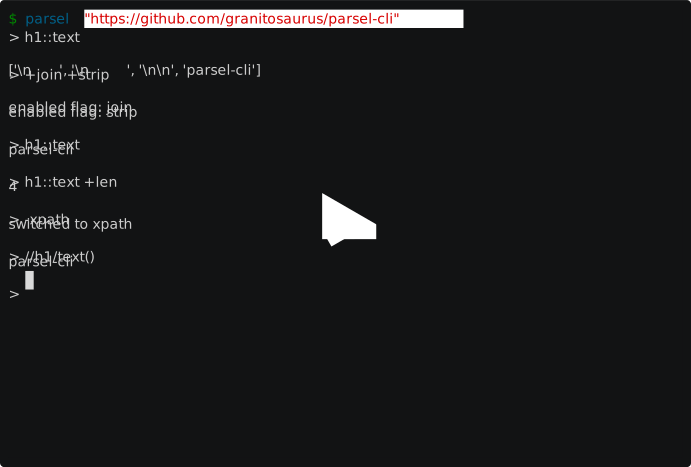
Usage
$ parsel --help
Usage: parsel [OPTIONS] [URL]

  Interactive shell for css and xpath selectors

Options:
  -xpath                          start in xpath mode instead of css
  -p, --processors TEXT           comma separated processors: {}
  -f, --file FILENAME             input from html file instead of url
  -c TEXT                         compile css and return it
  -x TEXT                         compile xpath and return it
  --cache                         cache requests
  --config TEXT                   config file  [default:
                                  /home/dex/.config/parsel.toml]
  --embed                         start in embedded python shell
  --shell [ptpython|ipython|bpython|python]
                                  preferred embedded shell; default auto
                                  resolve in order
  --help                          Show this message and exit.
parselcli reads XML or HTML file from url or disk and starts interpreter for xpath or css selectors.
By default it starts in css interpreter mode but can be switched to xpath by -xpath command and switched back with -css.
Interpreter also has auto complete and suggestions for selectors [in progress]
The interpreter also supports commands and embedding of python, ptpython, ipython and bpython shells.
Command can be called with - prefix. List of available commands can be found by calling -help command (see Example section).
Processors and Commands
parsecli supports flags and commands in shell:
$ parsel "https://github.com/granitosaurus/parsel-cli"
> -help
available commands (use -command):
  help: show help
  debug: show debug info
  embed: start interactive python shell
  open: open current url in browser tab
  view: open current html in browser tab
  fetch: download from new url
  css: switch to css selectors
  xpath: switch to xpath selectors
available flags (use +flag to enable and -flag to disable)
  strip: strip every element of trailing and leading spaces
  first: take first element when there's only one
  collapse: collapse lists when only 1 element
  absolute: convert relative urls to absolute
  join: join results into one
  len: return length of results
Processors can be activated with + prefix and deactivated with -. These processors can be supplied inline:
> h1::text +strip
['parsel-cli']
or activated for whole session
> +strip
enabled flag: strip
Example
$ parsel "https://github.com/granitosaurus/parsel-cli"
> h1::text
['\n  ', '\n  ', '\n\n', 'parsel-cli']
> +join +strip
enabled flag: join
enabled flag: strip
> h1::text
parsel-cli
> h1::text +len
4
> -xpath
switched to xpath
> //h1/text()
parsel-cli
> -css
switched to css
> -embed
>>> locals()
{'sel': <Selector xpath=None data='<html lang="en">\n  <head>\n    <meta char'>, 'response': <Response [200]>, 'request': <PreparedRequest [GET]>, '_': {...}, '_1': {...}}


>>> response
<Response [200]>


>>>
> -debug
200-https://github.com/granitosaurus/parsel-cli
enabled processors:
  Join
  Strip
> -help
available commands (use -command):
  help: show help
  debug: show debug info
  embed: start interactive python shell
  open: open current url in browser tab
  view: open current html in browser tab
  fetch: download from new url
  css: switch to css selectors
  xpath: switch to xpath selectors
available flags (use +flag to enable and -flag to disable)
  strip: strip every element of trailing and leading spaces
  first: take first element when there's only one
  collapse: collapse lists when only 1 element
  absolute: convert relative urls to absolute
  join: join results into one
  len: return length of results
Install
pip install parselcli
or install from github:
pip install --user git+https://github.com/Granitosaurus/parsel-cli@v0.3.0
Release history Release notifications | RSS feed


Download files
Download the file for your platform. If you're not sure which to choose, learn more about installing packages.
Source Distribution
Built Distribution
Filter files by name, interpreter, ABI, and platform.
If you're not sure about the file name format, learn more about wheel file names.
Copy a direct link to the current filters
File details
Details for the file parselcli-0.3.0.tar.gz.
File metadata
- Download URL: parselcli-0.3.0.tar.gz
- Upload date:
- Size: 10.3 kB
- Tags: Source
- Uploaded using Trusted Publishing? No
- Uploaded via: twine/1.12.1 pkginfo/1.5.0.1 requests/2.21.0 setuptools/40.7.1 requests-toolbelt/0.8.0 tqdm/4.31.1 CPython/3.7.2
File hashes
| Algorithm | Hash digest | |
|---|---|---|
| SHA256 |
d1092264fcd38cebd5efef8d7b8d852cc0a3d7a387106c48ef56cb3e250c90df
|
|
| MD5 |
d55462ce72c286c74a4190b76bb6c043
|
|
| BLAKE2b-256 |
ea8ddf1c95bf525eee61ea0b62c58a7d48134e1192579ae7b6e729b104c865a8
|
File details
Details for the file parselcli-0.3.0-py3-none-any.whl.
File metadata
- Download URL: parselcli-0.3.0-py3-none-any.whl
- Upload date:
- Size: 12.1 kB
- Tags: Python 3
- Uploaded using Trusted Publishing? No
- Uploaded via: twine/1.12.1 pkginfo/1.5.0.1 requests/2.21.0 setuptools/40.7.1 requests-toolbelt/0.8.0 tqdm/4.31.1 CPython/3.7.2
File hashes
| Algorithm | Hash digest | |
|---|---|---|
| SHA256 |
c5cc752e42cb0be35b2fa722ab0242cdc5042a038ae73e8e897880ca9b1d7cc1
|
|
| MD5 |
398461321913ac49c7594bc4474635f5
|
|
| BLAKE2b-256 |
c1385361366a4ebe7d8b272f7fb0a661fc1f314ec46a0078480b3dd9da5c3130
|






