
Python driver for AutomationDirect Productivity Series PLCs.


Project description
Productivity
NOTE: This is in very early stages of development.
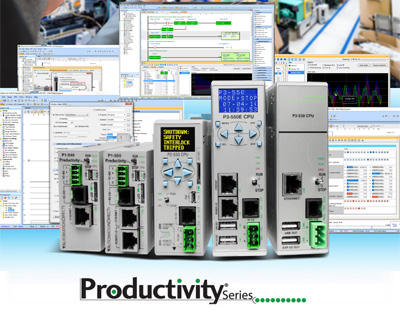
Python ≥3.8 driver and command-line tool for AutomationDirect Productivity Series PLCs.
Installation
pip install productivity
Usage
PLC Configuration
This driver uses Modbus TCP/IP for communication. Unlike the ClickPLC, modbus addresses need to be manually configured in the Productivity PLC firmware (see manual).
To use this driver, go to Write Program → Tag Database, scroll down to the values
you care about, and double click the Mod Start cell of each value to assign an address.
Then, go to File → Export → Tags to export a csv file. The file is used here so
you don't need to remember the addresses.
Command Line
To print the tags and their values, simply call the library with the PLC IP address and the tags file.
$ productivity the-plc-ip-address path/to/tags.csv
Use --set to set values on the PLC:
$ productivity the-plc-ip-address path/to/tags.csv -s "{int_test: 4, float_test: 4.45, string_test: foo}"
The --set parameter takes YAML, a simple data format that allows you to easily set multiple tags at once.
See productivity --help for more.
Python
This driver uses Python ≥3.5's async/await syntax to asynchronously communicate with a Productivity2000 PLC. For example (note that asyncio.run() requires Python >=3.7):
import asyncio
from productivity import ProductivityPLC

async def run():
    async with ProductivityPLC('the-plc-ip-address', 'path/to/tags.csv') as plc:
        print(await plc.get())

asyncio.run(run())
It is also possible to set tag values:
async def run():
    async with ProductivityPLC('the-plc-ip-address', 'path/to/tags.csv') as plc:
        await plc.set(start=True, setpoint=1.1)

asyncio.run(run())
Release history Release notifications | RSS feed


Download files
Download the file for your platform. If you're not sure which to choose, learn more about installing packages.
Source Distribution
Built Distribution
Filter files by name, interpreter, ABI, and platform.
If you're not sure about the file name format, learn more about wheel file names.
Copy a direct link to the current filters
File details
Details for the file productivity-0.9.2.tar.gz.
File metadata
- Download URL: productivity-0.9.2.tar.gz
- Upload date:
- Size: 20.2 kB
- Tags: Source
- Uploaded using Trusted Publishing? No
- Uploaded via: twine/3.4.2 importlib_metadata/4.8.1 pkginfo/1.7.1 requests/2.27.1 requests-toolbelt/0.9.1 tqdm/4.62.3 CPython/3.9.17
File hashes
| Algorithm | Hash digest | |
|---|---|---|
| SHA256 |
4d686c9130644e7f2f6f705e8722f9602c7414c8bf6464b5509d1e7e082dd94d
|
|
| MD5 |
718eaabd2c4d9af2cc8470de13addd62
|
|
| BLAKE2b-256 |
a776747cfc2317fb70da3aa44237e6a253f36415bdafe39e2f7d055ecd43eb4f
|
File details
Details for the file productivity-0.9.2-py3-none-any.whl.
File metadata
- Download URL: productivity-0.9.2-py3-none-any.whl
- Upload date:
- Size: 18.5 kB
- Tags: Python 3
- Uploaded using Trusted Publishing? No
- Uploaded via: twine/3.4.2 importlib_metadata/4.8.1 pkginfo/1.7.1 requests/2.27.1 requests-toolbelt/0.9.1 tqdm/4.62.3 CPython/3.9.17
File hashes
| Algorithm | Hash digest | |
|---|---|---|
| SHA256 |
fe5c563e6b160abcd9113da7f8add362648f6836510aef906ecb84be859af213
|
|
| MD5 |
862899520d014f846287c7eb9ad51004
|
|
| BLAKE2b-256 |
a2e57875ddabe1a929cbdbb88073c2f471295b2d8112a9935b9aea1d0acf2758
|






