
Python module for applying fixes at runtime for games not supported by Steam Proton

Project description
protonfixes
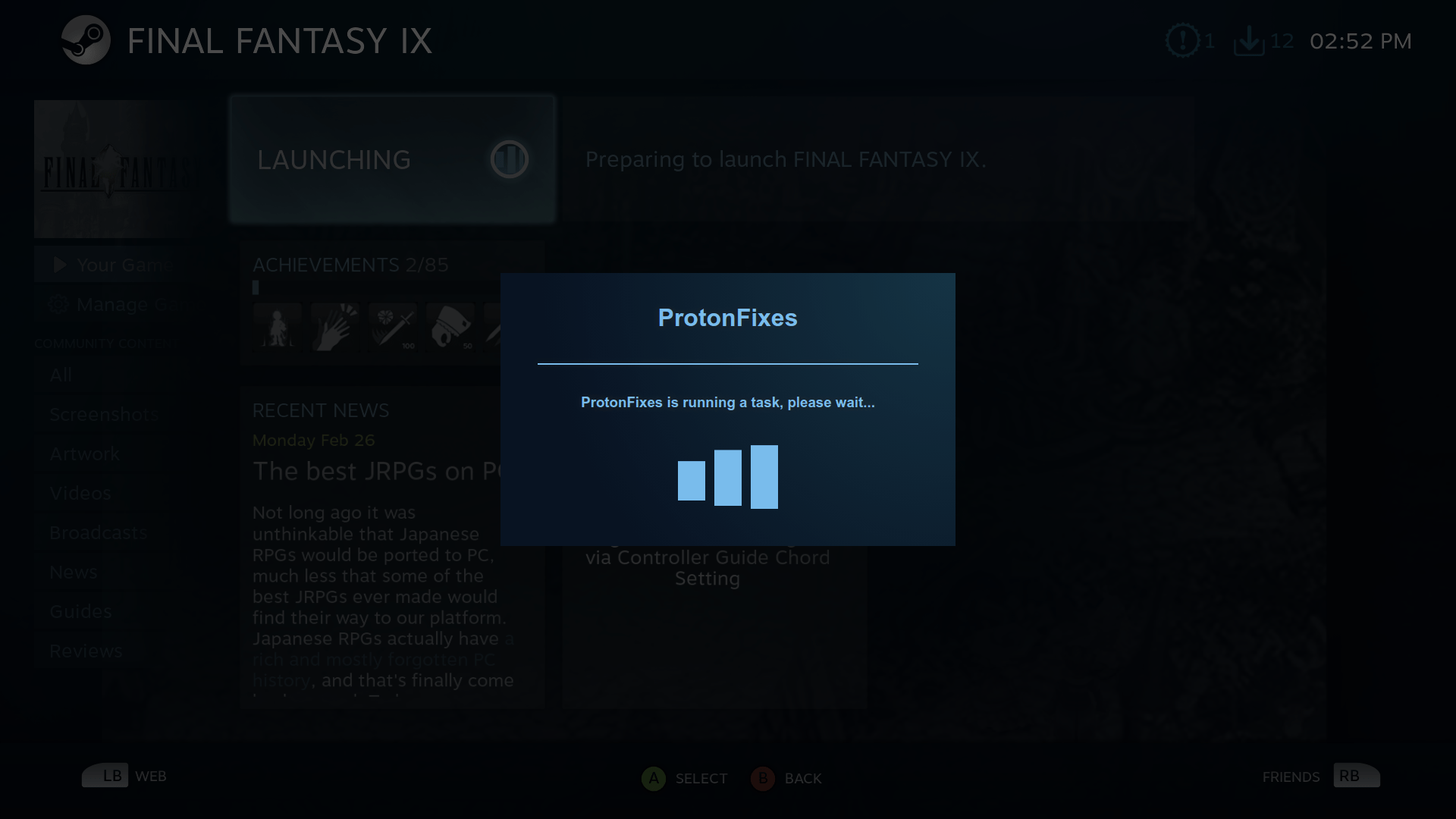
A module for applying fixes at runtime to unsupported games with Steam Proton without changing game installation files. The idea is to include seperate fixes that are only loaded when a game matching that ID is run. This should keep the individual game fixes from affecting any other games. Applying the fixes at runtime should also them to persist after game updates.
Current fixes include:
- Final Fantasy IX ✓
- Oddworld: Abe's Oddysee ✓
- Oddworld: Munch's Oddysee ✓
- Age of Empires 2 HD Edition
- You Need a Budget 4
- Styx: Master of Shadows ✓
- Battlefield: Bad Company 2
- Killer is Dead at Launch
- Tesla Effect
- Call of Duty (2003)
- Age of Mythology: Extended Edition
- Grand Theft Auto V
- Order of Battle: World War II
- FINAL FANTASY IX
- Doom 2016
- Chronophantasma Extend
- SUGURI 2
- Forts ✓
- STAR WARS Jedi Knight - Jedi Academy
- STAR WARS Jedi Knight II - Jedi Outcast
- EVE Online
- Civilization 4 (Beyond the Sword)
(Games with a ✓ have been validated)
Current utilities available:
- util.protontricks('verb')
- installs a winetricks verb
- util.use_win32_prefix()
- creates and uses a win32 (32bit) wineprefix
- util.replace_command('original', 'replacement')
- replaces text in the game's launch command
- util.append_argument('argument')
- adds an argument to the game's launch command
- util.protonprefix()
- returns the path of the current wineprefix used by Proton
Installation
Optional Requirements
Winetricks
If you want to be able to use fixes with winetricks it must be installed and be in your $PATH. Fixes that do not use winetricks will still work without winetricks being installed.
Winetricks can take a long time to load
Wine
If you want to use a win32 (32bit) prefix, you need to have wine installed and be in your $PATH. Currently creating a 32bit prefix with Proton wine doesn't work because the wineserver is already running by the time user_settings.py is loaded.
Splashscreen
For the splashscreen to work, you need to have cefpython3 installed. It can be installed with pip using sudo pip install cefpython3. The splashscreen can help let you know that protonfixes is running a long task, for example installing dotnet35.
Install from PIP
Make sure to use the version of pip that matches the version of Python that Proton is running. Proton should be running on python3. If you are unsure, try installing with both pip3 and pip2 in the below commands.
# sudo pip3 install protonfixes
Upgrade from PIP
# sudo pip3 install protonfixes --upgrade
Install using setuptools
# sudo python3 setup.py install
Add to user_settings.py
In the steamapps/common/Proton* directory, add the following line to the bottom of the user_settings.py file:
import protonfixes
If there is no user_settings.py file, make a copy of the user_settings.sample.py file included with Proton.
Debugging
Proton output can be seen in either /tmp/dumps/${USER}_stdout.txt or the terminal you started Steam from. To add additional protonfixes debugging information, add the following line above import protonfixes:
from protonfixes import debug
This will add information like this:
ProtonFixes[27351] DEBUG: ---- begin protontricks debug info ----
ProtonFixes[27351] DEBUG: Proton Python Version:
ProtonFixes[27351] DEBUG: /usr/bin/python3
ProtonFixes[27351] DEBUG: 3.7.0 (default, Jul 15 2018, 10:44:58)
[GCC 8.1.1 20180531]
ProtonFixes[27351] DEBUG: ---------------------------------------
Although the environment variables are dumped, the sensitive variables like SteamUser and SteamAppUser are filtered out.
Writing Game Fixes
Game fixes are written in python and are named by the Steam game ID with the extension .py. For example, the file 377840.py will be loaded when the game FINAL FANTASY IX is run. Gamefixes can be added to the ~/.config/protonfixes/localfixes/ directory. Here are some things to consider when writing fixes:
- Only import libraries that are part of the Python standard library for portability.
- Use docstrings and comment thoroughly. There will likely be people without python experience making game fixes and good commented examples will help
- Do not use any hard-coded paths, Steam may not always be installed in the same location.
- Check your gamefix with pylint. You can safely disable warning C0103, modules named by Steam ID will never conform to snake_case naming style.
Testing
When testing, local fixes can be added to ~/.config/protonfixes/localfixes/. They should be imported the same way as an included fix would be. For example, ~/.config/protonfixes/localfixes/377840.py would be loaded for FFIX. Please feel free to submit working gamefixes to improve the project.
Example game fixes
377840.py - Changing the executable launched and setting an environment variable
import os
from protonfixes import util


def main():
    """ Bypass the launcher and fix audio
    """

    print('Applying FINAL FANTASY IX Game Fixes')

    # Fix crackling audio
    os.environ['PULSE_LATENCY_MSEC'] = '60'

    # Replace launcher with game exe in proton arguments
    util.replace_command('FF9_Launcher', 'x64/FF9.exe')
410900.py - Running a winetricks verb
from protonfixes import util

def main():
    """ Uses winetricks to install the ole32 verb
    """

    print('Applying fixes for Forts')

    util.protontricks('ole32')
15700.py - Example using a win32 prefix
Oddworld doesn't actually require a win32 prefix or dotnet35, but I used it for testing since it's 32bit
import sys
from protonfixes import util

def main():
    """ Adds -interline to arguments, uses a win32 prefix, and installs dotnet35
    """

    print('Applying fixes for Oddworld: Abe\'s Oddysee')

    # Adding -interline fixes slow video but adds scanlines
    util.append_argument('-interline')

    print('Using a win32 prefix')
    util.use_win32_prefix()

    # Make sure any winetricks are run after changing to a win32 prefix
    util.protontricks('dotnet35')
Contributing
Pull requests are welcome! If you're not comfortable doing pull requests, send your fixes to me by any other means and you will be credited in the comments.
Release history Release notifications | RSS feed


Download files
Download the file for your platform. If you're not sure which to choose, learn more about installing packages.
Source Distribution
Built Distribution
Filter files by name, interpreter, ABI, and platform.
If you're not sure about the file name format, learn more about wheel file names.
Copy a direct link to the current filters
File details
Details for the file protonfixes-1.0.10.tar.gz.
File metadata
- Download URL: protonfixes-1.0.10.tar.gz
- Upload date:
- Size: 16.3 kB
- Tags: Source
- Uploaded using Trusted Publishing? No
- Uploaded via: twine/1.11.0 pkginfo/1.4.2 requests/2.19.1 setuptools/40.4.2 requests-toolbelt/0.8.0 tqdm/4.26.0 CPython/3.7.0
File hashes
| Algorithm | Hash digest | |
|---|---|---|
| SHA256 |
93a9ebcabf71cfc1f4a710dab9f951c0f3c3a2edd49cffa829700132ad95c227
|
|
| MD5 |
97b1d36d1d3fb2647d26af4f2f4baebf
|
|
| BLAKE2b-256 |
07e6d2006eb554f65fb52eca1603bae782bd16aea1825da5425f82644192fd71
|
File details
Details for the file protonfixes-1.0.10-py3-none-any.whl.
File metadata
- Download URL: protonfixes-1.0.10-py3-none-any.whl
- Upload date:
- Size: 23.6 kB
- Tags: Python 3
- Uploaded using Trusted Publishing? No
- Uploaded via: twine/1.11.0 pkginfo/1.4.2 requests/2.19.1 setuptools/40.4.2 requests-toolbelt/0.8.0 tqdm/4.26.0 CPython/3.7.0
File hashes
| Algorithm | Hash digest | |
|---|---|---|
| SHA256 |
1171035655c22b8dfd041651f3257414c2a07fc018a185040f3e43421de6330d
|
|
| MD5 |
c54857056358b5b7472a685c91680cee
|
|
| BLAKE2b-256 |
96caecaeb44039188c95bc5a3fe81683e0e161c7b21523cf8c0d330b6d9f2e0d
|






