
Higher-Level Pythonic Ansys Electronics Desktop Framework


Project description
PyAEDT
English | 中文










What is PyAEDT?
PyAEDT is a Python library that interacts directly with the API for
Ansys Electronics Desktop (AEDT) to make scripting simpler. The architecture
for PyAEDT can be reused for all AEDT 3D products (HFSS, Icepak, Maxwell 3D,
and Q3D Extractor), 2D tools, and Ansys Mechanical. PyAEDT also provides
support for circuit tools like Nexxim and system simulation tools like
Twin Builder. Finally, PyAEDT provides scripting capabilities in Ansys layout
tools like HFSS 3D Layout and EDB. The PyAEDT class and method structures
simplify operation while reusing information as much as possible across
the API.
Install on CPython from PyPI
You can install PyAEDT on CPython 3.7 through 3.10 from PyPI with this command:
pip install pyaedt
Install PyAEDT with all extra packages (matplotlib, numpy, pandas, pyvista):
pip install pyaedt[full]
You can also install PyAEDT from Conda-Forge with this command:
conda install -c conda-forge pyaedt
PyAEDT remains compatible with IronPython and can be still used in the AEDT Framework.
About PyAnsys
PyAEDT is part of the larger PyAnsys effort to facilitate the use of Ansys technologies directly from Python.
PyAEDT is intended to consolidate and extend all existing functionalities around scripting for AEDT to allow reuse of existing code, sharing of best practices, and increased collaboration.
About AEDT
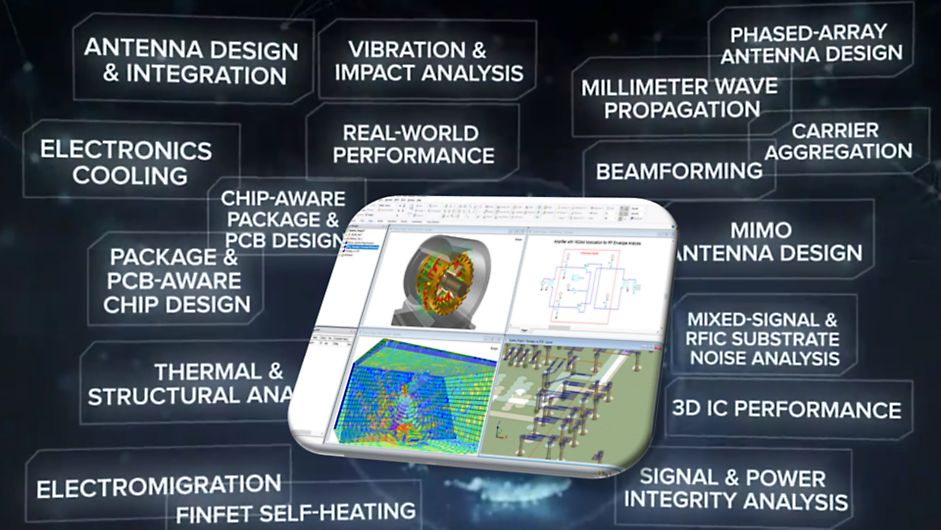
AEDT is a platform that enables true electronics system design. AEDT provides access to the Ansys gold-standard electro-magnetics simulation solutions, such as Ansys HFSS, Ansys Maxwell, Ansys Q3D Extractor, Ansys Siwave, and Ansys Icepak using electrical CAD (ECAD) and Mechanical CAD (MCAD) workflows.
In addition, AEDT includes direct links to the complete Ansys portfolio of thermal, fluid, and mechanical solvers for comprehensive multiphysics analysis. Tight integration among these solutions provides unprecedented ease of use for setup and faster resolution of complex simulations for design and optimization.
PyAEDT is licensed under the MIT License
PyAEDT includes functionality for interacting with the following AEDT tools and Ansys products:
- HFSS and HFSS 3D Layout
- Icepak
- Maxwell 2D, Maxwell 3D, and RMXprt
- 2D Extractor and Q3D Extractor
- Mechanical
- Nexxim
- EDB
- Twin Builder
Documentation and issues
In addition to installation and usage information, the PyAEDT documentation provides API reference, Examples, and Contribute sections.
In the upper right corner of the documentation's title bar, there is an option for switching from viewing the documentation for the latest stable release to viewing the documentation for the development version or previously released versions.
On the PyAEDT Issues page, you can create issues to submit questions, report bugs, and request new features.
To reach the project support team, email pyansys.core@ansys.com <pyansys.core@ansys.com>_.
Dependencies
To run PyAEDT, you must have a local licenced copy of AEDT.
PyAEDT supports AEDT versions 2022 R1 or newer.
Student version
PyAEDT supports AEDT Student version 2022 R1 and later. For more information, see Student Version page.
Why PyAEDT?
A quick and easy approach for automating a simple operation in the AEDT UI is to record and reuse a script. However, disadvantages of this approach are:
- Recorded code is dirty and difficult to read and understand.
- Recorded scripts are difficult to reuse and adapt.
- Complex coding is required by many global users of
AEDT.
The main advantages of PyAEDT are:
- Automatic initialization of all
AEDTobjects, such as desktop objects like the editor, boundaries, and so on - Error management
- Log management
- Variable management
- Compatibility with IronPython and CPython
- Simplification of complex API syntax using data objects while maintaining PEP8 compliance.
- Code reusability across different solvers
- Clear documentation on functions and API
- Unit tests of code to increase quality across different AEDT versions
Example workflow
- Initialize the
Desktopclass with the version ofAEDTto use. - Initialize the application to use within
AEDT.
Connect to AEDT from Python IDE
PyAEDT works both inside AEDT and as a standalone application. This Python library automatically detects whether it is running in an IronPython or CPython environment and initializes AEDT accordingly.
PyAEDT also provides advanced error management. Usage examples follow.
Explicit AEDT declaration and error management
    # Launch AEDT 2022 R2 in non-graphical mode

    from pyaedt import Desktop, Circuit
    with Desktop(specified_version="2022.2",
                 non_graphical=False, new_desktop_session=True,
                 close_on_exit=True, student_version=False):
        circuit = Circuit()
        ...
        # Any error here will be caught by Desktop.
        ...

    # Desktop is automatically released here.
Implicit AEDT declaration and error management
    # Launch the latest installed version of AEDT in graphical mode

    from pyaedt import Circuit
    with Circuit(specified_version="2022.2",
                 non_graphical=False) as circuit:
        ...
        # Any error here will be caught by Desktop.
        ...

    # Desktop is automatically released here.
Remote application call
You can make a remote application call on a CPython server or any Windows client machine.
On a CPython Server:
    # Launch PyAEDT remote server on CPython

    from pyaedt.common_rpc import pyaedt_service_manager
    pyaedt_service_manager()
On any Windows client machine:
    from pyaedt.common_rpc import create_session
    cl1 = create_session("server_name")
    cl1.aedt(port=50000, non_graphical=False)
    hfss = Hfss(machine="server_name", port=50000)
    # your code here
Variables
    from pyaedt.HFSS import HFSS
    with HFSS as hfss:
         hfss["dim"] = "1mm"   # design variable
         hfss["$dim"] = "1mm"  # project variable
Modeler
    # Create a box, assign variables, and assign materials.

    from pyaedt.hfss import Hfss
    with Hfss as hfss:
         hfss.modeler.create_box([0, 0, 0], [10, "dim", 10],
                                 "mybox", "aluminum")
License
PyAEDT is licensed under the MIT license.
This module makes no commercial claim over Ansys whatsoever. PyAEDT extends the functionality of AEDT by adding an additional Python interface to AEDT without changing the core behavior or license of the original software. The use of the interactive control of PyAEDT requires a legally licensed local copy of AEDT. For more information about AEDT, visit the AEDT page on the Ansys website.
Indices and tables
Release history Release notifications | RSS feed


Download files
Download the file for your platform. If you're not sure which to choose, learn more about installing packages.
Source Distribution
Built Distribution
Filter files by name, interpreter, ABI, and platform.
If you're not sure about the file name format, learn more about wheel file names.
Copy a direct link to the current filters
File details
Details for the file pyaedt-0.6.74.tar.gz.
File metadata
- Download URL: pyaedt-0.6.74.tar.gz
- Upload date:
- Size: 3.3 MB
- Tags: Source
- Uploaded using Trusted Publishing? No
- Uploaded via: twine/4.0.2 CPython/3.8.10
File hashes
| Algorithm | Hash digest | |
|---|---|---|
| SHA256 |
bce8e46f83d3ccc97f72c08042bf76f860d231e10f06075e48e215e172e97f3a
|
|
| MD5 |
52b838c6472519f02fad716e5de6d3f8
|
|
| BLAKE2b-256 |
72d3e2929d7799092606242d6666c7c3ae97ffa850b831d06051f3168938b45e
|
File details
Details for the file pyaedt-0.6.74-py3-none-any.whl.
File metadata
- Download URL: pyaedt-0.6.74-py3-none-any.whl
- Upload date:
- Size: 3.4 MB
- Tags: Python 3
- Uploaded using Trusted Publishing? No
- Uploaded via: twine/4.0.2 CPython/3.8.10
File hashes
| Algorithm | Hash digest | |
|---|---|---|
| SHA256 |
8ee78101c51d0124677f657c01bd9aabbfaa2ec1a233c69ac6ac740ead5903c3
|
|
| MD5 |
4b1e1f18b53ee8cc1b3c3306486d87a9
|
|
| BLAKE2b-256 |
6184c6b3a78a234f100cbf549664bbb92993eff4e4ccd49b0a92b905192203af
|






