
Python frontend for Gmsh

Project description

Gmsh for Python.











pygmsh combines the power of Gmsh with the versatility of Python. It provides useful abstractions from Gmsh's own Python interface so you can create complex geometries more easily.
To use, install Gmsh itself and pygmsh from pypi:
[sudo] apt install python3-gmsh
pip install pygmsh
This document and the directory
test/ contain many small
examples. See here for the full
documentation.
Flat shapes
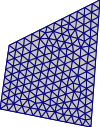 |
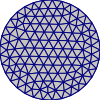 |
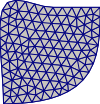 |
|---|---|---|
| Polygon | Circle | (B-)Splines |
Codes:
import pygmsh

with pygmsh.geo.Geometry() as geom:
    geom.add_polygon(
        [
            [0.0, 0.0],
            [1.0, -0.2],
            [1.1, 1.2],
            [0.1, 0.7],
        ],
        mesh_size=0.1,
    )
    mesh = geom.generate_mesh()

# mesh.points, mesh.cells, ...
# mesh.write("out.vtk")
import pygmsh

with pygmsh.geo.Geometry() as geom:
    geom.add_circle([0.0, 0.0], 1.0, mesh_size=0.2)
    mesh = geom.generate_mesh()
import pygmsh

with pygmsh.geo.Geometry() as geom:
    lcar = 0.1
    p1 = geom.add_point([0.0, 0.0], lcar)
    p2 = geom.add_point([1.0, 0.0], lcar)
    p3 = geom.add_point([1.0, 0.5], lcar)
    p4 = geom.add_point([1.0, 1.0], lcar)
    s1 = geom.add_bspline([p1, p2, p3, p4])

    p2 = geom.add_point([0.0, 1.0], lcar)
    p3 = geom.add_point([0.5, 1.0], lcar)
    s2 = geom.add_spline([p4, p3, p2, p1])

    ll = geom.add_curve_loop([s1, s2])
    pl = geom.add_plane_surface(ll)

    mesh = geom.generate_mesh()
The return value is always a meshio mesh, so to store it to a file you can
mesh.write("test.vtk")
The output file can be visualized with various tools, e.g., ParaView.
Extrusions
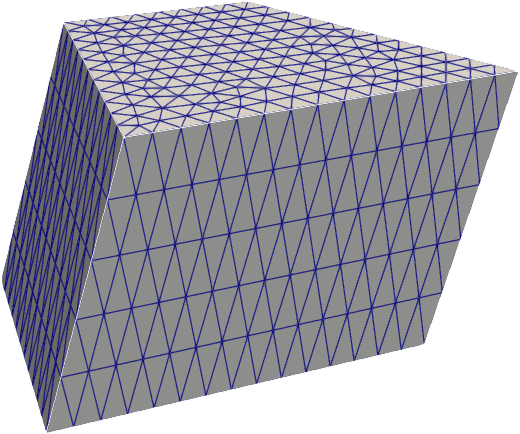 |
 |
 |
|---|---|---|
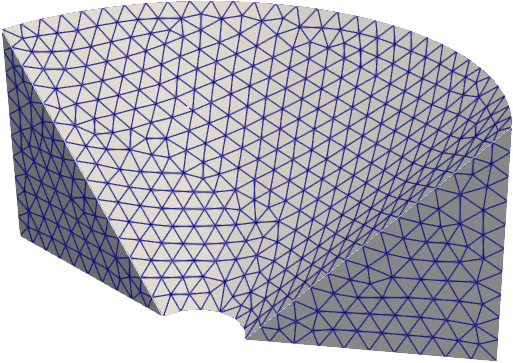
extrude |
revolve |
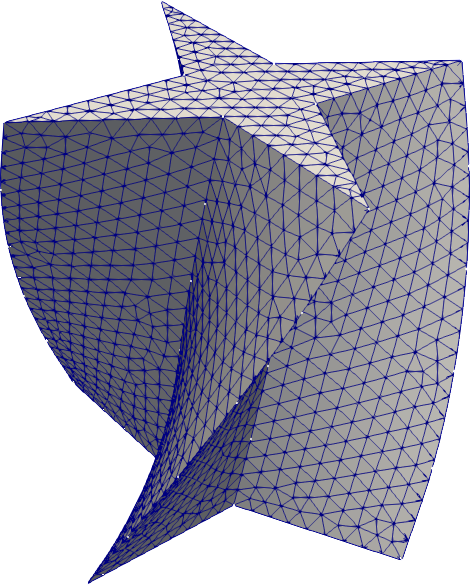
twist |
import pygmsh

with pygmsh.geo.Geometry() as geom:
    poly = geom.add_polygon(
        [
            [0.0, 0.0],
            [1.0, -0.2],
            [1.1, 1.2],
            [0.1, 0.7],
        ],
        mesh_size=0.1,
    )
    geom.extrude(poly, [0.0, 0.3, 1.0], num_layers=5)
    mesh = geom.generate_mesh()
from math import pi
import pygmsh

with pygmsh.geo.Geometry() as geom:
    poly = geom.add_polygon(
        [
            [0.0, 0.2, 0.0],
            [0.0, 1.2, 0.0],
            [0.0, 1.2, 1.0],
        ],
        mesh_size=0.1,
    )
    geom.revolve(poly, [0.0, 0.0, 1.0], [0.0, 0.0, 0.0], 0.8 * pi)
    mesh = geom.generate_mesh()
from math import pi
import pygmsh

with pygmsh.geo.Geometry() as geom:
    poly = geom.add_polygon(
        [
            [+0.0, +0.5],
            [-0.1, +0.1],
            [-0.5, +0.0],
            [-0.1, -0.1],
            [+0.0, -0.5],
            [+0.1, -0.1],
            [+0.5, +0.0],
            [+0.1, +0.1],
        ],
        mesh_size=0.05,
    )

    geom.twist(
        poly,
        translation_axis=[0, 0, 1],
        rotation_axis=[0, 0, 1],
        point_on_axis=[0, 0, 0],
        angle=pi / 3,
    )

    mesh = geom.generate_mesh()
OpenCASCADE
 |
 |
 |
|---|---|---|
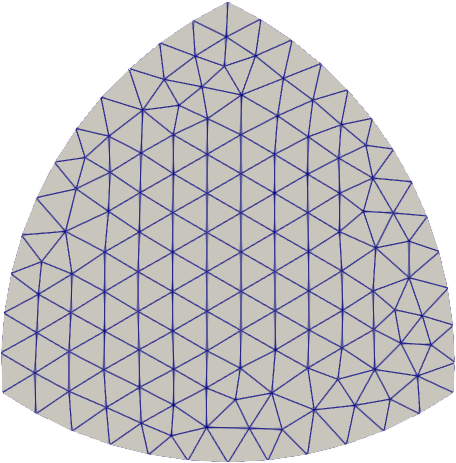
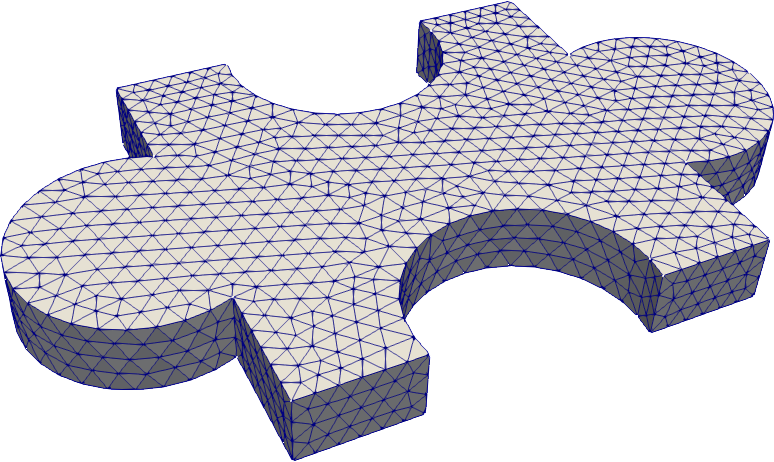
As of version 3.0, Gmsh supports OpenCASCADE (occ), allowing for a CAD-style geometry
specification.
from math import pi, cos
import pygmsh

with pygmsh.occ.Geometry() as geom:
    geom.characteristic_length_max = 0.1
    r = 0.5
    disks = [
        geom.add_disk([-0.5 * cos(7 / 6 * pi), -0.25], 1.0),
        geom.add_disk([+0.5 * cos(7 / 6 * pi), -0.25], 1.0),
        geom.add_disk([0.0, 0.5], 1.0),
    ]
    geom.boolean_intersection(disks)

    mesh = geom.generate_mesh()
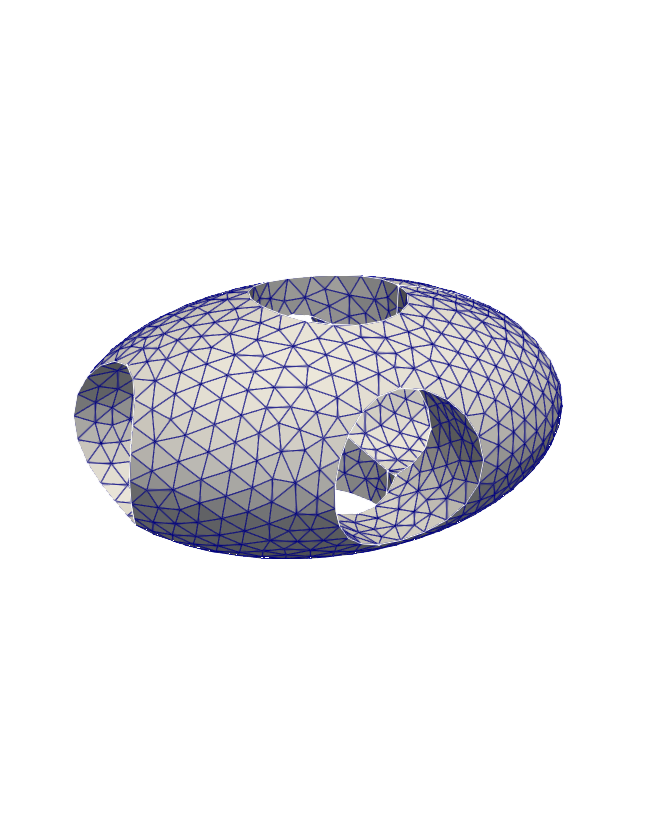
# ellpsoid with holes
import pygmsh

with pygmsh.occ.Geometry() as geom:
    geom.characteristic_length_max = 0.1
    ellipsoid = geom.add_ellipsoid([0.0, 0.0, 0.0], [1.0, 0.7, 0.5])

    cylinders = [
        geom.add_cylinder([-1.0, 0.0, 0.0], [2.0, 0.0, 0.0], 0.3),
        geom.add_cylinder([0.0, -1.0, 0.0], [0.0, 2.0, 0.0], 0.3),
        geom.add_cylinder([0.0, 0.0, -1.0], [0.0, 0.0, 2.0], 0.3),
    ]
    geom.boolean_difference(ellipsoid, geom.boolean_union(cylinders))

    mesh = geom.generate_mesh()
# puzzle piece
import pygmsh

with pygmsh.occ.Geometry() as geom:
    geom.characteristic_length_min = 0.1
    geom.characteristic_length_max = 0.1

    rectangle = geom.add_rectangle([-1.0, -1.0, 0.0], 2.0, 2.0)
    disk1 = geom.add_disk([-1.2, 0.0, 0.0], 0.5)
    disk2 = geom.add_disk([+1.2, 0.0, 0.0], 0.5)

    disk3 = geom.add_disk([0.0, -0.9, 0.0], 0.5)
    disk4 = geom.add_disk([0.0, +0.9, 0.0], 0.5)
    flat = geom.boolean_difference(
        geom.boolean_union([rectangle, disk1, disk2]),
        geom.boolean_union([disk3, disk4]),
    )

    geom.extrude(flat, [0, 0, 0.3])

    mesh = geom.generate_mesh()
Mesh refinement/boundary layers
 |
 |
 |
|---|---|---|
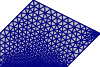
# boundary refinement
import pygmsh

with pygmsh.geo.Geometry() as geom:
    poly = geom.add_polygon(
        [
            [0.0, 0.0],
            [2.0, 0.0],
            [3.0, 1.0],
            [1.0, 2.0],
            [0.0, 1.0],
        ],
        mesh_size=0.3,
    )

    field0 = geom.add_boundary_layer(
        edges_list=[poly.curves[0]],
        lcmin=0.05,
        lcmax=0.2,
        distmin=0.0,
        distmax=0.2,
    )
    field1 = geom.add_boundary_layer(
        nodes_list=[poly.points[2]],
        lcmin=0.05,
        lcmax=0.2,
        distmin=0.1,
        distmax=0.4,
    )
    geom.set_background_mesh([field0, field1], operator="Min")

    mesh = geom.generate_mesh()
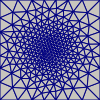
# mesh refinement with callback
import pygmsh

with pygmsh.geo.Geometry() as geom:
    geom.add_polygon(
        [
            [-1.0, -1.0],
            [+1.0, -1.0],
            [+1.0, +1.0],
            [-1.0, +1.0],
        ]
    )
    geom.set_mesh_size_callback(
        lambda dim, tag, x, y, z: 6.0e-2 + 2.0e-1 * (x ** 2 + y ** 2)
    )

    mesh = geom.generate_mesh()
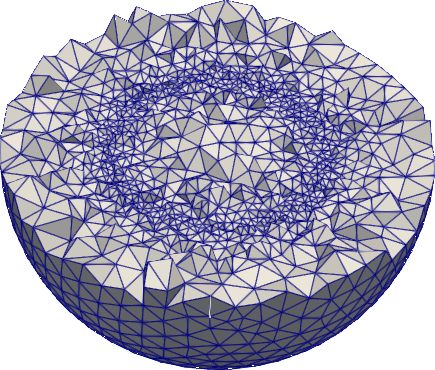
# ball with mesh refinement
from math import sqrt
import pygmsh


with pygmsh.occ.Geometry() as geom:
    geom.add_ball([0.0, 0.0, 0.0], 1.0)

    geom.set_mesh_size_callback(
        lambda dim, tag, x, y, z: abs(sqrt(x ** 2 + y ** 2 + z ** 2) - 0.5) + 0.1
    )
    mesh = geom.generate_mesh()
Testing
To run the pygmsh unit tests, check out this repository and type
pytest
Building Documentation
Docs are built using Sphinx.
To build, run
sphinx-build -b html doc doc/_build
License
This software is published under the GPLv3 license.
Release history Release notifications | RSS feed


Download files
Download the file for your platform. If you're not sure which to choose, learn more about installing packages.
Source Distribution
Built Distribution
Filter files by name, interpreter, ABI, and platform.
If you're not sure about the file name format, learn more about wheel file names.
Copy a direct link to the current filters
File details
Details for the file pygmsh-7.0.3.tar.gz.
File metadata
- Download URL: pygmsh-7.0.3.tar.gz
- Upload date:
- Size: 38.5 kB
- Tags: Source
- Uploaded using Trusted Publishing? No
- Uploaded via: twine/3.2.0 pkginfo/1.5.0.1 requests/2.24.0 setuptools/50.3.2 requests-toolbelt/0.9.1 tqdm/4.50.2 CPython/3.8.6
File hashes
| Algorithm | Hash digest | |
|---|---|---|
| SHA256 |
7010a994fa24a3b11f5351cb54a20fd195f6f415aea70423d73adbc7a57c62f2
|
|
| MD5 |
7eeeb04615925c0f8c5691f372cad19f
|
|
| BLAKE2b-256 |
3f56b519552d2d32245707a0253a4fd5f946e5de98a1d420e187338385db81ad
|
File details
Details for the file pygmsh-7.0.3-py3-none-any.whl.
File metadata
- Download URL: pygmsh-7.0.3-py3-none-any.whl
- Upload date:
- Size: 41.6 kB
- Tags: Python 3
- Uploaded using Trusted Publishing? No
- Uploaded via: twine/3.2.0 pkginfo/1.5.0.1 requests/2.24.0 setuptools/50.3.2 requests-toolbelt/0.9.1 tqdm/4.50.2 CPython/3.8.6
File hashes
| Algorithm | Hash digest | |
|---|---|---|
| SHA256 |
38e879b2a40c21cae857f501d946924590e170c563119c8c38ca2d37430a2f31
|
|
| MD5 |
59a3f5bbac86484cb9eb6b5e21c60f9a
|
|
| BLAKE2b-256 |
ac550809b3087686f21b6fb75d79e29cd31af239f5215d6ad340949f5b28f792
|






