
PyWhatKit is a Python library for Sending whatsapp message at certain time, it has several other features too.


Project description








PyWhatKit is a Python library with various helpful features. It is an easy to use library which does not requires you to do some additional setup.
Links
-
Join our discord server - https://discord.gg/uwznv4jKgk
-
Help us test an upcoming feature - Here
-
Detailed documentation - Wiki
Installation
This library can be installed by the pip command, open your command prompt and type in the following command...
pip3 install pywhatkit
Functions of this library
First import the library using the command import pywhatkit as kit and then proceed to call the functions:
kit.sendwhats_image(...)
This function can be used to send Image or Gif or videos to anyone
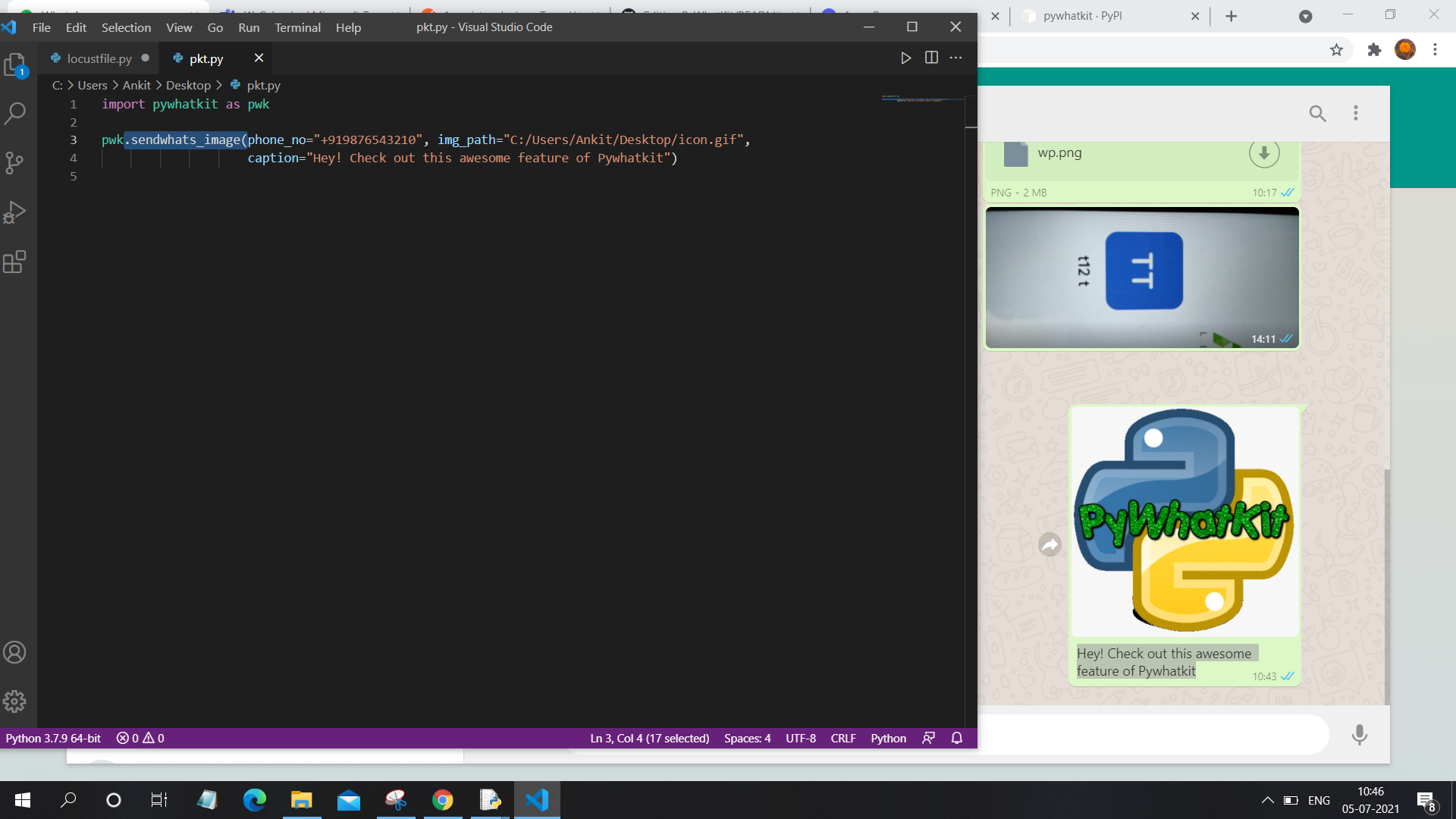
The parameters are
phone_no (required) - Phone number of target with country code
img_path (required) - Path to image or gif or video
caption (required) - The text that should appear below images
wait_time (optional, val = 15) - Seconds after which the message will be sent after opening the web
kit.sendwhatmsg(...)
This function can be used to send WhatsApp message at certain time, kit.sendwhatmsg_instantly(...) can be used to send message instantly while kit.sendwhatmsg_to_group(...) can be used to send message to group.
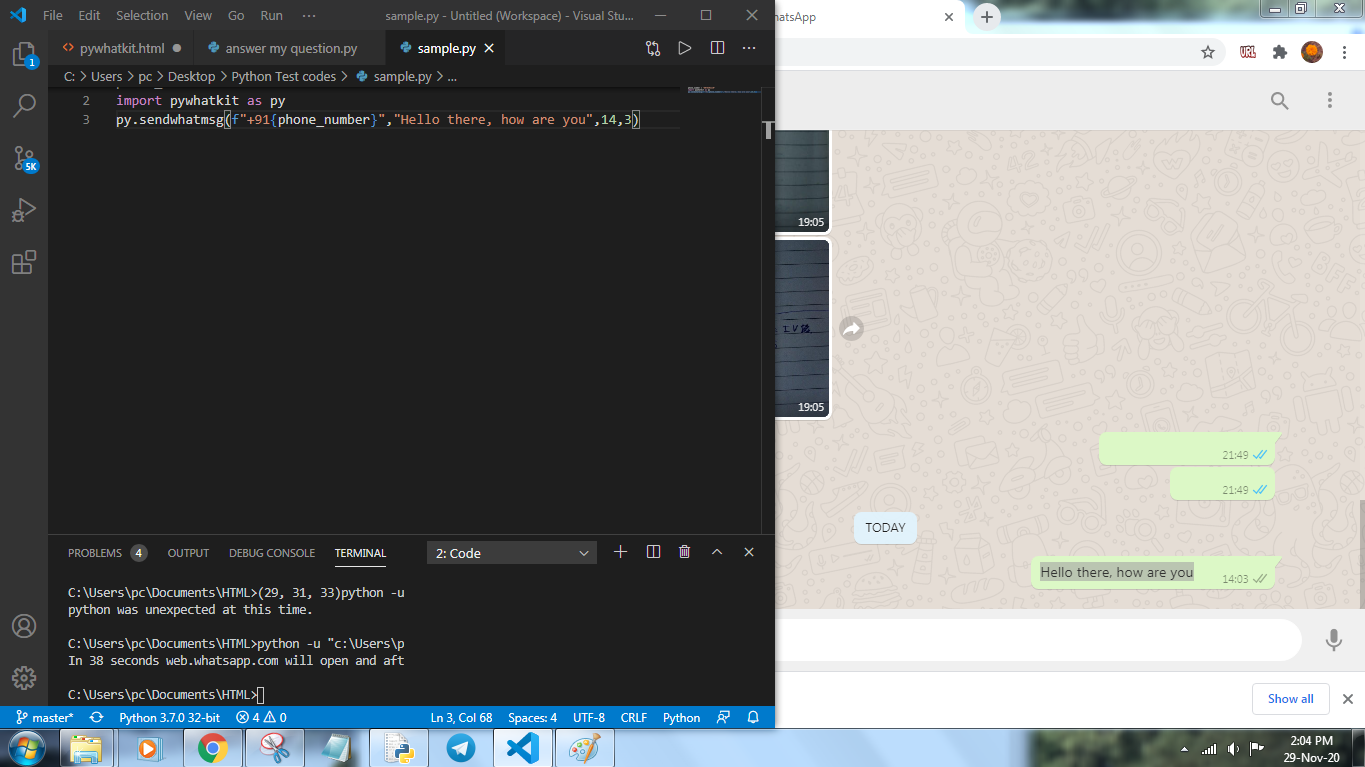
The parameters are
phone_num (required) - Phone number of target with country code
message (required) - Message that you want to sendwhatmsg
time_hour (required) - Hours at which you want to send message in 24 hour format
time_min (required) - Minutes at which you want to send message
wait_time (optional, val = 20) - Seconds after which the message will be sent after opening the web
print_wait_time (optional, val = True) - Will print the remaining time if set to true
tab_close (optional, val = False) - True if you want to close the tab after sending the message
Some common errors
CountryCodeException - Check if the phone number passed into the parameter has country code
Message not getting delivered - Check internet speed and increase wait_time to 30 or above
CallTimeException - The web takes some time to load so some delay is required, make sure the seconds left is greater than the wait_time
SyntaxError - Make sure the first two parameters are string and the rest are int
kit.playonyt(...)
This function can be used to search and play a particular video on YouTube by using just the keyword, like "Shape of You song".
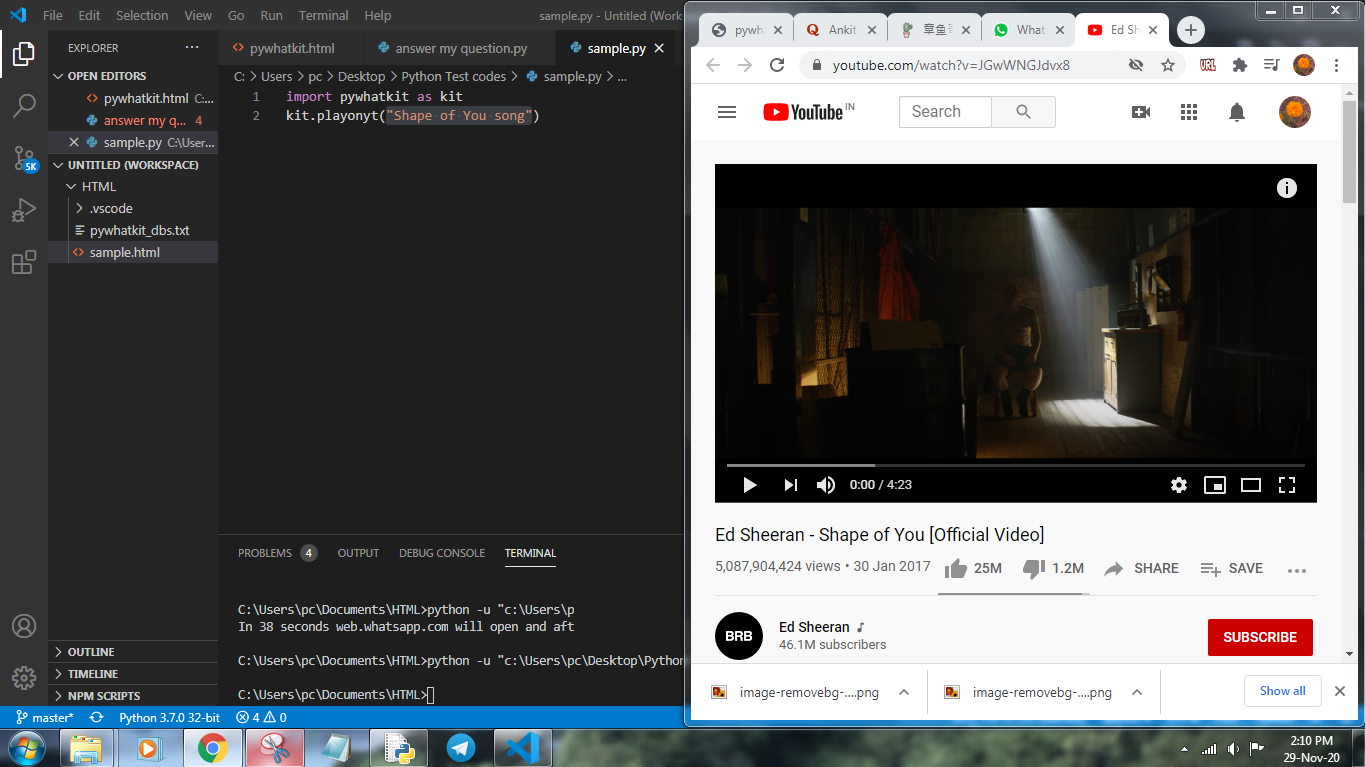
The parameters are
topic (required) - Topic or title that is related to the video.
use_api (optional, val = False) - Use web-API instead.
open_video (optional, val = True) - Opens video in your browser if set to True.
Some common errors
Video not opening - Make sure the topic exists or you have provided proper spelling, set use_api to True.
kit.search(...)
This function can be used to make a google search for any term.
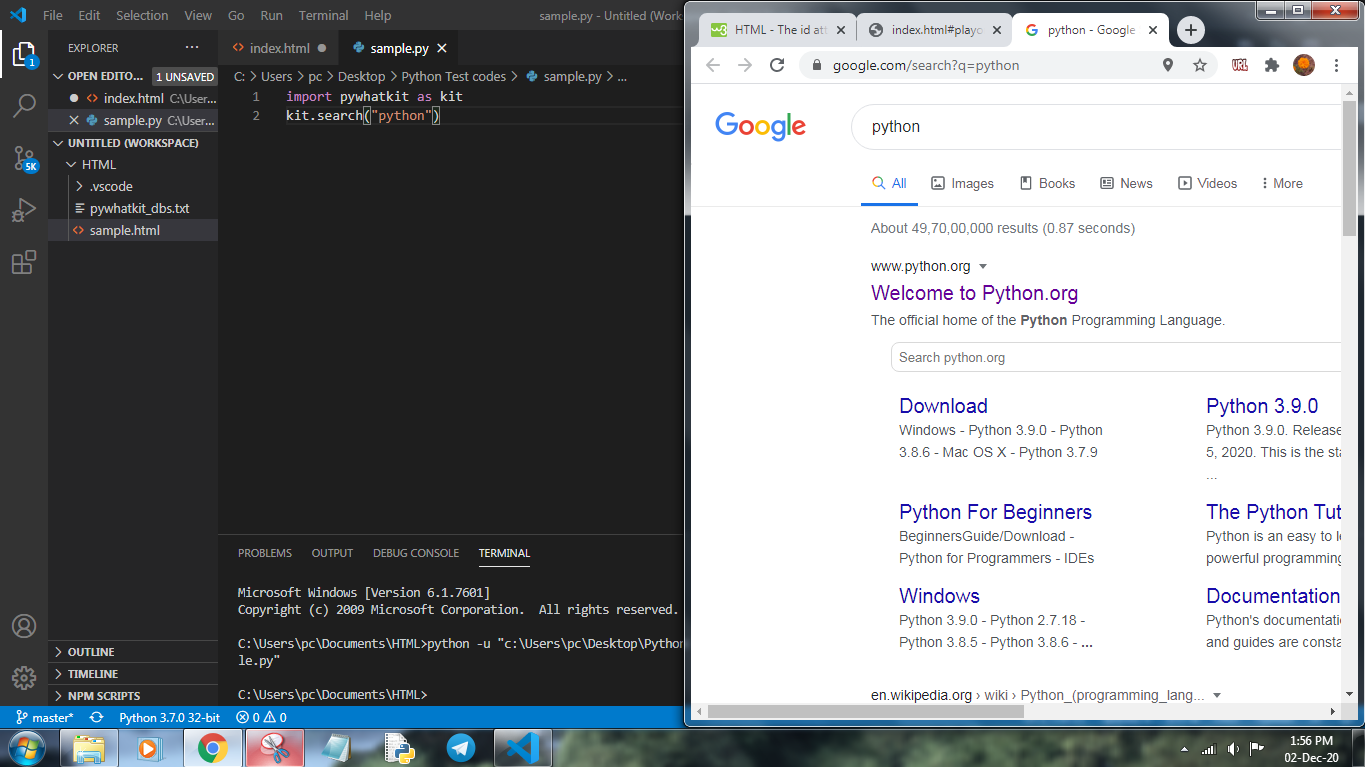
The parameters are
topic (required) - Topic or title that you want to search
kit.info(...)
This function can be used to fetch information about any topic.
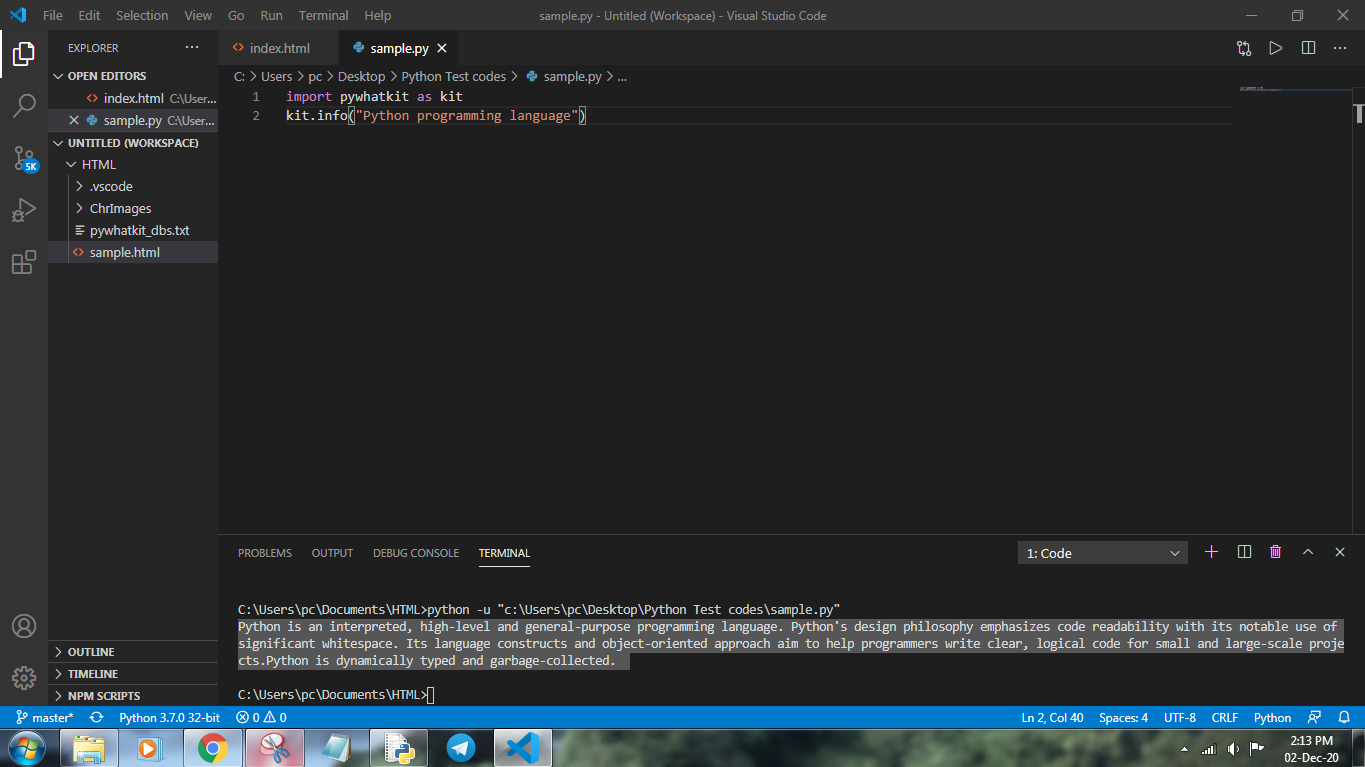
The parameters are
topic (required) - Topic or title that you want to get information about
lines (optional, val = 3) - Number of lines that you want to print about it
return_value (optional, val = False) - True if you want to return the result
Some common errors
Not returning paragraph - Make sure the topic exists and you are providing specific title
kit.image_to_ascii_art(...)
This function can be used to convert any image to ASCII art.
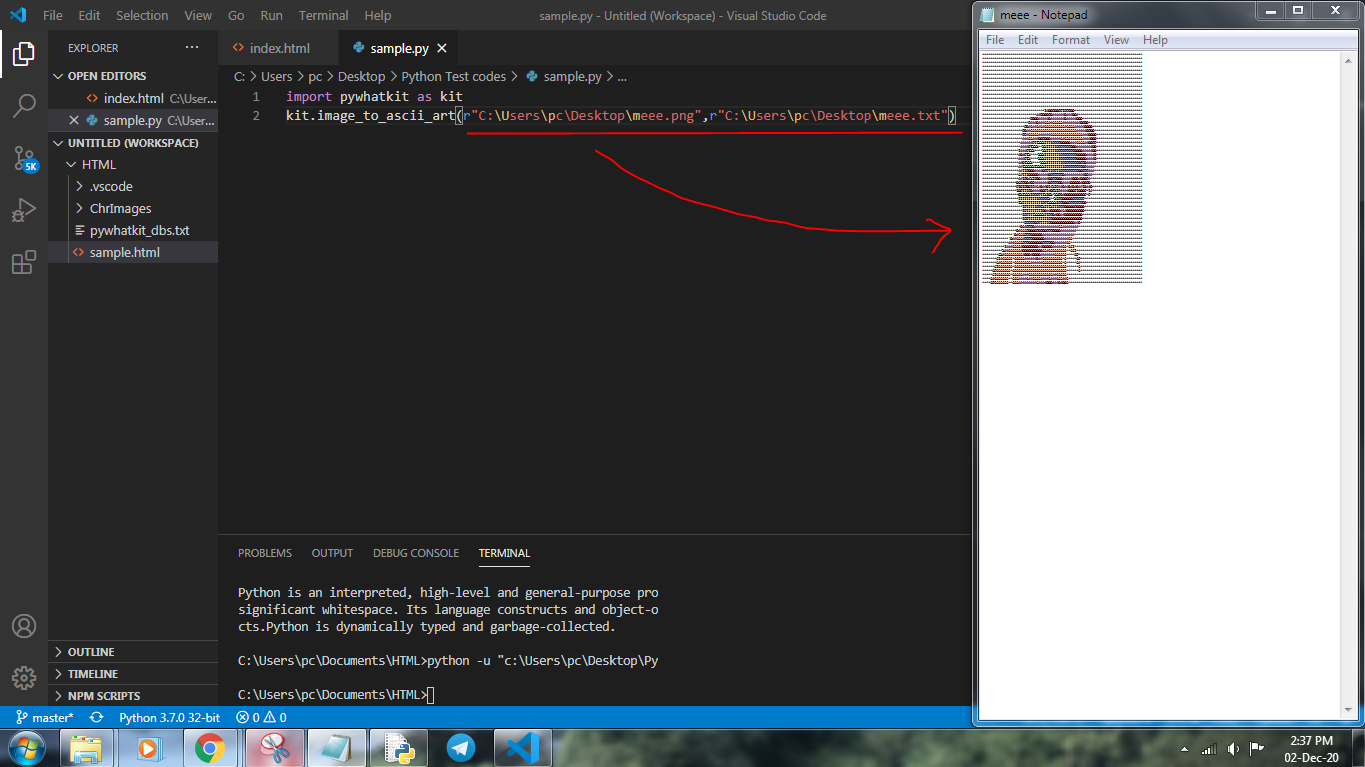
The parameters are
imgpath (required) - Path to the image that you want to convert
output_file (optional, val = "pywhatkit_asciiart.txt") - File where you want to save the output characters
Some common errors
File not found - Make sure that the path of the image is valid
kit.text_to_handwriting(...)
This function can be used to convert text to hand written characters, the character sets has been written by me.
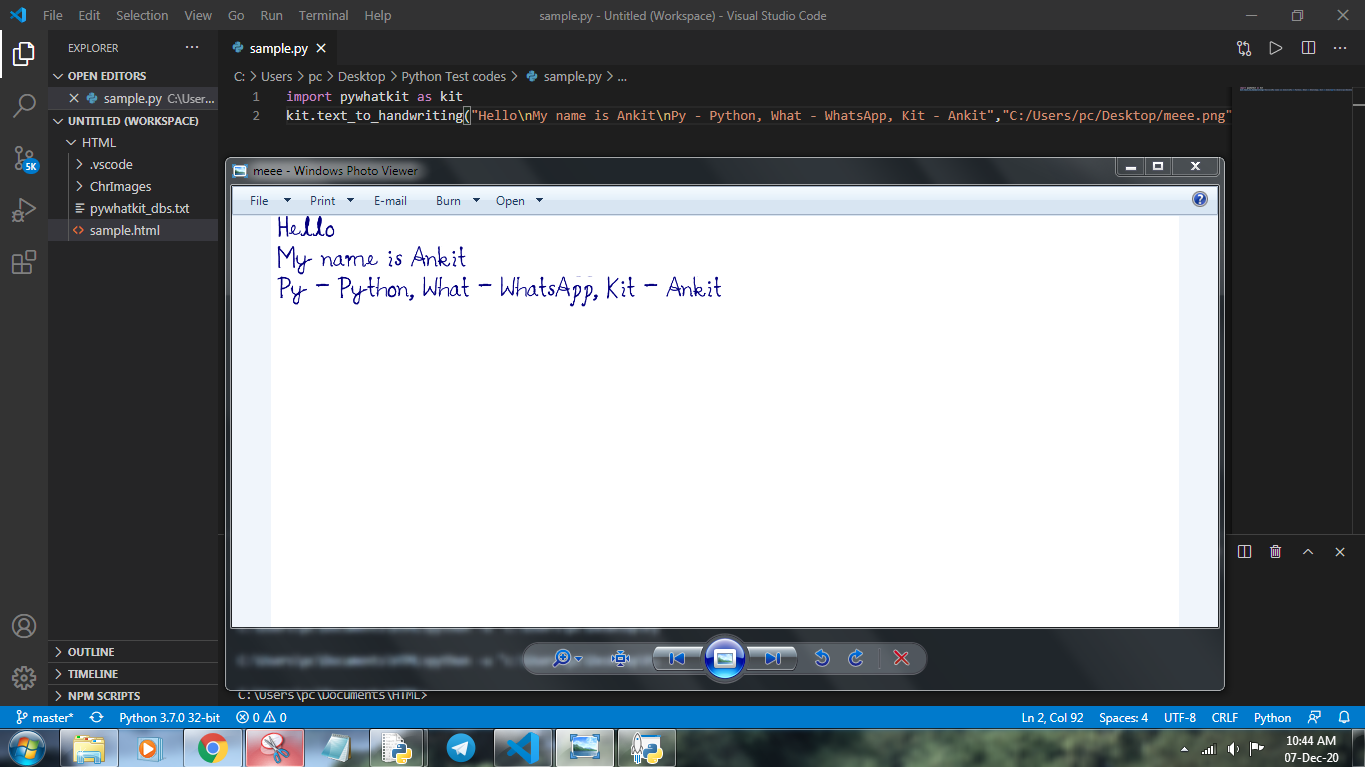
The parameters are
string (required) - String that you want to convert to handwritten text
save_to (optional, save_to = "pywhatkit.png") - Path where the image will be saved
rgb (optional, val = (0,0,138)) - Color of the handwritten character in rgb format
Some Other Functions
pywhatkit.show_history() # Will show information of all the messages sent using this library

pywhatkit.shutdown(time=100) # Will shutdown the system

pywhatkit.cancel_shutdown() # Will cancel the scheduled shutdown

pywhatkit.tutorial_hindi/english() # Will open a tutorial on how to use this library on YouTube in respective language

pywhatkit.join_discord() # Will redirect you to our Discord server

pywhatkit.help.<function>() # For more information about a function
Contributing
Pull requests are welcome. For major changes, please open an issue first to discuss what you would like to change. For more detailed information see this.
License
MIT
Release history Release notifications | RSS feed


Download files
Download the file for your platform. If you're not sure which to choose, learn more about installing packages.
Source Distribution
Built Distribution
Filter files by name, interpreter, ABI, and platform.
If you're not sure about the file name format, learn more about wheel file names.
Copy a direct link to the current filters
File details
Details for the file pywhatkit-5.1.tar.gz.
File metadata
- Download URL: pywhatkit-5.1.tar.gz
- Upload date:
- Size: 12.9 kB
- Tags: Source
- Uploaded using Trusted Publishing? No
- Uploaded via: twine/3.4.2 importlib_metadata/4.6.3 pkginfo/1.7.1 requests/2.26.0 requests-toolbelt/0.9.1 tqdm/4.62.0 CPython/3.9.6
File hashes
| Algorithm | Hash digest | |
|---|---|---|
| SHA256 |
cb9a362dd303e2c939c55661a4b040bce95994a3463fd2bf6ccbb8ef5cf40aa6
|
|
| MD5 |
a8237cfac2432d2c5afa11bcde5fb0e2
|
|
| BLAKE2b-256 |
38dd4f99431f4cafdd9e7695c0b1a1e597789ec894111baaaa9f12161eafb122
|
File details
Details for the file pywhatkit-5.1-py3-none-any.whl.
File metadata
- Download URL: pywhatkit-5.1-py3-none-any.whl
- Upload date:
- Size: 12.5 kB
- Tags: Python 3
- Uploaded using Trusted Publishing? No
- Uploaded via: twine/3.4.2 importlib_metadata/4.6.3 pkginfo/1.7.1 requests/2.26.0 requests-toolbelt/0.9.1 tqdm/4.62.0 CPython/3.9.6
File hashes
| Algorithm | Hash digest | |
|---|---|---|
| SHA256 |
373b1d1a536fc84394729824fbea6edb78fe51fffc471b69c9b6447a6ef93fcd
|
|
| MD5 |
2ebacc8556c3b8ecb5ddc755dda8f0f7
|
|
| BLAKE2b-256 |
034e038218b624563e50fec86d8c8283a20511efffa6bd572f9e48fdb114c35c
|






