
Command Line Interface for Gnosis Safe

Project description



Safe-CLI
Command line utility for Gnosis Safe contracts. Use it to manage your Gnosis Safe easily from the command line
Installing
Python >= 3.7 is required. Python 3.10 is recommended.
pip3 install -U safe-cli
Using
safe-cli <checksummed_safe_address> <ethereum_node_url>
Then you should be on the prompt and see information about the Safe, like the owners, version, etc.
Next step would be loading some owners for the Safe. At least threshold owners need to be loaded to do operations
on the Safe and at least one of them should have funds for sending transactions.
There're 3 operation modes:
- blockchain: The default mode, transactions are sent to blockchain.
- tx-service: Use
tx-servicecommand to enable it. Transactions are sent to the Gnosis Transaction Service (if available on the network), so you will be able to see it on the Gnosis Safe web interface/mobile apps. At least one signer is needed to send transactions to the service. Txs are not executed. - relay-service: Use
relay-service [optional-gas-token]to enable it. Sends transactions trough the Gnosis Relay Service (if available on the network). If a optional gas token is set, it will be used to send transactions. For mainnet you can check available gas tokens here.
Loading owners is not needed if you just want to do read-only operations.
To load owners:
> load_cli_owners <account_private_key>
Loaded account 0xab...cd with balance=123 ether
Set account 0xab..cd as default sender of txs
You can also load owners from an environment variable. Before running the safe-cli:
export MY_PRIVATE_KEY=YOUR_EOA_PRIVATE_KEY
Then:
> load_cli_owners MY_PRIVATE_KEY
Loaded account 0xab...cd with balance=123 ether
Set account 0xab..cd as default sender of txs
To check the loaded owners:
> show_cli_owners
To unload an owner:
> unload_cli_owners <ethereum_checksummed_address>
Operations currently supported:
send_custom <address> <value-wei> <data-hex-str> [--delegate] [--safe-nonce <int>]: Sends a custom transaction from the Gnosis Safe to a contract. If--delegateis set adelegatecallwill be triggered.send_ether <address> <value-wei> [--safe-nonce <int>]: Sends ether from the Gnosis Safe to another accountsend_erc20 <address> <token_address> <value> [--safe-nonce <int>]: Send ERC20 token from the Gnosis Safe to another accountapprove_hash <keccak-hexstr-hash> <sender-address>: Approves asafe-tx-hashfor the provided sender address. Sender private key must be loaded first.add_owner <address>: Adds a new owneraddressto the Safe.remove_owner <address>: Removes an owneraddressfrom the Safe.change_threshold <integer>: Changes thethresholdof the Safe.enable_module <address>: Enable moduleaddressdisable_module <address>: Disable moduleaddresschange_fallback_handler <address>: Updates the fallback handler to beaddress. Supported by Safes withversion >= v1.1.0. WARNING: DON'T USE THIS IF YOU DON'T KNOW WHAT YOU ARE DOING. ALL YOUR FUNDS COULD BE LOSTchange_guard <address>: Updates the guard to beaddress. Supported by Safes withversion >= v1.3.0. WARNING: DON'T USE THIS IF YOU DON'T KNOW WHAT YOU ARE DOING. ALL YOUR FUNDS COULD BE LOSTchange_master_copy <address>: Updates the master copy to beaddress. It's used to update the Safe. WARNING: DON'T USE THIS IF YOU DON'T KNOW WHAT YOU ARE DOING. ALL YOUR FUNDS COULD BE LOSTupdate: Updates the Safe to the latest version (if you are on a known network likeRinkebyorMainnet). WARNING: DON'T USE THIS IF YOU DON'T KNOW WHAT YOU ARE DOING. ALL YOUR FUNDS COULD BE LOST
Operations on tx-service mode, requires a Gnosis Safe Transaction Service working on the network
(Mainnet, Gnosis Chain, Rinkeby, Polygon...):
balances: Returns a list of balances for ERC20 tokens and ether.history: History of multisig transactions (including pending).execute-tx <safe-tx-hash>: Execute a pending tx with enough signatures.sign-tx <safe-tx-hash>: Sign a tx with the loaded owners for the providedSafeTxHash.batch-txs <safe-nonce> <safe-tx-hash> [ <safe-tx-hash> ... ]: Batch transactions into one Multisig Transaction using the providedsafe-nonce. Any safe-tx can be used: transactions from other Safes, transactions already executed, transactions pending for execution... Only limitation is that- transactions from other networks cannot be used. Batching order will follow the same order of the
safe-tx-hashesprovided. get_delegates: Returns a list of delegates for the Safe.add_delegate <address> <label> <signer-address>: Adds a new delegateaddressto the Safe.remove_delegate <address> <signer-address>: Removes a delegateaddressfrom the Safe.drain <address>: Sends all ether and ERC20 funds to the provided account.
If the information in the information bar is outdated or there's any problem you can force the safe-cli to update
the information about the Safe using:
> refresh
Creating a new Safe
Use safe-creator <node_url> <private_key> --owners <checksummed_address_1> <checksummed_address_2> --threshold <uint> --salt-nonce <uint256>.
Example:
safe-creator https://rinkeby.infura.io/v3/token $PRIVATE_KEY --owners 0x848EF06Bb9d1bc79Bb3B04b7Ea0e251C6E788d7c --threshold 1
Demo
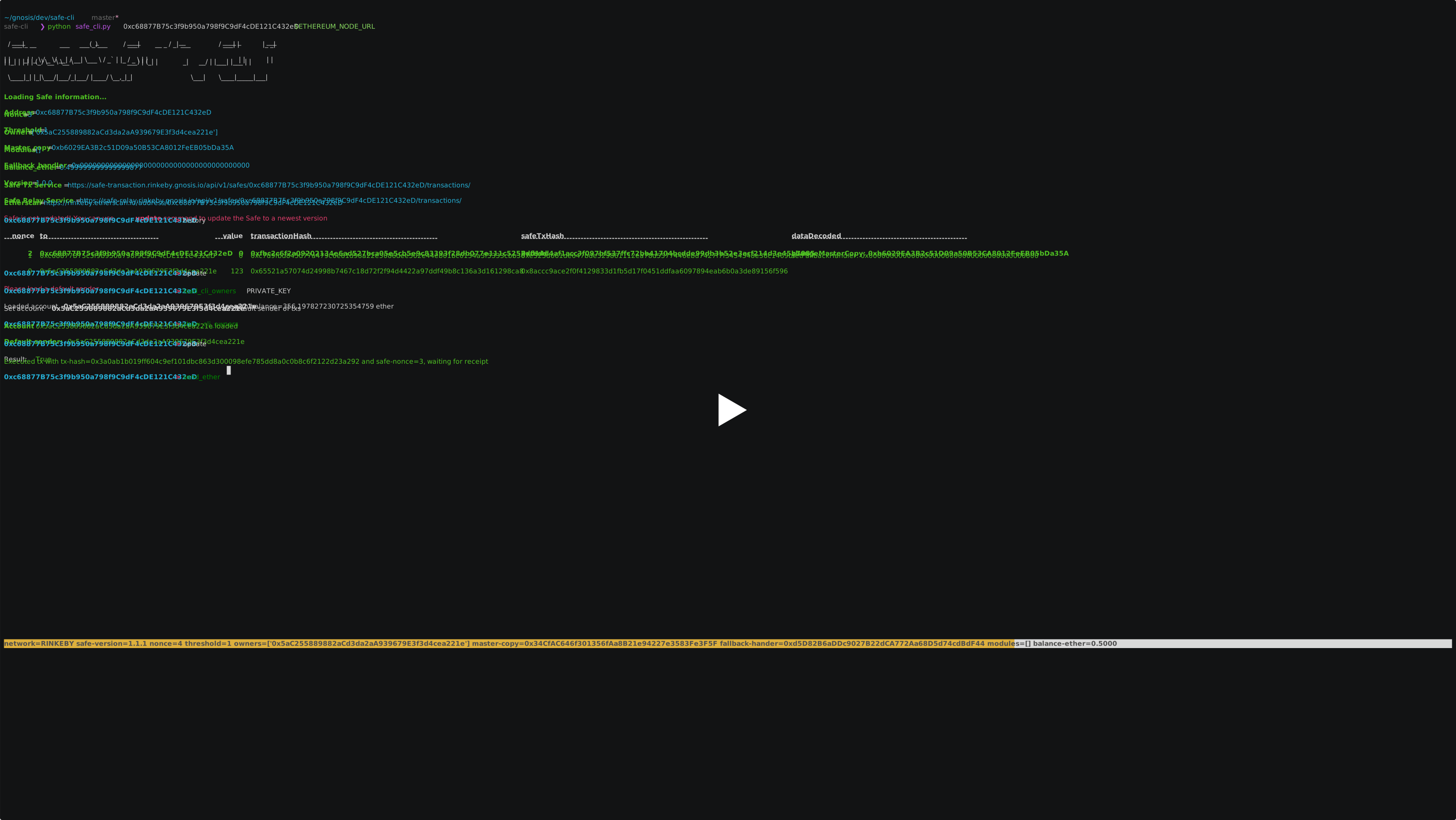
For this demo, PRIVATE_KEY environment variable was set to a EOA private key (owner of a a previously created and outdated Safe)
and ETHEREUM_NODE_URL to a http rinkeby node.
At first, Safe is updated to the last version and then 123 Wei are sent to the owner of the Safe (it could be any other address).
Don't use update command in mainnet, as it can leave your Gnosis Safe funds stuck. Safe CLI is still a beta
Use custom contracts
Safe-cli comes with the official Gnosis Safe contract addresses deployed on Mainnet, Rinkeby, Kovan and Goerli
configured by default. If you want to use your own you can edit the file safe_cli/safe_addresses.py
Be careful when modifying these addresses, the funds in a Safe can get stuck if an invalid address it's used when updating to an invalid Safe Master Copy.
Safe contracts
Setting up for developing
If you miss something and want to send us a PR:
git clone https://github.com/gnosis/safe-cli.git
cd safe-cli
stat venv 2>/dev/null || python3 -m venv venv
source venv/bin/activate && pip install -r requirements-dev.txt
pre-commit install -f
Contributors
Release history Release notifications | RSS feed


Download files
Download the file for your platform. If you're not sure which to choose, learn more about installing packages.
Source Distribution
Built Distribution
Filter files by name, interpreter, ABI, and platform.
If you're not sure about the file name format, learn more about wheel file names.
Copy a direct link to the current filters
File details
Details for the file safe_cli-0.5.1.tar.gz.
File metadata
- Download URL: safe_cli-0.5.1.tar.gz
- Upload date:
- Size: 36.4 kB
- Tags: Source
- Uploaded using Trusted Publishing? No
- Uploaded via: twine/4.0.1 CPython/3.10.8
File hashes
| Algorithm | Hash digest | |
|---|---|---|
| SHA256 |
9b6e464d5897bd6098d27736a0da57e3697a71f4b701a3f374dd731ee6233923
|
|
| MD5 |
84ac9f45a36e94f614e8e64d0b880728
|
|
| BLAKE2b-256 |
83dbb10cc896924f1f4b92e515db76c7489c6d3eadff58633f2018184a436363
|
File details
Details for the file safe_cli-0.5.1-py3-none-any.whl.
File metadata
- Download URL: safe_cli-0.5.1-py3-none-any.whl
- Upload date:
- Size: 42.9 kB
- Tags: Python 3
- Uploaded using Trusted Publishing? No
- Uploaded via: twine/4.0.1 CPython/3.10.8
File hashes
| Algorithm | Hash digest | |
|---|---|---|
| SHA256 |
308d750f1786cfd2e324d22b81c12bc5c6ad2ef1703a53c7571ccb7bbece78e1
|
|
| MD5 |
9539ea053a16d11defbf59dc36233dc9
|
|
| BLAKE2b-256 |
ed85320e39744a93acd254ee12c942d1ae26fe826324f7f9d30e501930c0360e
|






