
Simple ONNX constant encoder/decoder.

Project description
sed4onnx
Simple ONNX constant encoder/decoder.
https://github.com/PINTO0309/simple-onnx-processing-tools



Key concept
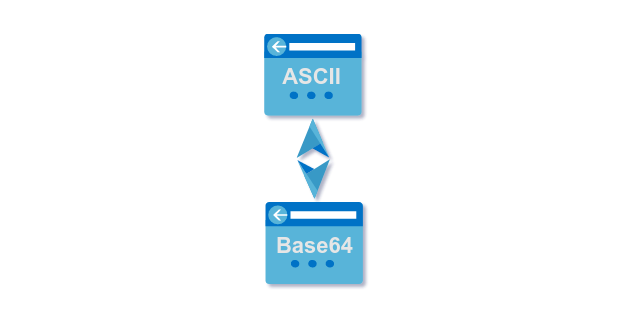
- Since the constant values in the JSON files generated by onnx2json are Base64-encoded values, ASCII <-> Base64 conversion is required when rewriting JSON constant values.
- After writing the converted Base64 strings to JSON using this tool, json2onnx can be used to regenerate the constant-modified ONNX file.
1. Setup
1-1. HostPC
### option
$ echo export PATH="~/.local/bin:$PATH" >> ~/.bashrc \
&& source ~/.bashrc

### run
$ pip install -U sed4onnx
1-2. Docker
https://github.com/PINTO0309/simple-onnx-processing-tools#docker
2. CLI Usage
$ sed4onnx -h

usage:
    sed4onnx [-h]
    --constant_string CONSTANT_STRING
    [--dtype {float32,float64,uint8,int8,int32,int64}]
    [--mode {encode,decode}]

optional arguments:
  -h, --help
        show this help message and exit.

  --constant_string CONSTANT_STRING
        Strings to be encoded and decoded for ONNX constants.

  --dtype {float32,float64,uint8,int8,int32,int64}
        Data type.

  --mode {encode,decode}
        encode: Converts the string specified in constant_string to a Base64 format string
                that can be embedded in ONNX constants.
        decode: Converts a Base64 string specified in constant_string to ASCII like Numpy string.
3. In-script Usage
>>> from sed4onnx import encode
>>> from sed4onnx import decode
>>> help(encode)

Help on function encode in module sed4onnx.onnx_constant_encoder_decoder:

encode(constant_string: str) -> str

    Parameters
    ----------
    constant_string: str
        ASCII string to be encoded.

    dtype: str
        'float32' or 'float64' or 'uint8' or 'int8' or 'int32' or 'int64'

    Returns
    -------
    encoded_string: str
        Base64-encoded ASCII string.


>>> help(decode)
Help on function decode in module sed4onnx.onnx_constant_encoder_decoder:

decode(constant_string: str, dtype: str) -> numpy.ndarray
    decode

    Parameters
    ----------
    constant_string: str
        Base64 string to be decoded.

    dtype: str
        'float32' or 'float64' or 'uint8' or 'int8' or 'int32' or 'int64'

    Returns
    -------
    decoded_ndarray: np.ndarray
        Base64-decoded numpy.ndarray.
4. CLI Execution
$ sed4onnx \
--constant_string [-1,3,224,224] \
--dtype int64 \
--mode encode

$ sed4onnx \
--constant_string '//////////8DAAAAAAAAAOAAAAAAAAAA4AAAAAAAAAA=' \
--dtype int64 \
--mode decode
5. In-script Execution
from sed4onnx import encode
from sed4onnx import decode

base64_string = encode(
  constant_string='[-1,3,224,224]',
  dtype='int64',
)

numpy_ndarray = decode(
  constant_string='//////////8DAAAAAAAAAOAAAAAAAAAA4AAAAAAAAAA=',
  dtype='int64',
)
6. Sample
$ sed4onnx \
--constant_string [-1,3,224,224] \
--dtype='int64' \
--mode encode

//////////8DAAAAAAAAAOAAAAAAAAAA4AAAAAAAAAA=


$ sed4onnx \
--constant_string '//////////8DAAAAAAAAAOAAAAAAAAAA4AAAAAAAAAA=' \
--dtype int64 \
--mode decode

[-1,3,224,224]
7. Reference
- https://github.com/onnx/onnx/blob/main/docs/Operators.md
- https://docs.nvidia.com/deeplearning/tensorrt/onnx-graphsurgeon/docs/index.html
- https://github.com/NVIDIA/TensorRT/tree/main/tools/onnx-graphsurgeon
- https://github.com/PINTO0309/simple-onnx-processing-tools
- https://github.com/PINTO0309/PINTO_model_zoo
8. Issues
https://github.com/PINTO0309/simple-onnx-processing-tools/issues


Download files
Download the file for your platform. If you're not sure which to choose, learn more about installing packages.
Source Distribution
sed4onnx-1.0.3.tar.gz
(4.7 kB
view details)
Built Distribution
Filter files by name, interpreter, ABI, and platform.
If you're not sure about the file name format, learn more about wheel file names.
Copy a direct link to the current filters
File details
Details for the file sed4onnx-1.0.3.tar.gz.
File metadata
- Download URL: sed4onnx-1.0.3.tar.gz
- Upload date:
- Size: 4.7 kB
- Tags: Source
- Uploaded using Trusted Publishing? No
- Uploaded via: twine/4.0.1 CPython/3.9.13
File hashes
| Algorithm | Hash digest | |
|---|---|---|
| SHA256 |
509ede2eb09ce79e4c259b2b32c9bd8899a5c4be85a6b43a8111fcd5869e31f0
|
|
| MD5 |
0dca4dd6ed9c17caaa362dc99ce43e4e
|
|
| BLAKE2b-256 |
ef81cfcbd66883e42e134453aa0c71b1ca255617c0dcabe4d4b3dcc6787b3f0a
|
File details
Details for the file sed4onnx-1.0.3-py3-none-any.whl.
File metadata
- Download URL: sed4onnx-1.0.3-py3-none-any.whl
- Upload date:
- Size: 5.5 kB
- Tags: Python 3
- Uploaded using Trusted Publishing? No
- Uploaded via: twine/4.0.1 CPython/3.9.13
File hashes
| Algorithm | Hash digest | |
|---|---|---|
| SHA256 |
47a598d430b9b3eb9f536abadb0a2e639c524caceeb213c8dc38ca3f40723a29
|
|
| MD5 |
0356ad6e0916dd9bcd16b1d85265dcda
|
|
| BLAKE2b-256 |
75e1f1ae674378d8e34fd16abeb60f3f0ba740e018c6d3c19c3d4b1271f6fdbc
|






