
A simple Finite Element program

Project description
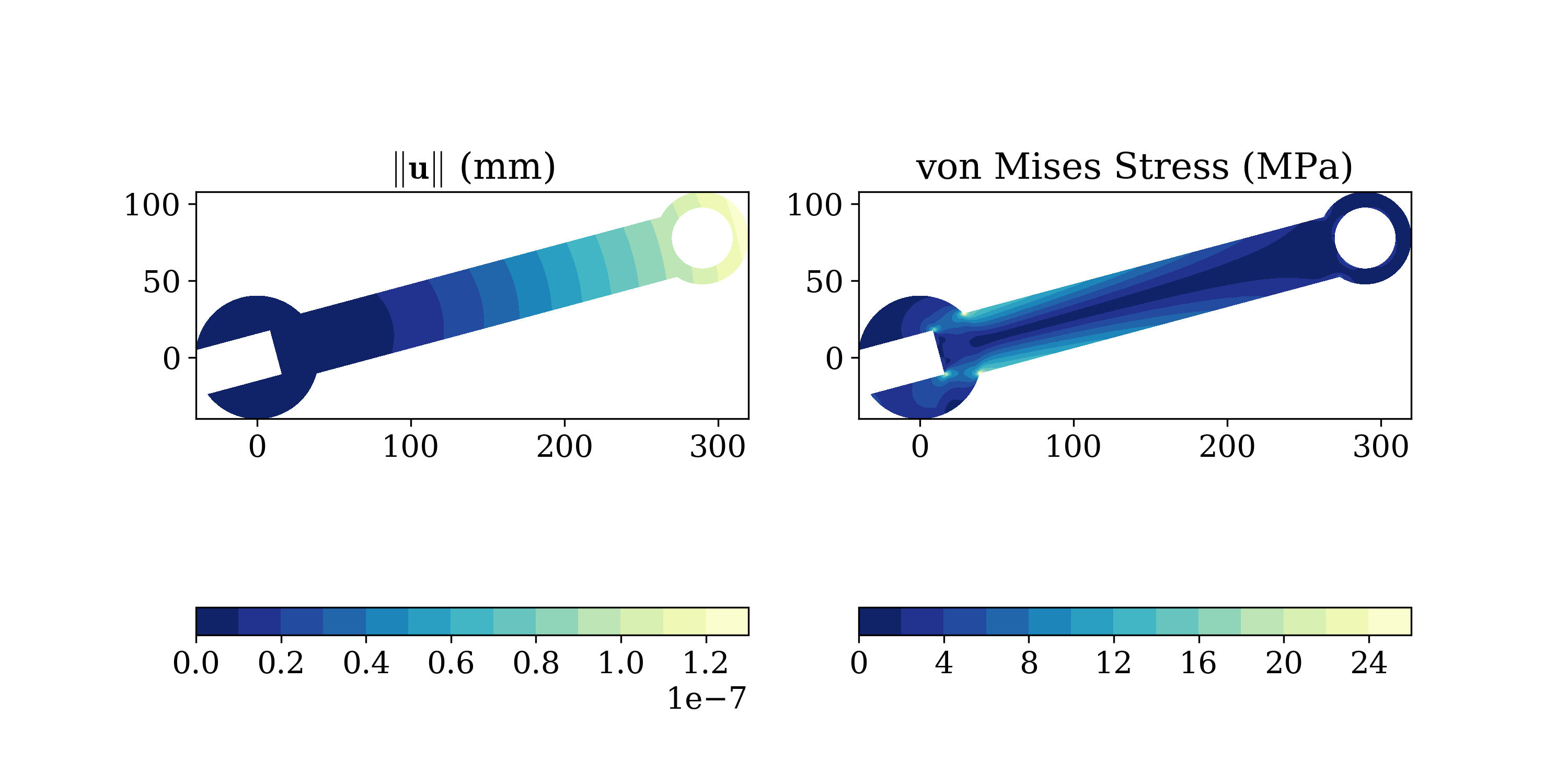
A simple finite element analysis code for 2D elasticity problems. The code uses as input simple-to-create text files defining a model in terms of nodal, element, material and load data.
Documentation: http://solidspy.readthedocs.io
Free and open source software: MIT license
Features
It is based on an open-source environment.
It is easy to use.
The code allows to find displacement, strain and stress solutions for arbitrary two-dimensional domains discretized into finite elements and subject to point loads.
The code is organized in independent modules for pre-processing, assembly and post-processing allowing the user to easily modify it or add features like new elements or analyses pipelines.
It was created with academic purposes and is used to teach:
IC0285 Computational Modeling (Universidad EAFIT).
IC0602 Introduction to the Finite Element Methods (Universidad EAFIT).
Installation
The code is written in Python and it depends on numpy, scipy and sympy. It has been tested under Windows, Mac, Linux and Android.
To install SolidsPy open a terminal and type:
pip install solidspy
To specify through a GUI the folder where the input files are stored you will need to install easygui.
To easily generate the required SolidsPy text files out of a Gmsh model you will need meshio.
These two can be installed with:
pip install easygui
pip install meshio
How to run a simple model
For further explanation check the docs.
Let’s suppose that we have a simple model represented by the following files (see tutorials/square example for further explanation).
nodes.txt
0  0.00  0.00   0  -1
1  2.00  0.00   0  -1
2  2.00  2.00   0   0
3  0.00  2.00   0   0
4  1.00  0.00  -1  -1
5  2.00  1.00   0   0
6  1.00  2.00   0   0
7  0.00  1.00   0   0
8  1.00  1.00   0   0
eles.txt
0   1   0   0   4   8   7
1   1   0   4   1   5   8
2   1   0   7   8   6   3
3   1   0   8   5   2   6
mater.txt
1.0 0.3
loads.txt
3  0.0  1.0
6  0.0  2.0
2  0.0  1.0
Run it in Python as follows:
import matplotlib.pyplot as plt  # load matplotlib
from solidspy import solids_GUI  # import our package
disp = solids_GUI()  # run the Finite Element Analysis
plt.show()    # plot contours
This would not work properly in Anaconda for Mac OS. In that case is suggested to use an IPython console to run the example.
License
This project is licensed under the MIT license. The documents are licensed under Creative Commons Attribution License.
Citation
To cite SolidsPy in publications use
Juan Gómez, Nicolás Guarín-Zapata (2018). SolidsPy: 2D-Finite Element Analysis with Python, <https://github.com/AppliedMechanics-EAFIT/SolidsPy>.
A BibTeX entry for LaTeX users is
@software{solidspy,
 title = {SolidsPy: 2D-Finite Element Analysis with Python},
 author = {Gómez, Juan and Guarín-Zapata, Nicolás},
 year = 2018,
 keywords = {Python, Finite elements, Scientific computing, Computational mechanics},
 abstract = {SolidsPy is a simple finite element analysis code for
   2D elasticity problems. The code uses as input simple-to-create text
   files defining a model in terms of nodal, element, material and
   load data.},
 url = {https://github.com/AppliedMechanics-EAFIT/SolidsPy}
}Release history Release notifications | RSS feed


Download files
Download the file for your platform. If you're not sure which to choose, learn more about installing packages.
Source Distributions
Built Distribution
Filter files by name, interpreter, ABI, and platform.
If you're not sure about the file name format, learn more about wheel file names.
Copy a direct link to the current filters
File details
Details for the file solidspy-1.0.16-py2.py3-none-any.whl.
File metadata
- Download URL: solidspy-1.0.16-py2.py3-none-any.whl
- Upload date:
- Size: 21.8 kB
- Tags: Python 2, Python 3
- Uploaded using Trusted Publishing? No
File hashes
| Algorithm | Hash digest | |
|---|---|---|
| SHA256 |
6c3df5f7b3b9eded3b1e2ff331c9b1884e844104ffba6d2b66a2480ee108f5ce
|
|
| MD5 |
fce4a74bc5a0f01dc23c712ce333bf68
|
|
| BLAKE2b-256 |
dbf22ff0f0738c0ed0a8f5296fb998af0d2b8ce06ed788a42e899a6c70f0a949
|






