
sphinxext-altair: Sphinx extension for embedding Altair charts


Project description
sphinxext-altair
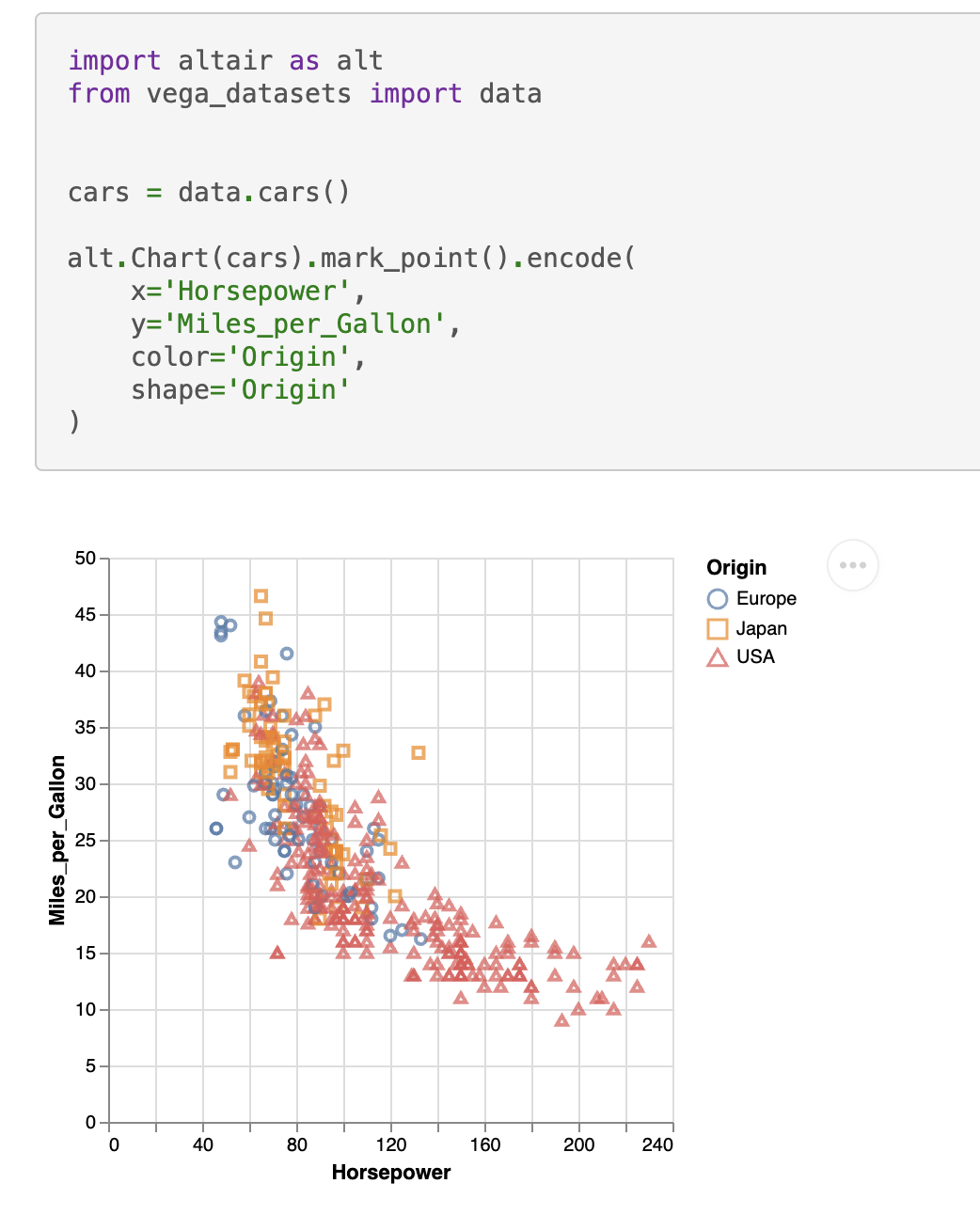
sphinxext-altair provides the directive altair-plot to insert live-rendered Altair plots within your Sphinx documentation:
    .. altair-plot::
        import altair as alt
        from vega_datasets import data


        cars = data.cars()

        alt.Chart(cars).mark_point().encode(
            x='Horsepower',
            y='Miles_per_Gallon',
            color='Origin',
            shape='Origin'
        )
You can enable the extension by adding it to your conf.py:
extensions = [
    ...
    "sphinxext_altair.altairplot",
    ...
]
You can find all available options in the docstring of sphinxext_altair/altairplot.py. For more examples on how to use this extension, see the test Sphinx documentation in tests/roots/test-altairplot or the official Altair documentation.
You can install the extension with:
pip install sphinxext-altair
Contributing
It's recommended to use a virtual environment for development:
python -m venv .venv
# Install the project in editable mode including development dependencies
pip install -e '.[dev]'
sphinxext-altair uses black for code formatting, mypy for static type checking, ruff for various linting rules, and pytest for testing. All these tools can be executed by running:
hatch run test
As part of those tests, a Sphinx documentation is built at tests/roots/test-altairplot. You can manually build this documentation and view it which is very useful during development of a new feature. For example, if you want to add a new option to the altair-plot directive, you can add another example in the file tests/roots/test-altairplot/index.rst and then build and view the documentation by running:
hatch run build-test-docs
hatch run serve-test-docs
The test documentation can now be viewed at http://localhost:8000.
Release history Release notifications | RSS feed


Download files
Download the file for your platform. If you're not sure which to choose, learn more about installing packages.
Source Distribution
Built Distribution
Filter files by name, interpreter, ABI, and platform.
If you're not sure about the file name format, learn more about wheel file names.
Copy a direct link to the current filters
File details
Details for the file sphinxext_altair-0.1.1.tar.gz.
File metadata
- Download URL: sphinxext_altair-0.1.1.tar.gz
- Upload date:
- Size: 8.6 kB
- Tags: Source
- Uploaded using Trusted Publishing? No
- Uploaded via: python-httpx/0.24.0
File hashes
| Algorithm | Hash digest | |
|---|---|---|
| SHA256 |
8d20ee3ec93ca00515a4249f43d2f1056d7fc6630aa122c8110d435a601dddfd
|
|
| MD5 |
082e32352103c8ee0c34cd8452400b57
|
|
| BLAKE2b-256 |
88c6f0d9a0be818b9bf6afe35a4ebd8ff423b6576d78c3d8f192ec3673f6b087
|
File details
Details for the file sphinxext_altair-0.1.1-py3-none-any.whl.
File metadata
- Download URL: sphinxext_altair-0.1.1-py3-none-any.whl
- Upload date:
- Size: 7.8 kB
- Tags: Python 3
- Uploaded using Trusted Publishing? No
- Uploaded via: python-httpx/0.24.0
File hashes
| Algorithm | Hash digest | |
|---|---|---|
| SHA256 |
d66d74f073b6d987b61e6feead0715e3758066bc3c4bf6da128ddd2377c3405c
|
|
| MD5 |
388a481dac948424ba1ad382192e4885
|
|
| BLAKE2b-256 |
5b8df56ee736de2e5deb18cea6045d76cc178682deeb7a57520aebbf13da096b
|






