
Visualize Python profiles in the browser

Project description

Performance analysis for Python.





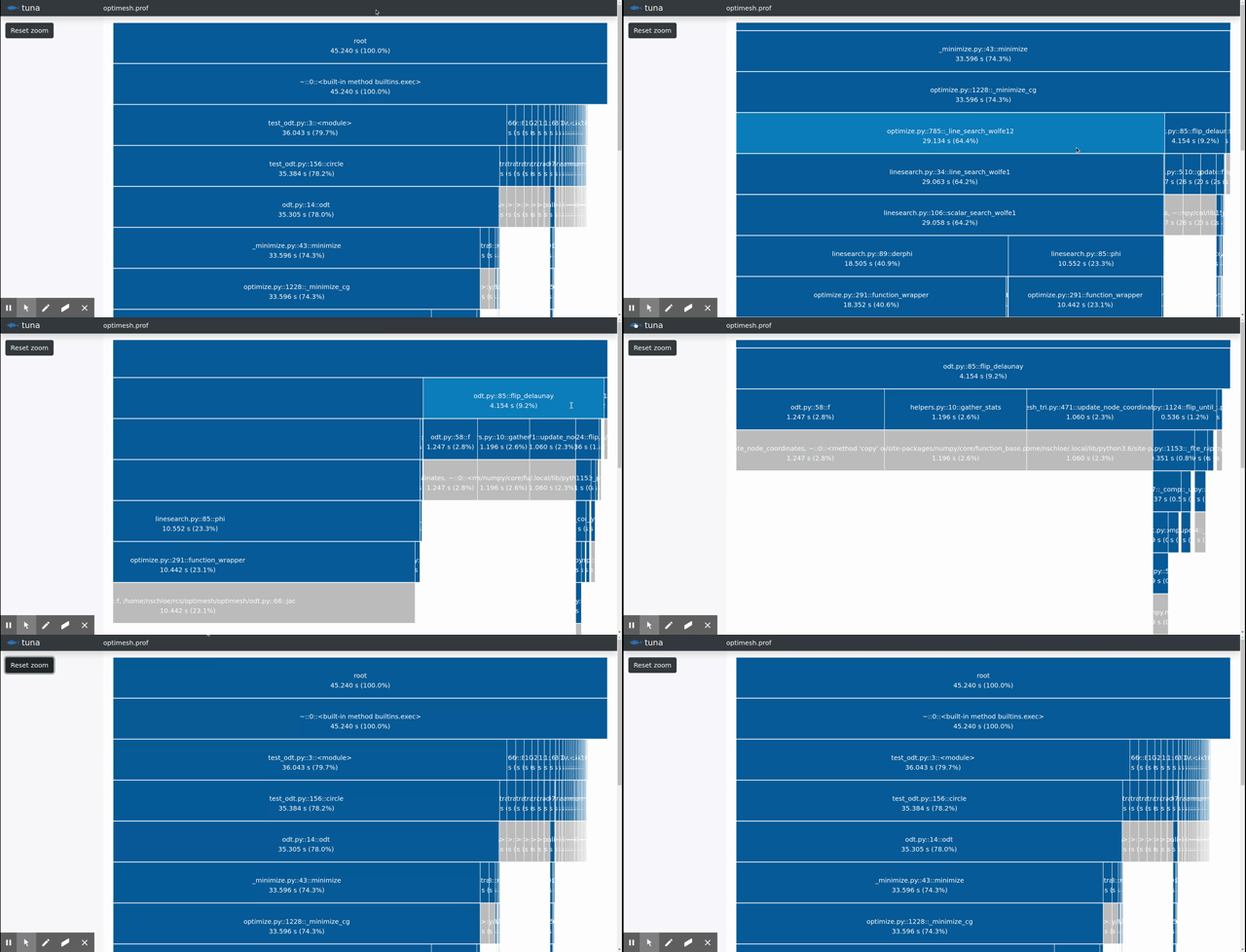
tuna is a modern, lightweight Python profile viewer inspired by the amazing SnakeViz. It handles runtime and import profiles, has zero dependencies, uses d3 and bootstrap, and avoids certain errors present in SnakeViz.
Create a runtime profile with
python -mcProfile -o program.prof yourfile.py
or an import profile with
python -X importtime yourfile.py 2> import.log
and show it with
tuna program.prof
Why tuna doesn't show the whole call tree
The whole timed call tree cannot be retrieved from profile data. Python developers made the decision to only store parent data in profiles because it can be computed with little overhead. To illustrate, consider the following program.
import time


def a(t0, t1):
    c(t0)
    d(t1)
    return


def b():
    return a(1, 4)


def c(t):
    time.sleep(t)
    return


def d(t):
    time.sleep(t)
    return


if __name__ == "__main__":
    a(4, 1)
    b()
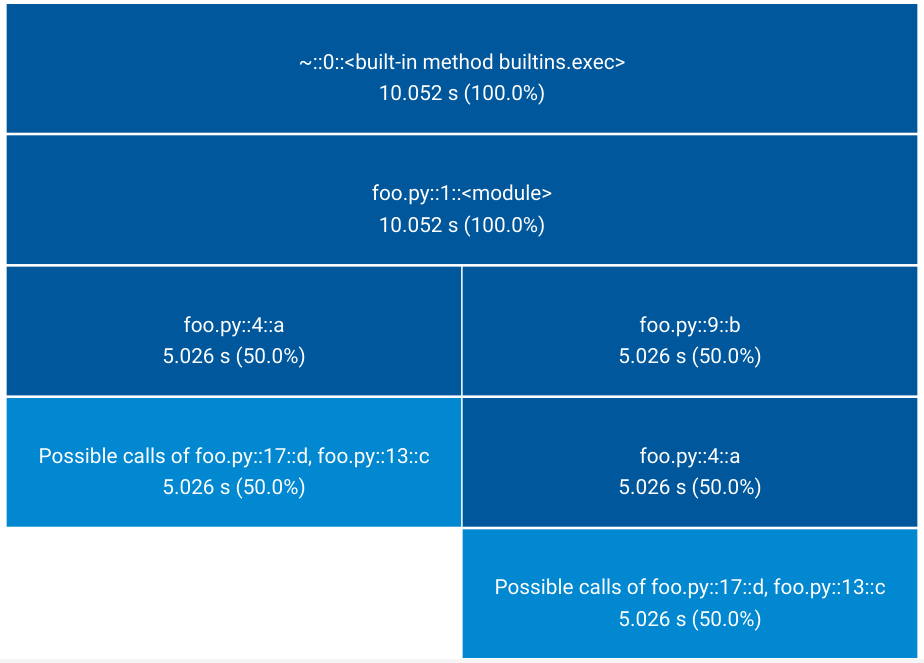
The root process (__main__) calls a() which spends 4 seconds in c() and 1 second
in d(). __main__ also calls b() which calls a(), this time spending 1 second in
c() and 4 seconds in d(). The profile, however, will only store that c() spent a
total of 5 seconds when called from a(), and likewise d(). The information that the
program spent more time in c() when called in root -> a() -> c() than when called in
root -> b() -> a() -> c() is not present in the profile.
tuna only displays the part of the timed call tree that can be deduced from the profile:
Installation
tuna is available from the Python Package Index, so simply type
pip3 install tuna --user --upgrade
to install or upgrade.
Testing
To run the tuna unit tests, check out this repository and type
pytest
License
tuna is published under the MIT license.
Release history Release notifications | RSS feed


Download files
Download the file for your platform. If you're not sure which to choose, learn more about installing packages.
Source Distribution
Built Distribution
Filter files by name, interpreter, ABI, and platform.
If you're not sure about the file name format, learn more about wheel file names.
Copy a direct link to the current filters
File details
Details for the file tuna-0.3.1.tar.gz.
File metadata
- Download URL: tuna-0.3.1.tar.gz
- Upload date:
- Size: 123.7 kB
- Tags: Source
- Uploaded using Trusted Publishing? No
- Uploaded via: twine/1.13.0 pkginfo/1.5.0.1 requests/2.22.0 setuptools/41.2.0 requests-toolbelt/0.9.1 tqdm/4.35.0 CPython/3.7.4
File hashes
| Algorithm | Hash digest | |
|---|---|---|
| SHA256 |
761504ef63bacf123692630680c46e44ed9392dc5781f3e84fcb208960e5ffc1
|
|
| MD5 |
d32ed95f196c337f21accbbed9d285bf
|
|
| BLAKE2b-256 |
44adef1fc4879b830bb1aee2cfb522750668ddd9655932365f50ef32bac1cbac
|
File details
Details for the file tuna-0.3.1-py3-none-any.whl.
File metadata
- Download URL: tuna-0.3.1-py3-none-any.whl
- Upload date:
- Size: 123.5 kB
- Tags: Python 3
- Uploaded using Trusted Publishing? No
- Uploaded via: twine/1.13.0 pkginfo/1.5.0.1 requests/2.22.0 setuptools/41.2.0 requests-toolbelt/0.9.1 tqdm/4.35.0 CPython/3.7.4
File hashes
| Algorithm | Hash digest | |
|---|---|---|
| SHA256 |
643b3facaafabcfe7431c58d871d0d93ff75180b30d467dd43e6a4fdb7dc9c26
|
|
| MD5 |
f88e7c75434f69604736d009f679c655
|
|
| BLAKE2b-256 |
b18e23afea1d6aa9cc4f811e7f0f0ca04abcd0a78487eba7b2b8ca97c533482f
|






