
Build autonomous agents, retrieval augmented generation (RAG) processes and language model powered chat applications

Project description

Local chat assistants with AI superpowers
txtchat helps you build your own local chat assistants with AI superpowers.
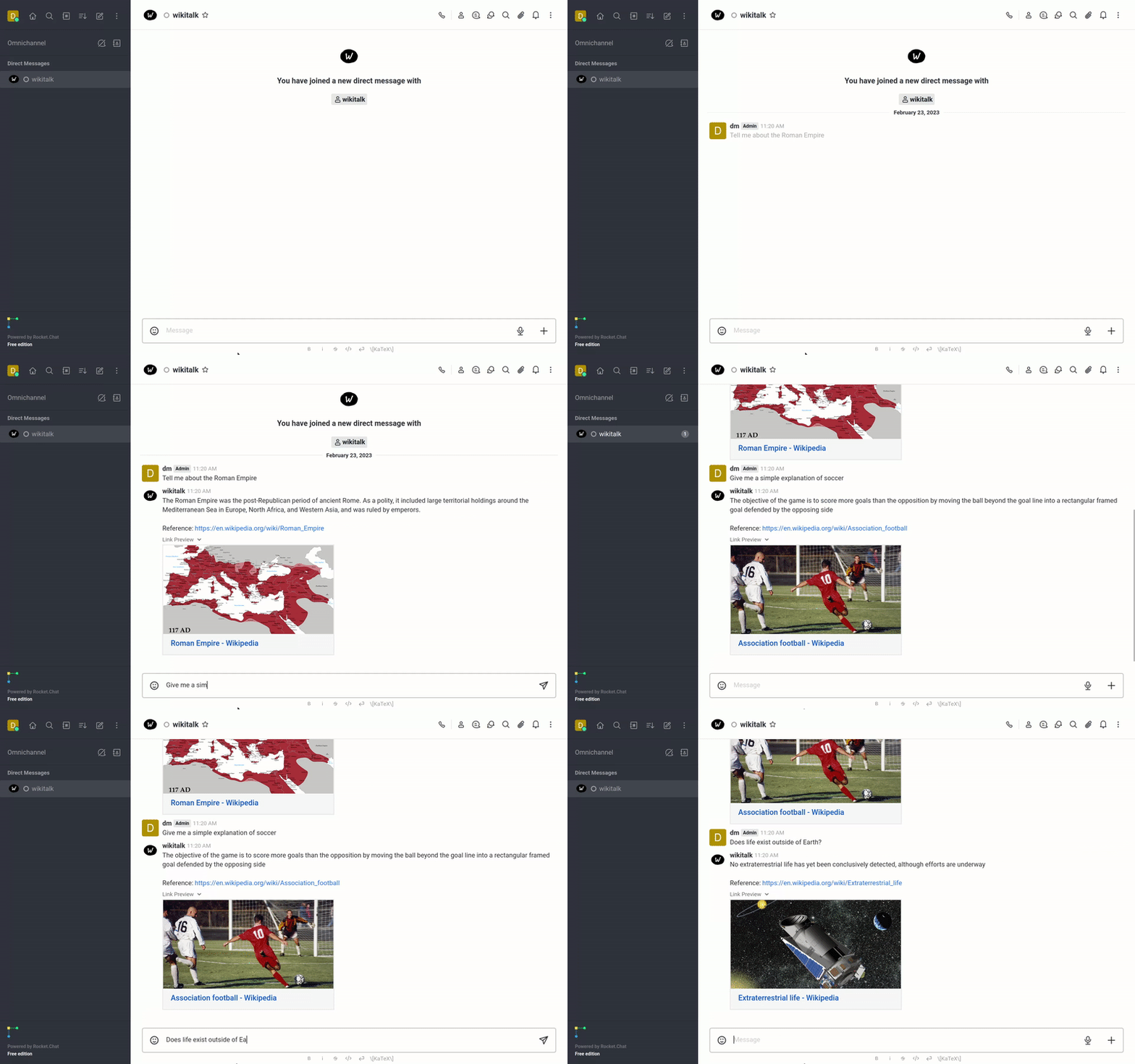
The advent of large language models (LLMs) has pushed us to reimagine how we work. We can now do much more than just manually searching for answers, processing each result and then executing our tasks. Agents are like ⚡superpowered⚡ versions of ourselves that can find information, digest it and make decisions exponentially faster than ever before.
txtchat adds a set of intelligent agents that are available to integrate with messaging platforms. These agents or personas are associated with an automated account and respond to messages with AI-powered responses. Workflows can use large language models (LLMs), small models or both.
txtchat is built with Python 3.10+ and txtai.
Installation
The easiest way to install is via pip and PyPI
pip install txtchat
You can also install txtchat directly from GitHub. Using a Python Virtual Environment is recommended.
pip install git+https://github.com/neuml/txtchat
Python 3.10+ is supported
See this link to help resolve environment-specific install issues.
Messaging platforms
txtchat is designed to support any messaging platform. The following platforms currently have providers, select a quickstart link for the platform of your choice to get started with a local install.
Extending txtchat to additional platforms only needs a new Chat subclass for that platform.
Architecture
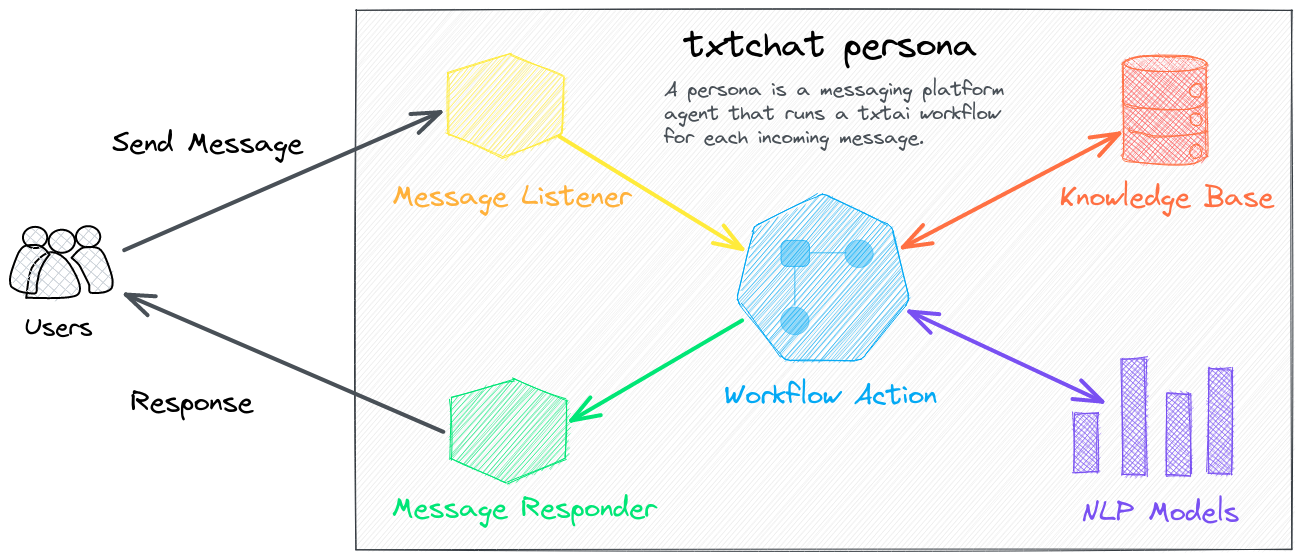
A persona is a combination of a chat agent and workflow that determines the type of responses. Each agent is tied to an account in the messaging platform. Persona workflows are messaging-platform agnostic. The txtchat-persona repository has a list of standard persona workflows.
- Agent: Agent with connections to the web
- Wikitalk: Retrieval Augmented Generation (RAG) with Wikipedia
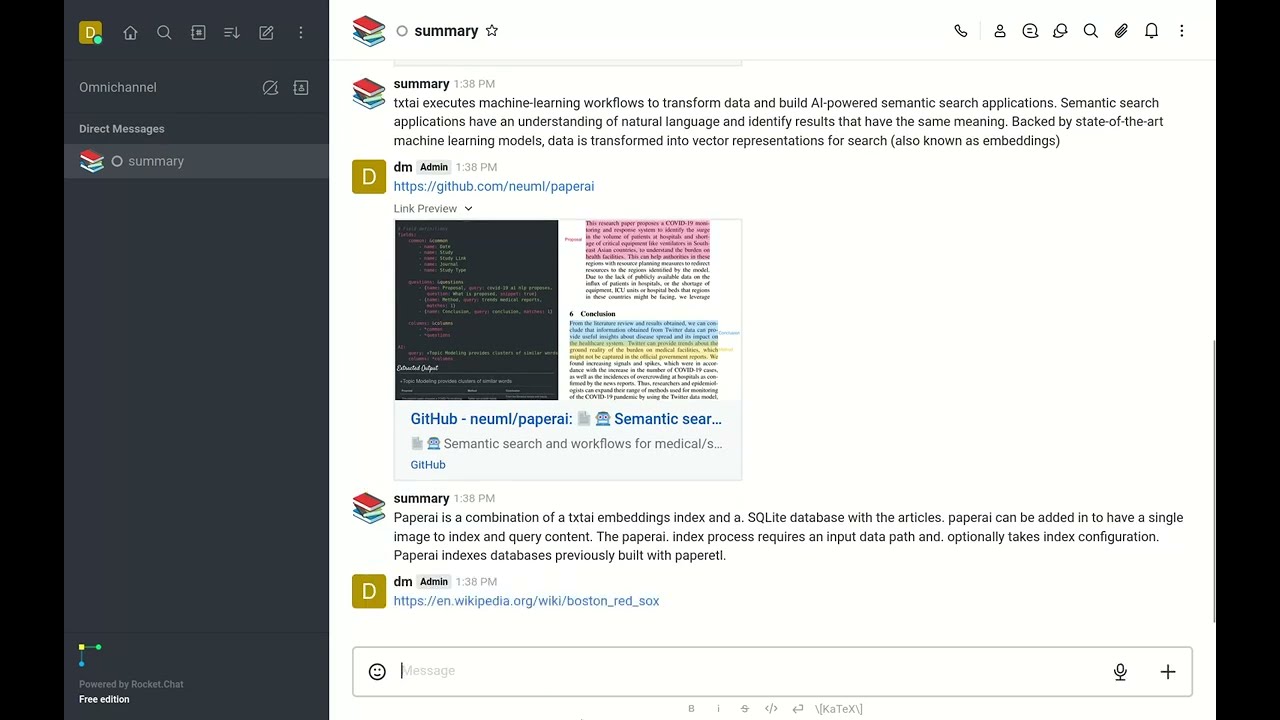
- Summary: Reads input URLs and summarizes the text
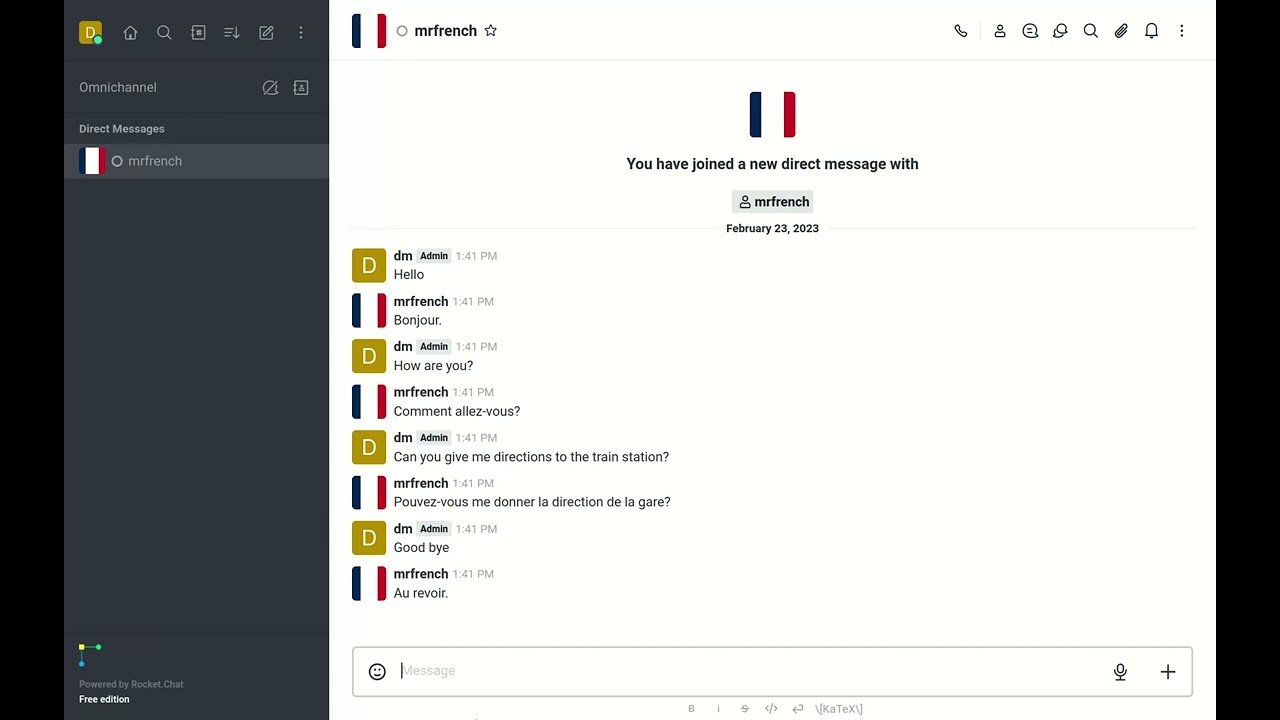
- Mr. French: Translates input text into French
The following command shows how to start a txtchat persona with Rocket.Chat.
# Set to server URL, this is the default when running local
export AGENT_URL=http://localhost:3000
export AGENT_USERNAME=<Rocket Chat User>
export AGENT_PASSWORD=<Rocket Chat User Password>

# YAML is loaded from Hugging Face Hub, can also reference local path
python -m txtchat.agent agent.yml
or with Mattermost.
# Set to server URL, this is the default when running local
export AGENT_URL=http://localhost:3000
export AGENT_TOKEN=<Account Token>
export AGENT_PROVIDER=mattermost

python -m txtchat.agent agent.yml
Want to add a new persona? Simply create a txtai app and save it to a YAML file.
Examples
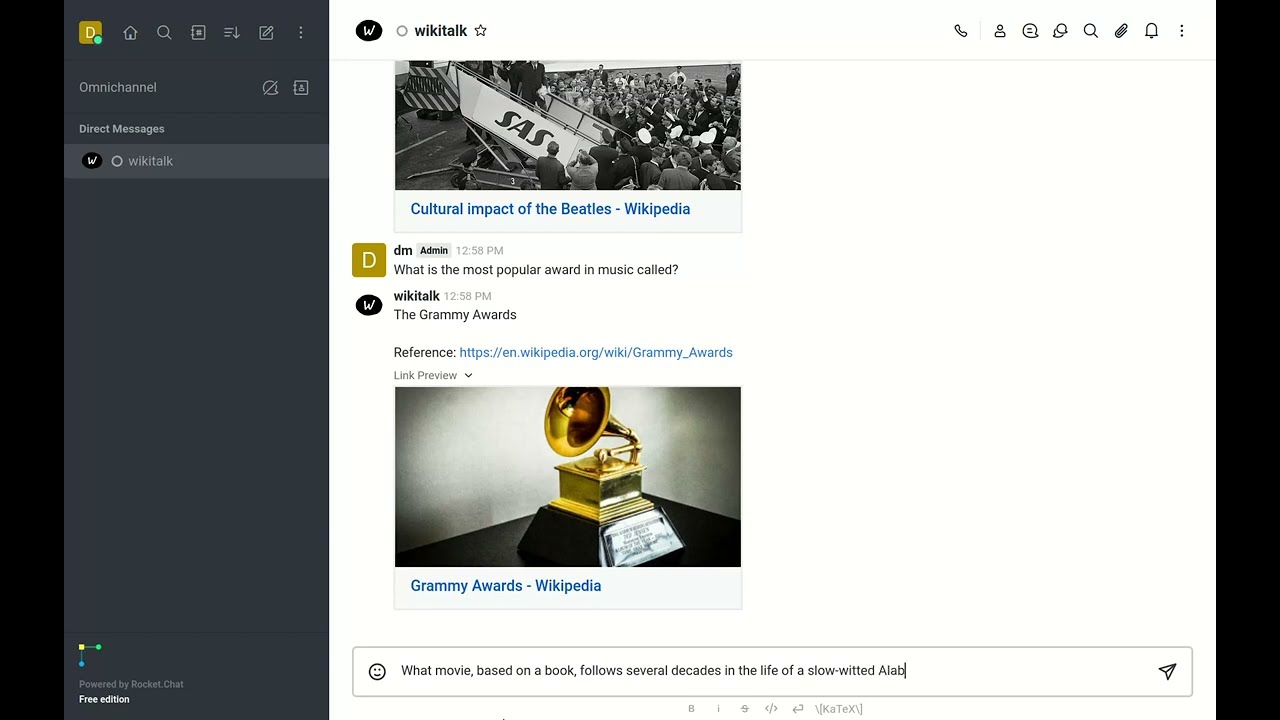
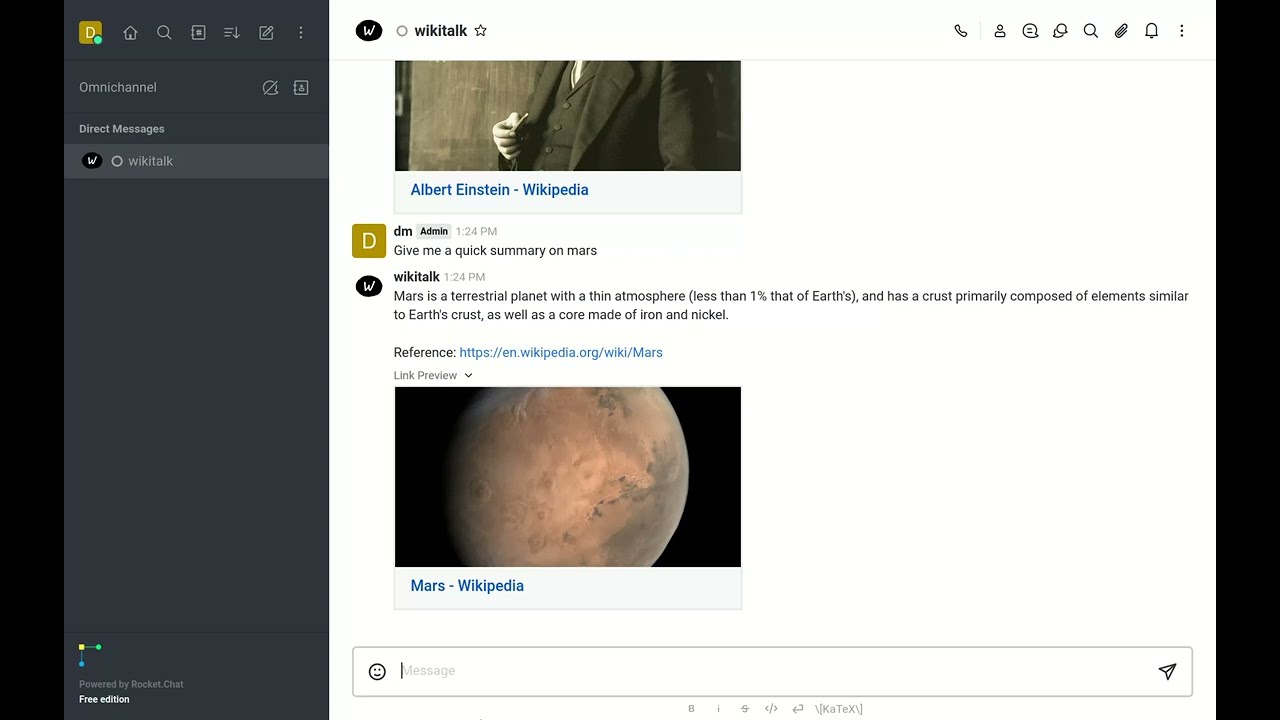
The following is a list of YouTube videos that shows how txtchat works. These videos run a series of queries with the Wikitalk persona. Wikitalk is a combination of a Wikipedia embeddings index and a LLM prompt to answer questions.
Every answer shows an associated reference with where the data came from. Wikitalk will say "I don't have data on that" when it doesn't have an answer.
History
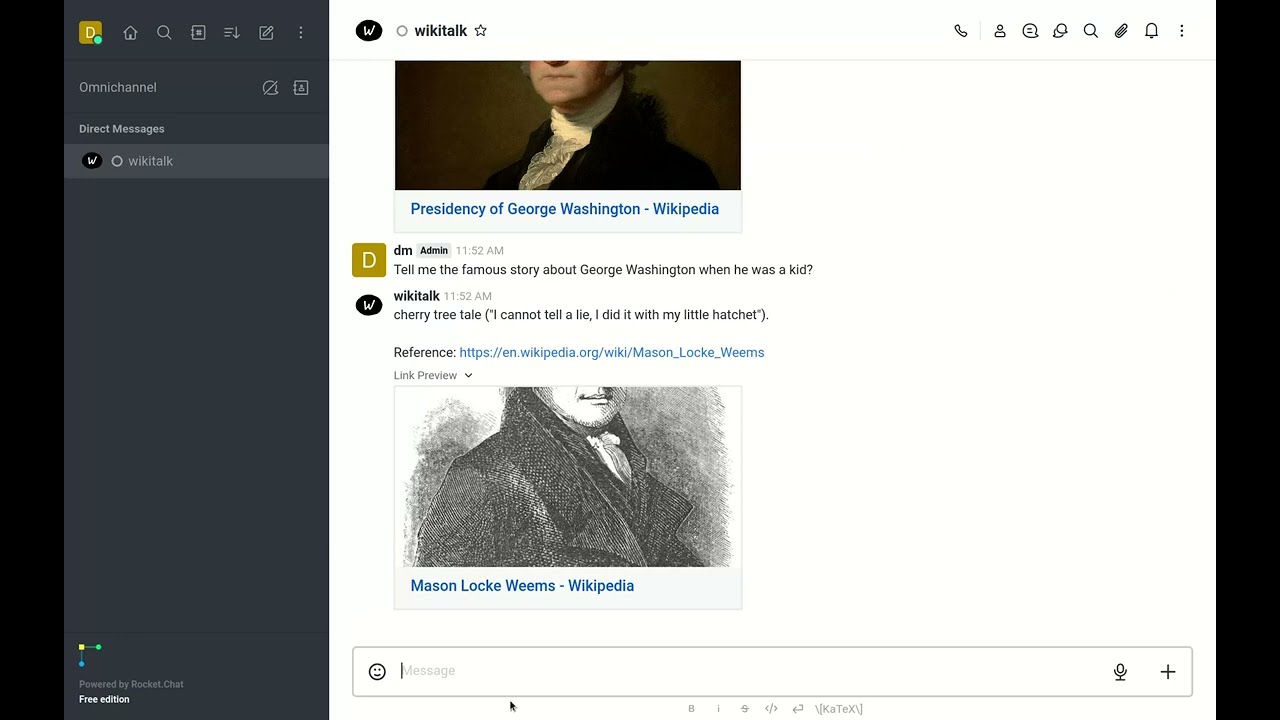
Conversation with Wikitalk about history.
Sports
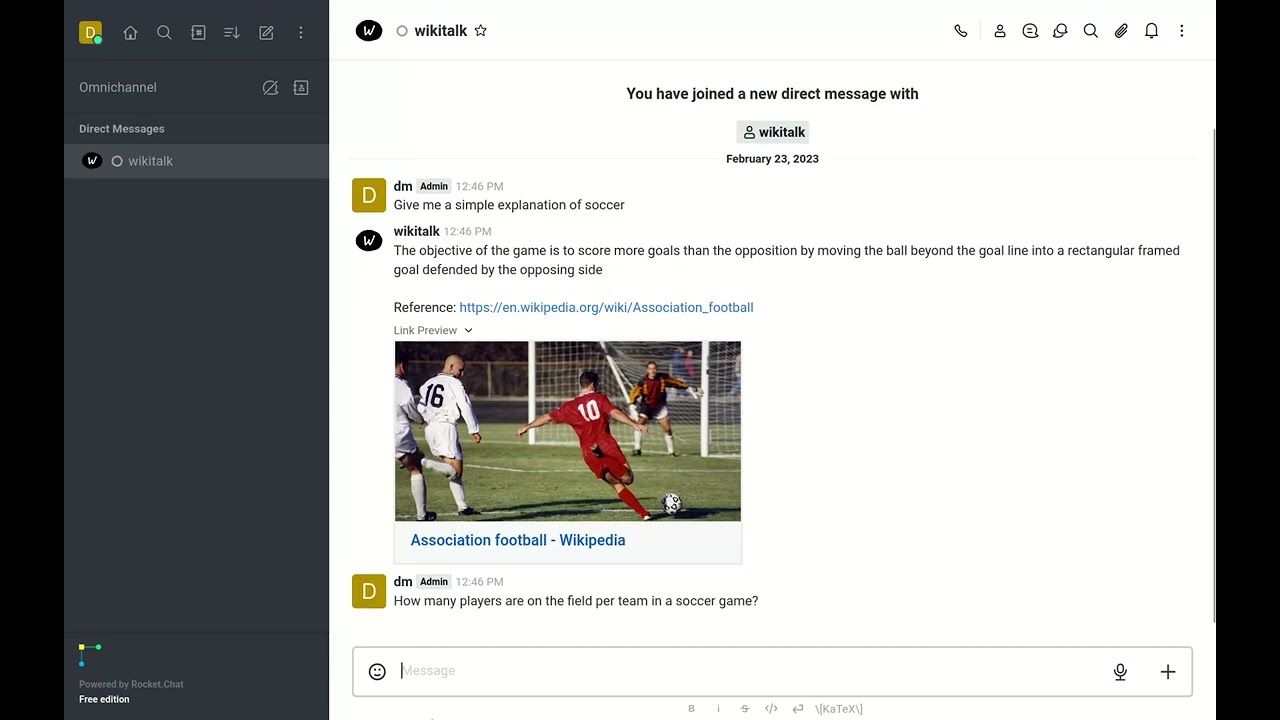
Talk about sports.
Culture
Arts and culture questions.
Science
Let's quiz Wikitalk on science.
Summary
Not all workflows need a LLM. There are plenty of great small models available to perform a specific task. The Summary persona simply reads the input URL and summarizes the text.
Mr. French
Like the summary persona, Mr. French is a simple persona that translates input text to French.
Connect your own data
Want to connect txtchat to your own data? All that you need to do is create a txtai workflow. Let's run through an example of building a Hacker News indexing workflow and a txtchat persona.
First, we'll define the indexing workflow and build the index. This is done with a workflow for convenience. Alternatively it could be a Python program that builds an embeddings index from your dataset. There are over 50 example notebooks covering a wide range of ways to get data into txtai. There are also example workflows that can be downloaded from in this Hugging Face Space.
path: /tmp/hn
embeddings:
  path: sentence-transformers/all-MiniLM-L6-v2
  content: true
tabular:
  idcolumn: url
  textcolumns:
  - title
workflow:
  index:
    tasks:
    - batch: false
      extract:
      - hits
      method: get
      params:
        tags: null
      task: service
      url: https://hn.algolia.com/api/v1/search?hitsPerPage=50
    - action: tabular
    - action: index
writable: true
This workflow parses the Hacker News front page feed and builds an embeddings index at the path /tmp/hn.
Run the workflow with the following.
from txtai.app import Application

app = Application("index.yml")
list(app.workflow("index", ["front_page"]))
Now we'll define the chat workflow and run it as an agent.
path: /tmp/hn
writable: false

rag:
  path: Qwen/Qwen3-14B-AWQ
  output: flatten
  system: You are a friendly assistant. You answer questions from users.
  template: |
    Answer the following question using only the context below. Only include information
    specifically discussed.

    question: {question}
    context: {context}

workflow:
  search:
    tasks:
      - rag
python -m txtchat.agent query.yml
Let's talk to Hacker News!
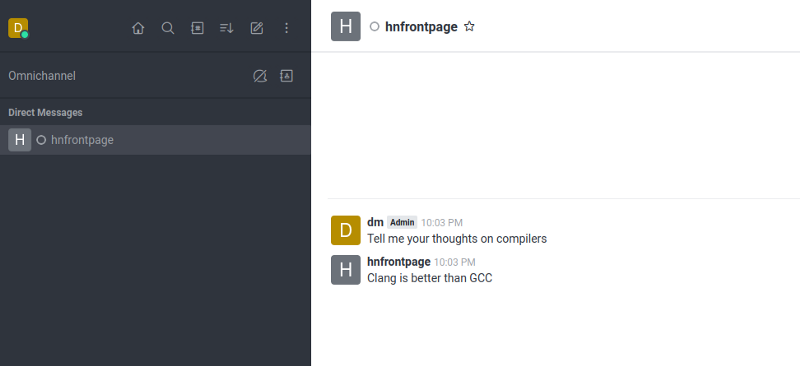
As you can see, Hacker News is a highly opinionated data source!
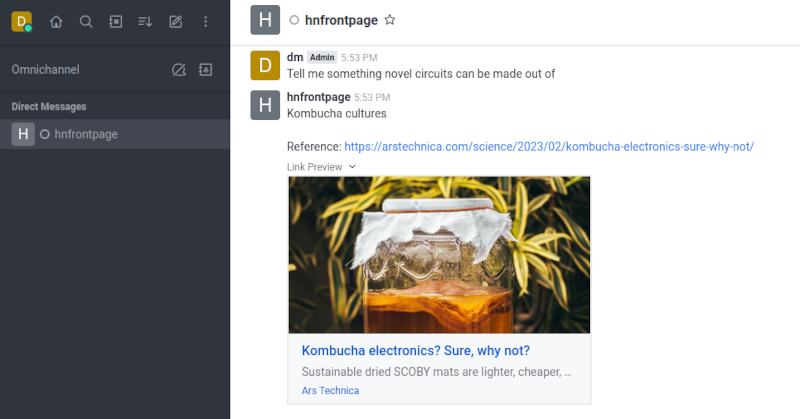
Getting answers is nice but being able to have answers with where they came from is nicer. Let's build a workflow that adds a reference link to each answer.
path: /tmp/hn
writable: false

rag:
  path: Qwen/Qwen3-14B-AWQ
  output: reference
  system: You are a friendly assistant. You answer questions from users.
  template: |
    Answer the following question using only the context below. Only include information
    specifically discussed.

    question: {question}
    context: {context}

workflow:
  search:
    tasks:
      - rag
      - task: template
        template: "{answer}\nReference: {reference}"
Further Reading


Download files
Download the file for your platform. If you're not sure which to choose, learn more about installing packages.
Source Distribution
Built Distribution
Filter files by name, interpreter, ABI, and platform.
If you're not sure about the file name format, learn more about wheel file names.
Copy a direct link to the current filters
File details
Details for the file txtchat-0.4.0.tar.gz.
File metadata
- Download URL: txtchat-0.4.0.tar.gz
- Upload date:
- Size: 18.7 kB
- Tags: Source
- Uploaded using Trusted Publishing? No
- Uploaded via: twine/6.1.0 CPython/3.10.19
File hashes
| Algorithm | Hash digest | |
|---|---|---|
| SHA256 |
c639ef2e48f3410e2a6d5094cdf00da6a5d5a8ba4d69866246a031a05ff98daa
|
|
| MD5 |
acec0f44baed28400408a97f9a1f173a
|
|
| BLAKE2b-256 |
072053fa6a94868482a6a7b4dace555a56cf5ab67bceab72a918e2b772f25a73
|
File details
Details for the file txtchat-0.4.0-py3-none-any.whl.
File metadata
- Download URL: txtchat-0.4.0-py3-none-any.whl
- Upload date:
- Size: 17.6 kB
- Tags: Python 3
- Uploaded using Trusted Publishing? No
- Uploaded via: twine/6.1.0 CPython/3.10.19
File hashes
| Algorithm | Hash digest | |
|---|---|---|
| SHA256 |
83f2d71fded7ff7bfde36276911fe51319ff558e9300b134d43f41b4f415f2d8
|
|
| MD5 |
1a0e84478e99ffcaf5ee506405288346
|
|
| BLAKE2b-256 |
ae006452a187981652974f36a2beea66590b14c8ee4f6e363d4cd092fa27f5ff
|






