
A diagram visualization extension for JupyterLab and Jupyter Notebooks powered by yFiles for HTML


Project description




A graph diagram visualization widget for Jupyter Notebooks and Labs powered by yFiles for HTML.
Easily visualize graphs from various sources: Networkx✅, igraph✅, neo4j✅, pygraphviz✅, and any structured Python dictionaries and lists. Many more formats supported indirectly via Networkx imports!
The widget is supported in the default Jupyter environments, but also in other environments like VS Code or Google Colab.
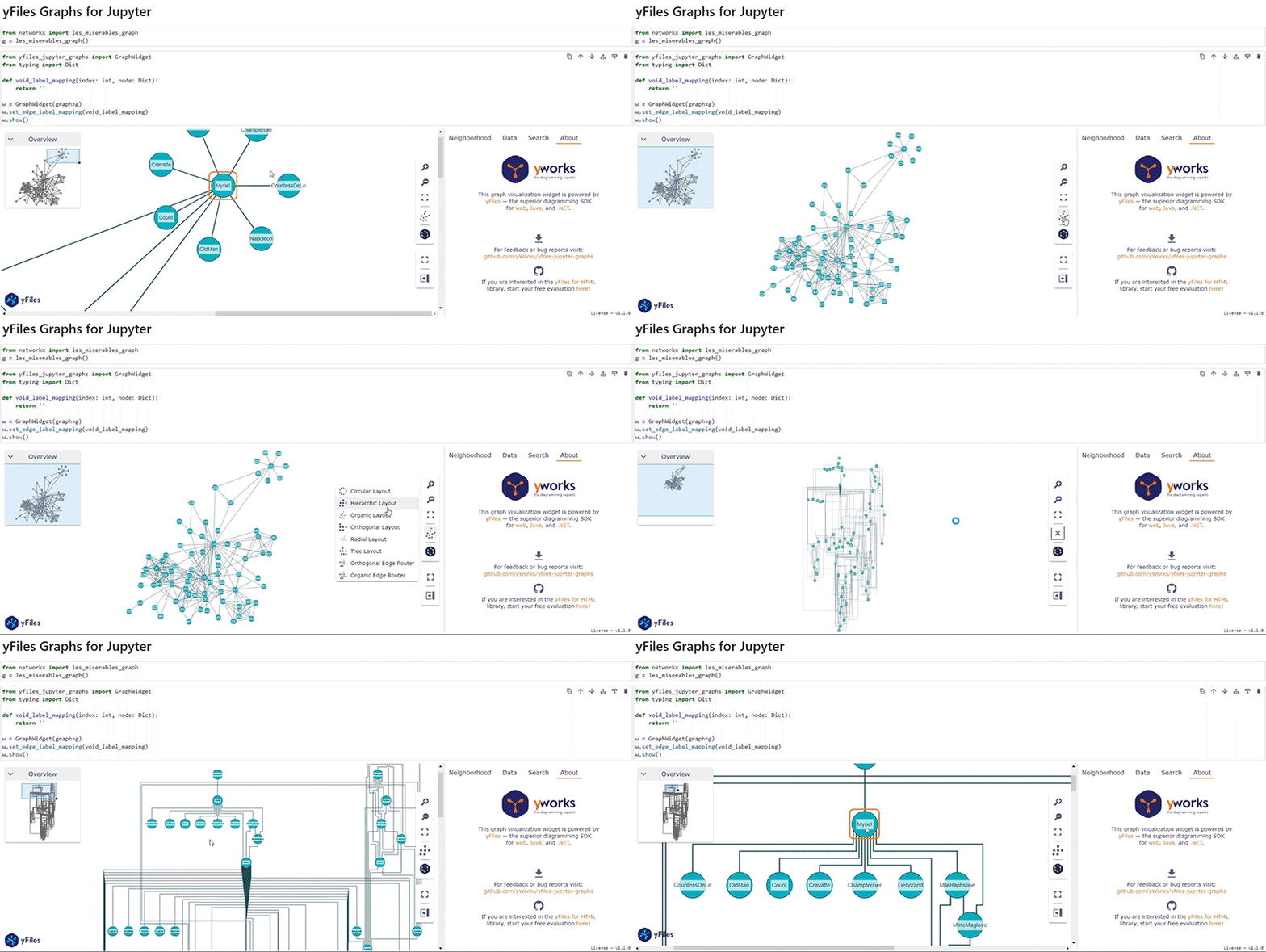
Try the Showcase notebook on Google Colab here. Or see the simple Introduction notebook.
yfiles-jupyter-graphs-for-neo4j
For working with Neo4j databases, we
built yfiles-jupyter-graphs-for-neo4j, an open-source
extension on top of yfiles-jupyter-graphs. This extension provides an easier Python interface for the
driver and allows direct configuration of data mappings depending on the label or type of the node or relationship.
So if you are planning to use the extension with Neo4j databases, consider using yfiles-jupyter-graphs-for-neo4j.
yfiles-jupyter-graphs-for-kuzu
For working with Kuzu databases, we
built yfiles-jupyter-graphs-for-kuzu, an open-source
extension on top of yfiles-jupyter-graphs. This extension provides a specifically tailored API for easier and more
domain specific usage in Kuzu databases (see Kuzu integration guide).
yfiles-jupyter-graphs-for-sparql
For working with RDF databases and SPARQL queries, we built
yfiles-jupyter-graphs-for-sparql, an open-source
extension on top of yfiles-jupyter-graphs. This extension provides a specifically tailored API for easier and more
domain specific usage in RDF databases with SPARQL.
Supported Environments
- JupyterLab or Jupyter Notebook
- Visual Studio Code
- Google Colaboratory
- Google Vertex AI Workbench
- Google Dataproc
- Azure Machine Learning Studio Notebooks
- Amazon SageMaker
- Kaggle
- Just try it in your preferred platform for Jupyter notebooks
Requirements
- python >= 3.6
- jupyter notebook or lab
- ipywidgets >= 7.6.0
Installation
If you already have Jupyter installed, just pip install the prebuilt extension from the Python Package Index.
pip install yfiles_jupyter_graphs
[!IMPORTANT]
To installyfiles_jupyter_graphsfrom within a Jupyter Notebook cell, use%pipinstead of!pipto ensure that it is installed in the correct Python environment.
If you want to start clean and get a fresh new Jupyter Lab with the widget readily installed and available, you can use docker, too:
From a shell, create a docker image that contains all that is required:
mkdir yfiles-jupyter && cd yfiles-jupyter
echo -e "FROM jupyter/scipy-notebook\nRUN pip install yfiles-jupyter-graphs" > Dockerfile
docker build -t yfiles-jupyter-graphs-on-docker .
(the above has been tested successfully with scipy-notebook:lab-3.4.7 and yfiles-jupyter-graphs==1.2.1), but we want to make sure that it will also work with upcoming versions - file an issue if it doesn't work for you!)
You can then create a fresh new instance of your server from this image like so:
docker run -it -p 8888:8888 --name yfiles-jupyter yfiles-jupyter-graphs-on-docker
Usage
In a notebook which has the widget installed in the server, in a Python cell, you can then do this:
"""Execute in jupyter notebook or jupyter lab"""
from yfiles_jupyter_graphs import GraphWidget
# shows empty widget
GraphWidget()
You can find the full documentation here.
Features
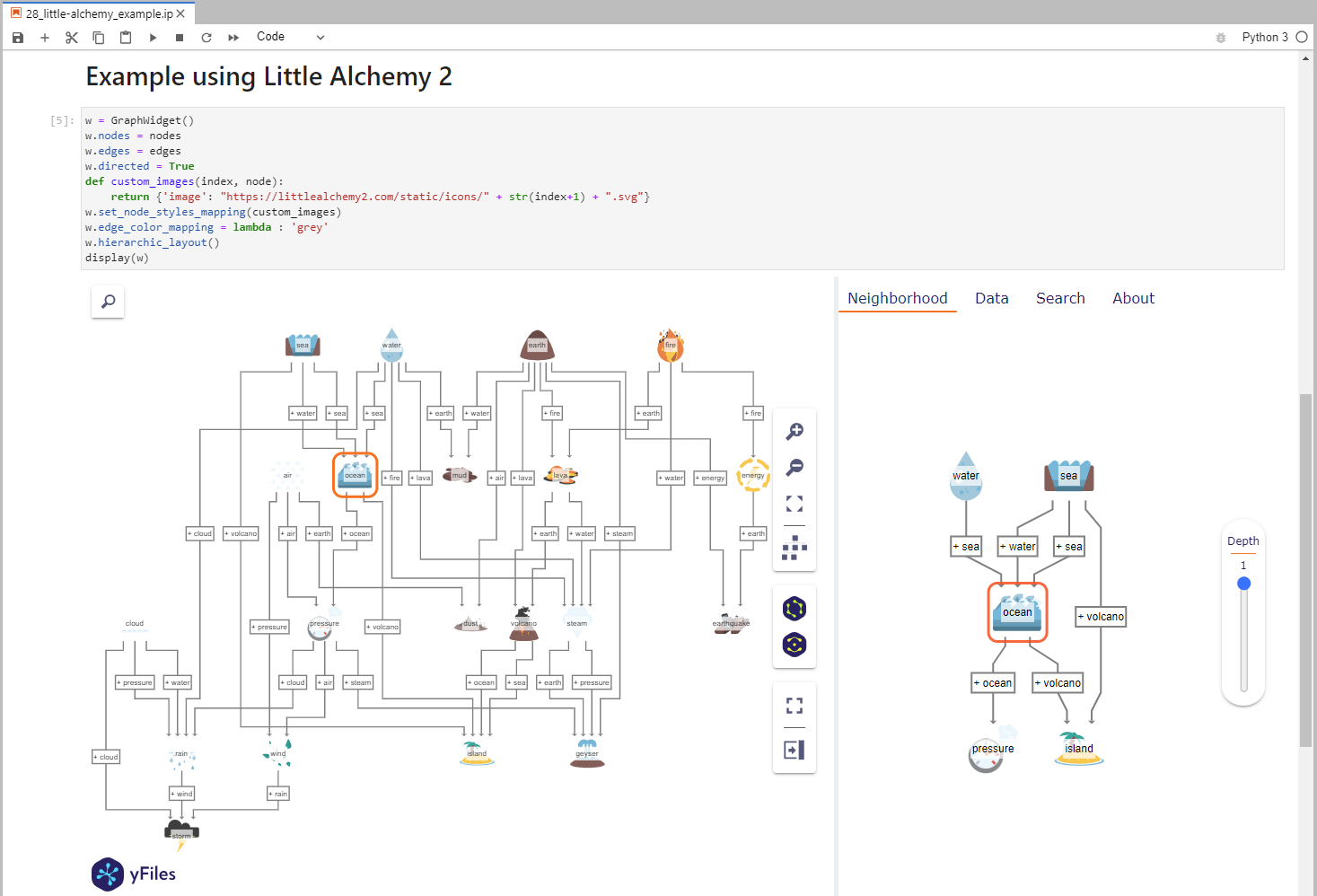

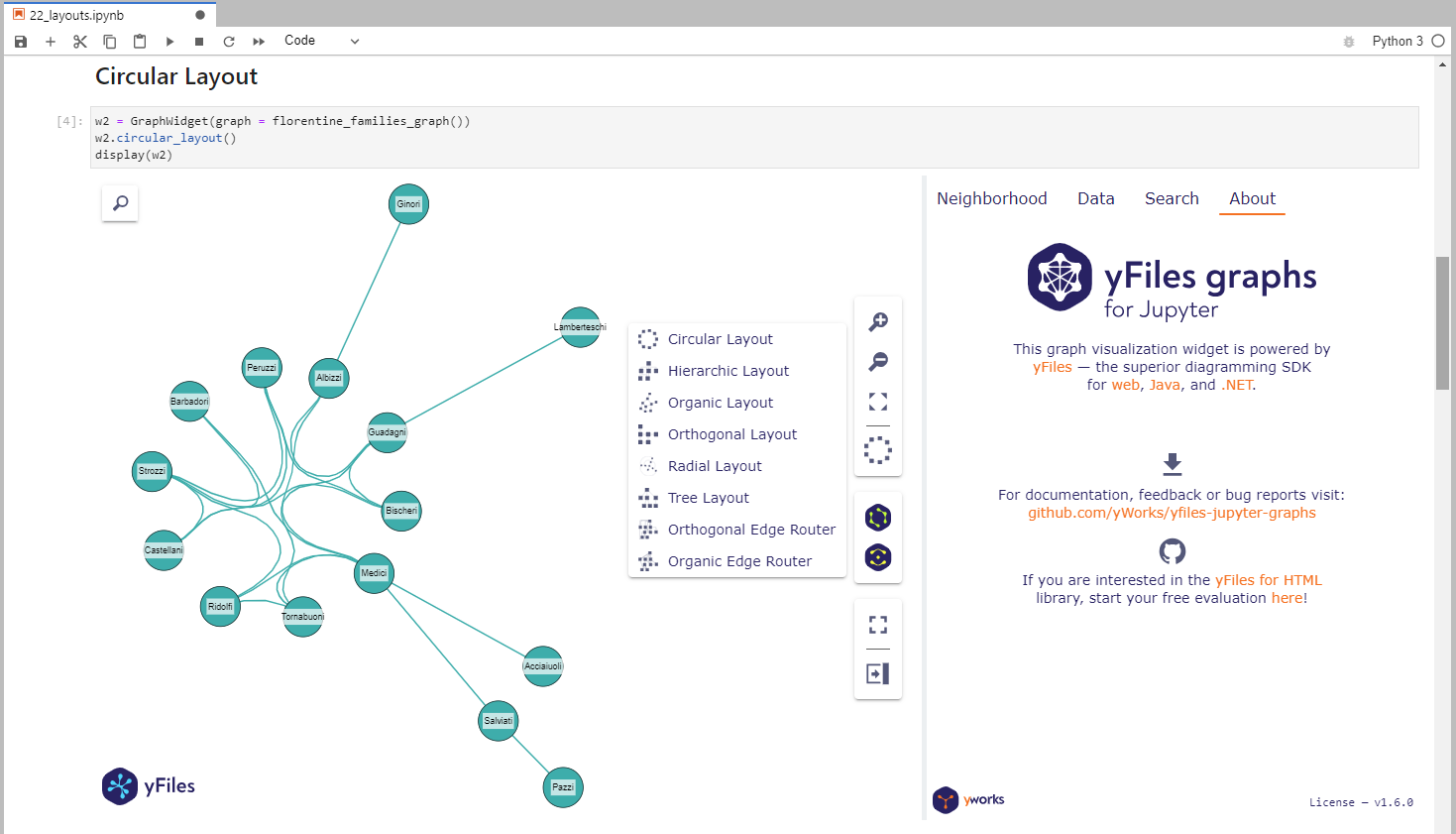
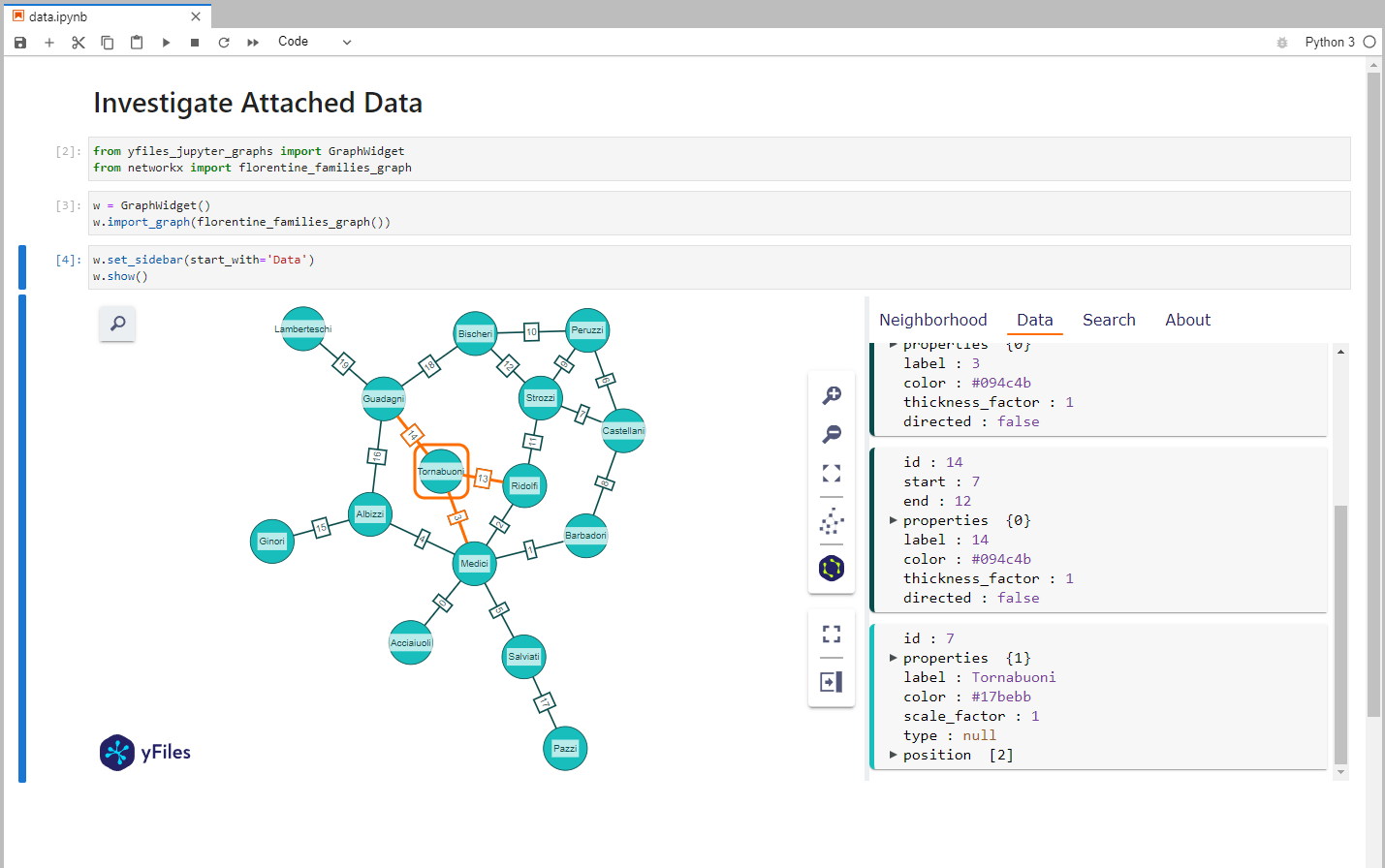
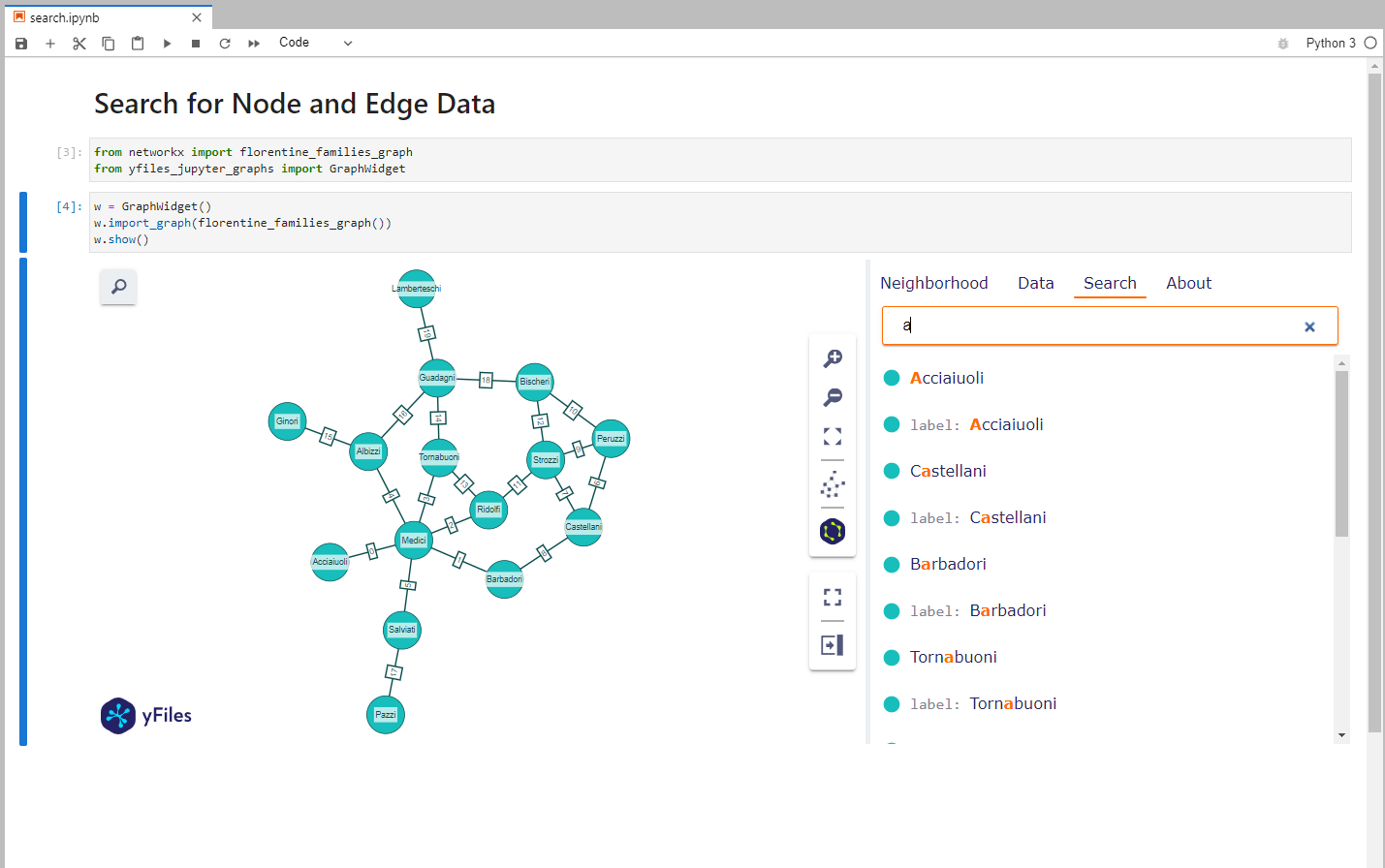
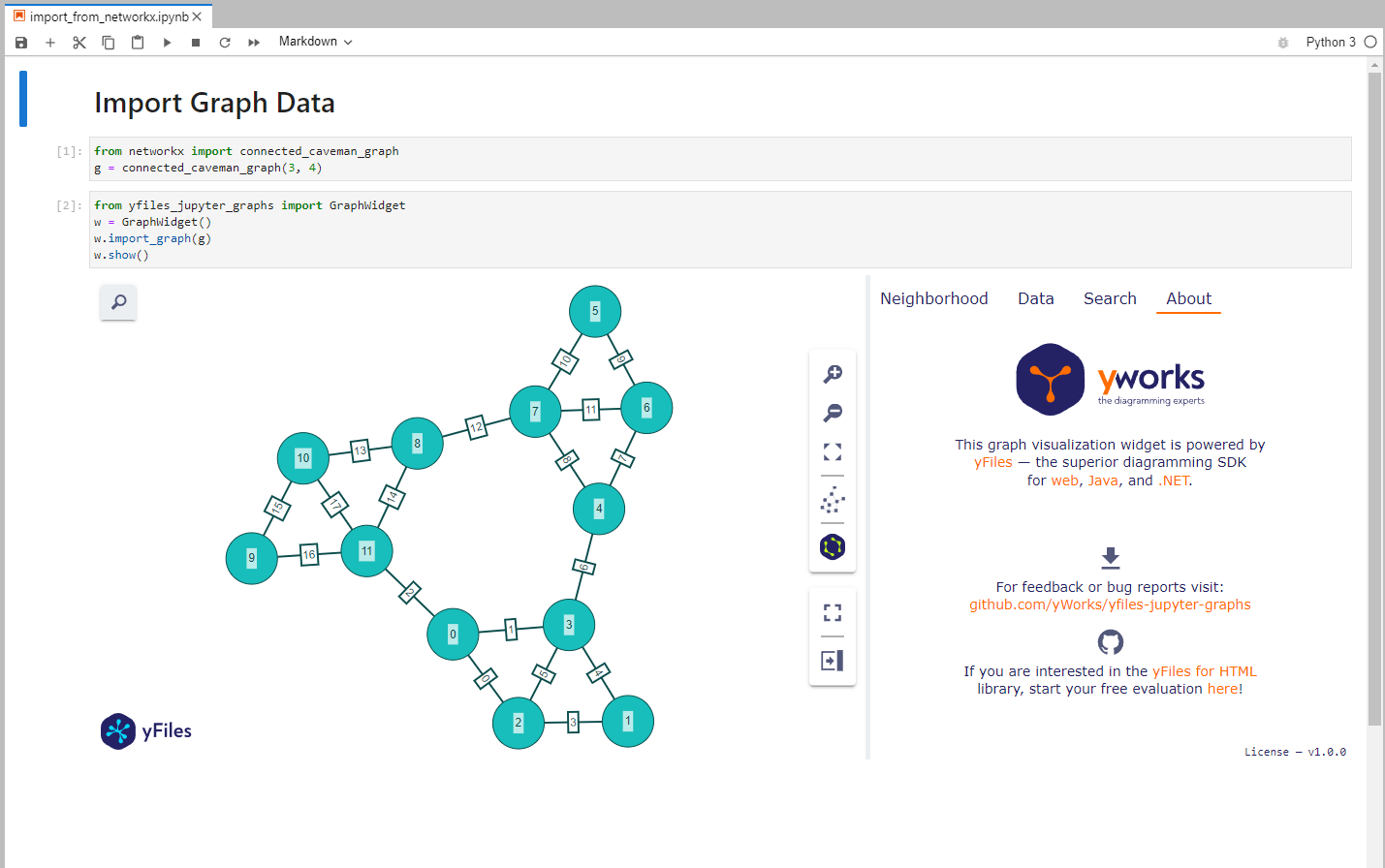
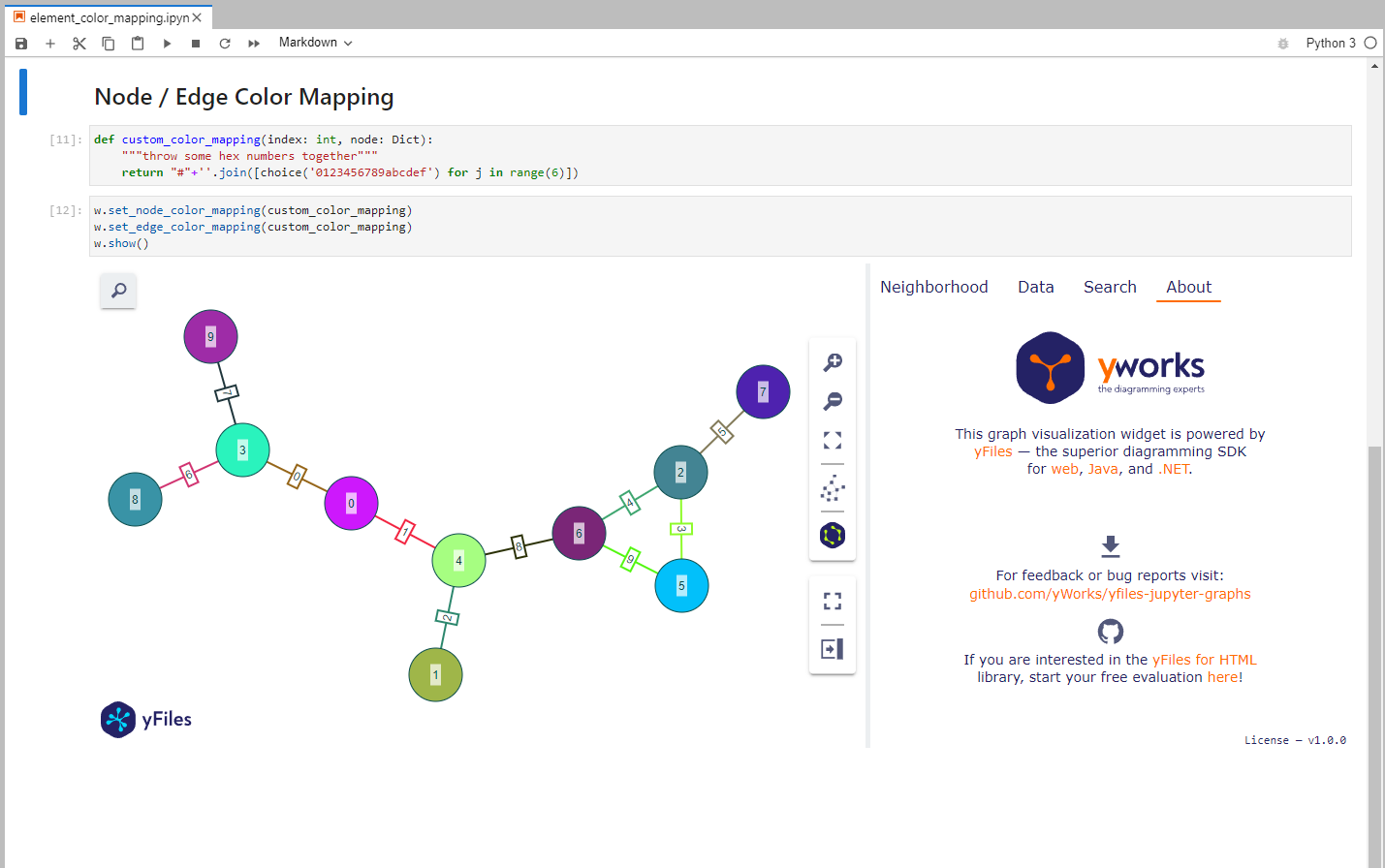
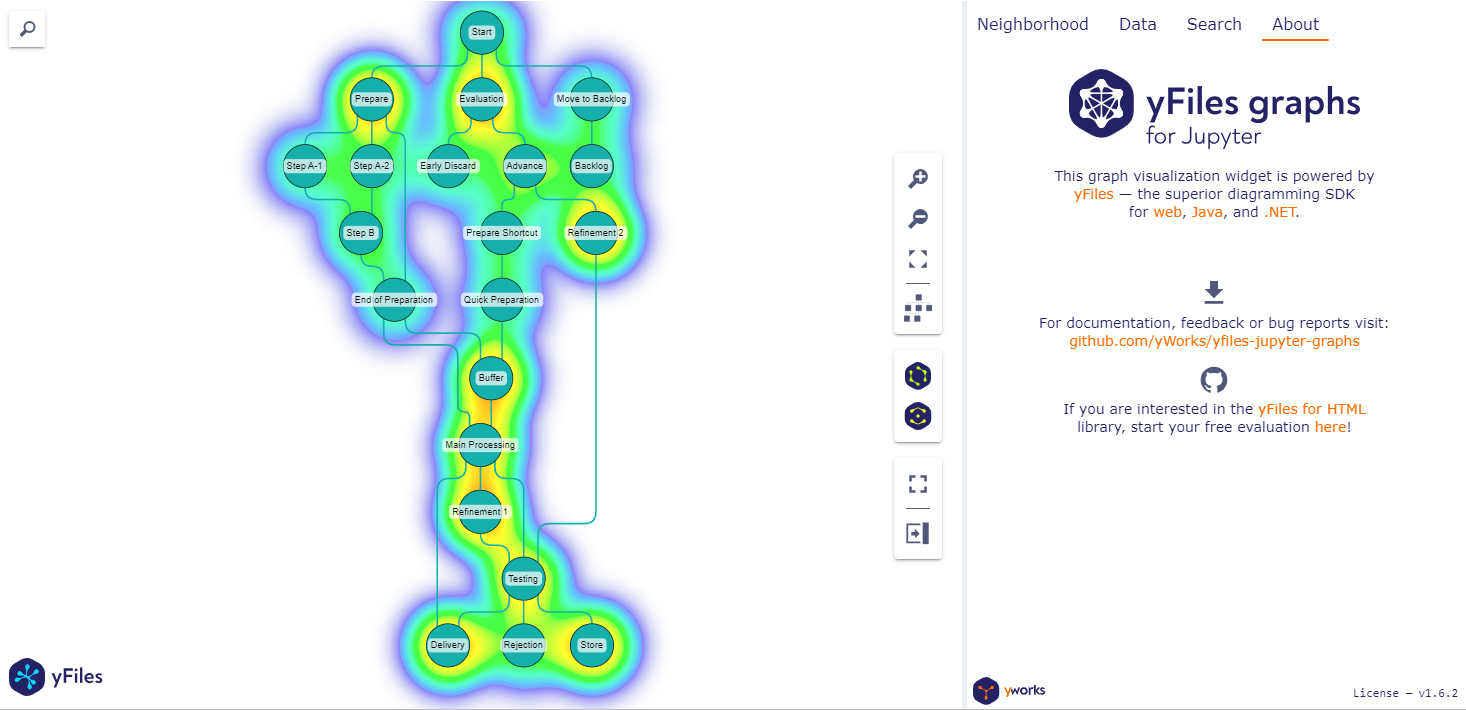
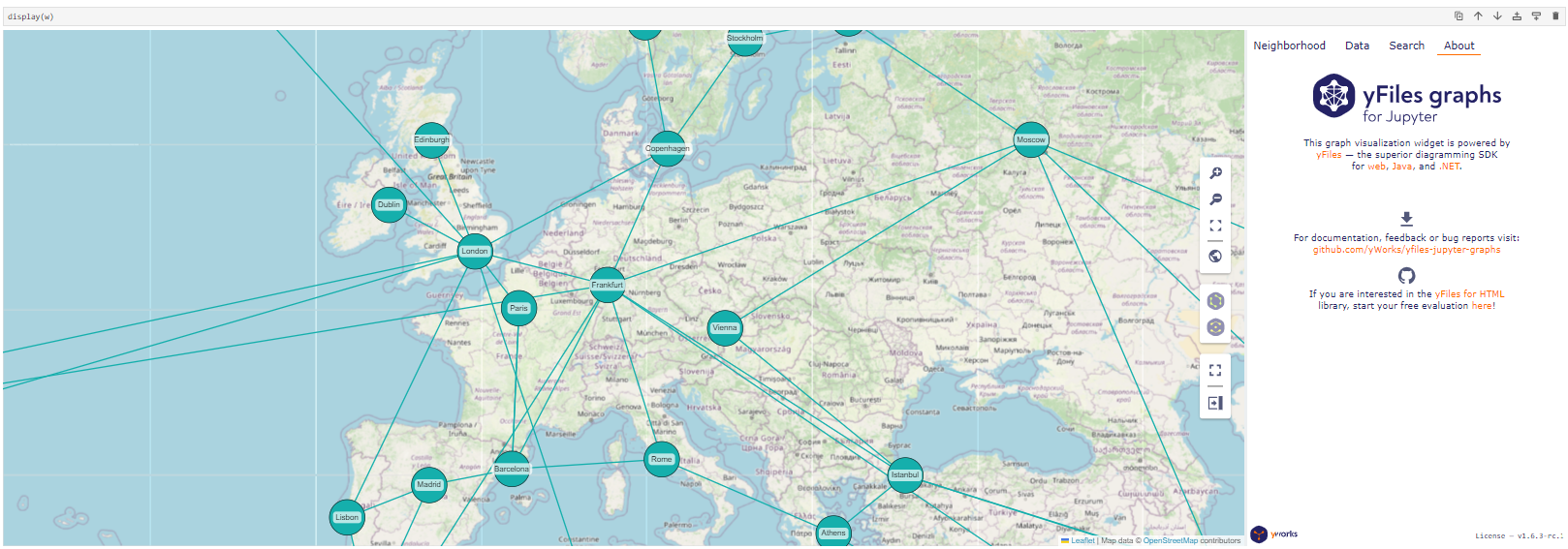
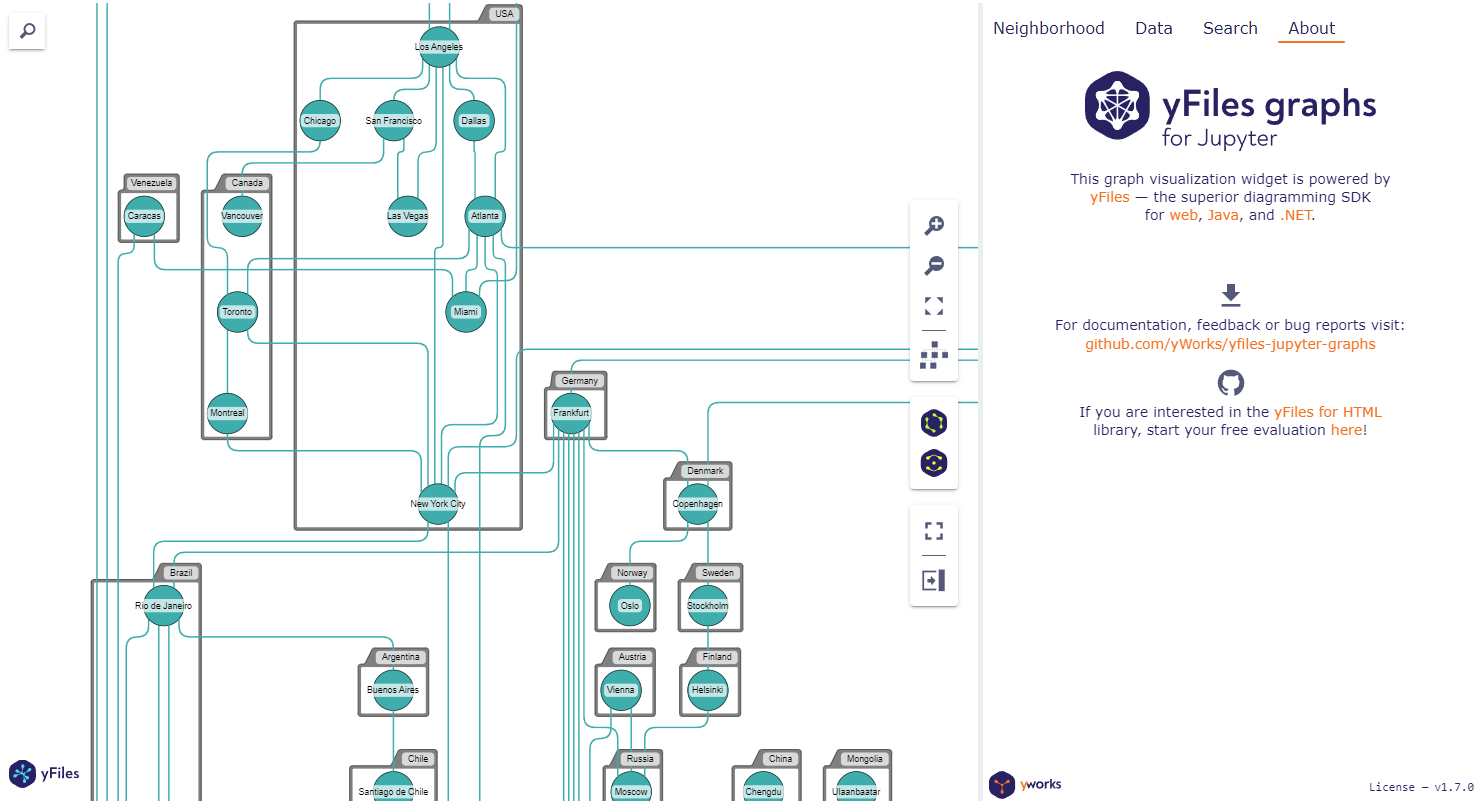
For example code look here.
Google Colab Examples
You can try the example notebooks in Google Colab by
opening GitHub notebook URL: https://colab.research.google.com/github/yWorks/yfiles-jupyter-graphs/blob/main/examples/<notebook.ipynb>.
For example the Introduction notebook:
https://colab.research.google.com/github/yWorks/yfiles-jupyter-graphs/blob/main/examples/01_introduction.ipynb
Documentation
You can find the documentation here.
Code of Conduct
This project and everyone participating in it is governed by the Code of Conduct. By participating, you are expected to uphold this code. Please report unacceptable behavior to contact@yworks.com.
Feedback
This widget is by no means perfect. If you find something is not working as expected we are glad to receive an issue report from you. Please make sure to search for existing issues first and check if the issue is not an unsupported feature or known issue. If you did not find anything related, report a new issue with necessary information. Please also provide a clear and descriptive title and stick to the issue templates. See issues.
Dependencies
License
See LICENSE file.
Release history Release notifications | RSS feed


Download files
Download the file for your platform. If you're not sure which to choose, learn more about installing packages.
Source Distribution
Built Distribution
Filter files by name, interpreter, ABI, and platform.
If you're not sure about the file name format, learn more about wheel file names.
Copy a direct link to the current filters
File details
Details for the file yfiles_jupyter_graphs-1.10.11.tar.gz.
File metadata
- Download URL: yfiles_jupyter_graphs-1.10.11.tar.gz
- Upload date:
- Size: 10.8 MB
- Tags: Source
- Uploaded using Trusted Publishing? No
- Uploaded via: twine/6.2.0 CPython/3.14.3
File hashes
| Algorithm | Hash digest | |
|---|---|---|
| SHA256 |
ebf37d2fc55605751acac135f9329e110079bdd9639d059cdaa7c07ab08a8f71
|
|
| MD5 |
55ebb984060a6f1ff3e043ab0489f841
|
|
| BLAKE2b-256 |
da4960e1cc22ef2c745e96dc9e32a3fb7eaebca801f1bd9b1f7bbe60b945b795
|
File details
Details for the file yfiles_jupyter_graphs-1.10.11-py3-none-any.whl.
File metadata
- Download URL: yfiles_jupyter_graphs-1.10.11-py3-none-any.whl
- Upload date:
- Size: 15.8 MB
- Tags: Python 3
- Uploaded using Trusted Publishing? No
- Uploaded via: twine/6.2.0 CPython/3.14.3
File hashes
| Algorithm | Hash digest | |
|---|---|---|
| SHA256 |
d70a35e6e71b110b8517ebbe7b4de47b01e397b33bc60c8f3c16180024754b0e
|
|
| MD5 |
45f12fbafaedffb7f563c095cf3e1ab7
|
|
| BLAKE2b-256 |
2160a07f10b29adfc0879e8532fb048c7d4dd3a6873f7dd80cf55cc107bd4ce2
|






