
An Alliance Auth app that provides full access to Eve characters and related reports for auditing, vetting and monitoring.

Project description
Member Audit
An Alliance Auth app that provides full access to Eve characters and related reports for auditing, vetting and monitoring.










Contents
Overview
Member Audit is an Alliance Auth app that provides full access to Eve characters and related reports.
Users can monitor their characters, recruiters can vet the characters of applicants and leadership can audit the characters of their members to ensure compliance and find spies.
In addition character based reports gives leadership another valuable tool for managing their respective organization.
For details on how to install and use Member Audit please see the documentation.
Features
Member Audit adds the following key features to Auth:
-
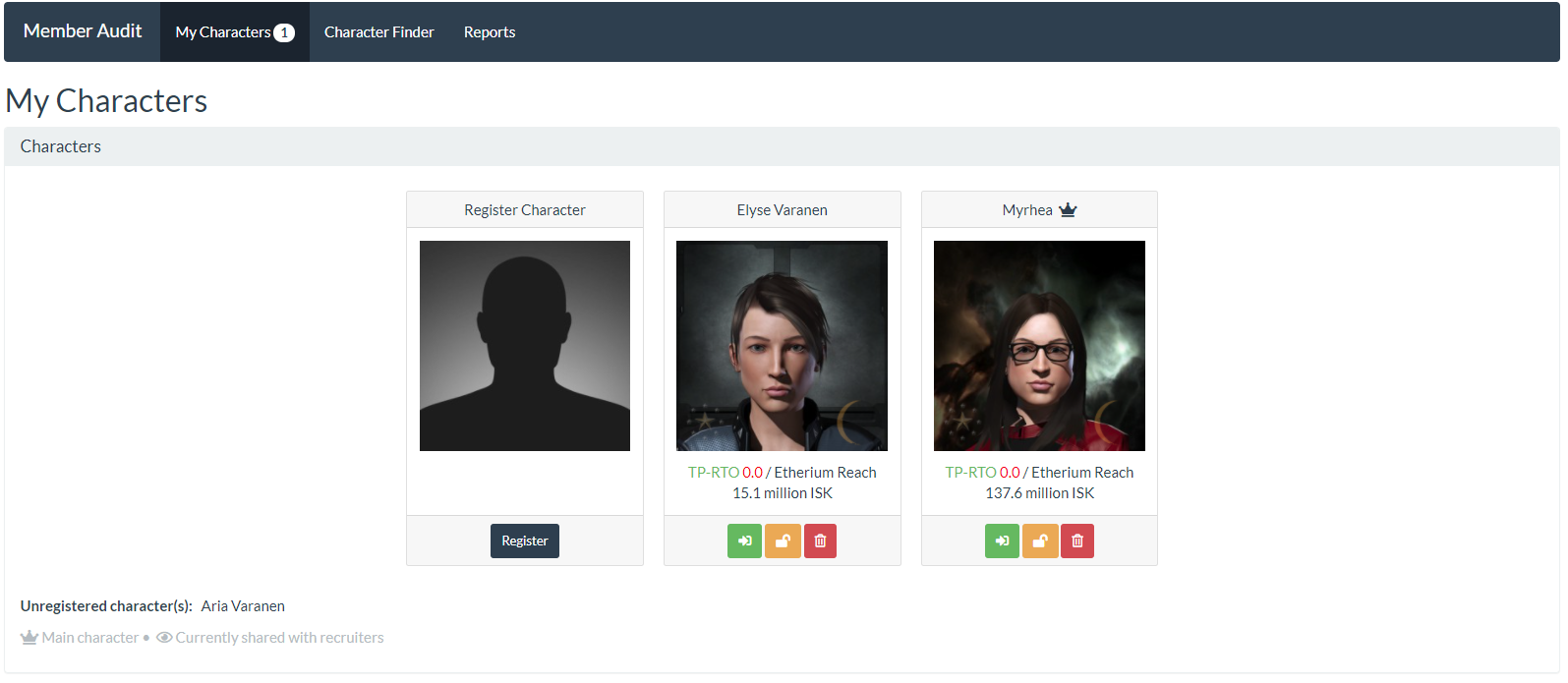
Users can see an overview of all their characters with key information like their current location and wallet balance
-
Users can get full access to their characters to monitor them without having to open the Eve client (similar to the classic Eve ap "EveMon").
-
Applicants can temporarily share their characters with recruiters for vetting
-
Leadership can get full access to characters of their members for auditing (e.g. to check suspicious members)
-
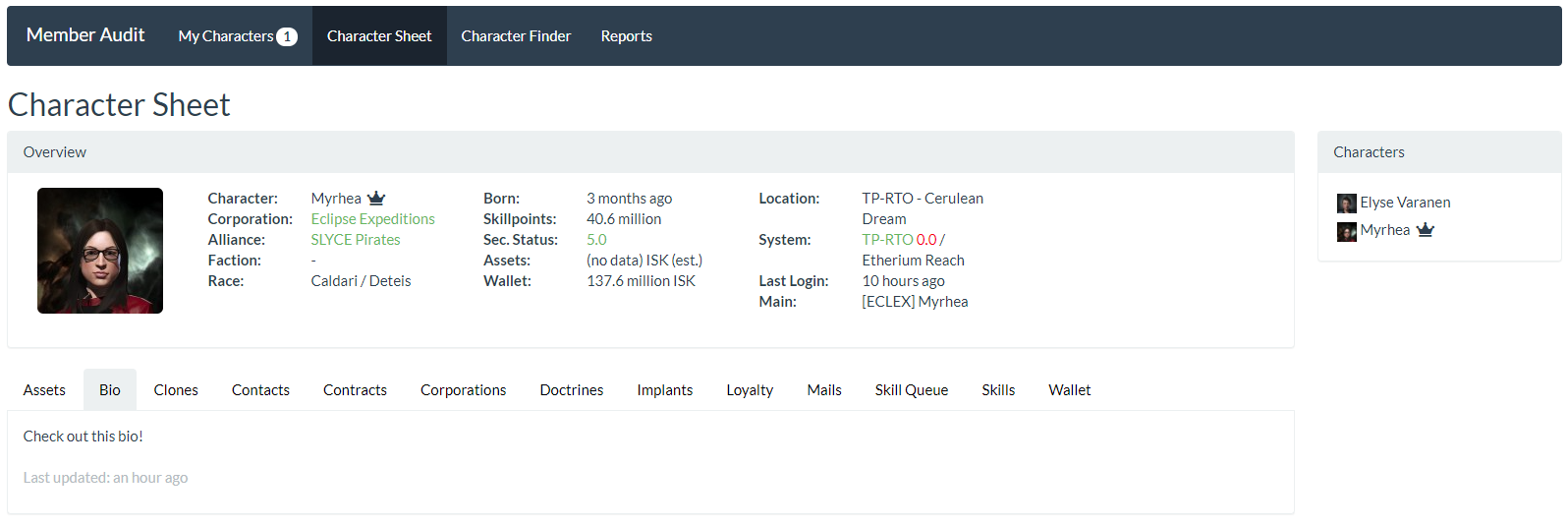
Full access to characters currently includes the following information:
- Assets
- Bio
- Contacts
- Contracts
- Corporation history
- Faction Warfare statistics
- Implants
- Jump clones
- Mails
- Mining ledger
- Loyalty points
- Skill queue
- Skill sets
- Skills
- Wallet (journal and transactions)
-
Leadership can define Skill Sets, which are a way of defining skills needed to perform a specific activity or fly a doctrine ship. They allow recruiters and leadership to see at a glance what a character can do (e.g. which doctrine ships he/she can fly)
-
Skill Sets can be generated from imported fittings
-
Leadership can see reports and analytics about their members. Those currently include:
- Compliance: if users have added all their characters
- Skill Sets: which character has which skill sets
-
Admins can use the flexible permission system to grant access levels for different roles (e.g. corp leadership may only have access to reports about their own corp members)
-
Admins can customize and configure Member Audit to fit their needs. e.g. change the app's name and define how often which type of data is updated from the Eve server
-
Ensure that only users who have registered all their characters have access to services (see also Compliance Groups)
-
Get notifications when a user removes a character that they had previously registered.
-
Designed to work efficiently with large number of characters
-
Data retention policy allows managing storage capacity needs
-
Data can be exported for processing it with third party apps like Google Sheets (currently wallet journal only)
Highlights
Character Launcher
The main page for users to register their characters and get a key infos of all registered characters.
Character Viewer
The page for displaying all details about a character.
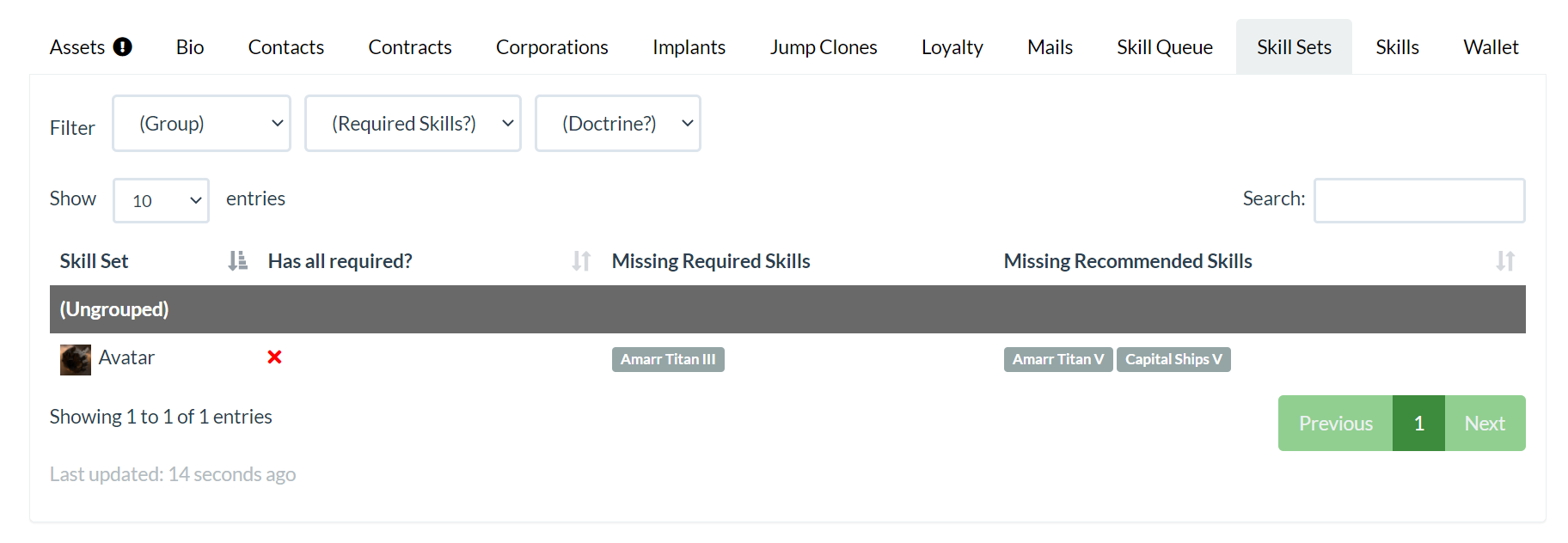
Skill Sets
Skill sets are a way of defining both required and recommended skills for a specific activity or ship.
This tab on the character view allows you to view what skill sets a character has. For skill sets they don't have or are missing parts of, it also shows what skills are missing.
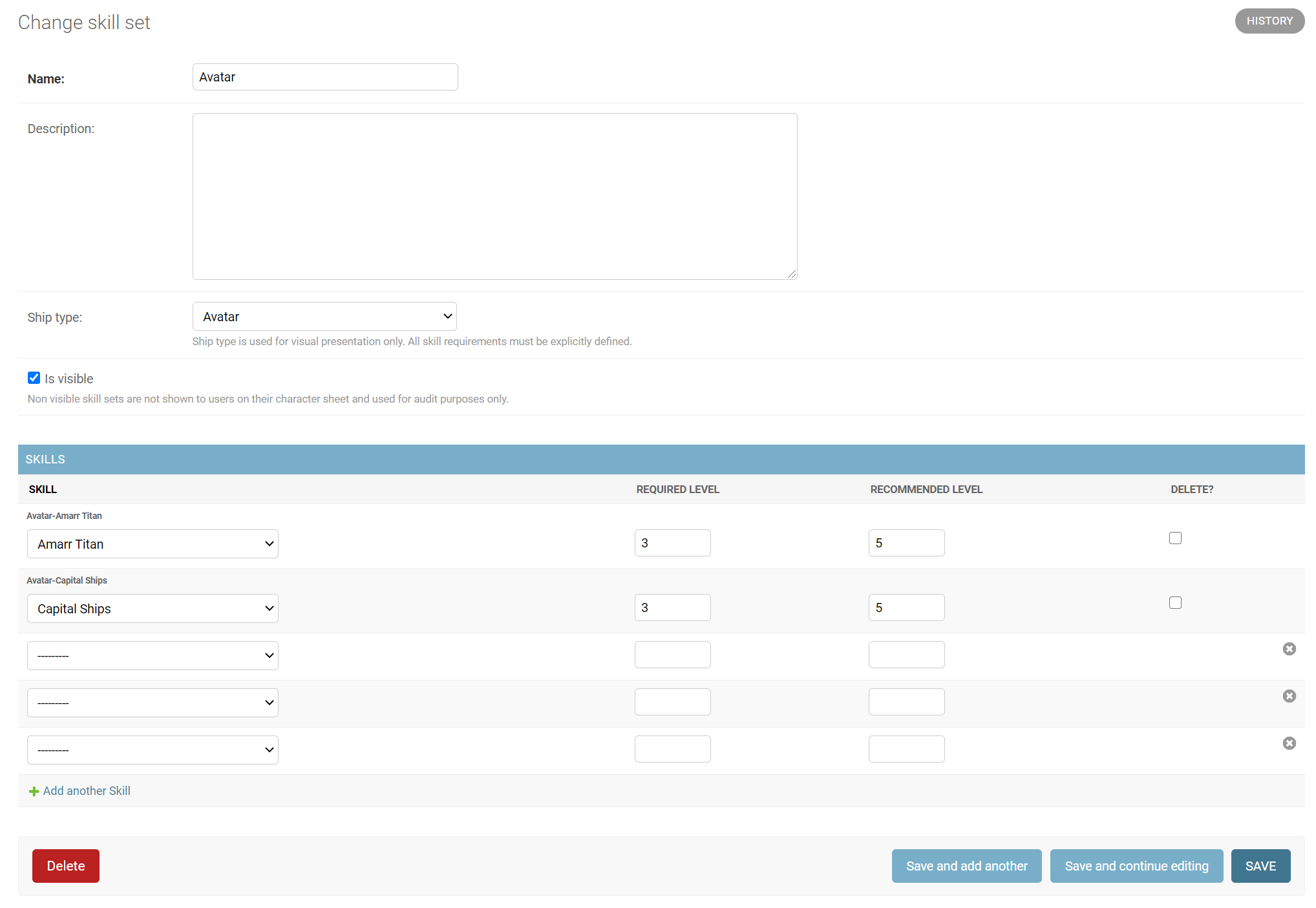
Requirements can be customized per skill set in the administration panel. Recommended skill levels can be added in addition to requirements.
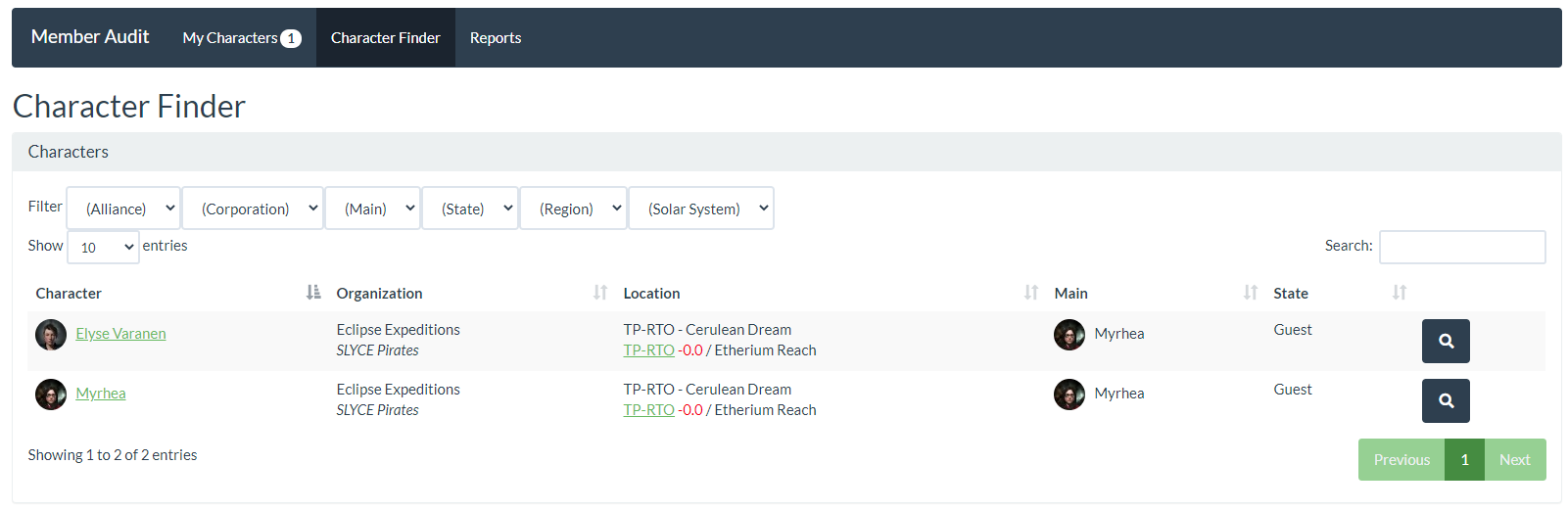
Character Finder
On this page recruiters and leadership can look for other characters to view (assuming they have been given permission).
Authors
The main authors (in alphabetical order):
- Erik Kalkoken
- Rebecca Claire Murphy, aka Myrhea
- Peter Pfeufer, aka Rounon Dax
Release history Release notifications | RSS feed


Download files
Download the file for your platform. If you're not sure which to choose, learn more about installing packages.
Source Distribution
Built Distribution
Filter files by name, interpreter, ABI, and platform.
If you're not sure about the file name format, learn more about wheel file names.
Copy a direct link to the current filters
File details
Details for the file aa_memberaudit-2.6.3.tar.gz.
File metadata
- Download URL: aa_memberaudit-2.6.3.tar.gz
- Upload date:
- Size: 484.8 kB
- Tags: Source
- Uploaded using Trusted Publishing? No
- Uploaded via: twine/4.0.2 CPython/3.10.11
File hashes
| Algorithm | Hash digest | |
|---|---|---|
| SHA256 |
44d8303cf841a931d351e393e555019f936770db78bff17864cac48b3ccd5de3
|
|
| MD5 |
ec1f6fe2f4aa4391c7b2c2873ea1eb14
|
|
| BLAKE2b-256 |
9e5a32ff6e5b1de750b4a9e8e5042bf9977caebc07de7f045c3fae2a4bb482d8
|
File details
Details for the file aa_memberaudit-2.6.3-py3-none-any.whl.
File metadata
- Download URL: aa_memberaudit-2.6.3-py3-none-any.whl
- Upload date:
- Size: 559.4 kB
- Tags: Python 3
- Uploaded using Trusted Publishing? No
- Uploaded via: twine/4.0.2 CPython/3.10.11
File hashes
| Algorithm | Hash digest | |
|---|---|---|
| SHA256 |
170e930d2b6db349720aa02665cb0c7c1a36e978d1410c40dee35d71e99fead6
|
|
| MD5 |
617e751fd6937860ff22319a0e34926b
|
|
| BLAKE2b-256 |
d4645eea24fa8ece5dd718eaa00a1aa8ed3cb48b3507a8a6aca881a9d27ad827
|






